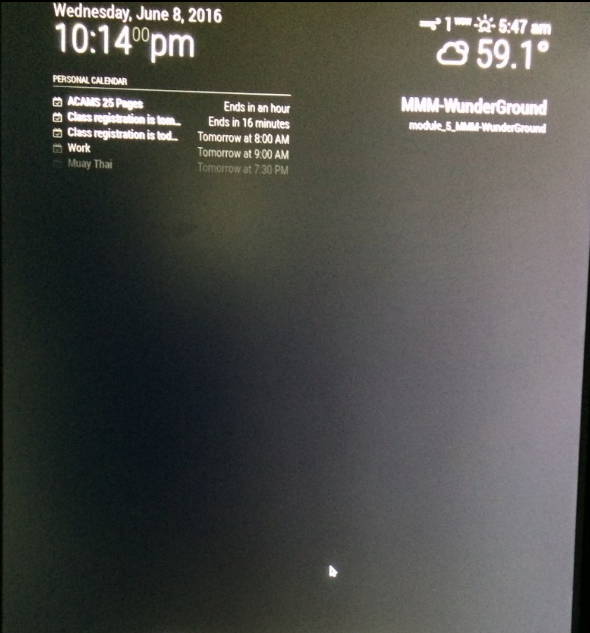
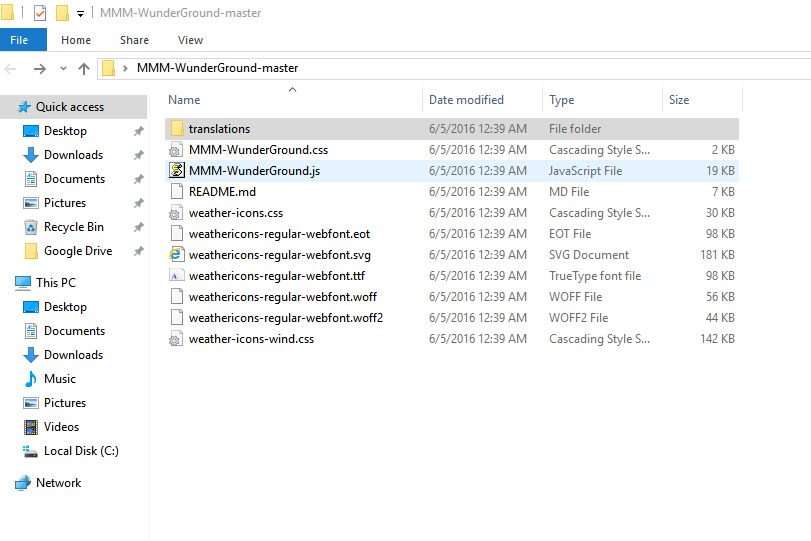
@RedNax do you happen to know why my MMM-WunderGround module is not showing the forecast?
M
Offline
A New Chapter for MagicMirror: The Community Takes the Lead
Read the statement by Michael Teeuw here.
Read the statement by Michael Teeuw here.
Posts
-
RE: Weatherunderground - currently - hourly - daily - configurable
-
RE: Weatherunderground - currently - hourly - daily - configurable
Thanks KirAsh4 and RedNax! I resolved it. What happened was that I entered
location: ‘San Francisco’
locationid: ‘5391959’on the currentweather module.
I decided to delete the locationid key and left it blank and voila! It works now! You guys rock!
-
RE: Weatherunderground - currently - hourly - daily - configurable
@RedNax Still not working. Sorry, I should have included that I added a few extra keys to my personal api key thus making them invalid.
Loading config … Loading module helpers … No helper found for module: alert. No helper found for module: clock. Initializing new module helper … No helper found for module: compliments. No helper found for module: currentweather. No helper found for module: MMM-WunderGround. Initializing new module helper … All module helpers loaded. Starting server op port 8080 … Server started … Connecting socket for: calendar Starting node helper for: calendar Connecting socket for: newsfeed Starting module: newsfeed Sockets connected & modules started … Launching application. -
RE: Weatherunderground - currently - hourly - daily - configurable
I’m getting a blank screen. Any idea why?
{ module: 'MMM-WunderGround', position: 'top_right', header: 'Weather Forecast', config: { apikey: 'a1fa37eaff91b5450c', pws: 'CA/San_Francisco', fctext: '1', fcdaycount: '5', fcdaystart: '0', hourly: '1', hourlyinterval: '3', hourlycount: '2', alerttime: 1000, alerttruncatestring: 'english:' } }, -
RE: How to install a module?
@RedNax OMG thank you!!! Again, i’m just a level 1 n00b. This is AWESOME! So this is what Github is about…
-
RE: How to install a module?
@RedNax First of all, thank you so much for helping.
I guess my question is after I download and extract the zip files. Do I invididually drag each file into their respective location and then configure my config.js or is there another way to do this?
-
RE: Calendar modification
@KirAsh4 Of course that worked. Thanks for the silver bullet
-
RE: Calendar modification
@KirAsh4 Weird. I had to make mine public or else the dashboard wont be able to display saying “No Events”
-
RE: How to install a module?
@KirAsh4106 Thanks! I successfully updated my current time.
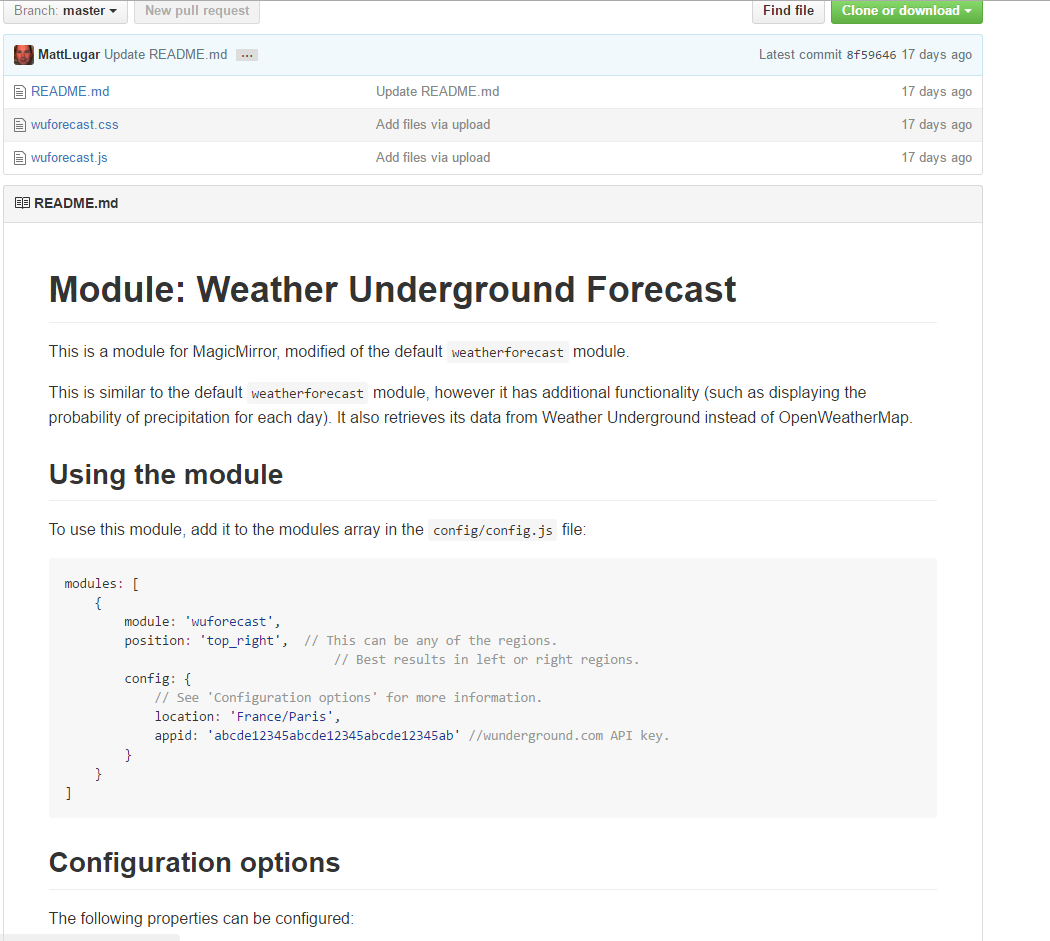
@mattlugar As for the module piece, I’m still having a hard time. I went to the creator’s gihub page and saw their config file. My questions are:
- Do I replace my current weather module or add it as a new module?
- I see that there are other files attached such as the .CSS file and wuforecast.js. Where do I place those? Do I download them and add them to the module folder?
I really want to thank you for your time. I’m really grateful.
-
How to install a module?
I really want to replace my openwatherapp to weatherunderground and there are several modules that would allow me to do so. Due to my lack of coding background, I have no idea how to start it. I’ve copied the coding MMM-wunderground module to my config.js and it messed up my dashboard making the entire thing blank.
  {
            module: 'MMM-WunderGround',
            position: 'top_right',
            config: {
                apikey: 'xxx',
                pws: 'locid:KDExxx;loctype:1',
                fctext: '1',
                fcdaycount: "5",
                fcdaystart: "0",
                hourly: '1',
                hourlyinterval: "3",
                hourlycount: "2"
            }
        }
Perhaps, there was more to add than just editing
config.js?I hopped over to
MMM-WundergroundGitHub page and see that there are several files attached to the module. My question is, do I download the entire packet and dropped them in their respective locations or is there a quicker way to do it?Also, does anyone know how to fix my “currenttime” ? It’s off by 3 hours. I went to file “clock” location and could not see a place where I can enter “San Francisco, CA” time. I’m level 1 at coding if you can’t tell.
Note from admin: Please use Markdown on code snippets so it is easier to read!
-
RE: Weatherunderground - currently - hourly - daily - configurable
it’s taking me forever but How do i change pws: ‘locid:’ for san francisco? I cant find the location ID for my city using google
-
RE: Really NOOB Question. Stopping Magic Mirror App
@KirAsh4 You are a God sent. Thanks to your previous post, I started using Putty.exe and it’s excellent! MagicMirror is my first project and I’m learning so much running into all sort of issues. Google has been my best friend for the last 2 days
-
RE: Really NOOB Question. Stopping Magic Mirror App
@jtyle6 OMG! I was freaking out that I could not stop it. Thank you so much :)
-
RE: NPM ERR!
@KirAsh4 OMG THE DISPLAY WORKS! I’m super grateful for your help. It says that that I need to create a config file. The github instruction is not entirely clear on what I will need to do next. Do I duplicate the config file?
-
RE: NPM ERR!
Hi KarAsh4,
Thank you so much for writing such detailed instructions. Let me recap:
- Update raspian ‘sudo apt-get update ; sudo apt-get upgrade’
- Delete and reinstall auto installation
a) ‘sudo rm -rf MagicMirror’
b) ‘curl -sL https://raw.githubusercontent.com/MichMich/MagicMirror/master/installers/raspberry.sh | bash’’ - Perform ‘display:0 npm start’ inside MagicMirror by going running ‘cd MagicMirror’
Is this correct?
I have no programming background :(
-
NPM ERR!
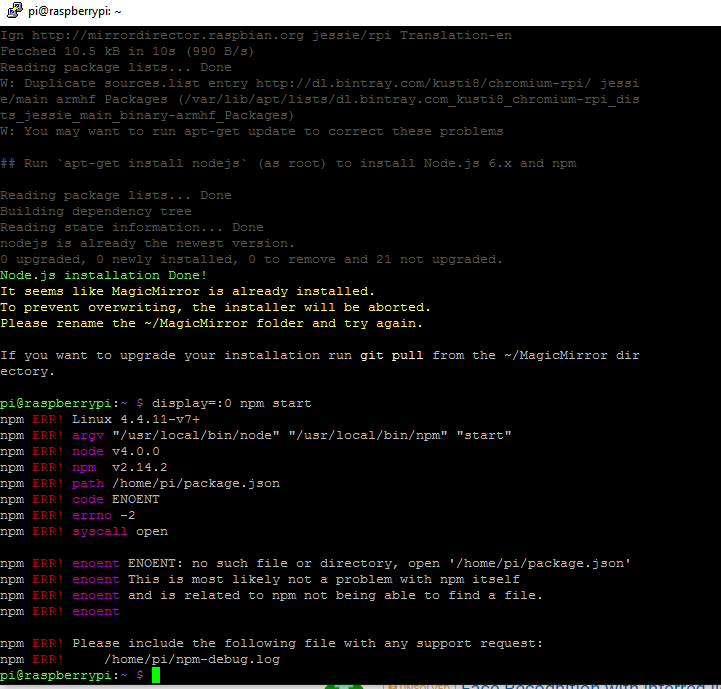
I’m not entirely sure why I am getting this error but I tried uninstalling and reinstalling node.js several times and of course, it has not fixed the issue. Then I saw a thread where MichMich said that the automatic installer should automatically install the latest node.js. At which point, I decided to run the automatic installer again “curl -sL https://raw.githubusercontent.com/MichMich/MagicMirror/master/installers/raspberry.sh | bash”. It still does not work. I’m not sure what I am doing wrong but if you can spare a few minutes to help me i am more than grateful.
-
RE: MagicMirror not displaying after completion
@MichMich Will do and thank you :)