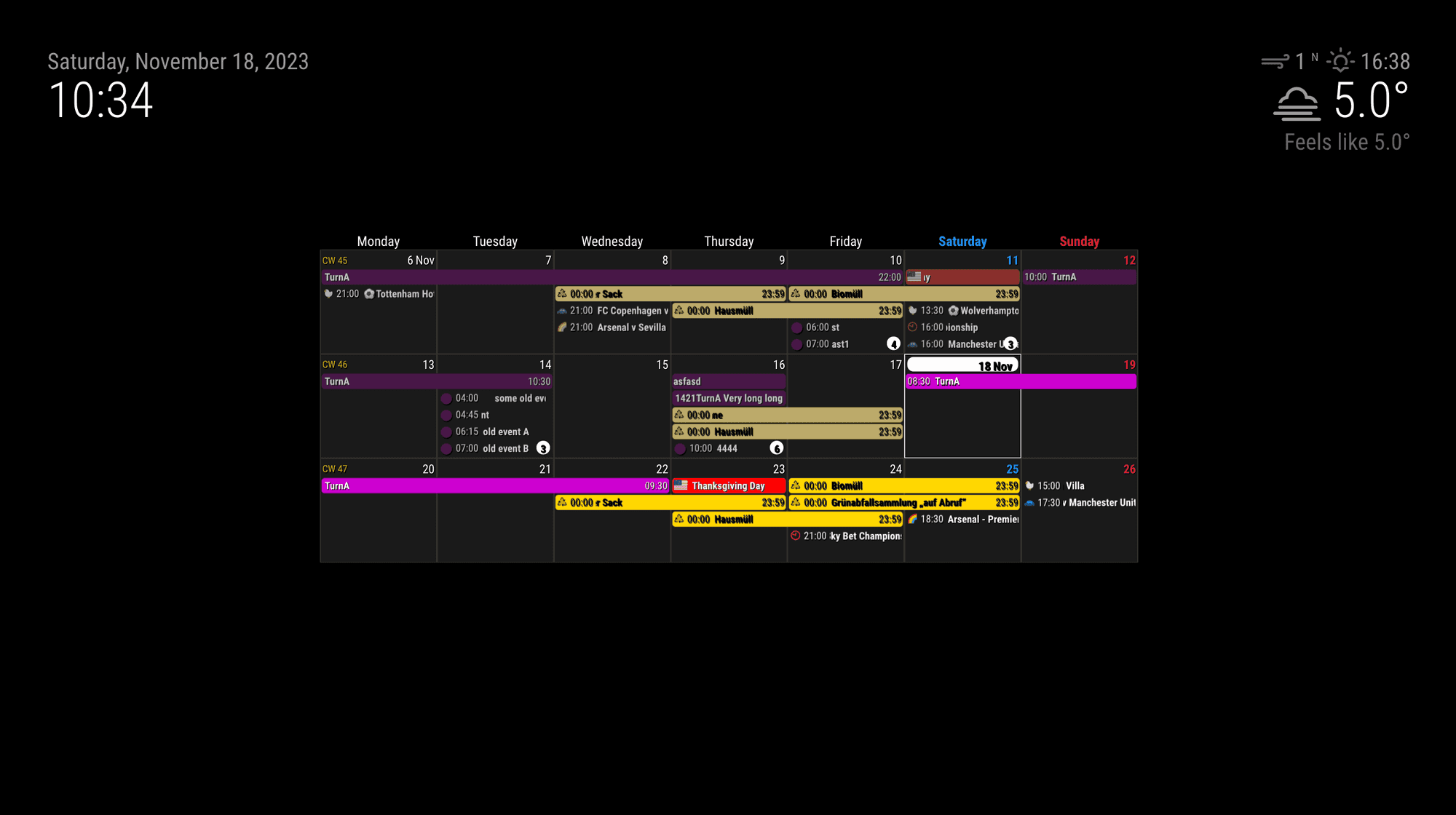
When you put the module into middle position,
Append this to your css/custom.css
.middle .CX3.bodice {
  width: 60%;
  margin: 0 auto;
}
When you put the module into middle position,
Append this to your css/custom.css
.middle .CX3.bodice {
width: 60%;
margin: 0 auto;
}
@1a2a3a
Right. MM itself is runnable on any device but more powered devices are usually more expensive or bigger than RPI.
@Brtrnd-0
AFAIK, Getting token script itself is executable on any environment, as far as it has node and browser. (and properly installed)
node generate_token_v2.js
Usually it should show some instructions to open a browser and navigate URL for OAUTH process. But if you get nothing(even error message) hmmm. Weird. Could you tell us more details or captures?
@1a2a3a
Rpi3 is almost 8years ago introduced. It may have not enough power to handle modern tech like 4k video or heavy animation.
I added new feature to the module recently, because I don’t use RPI any more for MM, but still many ppl are using RPI legacy/low-profile models.
Anyway to turn off the marquee effects, add “useMarquee:false,” in the config of CX3 module in your config.js
https://github.com/MMRIZE/MMM-CalendarExt3#config-details
I will change it’s default value to “false” later at next update. I have done now.
@1a2a3a
For 2. “useMarquee:false”. It is too heavy to your device.
useMarquee confignoMarquee event Object attributemarquee or ticker style.
MagicMirror module for presenting Pictures from Dropbox (Successor of MMM-DropboxWallpaper)
This module is a direct successor of previous
MMM-DropboxWallpaper. I need to rebuild new one, and now it will be hosted by me again.
@oldrocker
You can consider “Wide viewing angle”.
Usually, an IPS panel is regarded as better than a VA panel or TN panel horizontally, seeing up to ideally 178deg max, but vertically, all panel types would have 30 ~ 40 degrees max.
Only for viewing angle, a panel of TV could be slightly better than that of a monitor, but you still have to consider resolutions and readability. (and dimension, weight, construct difficulty, brightness, contrast and color depth, etc, … for your purpose)
@sdetweil
You are right.
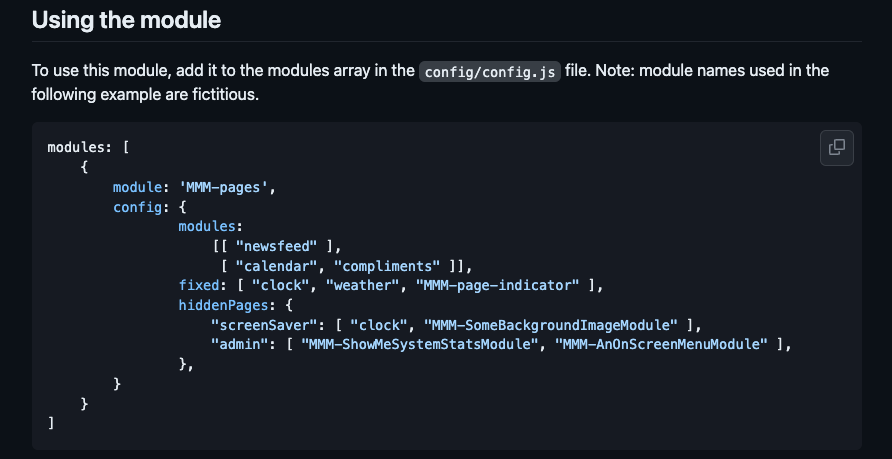
However the example seems somehow ambiguous (though config description) It might mislead someone.(like @UncleRoger or me) :D
@sdetweil
Ah, I misunderstood those identifiers are module name not class name.
Try this;
cd ~/MagicMirror/modules/MMM-CalendarExt3
git pull
npm install
git submodule update --init --recursive
Sorry, it may be missing. I’ll add the info on next update. (soon)
About the look of the module to mimic the original calendar module;
Sorry, it can’t. This module is an alternative view of your events listing, not a replacement. If you need only the same look as the original calendar, just use the original.
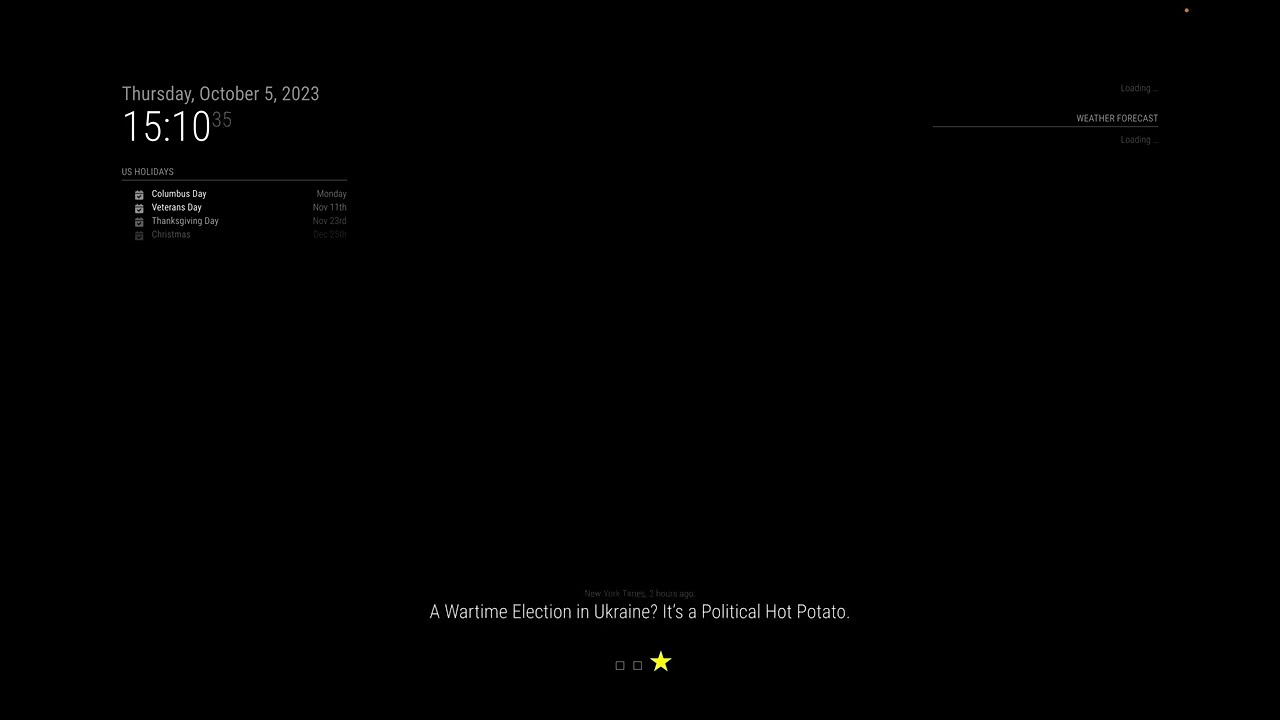
About the working with MMM-Pages.
MMM-Pages is a good, reliable module, though it doesn’t consider the multi-instance of the module. So when you need multi-instances and want to show/hide on different pages, it cannot work as expected. Try other paging/screen control module. (e.g. I recommend MMM-Scenes2 with shame.)
Click to see the DEMO
My mistake. You can assign class name in MMM-Pages settings. (Thanks @sdetweil )
@angeliKITTYx
Unlike other personal products, Using Google Keep API is allowed only for Google Workspace account yet, So if you are not Google Workspace user, you can’t. (And you should be allowed from superadmin of your Google Workspace, generally IT manager of your company.)
So you cannot implement GKeep features for personal account unless you want that for your company ATM.
You can build MM on any device, Windows, MacOS, any Linux Distros,
But you cannot “copy & paste” built MM to another device. (Yup… maybe Dump would be possible in some environments, but not all. Using Docker is another topic.)
Finally, you need to build your own infra of the target device.(OS setup, some configuration, WIFI setup, and so on.) Then, you have to install MM(and its dependencies like nodeJS) manually or with the help of scripts.
After that, you can copy & paste custom.css and config.js from your test environment. But maybe 3rd-party modules should be installed again by your hand.
Not as difficult as it sounds. Good luck.
@raymondjspigot
Your node version seems somewhat low.
Check this;
node -v
@peterpan894
If your 8080 port is blocked, you cannot serve MM either.
As far as I read, you run server-only mode. It means you will run MM client (browser or electron whatever) on some device. Is your MM running on the other port than 8080?
% npm run server

> magicmirror@2.25.0 server
> node ./serveronly

[14.11.2023 14:39.52.783] [LOG]   Starting MagicMirror: v2.25.0
[14.11.2023 14:39.52.784] [LOG]   Loading config ...
[14.11.2023 14:39.52.785] [DEBUG] config template file not exists, no envsubst
[14.11.2023 14:39.52.785] [LOG]   Loading module helpers ...
[14.11.2023 14:39.52.785] [LOG]   No helper found for module: clock.
[14.11.2023 14:39.52.804] [LOG]   Initializing new module helper ...
[14.11.2023 14:39.52.804] [LOG]   Module helper loaded: calendar
[14.11.2023 14:39.52.815] [LOG]   Initializing new module helper ...
[14.11.2023 14:39.52.815] [LOG]   Module helper loaded: MMM-CalDAV
[14.11.2023 14:39.52.815] [LOG]   All module helpers loaded.
[14.11.2023 14:39.52.817] [LOG]   Starting server on port 8080 ...
[14.11.2023 14:39.52.823] [LOG]   Server started ...
[14.11.2023 14:39.52.823] [LOG]   Connecting socket for: calendar
[14.11.2023 14:39.52.824] [LOG]   Starting node helper for: calendar
[14.11.2023 14:39.52.824] [LOG]   Connecting socket for: MMM-CalDAV
[14.11.2023 14:39.52.824] [LOG]   Sockets connected & modules started ...
[14.11.2023 14:39.52.824] [LOG]
Ready to go! Please point your browser to: http://localhost:8080
~ % lsof -i -P -n | grep 8080
node       7922 eouia   22u  IPv6 0x58cc15e911673fb5      0t0  TCP [::1]:8080 (LISTEN)
@peterpan894
Send me whole configuration. When describe me which enviroments (for server and for client) are using. (eouia0819@gmail.com)
if the node_helper depends on info sent down from the modulename.js, then it will not happem as that runs in a browser…
The part serving iCal is a pure express logic without any configuration value. It just serve URL from static files on start of node_helper. So ideally, it should be served regardless of the front client.
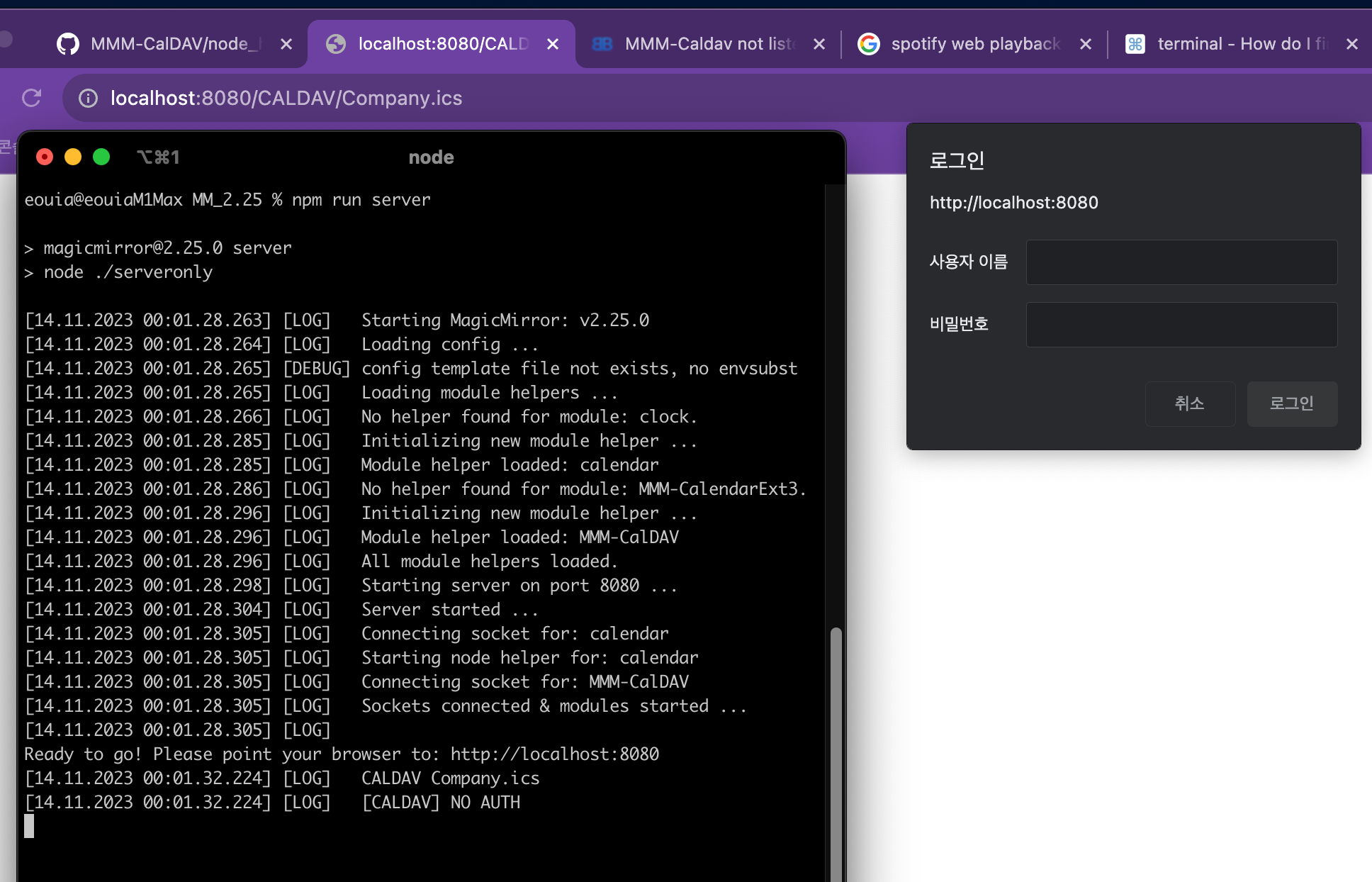
This image shows that I tried serveronly mode, then try to access Company.ics which is not even fetched in this execution before any client is launched. (The iCal file was fetched in the previous execution)
And showing it hit the access but failed due to no auth. (So that’s why the browser show auth dialog box)
With curl (anyway, -v option is not enough to access this served ical. You should use -u option.) It should have 401 error withou auth info.
~ % curl -v http://localhost:8080/CALDAV/Company.ics
*   Trying 127.0.0.1:8080...
* connect to 127.0.0.1 port 8080 failed: Connection refused
*   Trying [::1]:8080...
* Connected to localhost (::1) port 8080 (#0)
> GET /CALDAV/Company.ics HTTP/1.1
> Host: localhost:8080
> User-Agent: curl/8.1.2
> Accept: */*
>
< HTTP/1.1 401 Unauthorized
< Access-Control-Allow-Origin: *
< Referrer-Policy: no-referrer
< Strict-Transport-Security: max-age=15552000; includeSubDomains
< X-Content-Type-Options: nosniff
< X-DNS-Prefetch-Control: off
< X-Download-Options: noopen
< X-Frame-Options: SAMEORIGIN
< X-Permitted-Cross-Domain-Policies: none
< X-XSS-Protection: 0
< WWW-Authenticate: Basic realm="MMM-CalDAV Service"
< Date: Mon, 13 Nov 2023 23:07:36 GMT
< Connection: keep-alive
< Keep-Alive: timeout=5
< Content-Length: 0
<
* Connection #0 to host localhost left intact
So with -u options;
 ~ % curl -u "username1:password1"  http://localhost:8080/CALDAV/Company.ics
BEGIN:VCALENDAR
BEGIN:VEVENT
DTSTART;TZID=Europe/Berlin:20230919T100000
DTEND;TZID=Europe/Berlin:20230919T110000
DTSTAMP:20230830T065013Z
UID:-@google.com
CREATED:20230830T065013Z
DESCRIPTION:
LAST-MODIFIED:20230830T065013Z
LOCATION:
SEQUENCE:0
STATUS:CONFIRMED
SUMMARY:-
TRANSP:OPAQUE
END:VEVENT
BEGIN:VEVENT
...
So it works for me.
Ok. Let’s check from the beginning. Is Your MM server served on port 8080? Can you open MM frontend on browser with http://localhost:8080?
Your symptom is very weird because;
If MM is served normally, this module SHOULD work. It uses express delivered from MM itself, not individually installed. So if this module’s express has a problem, MM should have the same problem. (I found unused require in the source :D. Anyway due to that, I can confirm I’m using MM’s express not individual one.)
@peterpan894 said in MMM-Caldav not listening on port 8080:
The only thing which can be the cause is that i run
npm run servercan someone check on a working system if there is a listener on port 8080? I can only excecute the server as i have a headless system
Ah, you may run the server and client on different devices.
“localhost” points a device-self, so “localhost” in client will be different from that of server.
Use IP address of server instead of “localhost”