Hey @seabass, it look’s good. I’m not sure but I think you need to install MMM-Remote-Control for sending notifications. Maybe @sdetweil can tell us more about this? Thanks.
 N
Offline
N
Offline
A New Chapter for MagicMirror: The Community Takes the Lead
Read the statement by Michael Teeuw here.
Read the statement by Michael Teeuw here.
Posts
-
RE: Kitchen Touchscreen Dashboard
-
RE: Kitchen Touchscreen Dashboard
@seabass Ok, do you have MMM-Remote-Control installed?
Can you share your config by the way? -
RE: How to Swipe between pages
@seabass For me the following cofiguration ist working fine with every Touch Display I’m using. (Surface, Dell Touch Monitor, HP AIO Touch)
I using this module. MMM-Touch and also MMM-Pages{ module: "MMM-Touch", position: "top_center", classes: "", disabled: false, config: { debug: false, useDisplay: false, autoMode: false, defaultMode: "default", gestureCommands: { "default":{ "TAP_1": (commander) => {commander.sendNotification("USER_PRESENCE", true);}, "SWIPE_RIGHT_1": (commander) => {commander.sendNotification("PAGE_DECREMENT", null);}, "SWIPE_LEFT_1": (commander) => {commander.sendNotification("PAGE_INCREMENT", null);}, "SWIPE_DOWN_1": (commander, gesture) => {commander.sendNotification("ARTICLE_PREVIOUS")}, "SWIPE_UP_1": (commander, gesture) => {commander.sendNotification("ARTICLE_NEXT")}, "SWIPE_DOWN_2": (commander, gesture) => {commander.sendNotification("BACKGROUNDSLIDESHOW_PREV")}, "SWIPE_UP_2": (commander, gesture) => {commander.sendNotification("BACKGROUNDSLIDESHOW_NEXT")}, //"DOUBLE_TAP_1": (commander) => {commander.sendNotification("LOAD_NEXT_WALLPAPER", null);}, "SWIPE_LEFT_2": (commander) => {commander.sendNotification('CX3_GET_CONFIG', {callback: (before) => {commander.sendNotification('CX3_SET_CONFIG', {monthIndex: before.monthIndex + 1,callback: (after) => {setTimeout(() => { commander.sendNotification('CX3_RESET') }, 60_000)}})}})}, "SWIPE_RIGHT_2": (commander) => {commander.sendNotification('CX3_GET_CONFIG', {callback: (before) => {commander.sendNotification('CX3_SET_CONFIG', {monthIndex: before.monthIndex - 1,callback: (after) => {setTimeout(() => { commander.sendNotification('CX3_RESET') }, 60_000)}})}})}, }, } }, }, -
RE: Kitchen Touchscreen Dashboard
@seabass said in Kitchen Touchscreen Dashboard:
I see you’re using the MMM-Touch and MMM-pages modules. Are you able to swipe to the next page configured with the MMM-pages module? Would you be able to share your module configuration for the MMM-Touch and MMM-pages modules as I’m unable to get the MMM-Touch module working with my setup. Thank you!
{ module: "MMM-Touch", position: "top_center", classes: "", disabled: false, config: { debug: false, useDisplay: false, autoMode: false, defaultMode: "default", gestureCommands: { "default":{ "TAP_1": (commander) => {commander.sendNotification("USER_PRESENCE", true);}, "SWIPE_RIGHT_1": (commander) => {commander.sendNotification("PAGE_DECREMENT", null);}, "SWIPE_LEFT_1": (commander) => {commander.sendNotification("PAGE_INCREMENT", null);}, "SWIPE_DOWN_1": (commander, gesture) => {commander.sendNotification("ARTICLE_PREVIOUS")}, "SWIPE_UP_1": (commander, gesture) => {commander.sendNotification("ARTICLE_NEXT")}, "SWIPE_DOWN_2": (commander, gesture) => {commander.sendNotification("BACKGROUNDSLIDESHOW_PREV")}, "SWIPE_UP_2": (commander, gesture) => {commander.sendNotification("BACKGROUNDSLIDESHOW_NEXT")}, //"DOUBLE_TAP_1": (commander) => {commander.sendNotification("LOAD_NEXT_WALLPAPER", null);}, "SWIPE_LEFT_2": (commander) => {commander.sendNotification('CX3_GET_CONFIG', {callback: (before) => {commander.sendNotification('CX3_SET_CONFIG', {monthIndex: before.monthIndex + 1,callback: (after) => {setTimeout(() => { commander.sendNotification('CX3_RESET') }, 60_000)}})}})}, "SWIPE_RIGHT_2": (commander) => {commander.sendNotification('CX3_GET_CONFIG', {callback: (before) => {commander.sendNotification('CX3_SET_CONFIG', {monthIndex: before.monthIndex - 1,callback: (after) => {setTimeout(() => { commander.sendNotification('CX3_RESET') }, 60_000)}})}})}, }, } }, }, -
RE: Error in the calendar module check logs for more details
@sdetweil Ok, maybe. For me the problem is solved.
-
RE: Error in the calendar module check logs for more details
@sdetweil Today everything is working normally. I don’t know what happend yesterday.
-
RE: Error in the calendar module check logs for more details
@sdetweil I’ve got the same issue since today. Any other solutions? To change the fetchtimeout doesn’t help.
-
RE: MMM-WOTD
@mumblebaj No, I don’t. I tried again and now it is working, but I don’t know why?! I’m not sure I think I made a mistake the first time I installed it.
Thank you for your help!
-
RE: MMM-WOTD
@mumblebaj Ok, this is what I mean. You said it is working with MMM-pages an server only mode. So, I’ve checked the Logs, but there are no errors.
I will try the module with my other Mirror Server. Maybe it’s something wrong with this server… Thanks. -
RE: MMM-WOTD
Hey @mumblebaj,
looks nice, but I couldn’t get it working. I install all the Dependencies, but it doesn’t work. Is the module not working with more pages and server mode?
-
RE: Kitchen Touchscreen Dashboard
@MZ-BER Thank you! You’re Welcome!
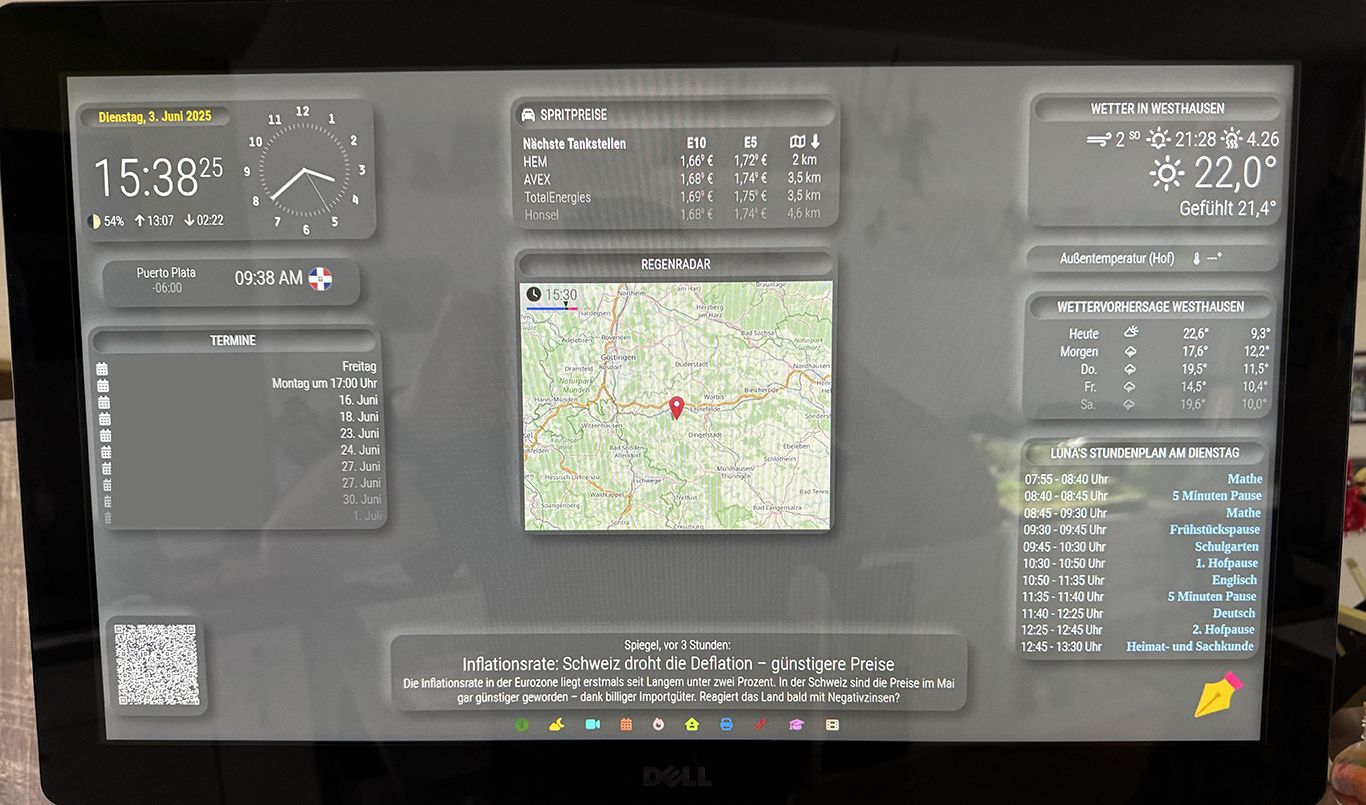
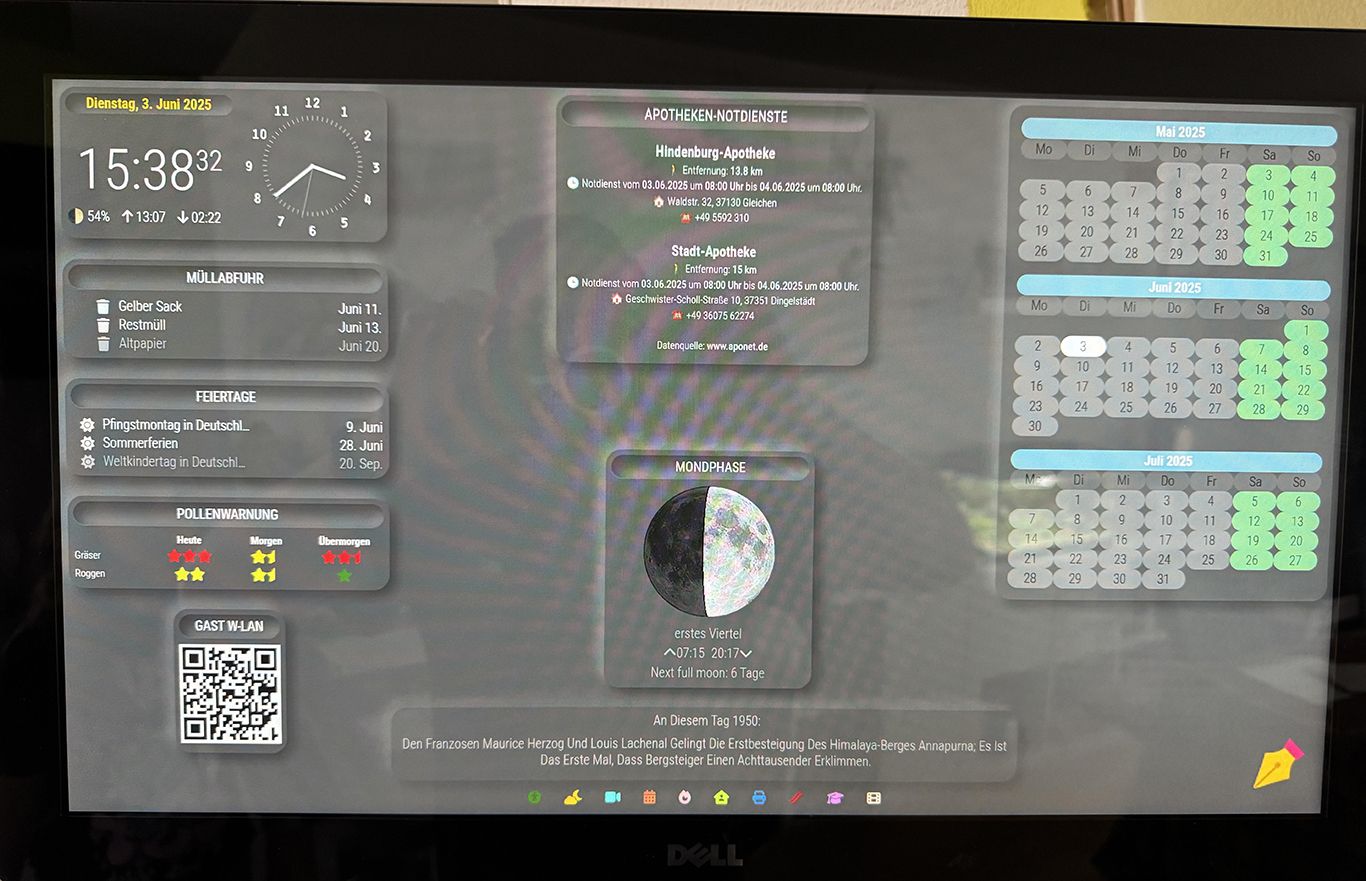
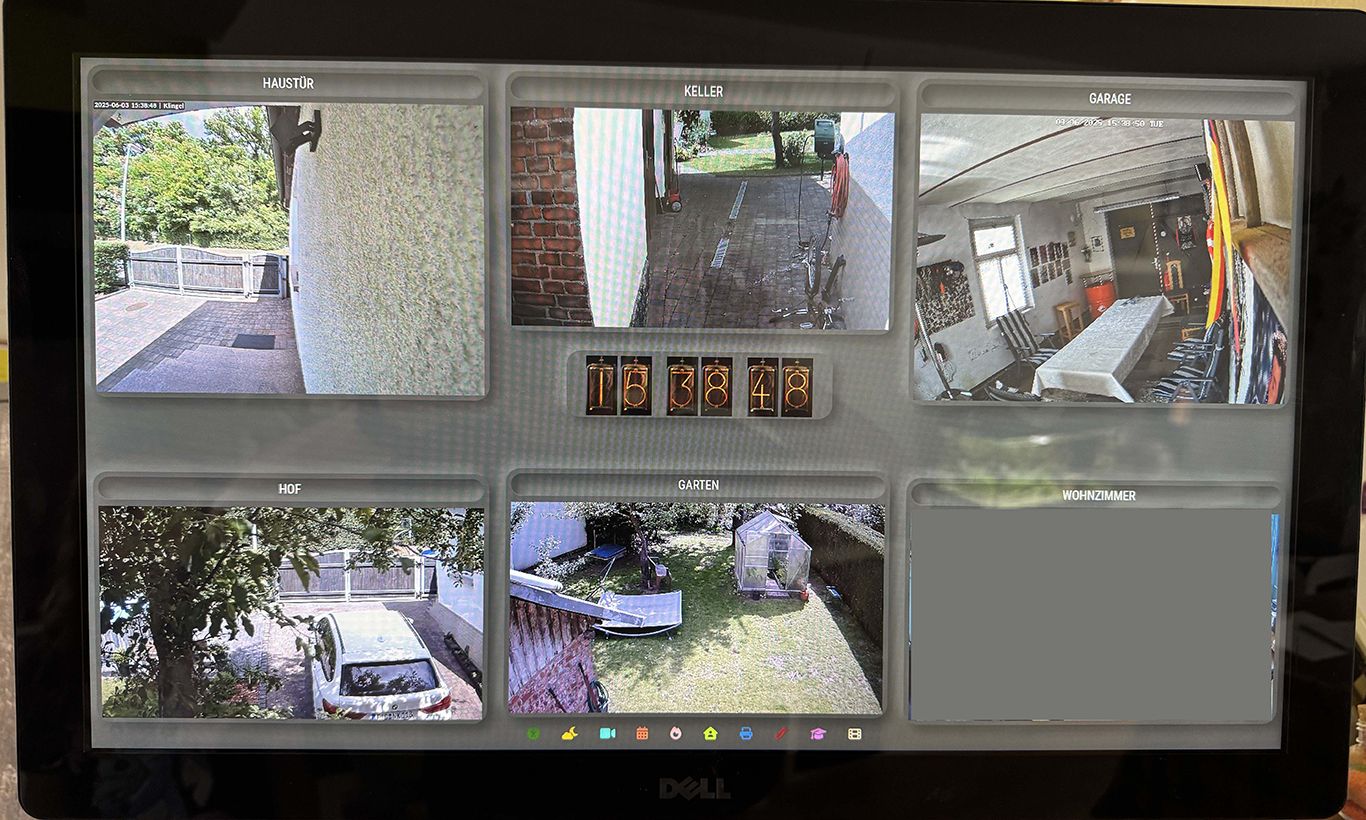
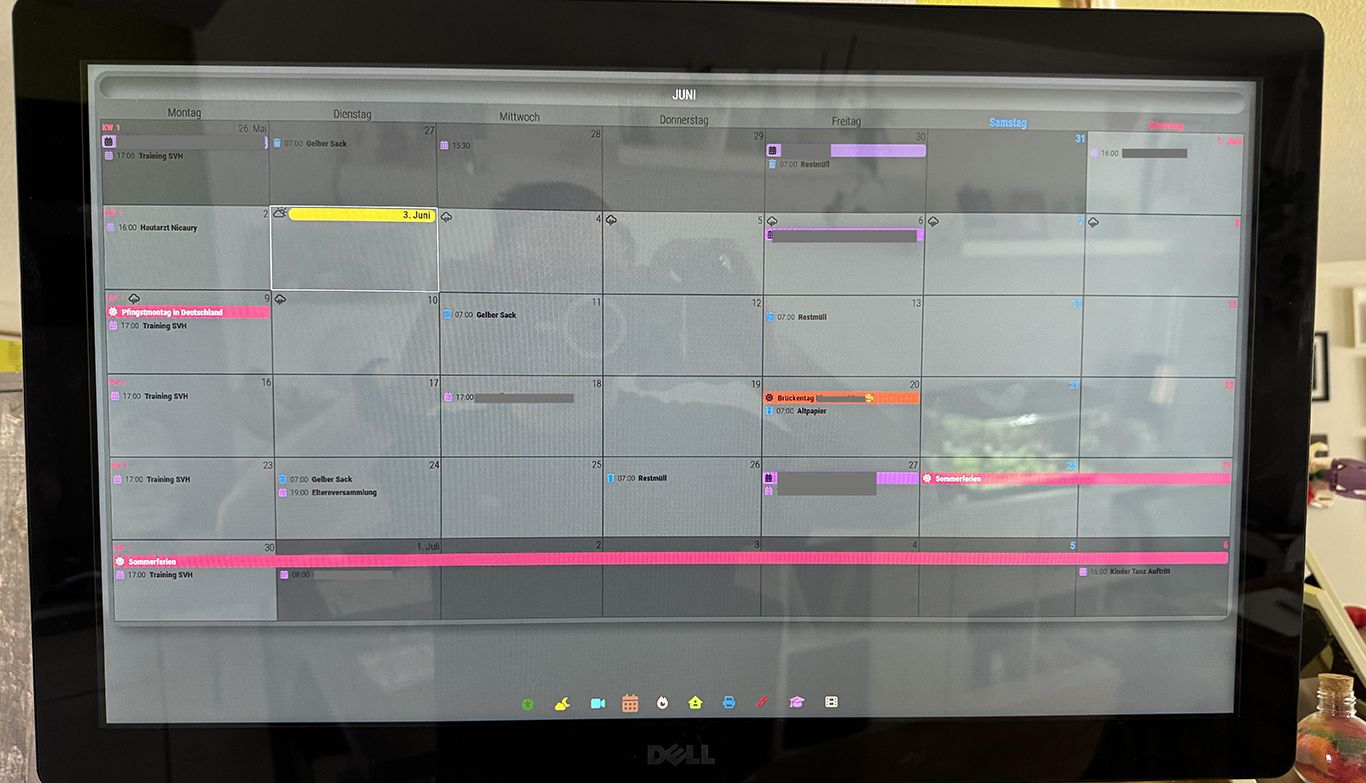
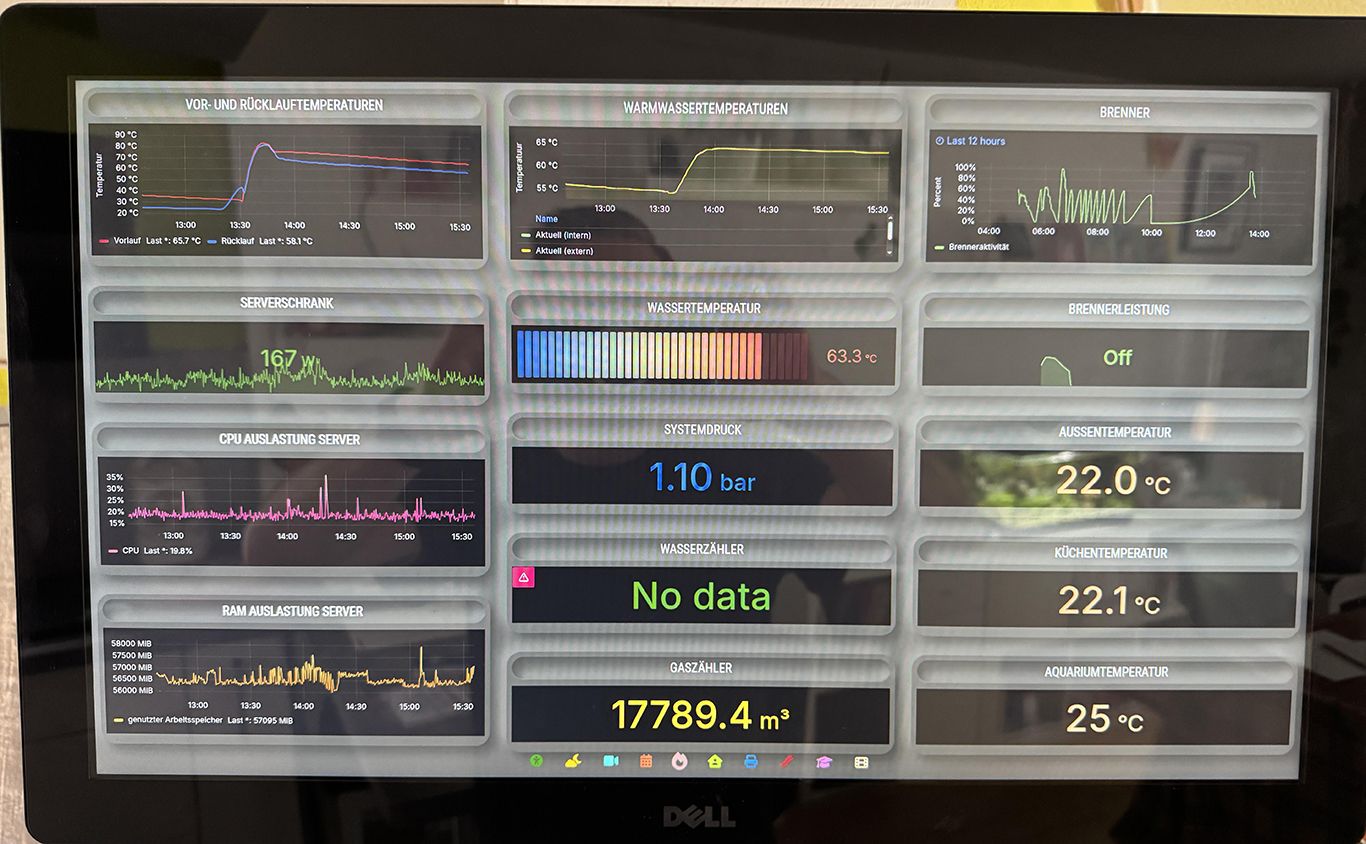
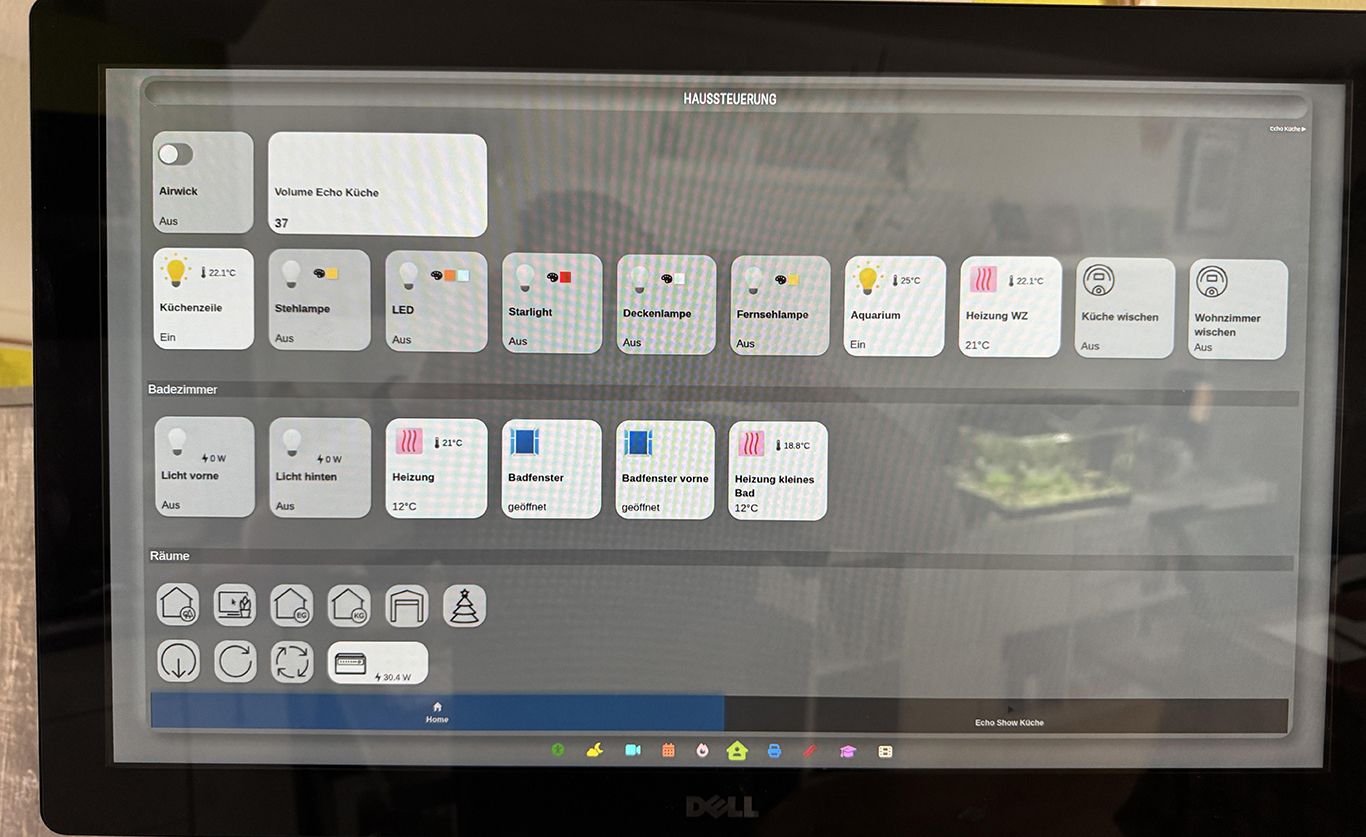
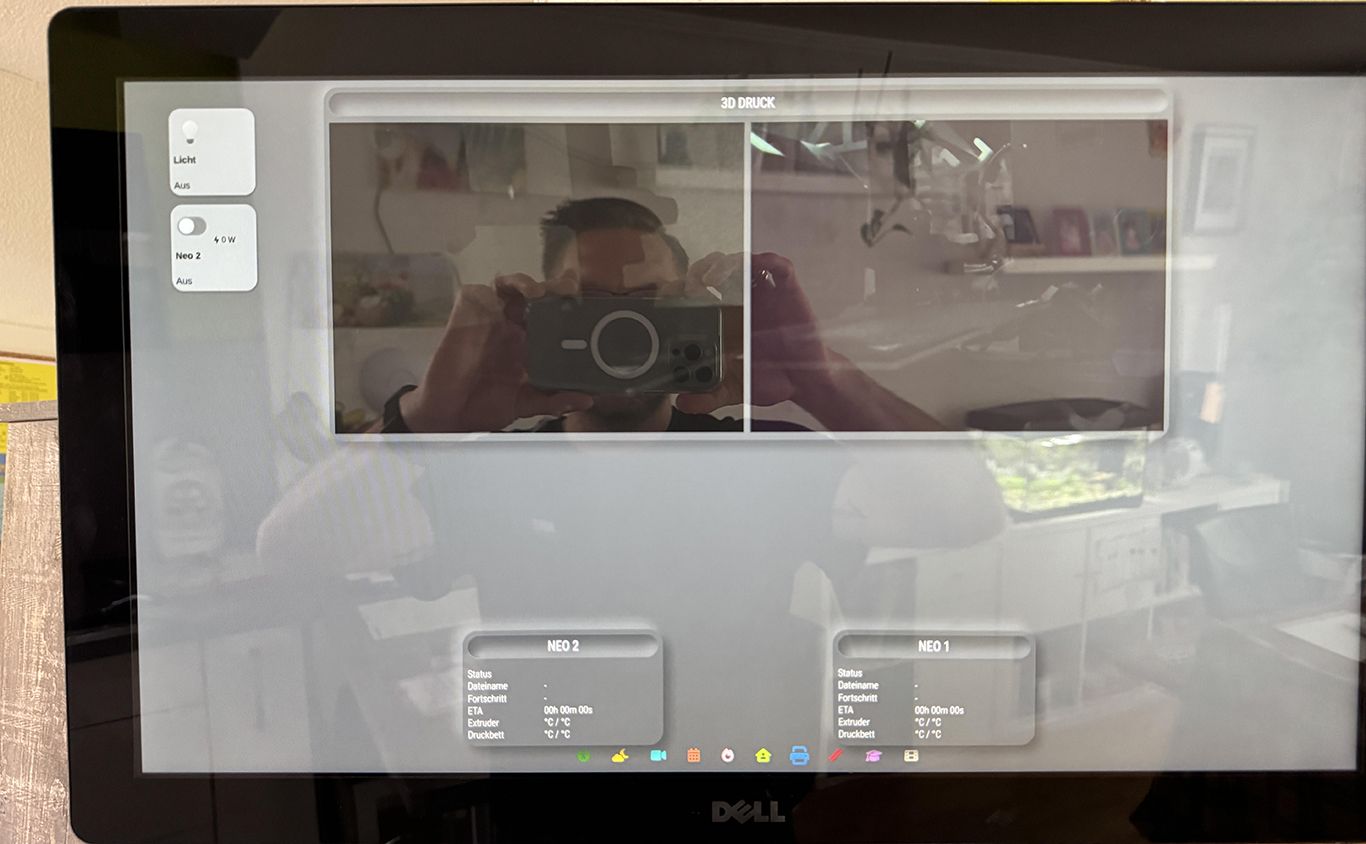
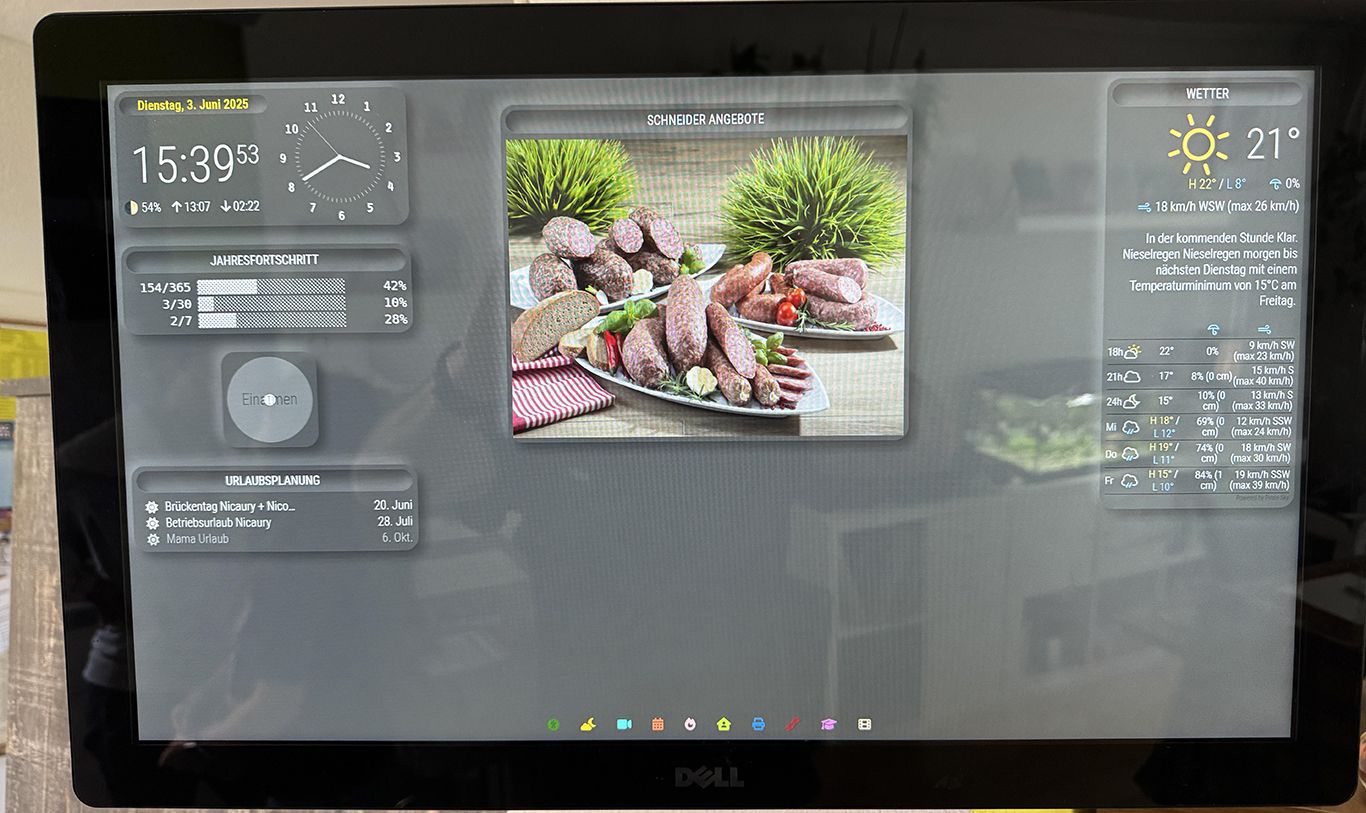
I’m using the MM as a server and just open Webpage in Chromium on Ubuntu. For this I using an Intel Nuc and 23" Dell Touch Monitor. I can share some more Pictures this evening.
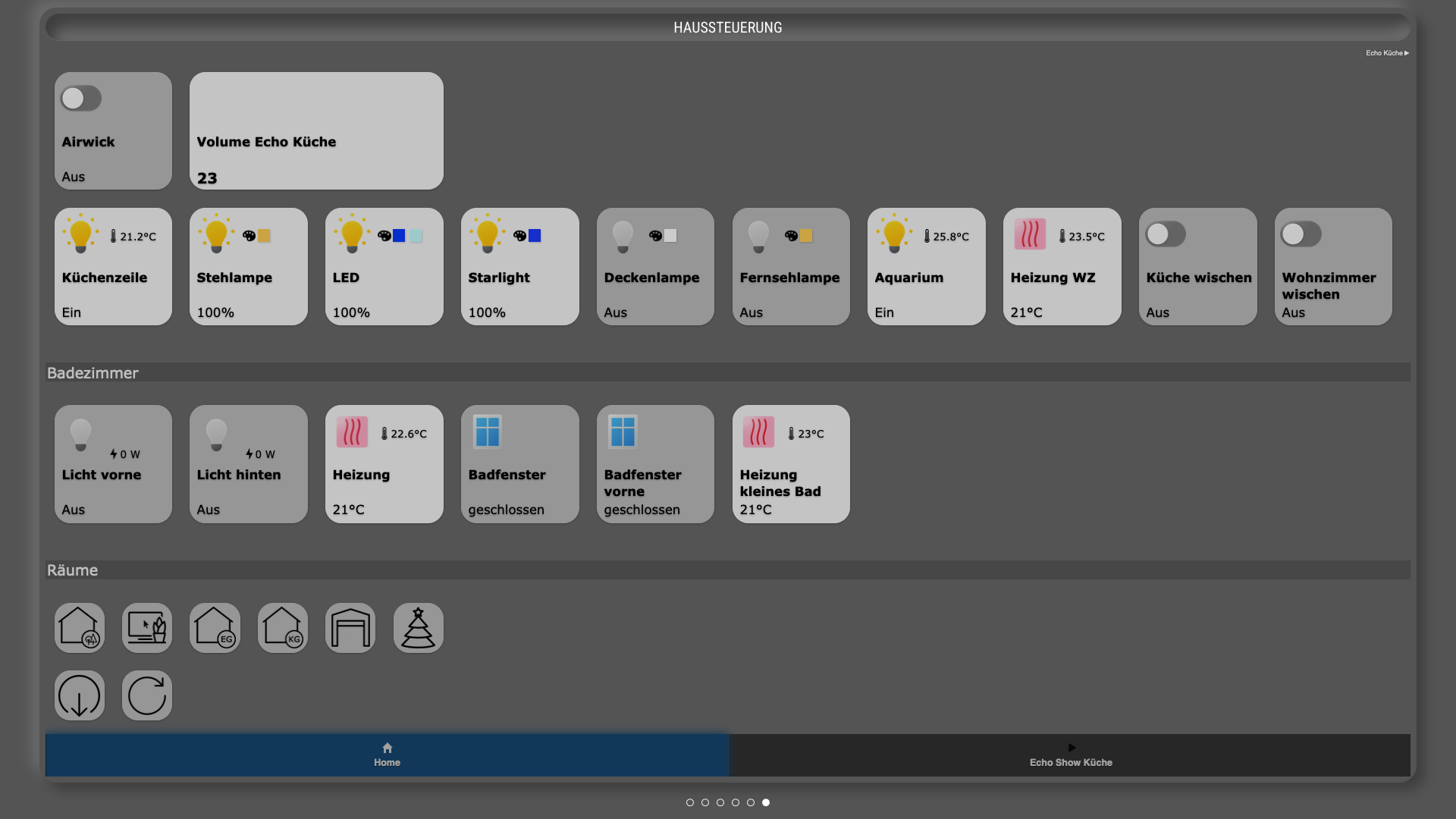
The SmartHome Control is an embeded Webpage I made with iQontrol from ioBroker and the Visualization is Grafana. Also as an embeded Webpage. Grafana takes the data from ioBroker.
Here are some Pictures of the Screen (not only Screenshots)…
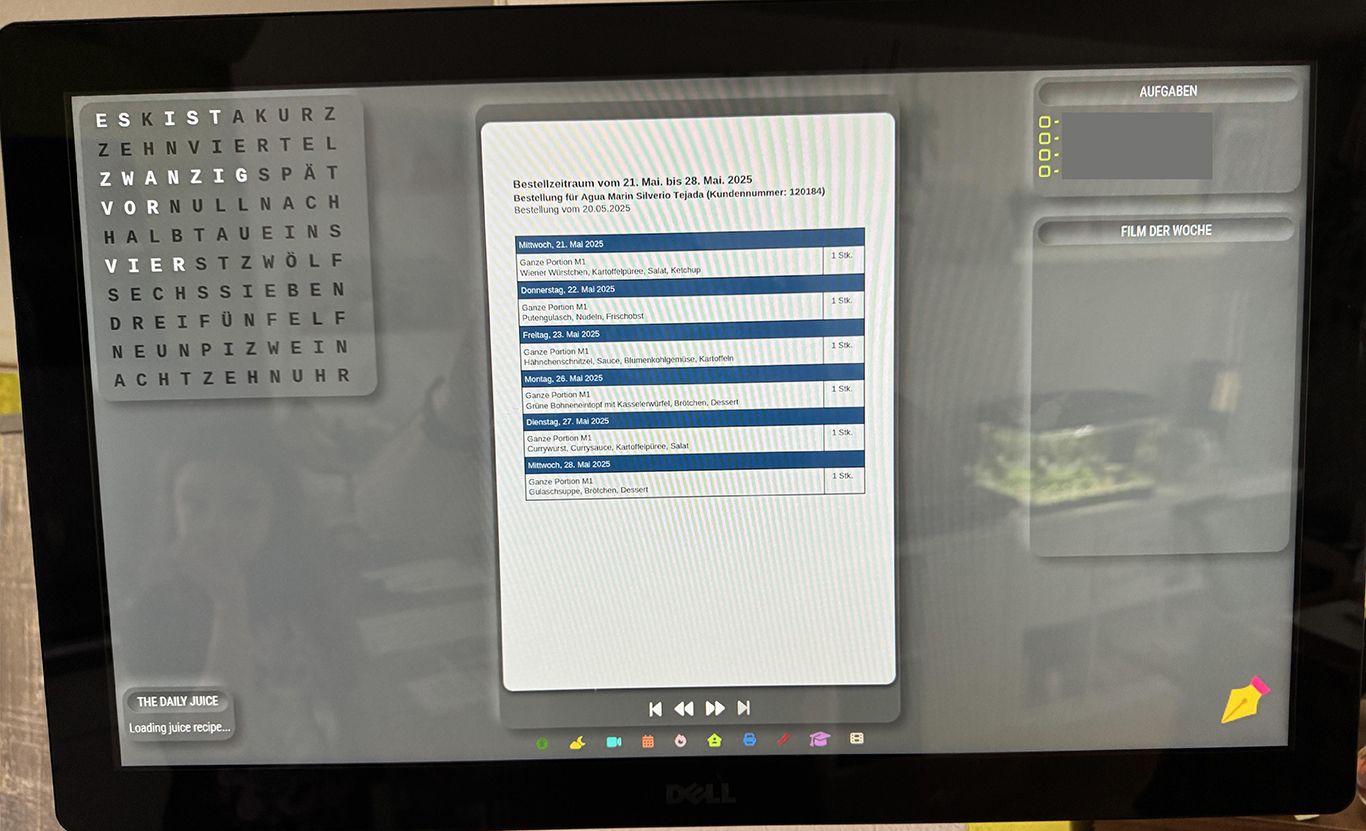
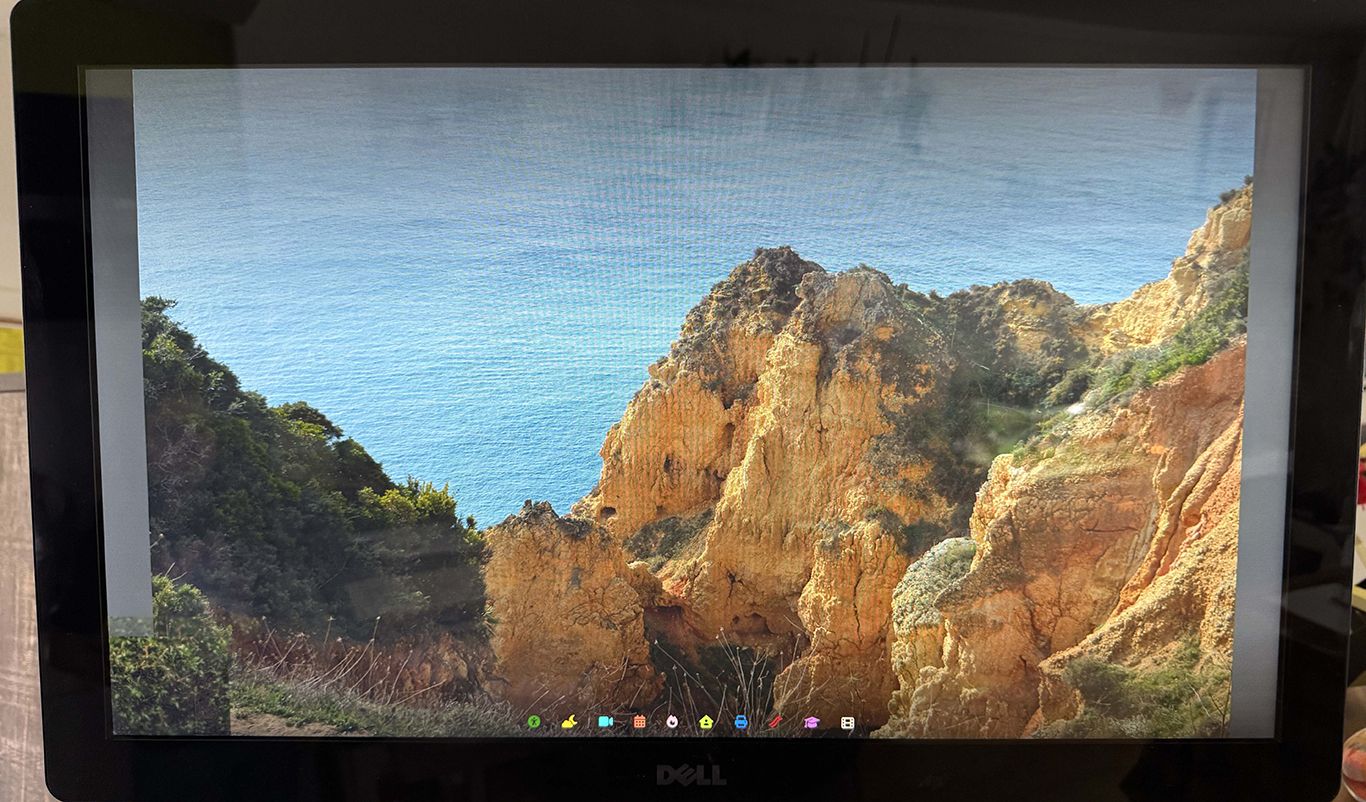
-
RE: MMM-DailyJuice
@BerkSmash1984 Thank You. I found a way to fix it with my custom css.
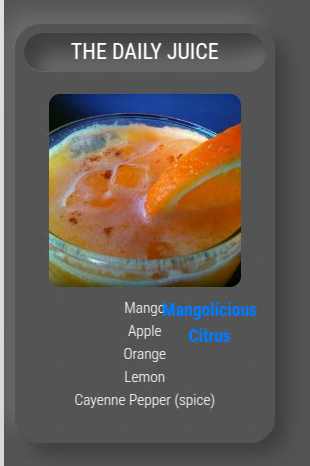
.juice-container { height: auto; width: 200px; } .juice-title { font-size: 20px; text-align: center; padding: 0px; margin-left:auto; margin-right:auto; position: relative; } -
RE: MMM-DailyJuice
Nice Module, but I have a problem with the position of Juice Title. Here’s a Screenshot… Maybe somebody have an idea? Thanks…
-
RE: Kitchen Touchscreen Dashboard
@sdetweil Thank you. I didn’t know this. I will have a look later…
-
Kitchen Touchscreen Dashboard
Hey Guys,
I using and follow the MM Project since about 8 years. Finnaly I want to show you my Dasboard at the Kitchen. That are just Screenshots from the Serverpage… I also use a Mirror with a 27" Monitor.
I used the following Modules.
calendar_monthly
MMM-DWD-Pollen
MMM-MicrosoftToDo
MMM-OnThisDayWikiApi
MMM-RTSPtoWeb
MMM-EasyPix
MMM-MoonPhase
MMM-page-indicator
MMM-Touch
MMM-ApothekenNotdienst
MMM-EmbedURL
MMM-Multimonth
MMM-pages
MMM-WeeklySchedule
MMM-BackgroundSlideshow
MMM-Fuel
MMM-News-QR
MMM-PDFSlideshow
MMM-Worldclock
MMM-Breathwork
MMM-germanwordclock
MMM-Nixie-Clock
MMM-PirateSkyForecast
MMM-Year-Progress
MMM-CalendarExt3
MMM-GrafanaChart
MMM-octoprint
MMM-RAIN-MAP
MMM-DailyJuice
MMM-ioBroker
MMM-Remote-Control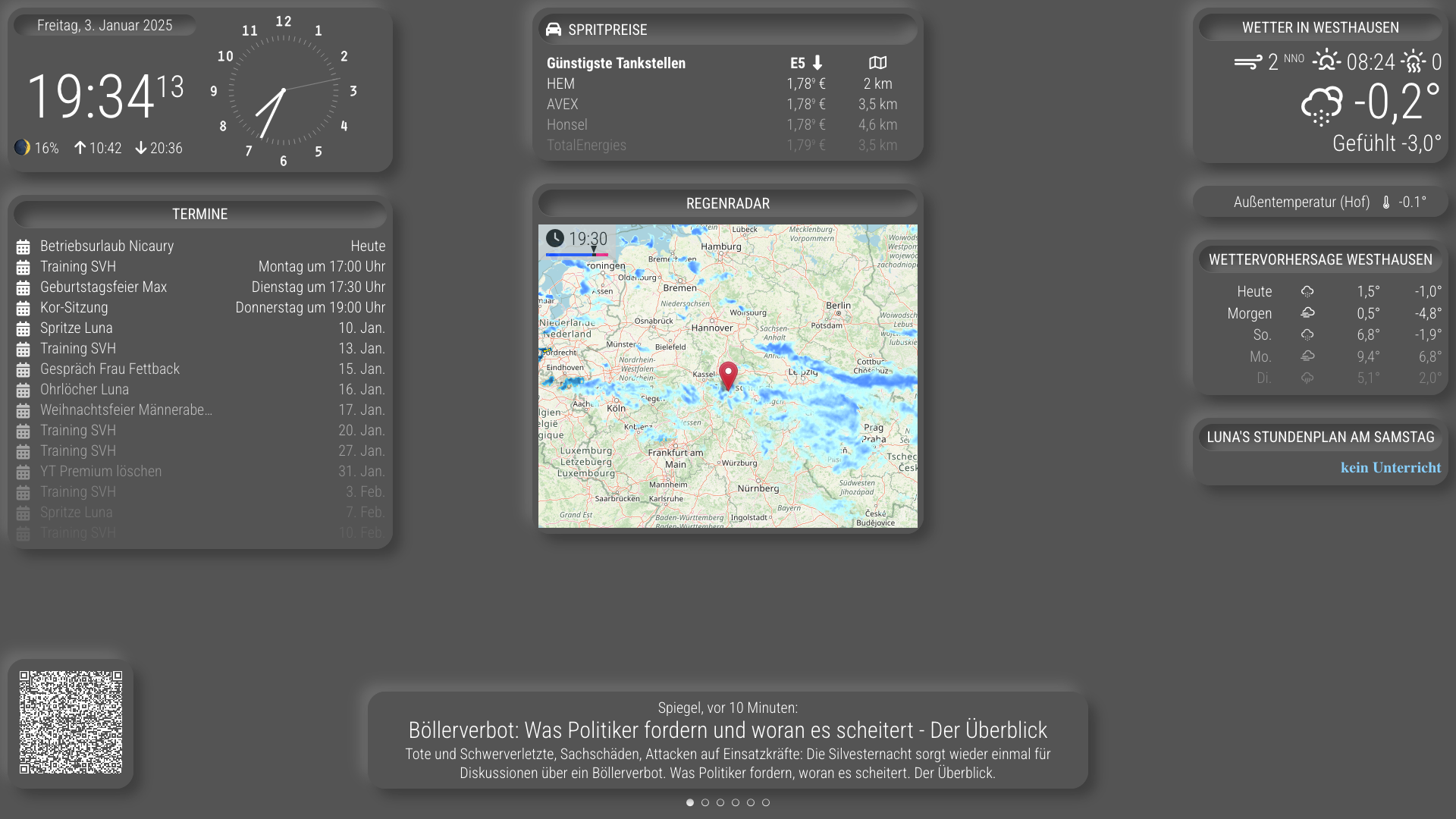
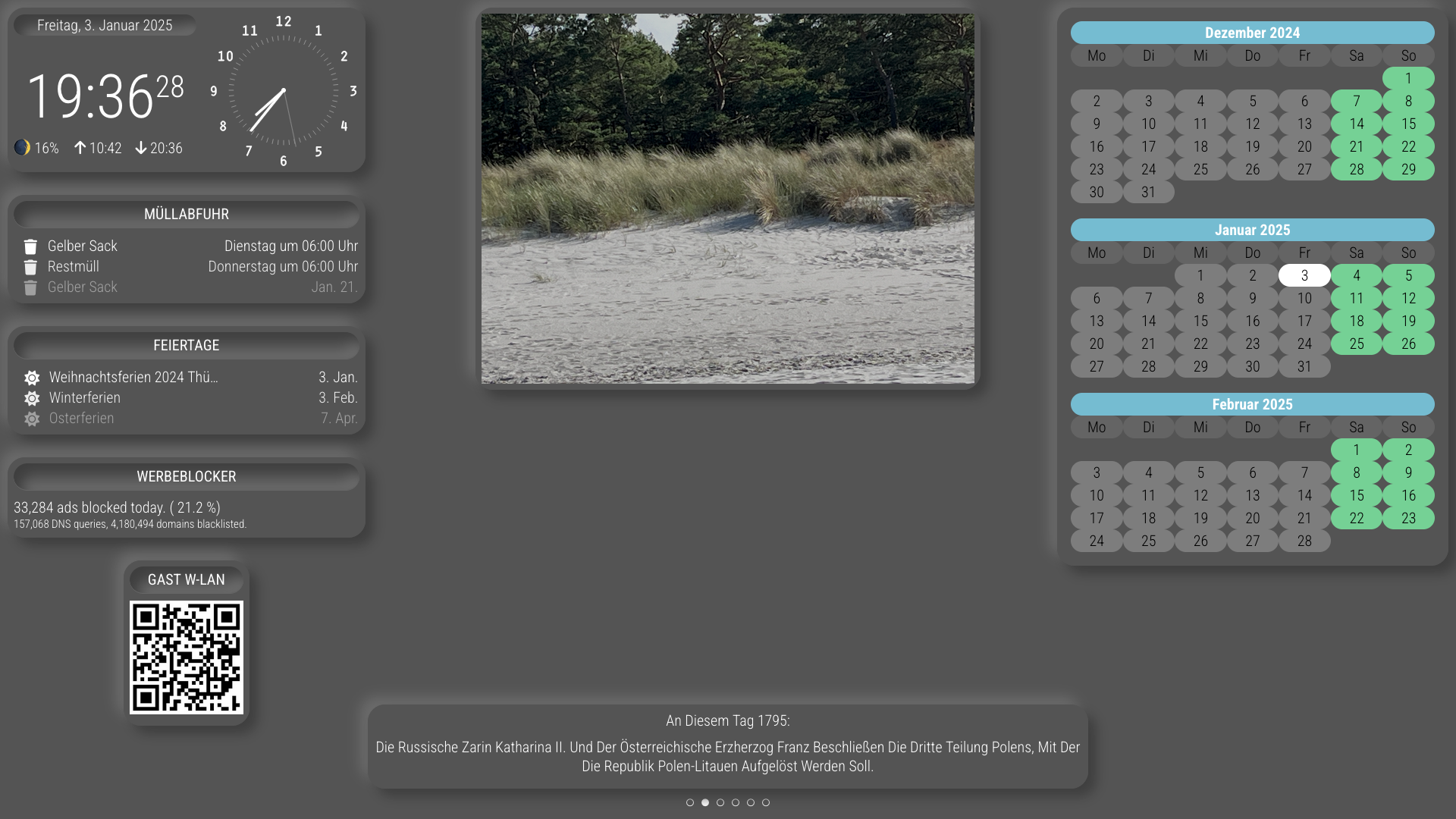
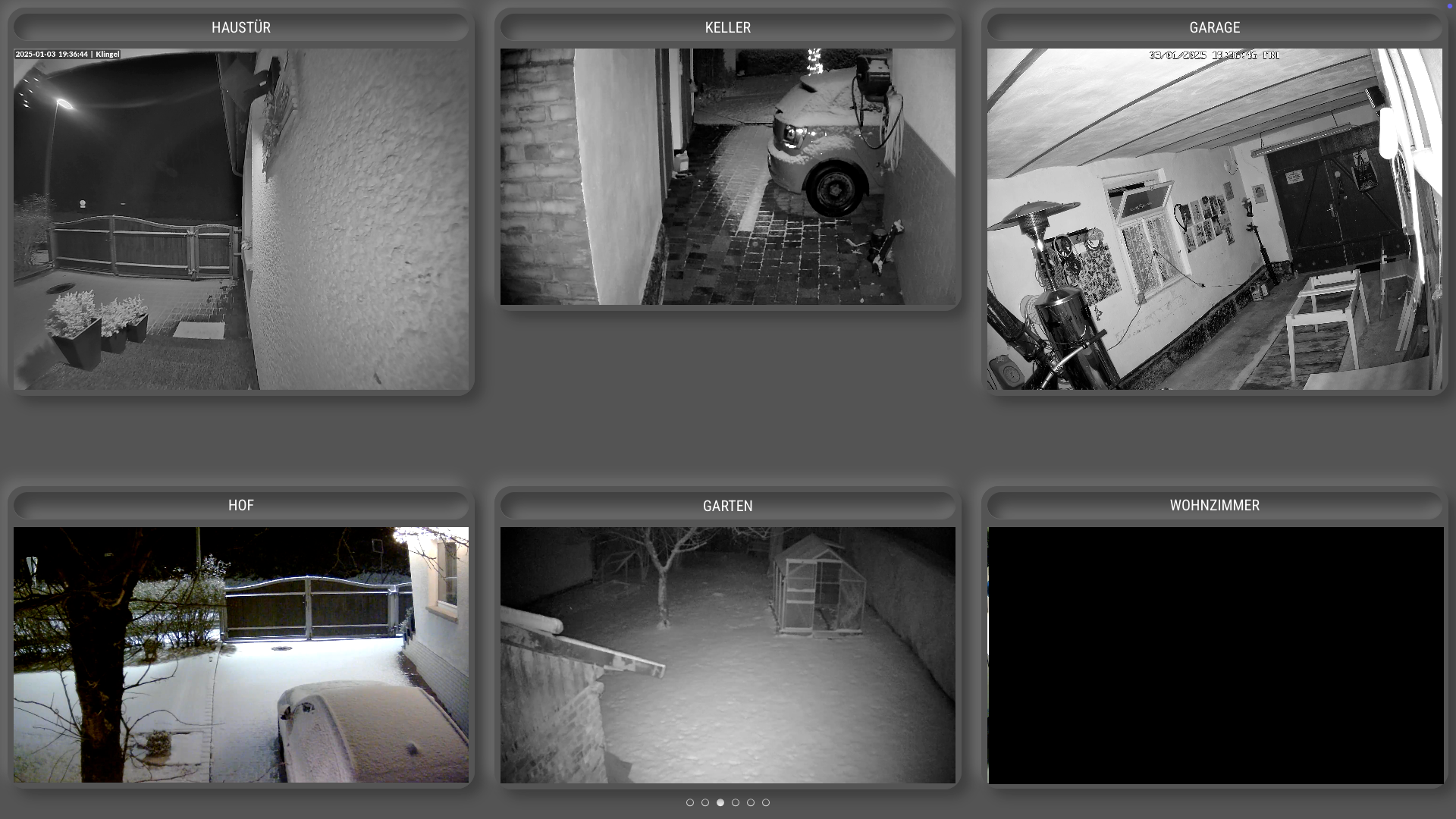
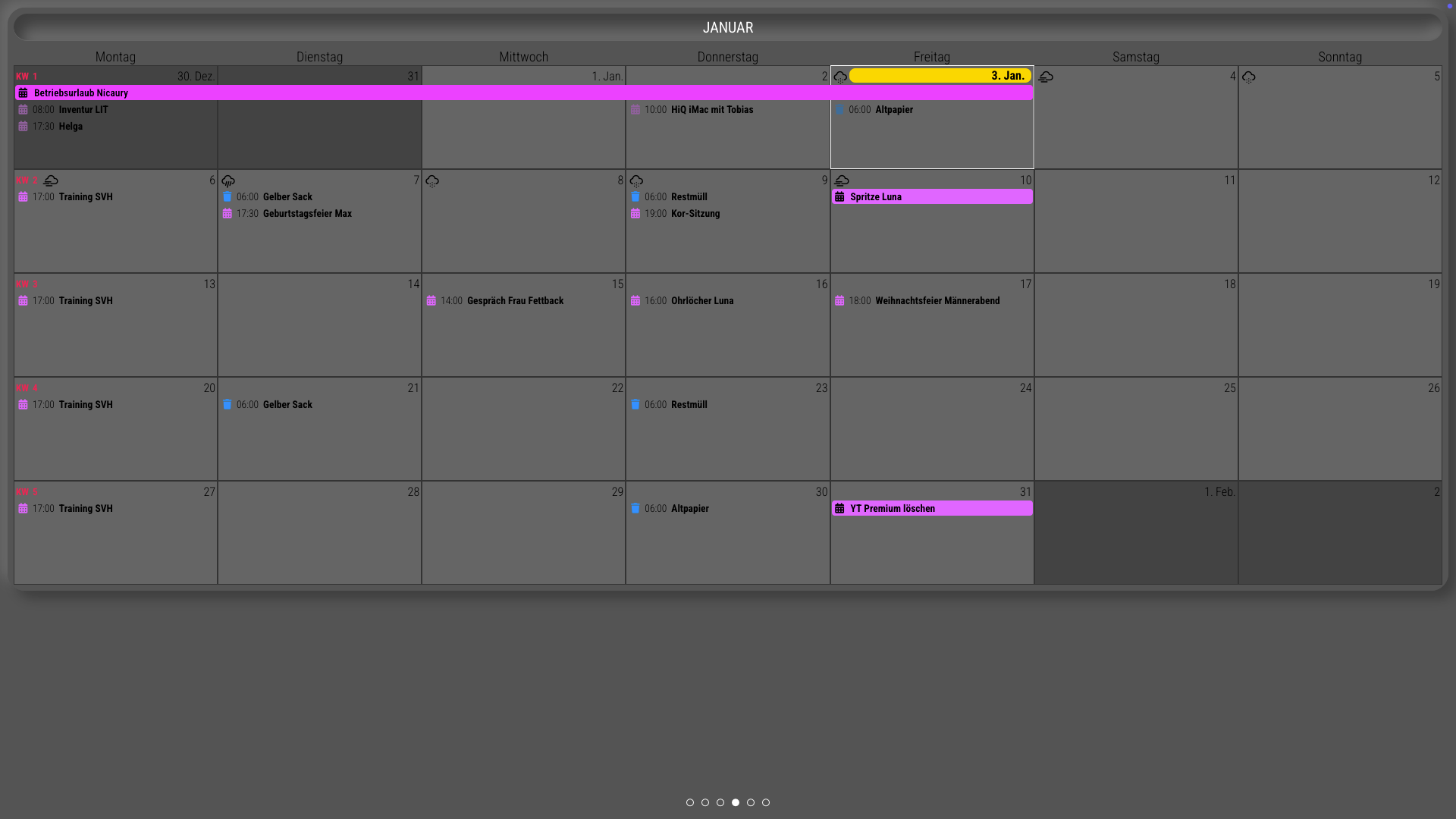
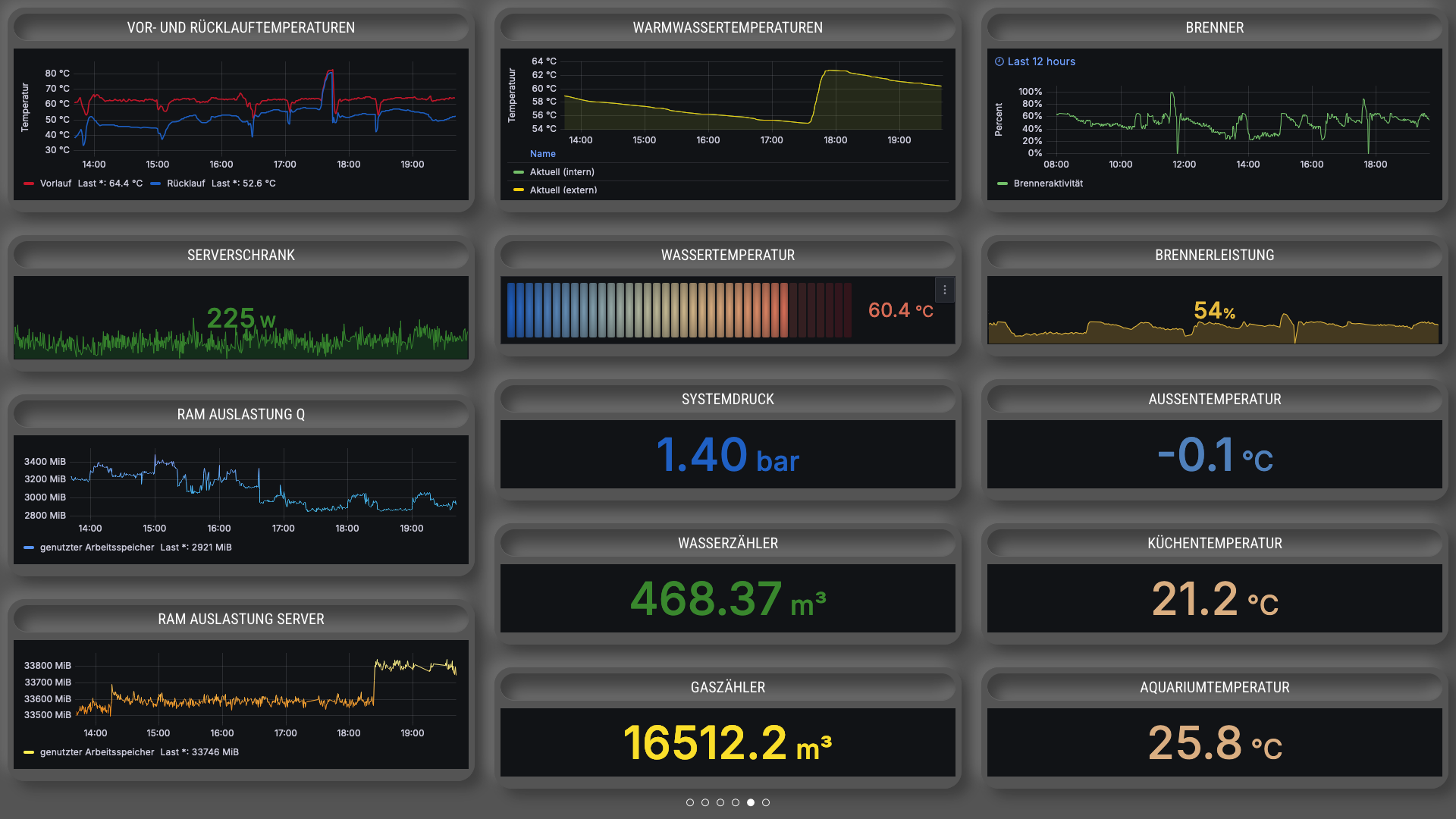
-
RE: MMM-CalendarExt3 not showing events on calendar, but does on list after 2.30 update
@sdetweil THX a lot! This fix is working… it is fading out and it’s showing the events at CX3…
-
RE: MMM-CalendarExt3 not showing events on calendar, but does on list after 2.30 update
@sdetweil thx this is working for me, but now the events doesn’t fade out… any solution?
-
RE: Check out my new Nixie Clock module!
Hey,
thank you for the nice Module. How can I resize it? Thanks!