 R
Offline
R
Offline
A New Chapter for MagicMirror: The Community Takes the Lead
Read the statement by Michael Teeuw here.
Read the statement by Michael Teeuw here.
Posts
-
RE: Internet Monitor
@bhepler I have the same problem, No Wifi icon. Have mirrors in MacOS and RPI and have same results.
-
RE: covid bell curve line graph tracker
@sdetweil You’re great, man. You’ve been working with MyCovid19 to fix the bug, a weird and difficult one to identify; you’ve done tests, modifications, sent me instructions how to debug, and more modifications, and tests, and debugging; and files and emails went between us and finally, I can say IT WORKS just fine!
Address is 0.0.0.0, so I can access it from any device at port 8080 and graphs are just the size I put in config.
Thank you again for all your time, effort and concern.
Stay safe
-
RE: covid bell curve line graph tracker
@sdetweil Nope… didn’t work, it just don’t work with address 0.0.0.0, only with localhost as address…it’s really weird…
I’m using VNC to see my mirror remotely since it can’t be access from any other device… no problem for me, but my curious mind wonder how this can be.Thank you for your time and concern,
-
RE: MMM-COVID19-SPARKLINE
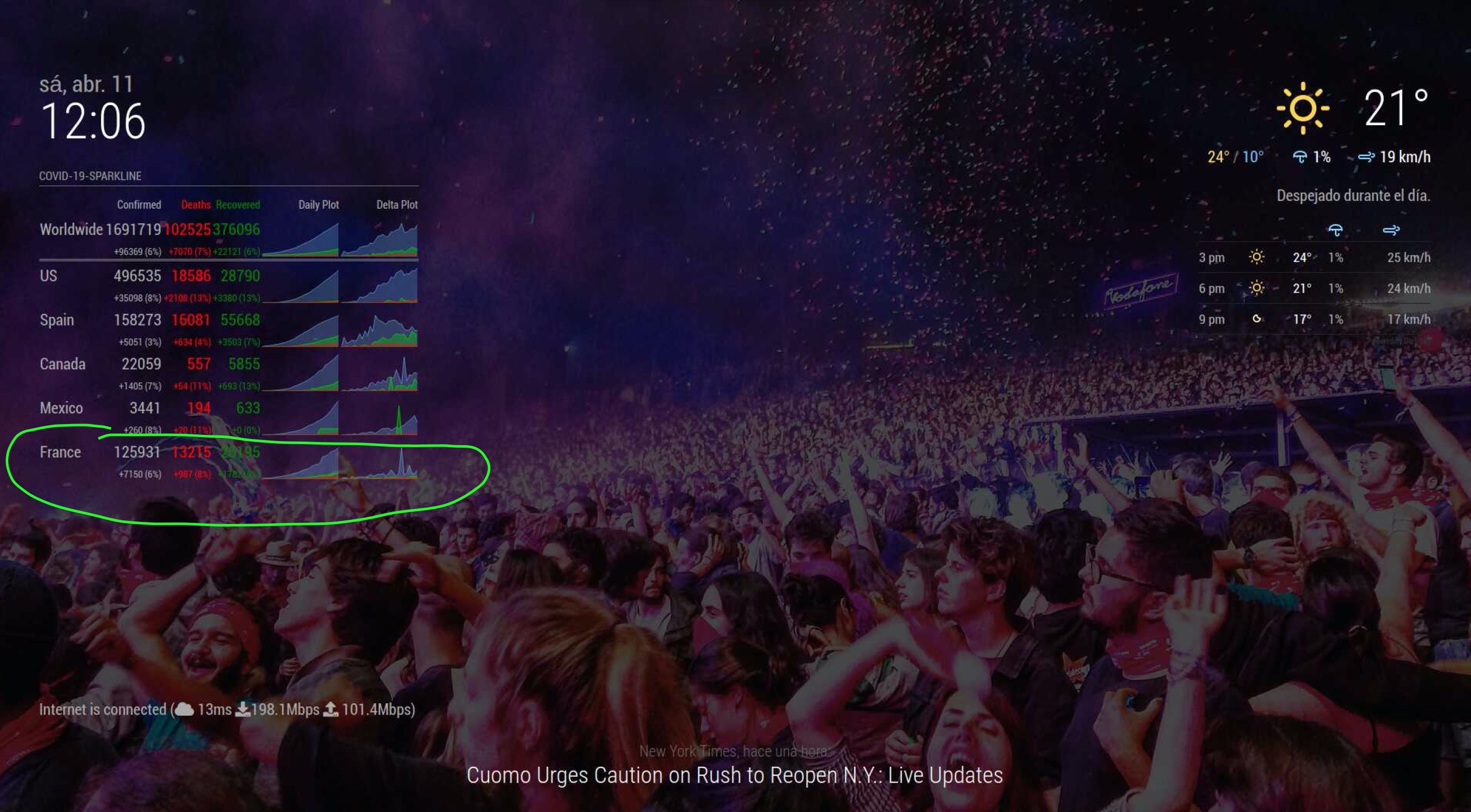
@MisterT Just add France to the list of countries in config
-
RE: covid bell curve line graph tracker
@sdetweil I don’t understand how this parameters relate with the size of a graph.
I think it’s weird, at least it kept me entertained for a couple of hours in quarantine. :)
I hope you and your family and friends are OK.
-
RE: covid bell curve line graph tracker
@sdetweil Thank you…
Used them… worked well.
Did a clean install, use my old config and same thing happened.
Change my config.js with original+MyCovid19 and ALL OK!So, I changed the original config.js with my modules, one by one and ALL went OK.
So, I got curious, and then went to change the original config.js to my old one, module by module so I could find which one was interfering, and ALL went OK.
UNTIL, and this is really strange, when I change the address of localhost at the beginning, it went to the same problem again.
If I have address: “localhost”, ALL is OK
If I have address: “0.0.0.0”, then the problem appears again.Any ideas?
Here’s my mirror working OK

-
RE: covid bell curve line graph tracker
@sdetweil
It still there…
I’m sure you have better things to do than debug this with a user… I’m going to do a clean install, even if it does mean to use the brand new MM version (don’t have much installed, and have lots of time nowadays) and see what happens…
-
RE: covid bell curve line graph tracker
@rafaelcota BTW, my resolution is 1920 x 1080 in an RPI 4
-
RE: covid bell curve line graph tracker
@sdetweil
This is what I’ve done so far:I’ve deleted the spaces in height and width and numbers;
I’ve disabled ALL other modules, so this one runs alone;
I’ve commented out those two lines in MyCovid19.jsAnd all still the same…
It just gets the dimensions from wherever it gets them… so weird…
-
RE: covid bell curve line graph tracker
@sdetweil I’ve just downloaded today, just a few minutes before I tried.
This is what I’m seeing right now with the following config (tried with states now):
{ disabled: false, module:"MyCovid19", position:"top_center", config:{ states:['Kentucky','Colorado','Arizona'], line_colors:['red','white','green','yellow','blue'], chart_type:"cumulative_cases", // or "cumulative deaths" chart_title:"Cumulative Cases", // however u want to label ranges:{min:0,max:8000,stepSize:10000}, width: 200, height: 300, debug: true, }, }, -
RE: covid bell curve line graph tracker
@sdetweil I know, that’s how it supposed to work, but not in my mirror… It’s driving me crazy… I’ve tried almost everything…
-
RE: covid bell curve line graph tracker
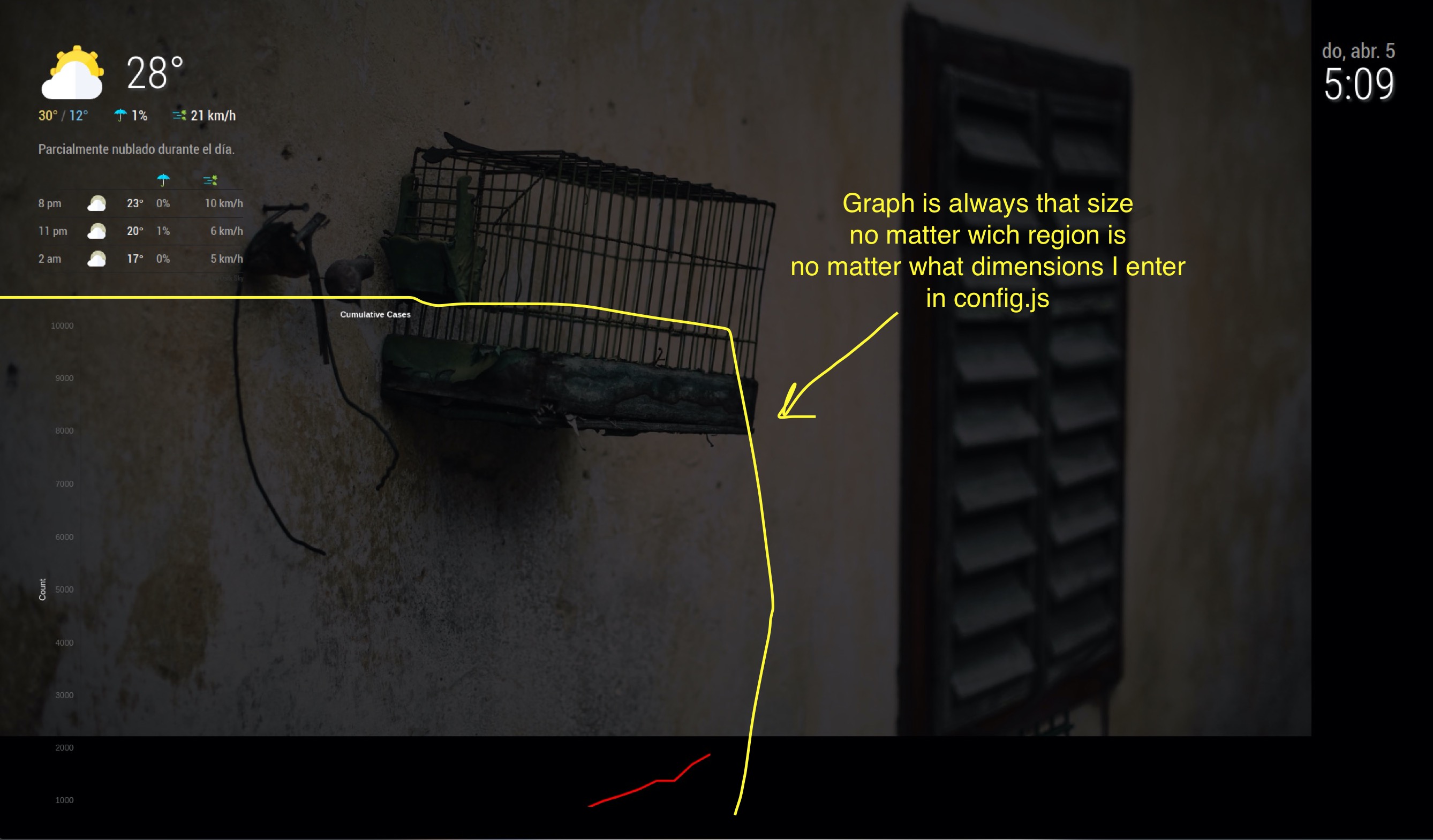
Looks great! I’m looking forward in using this module, but I just don’t get the chart dimensions to work, the size is always the same, big, and it doesn’t matter which region I use.
This is my config
            {
                            disabled: false,
                            module:"MyCovid19",
                            position:"top_left",
                            config:{
                                    countries:["Mexico"],
                                    line_colors:['red','white','green','yellow','blue'],
                                    chart_type:"cumulative_cases",
                                    chart_title:"Cumulative Cases",
                                    ranges:{min:0,max:10000,stepSize:1000},
                                    startDate: "03/01/2020",
                                    backgroundColor: "transparent",
                                    width: 300,
                                    height: 500,
                                    debug:false,
                            },
            },
And this is the result, I’ll try to attach a screen capture, let’s see if I can!
-
RE: MMM-COVID19
@rafaelcota nevermind, found it:
.countUP tr td.digits {
color: #ffffff;
}in custom.css
Than you anyway…
-
RE: MMM-COVID19
@bibaldo Any way to change the color of the fonts for MMM-CountUP? CSS maybe?
-
RE: MMM-COVID19
@asdean
I second that, but not only for states in USA, other countries have them too! If the source data is store disaggregated maybe is just a matter of knowing under what names and there’s no need to change anything in module.
For example:
countries: [ “Buenos Aires, Argentina”, “Kentucky, USA”, “Sonora, Mexico” ]Could this be done?
-
RE: MMM screencast switch automatically to desktop and starts on desktop (ON MAC)
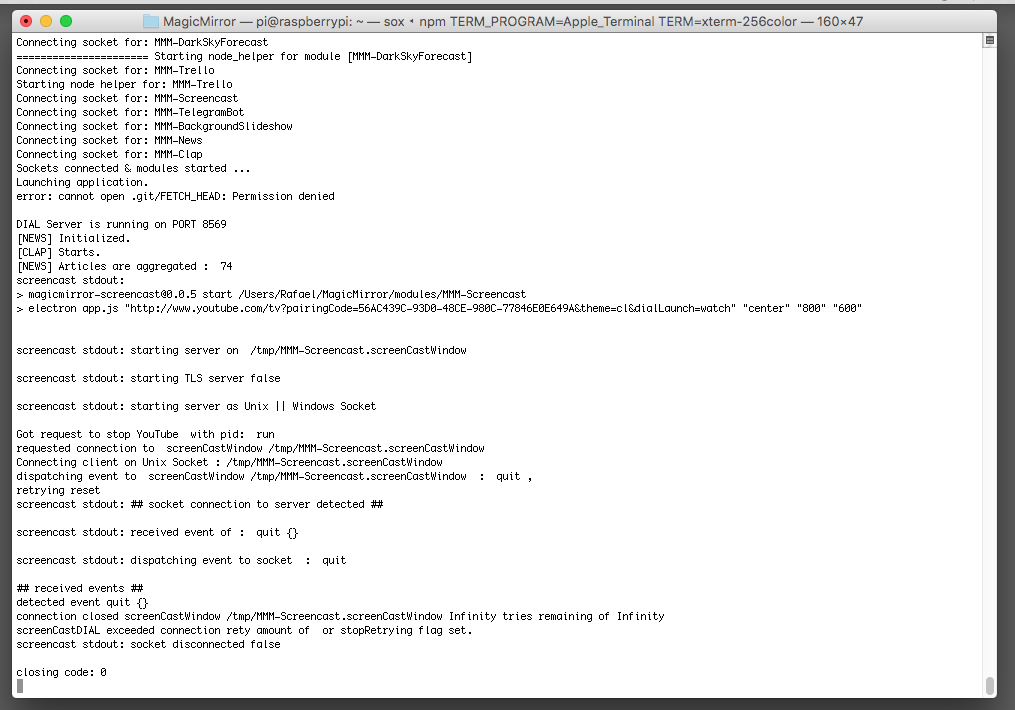
@Stoffbeuteluwe Yes, I’m using it on a Mac… I’ve attached the console log (as image). Please let me know if you need anything else to help you help me :)
-
RE: MMM screencast switch automatically to desktop and starts on desktop (ON MAC)
@Stoffbeuteluwe I was wondering if you got it fixed, I’m having the same issue and haven’t found any solution yet.
Thank you in advanced, -
RE: MMM-YouTube
@Sean The messages are now clear, “Not allowed By Owner”
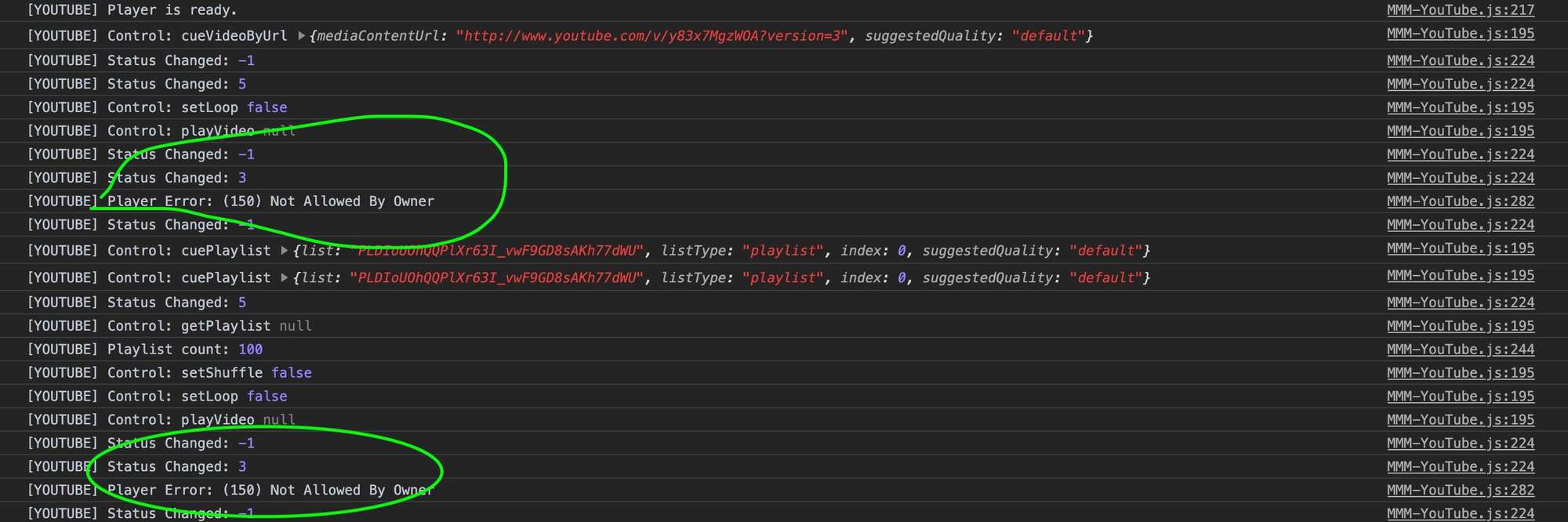
I guess there’s nothing I can do but finding videos that are allowed to be played outside YouTube.
Thank’s again
-
RE: MMM-YouTube
@Sean Thank you again,
Just as data, could be useful or not, I can play just some videos; with only TelegramBot and MMM-YouTube modules loaded or with all I got, it doesn’t matter:
PLAY OK
/yt https://youtu.be/5KJiO8W9iygDOESN’T PLAY (the mirror does nothing at all)
/yt https://youtu.be/y83x7MgzWOA
/yl PLDIoUOhQQPlXr63I_vwF9GD8sAKh77dWU