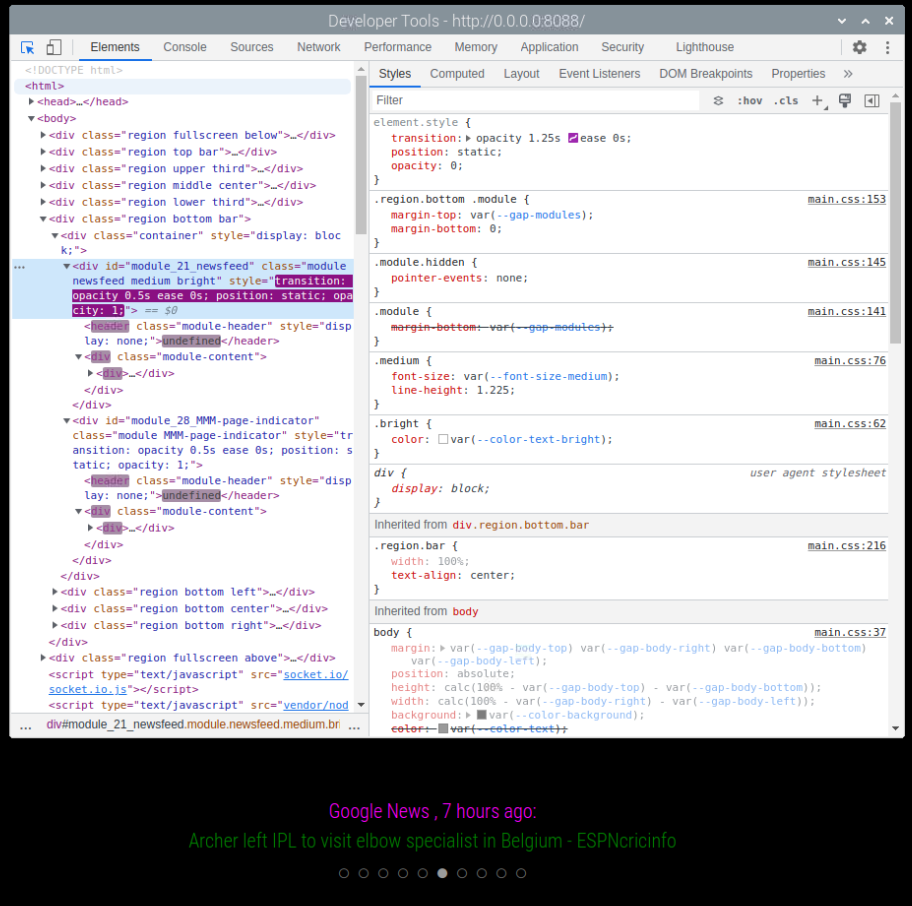
@alex2. @sdetweil I am facing the same issue. I was running upgraded Bullseye on Pi3 B with an Acer 27 inch monitor. After a chance rpi update, the rotation and resolution 1080x1920 gt messed up. After struggling for four days , i decided to reinstall OS with Bookworm and recovered my MM instance via rebuild. However, i am unable to configure rotation to portrait and regain my 1080x1920 resolution. the /boot/firmware/config.txt and cmdline.txt configuration changes as suggested by Chatgpt isnt helping . Any help will be appreciated. please. Thanks.
R
Offline
A New Chapter for MagicMirror: The Community Takes the Lead
Read the statement by Michael Teeuw here.
Read the statement by Michael Teeuw here.
Posts
-
RE: Fresh install on Trixie - Unable to rotate screen
-
Issues with MMM-Screen-Powersave-Notification
https://github.com/Tom-Hirschberger;
I had this module configured along with the GPIO Notification to control my ACER 27 inch Monitor, which was working perfectly fine untill a week back. I had then messed up some other issue with the MM and had to do an rpi update(or so i think) . Now the module is unable to control the monitor. I have a RCWL0516 sensor whcih triggered by motion controls the monitor. I had reinstalled both modules but still no go. This is now behaving erratically.
AI ChatGPT is flagging it as a config.txt issue with the latest Bookworm OS and kms, fkms etc. Suggested config.txt by ChatGPT
#---------------Portrait Mode---------------
disable_overscan=1
hdmi_force_hotplug=1
hdmi_drive=2
hdmi_group=2
hdmi_mode=82
framebuffer_width=1080
framebuffer_height=1920
display_rotate=1 # rotate framebuffer 90° clockwise for portrait
#dtoverlay=vc4-fkms-v3d
#dtoverlay=vc4-kms-v3d
dtoverlay=vc4-fb" Itried all but the issue is still not resolved. I have confirmed that the RCWL is triggering motion correctly.
I am guessing it is a simple issue but the AI has taken it to the next level of unsolvable resolutions.
Any help will be appreciated. -
RE: MMM-OpenWeatherMapForecast 3.0 API calls and freeze issue
@sdetweil
YIKES !
I had changed the helper module to
“var url = “https://api.openweathermap.org/data/3.0/onecall?” +” as suggested in an earlier post. I also changed the config.js with weatherEndpoint: “forecast/daily”. It still did not work.
So i am not comfortable to use a credit card for the website. So does it mean curtains for this module as far as “Free” is concerned.? -
RE: MMM-OpenWeatherMapForecast 3.0 API calls and freeze issue
@sdetweil said in MMM-OpenWeatherMapForecast 3.0 API calls and freeze issue:
@Socrates
yes openweather changed their api
module needs updateGreetings fellow MagicMirror fans, I also noticed that the weather is not updating since a few days. I ran a git pull to update the module , it says already updated, but the module is not displaying the weather. DId i miss doing something . I have a free account and an api key. Need help to resolve this, Thanks.
-
RE: SolisCloud Solar PV
@Kash-0 Hello- 0. Well, I would suggest you to delete the existing folder (MMM-Solis Cloud if it exists) and then do a clean install in the MM Modules directory. The dependencies folder is created during NPM install in the same directory and are automatically registered ( I Guess) so there should not be any issue. Lots of my such issues with other modules were resolved by this method thanks to advice from @sdetweil .
-
RE: SolisCloud Solar PV
@Kash-0 said in SolisCloud Solar PV:
I would like my MM to show the status of my Solar PV. There are quite a few modules, but none seem designed to work with the SolisCloud system. They have an API now, so theoretically it is possible (though beyond my rudimentary skills)
Is there anybody who could help with that?
You are in Luck. I also wanted the same functionality, and I approached @dkinet . The MM module was developed by him on my request over a period of almost 6 months . I worked with him in testing out the module. Also based on inputs by me the module has been tweaked to address certain requirements for triggering the GPIO pin to control audio and visual alarms.
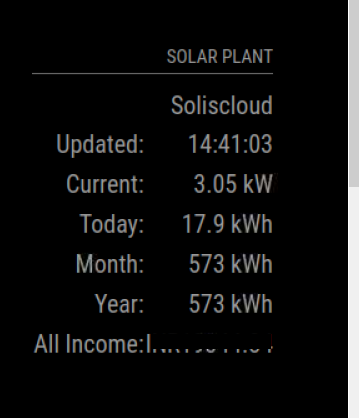 The module is functional and i have deployed it on my MM. The Inverter data is nicely displayed on the screen All it requires is a little beautification to suit the MM style and looks. I want to take this opportunity to profusely thank the developer for finding time to develop this module.
https://github.com/dekinet/MMM-Soliscloud.git -
RE: Missing token.json issue in MMM-Spotify
@sdetweil OOPS !!!
I missed doing the auth step. It works now Sir.
What does this Forum do without you. Thanks for all you help.
Just to answer my own questions;
Yes this works in screens without touch, and displays the song currently being played.- The username can be any name you want.
- In the “TOKEN” config line you can replace the name used as Username.
Thanks Sam, once again for this,
-
Missing token.json issue in MMM-Spotify
Firstly, my screen is not touch screen. I just need this module to display the songs currently being played on spotify. Will it work only for display?
After installing the module successfully and configuring, spotify.config.json with the client id and client secret, the module is not working. The spotify image appears on the screen but nothing else.
While trying to debug, After running npm start , the error shown is token.json file missing.[SPOTIFY - xxxxxgrxqe4xps01xxxxxxx] Token file not found! /home/pi/MagicMirror/modules/MMM-Spotify/USERNAME_token.json
[15.05.2023 08:09.37.724] [ERROR] [SPOTIFY - xxxxxxps01uyt6kxxxxxx] Token error! ./USERNAME_token.json ( (I entered the random chars of USERNAME))When i checked the module folder, I could not find the token.json file in MMM-Spotify folder. Does it get generated automatically when the code runs?
I have two queries. on the spotify.config.json file that needs to be configured prior to running MMM-Spotify.
[
{
“USERNAME”: “A_NAME_TO_IDENTIFY_YOUR_ACCOUNT”,
“CLIENT_ID”: “PUT_YOUR_SPOTIFY_APP_CLIENT_ID”,
“CLIENT_SECRET”: “PUT_YOUR_SPOTIFY_APP_CLIENT_SECRET”,
“TOKEN”: “./USERNAME_token.json”
}
]Is the USERNAME required to be the one on spotify account? Can the name be anything else? (my username in spotify is some random characters, can it be replaced with display name or email account)
In the “TOKEN” config line is the “./USERNAME to be replaced with the username mentioned above or has it to be left as it is? (”./USERNAME_token.json")I have raised an isue in the Github repo.
Thanks -
RE: Resizing font size of modules
@MMRIZE Finally ! Finally…
I disabled all modules, except newsfeed, then cleared out the custom.css configs and added a fresh config for newsfeed as suggested above and finally it worked.
So was the issue just because of the corrupt custom.css?
Anyways, this issue has enabled me to learn working with the developer console. I am glad.
Thank you @MMRIZE and thank you @sdetweil . Ever obliged.
-
RE: Resizing font size of modules
@sdetweil
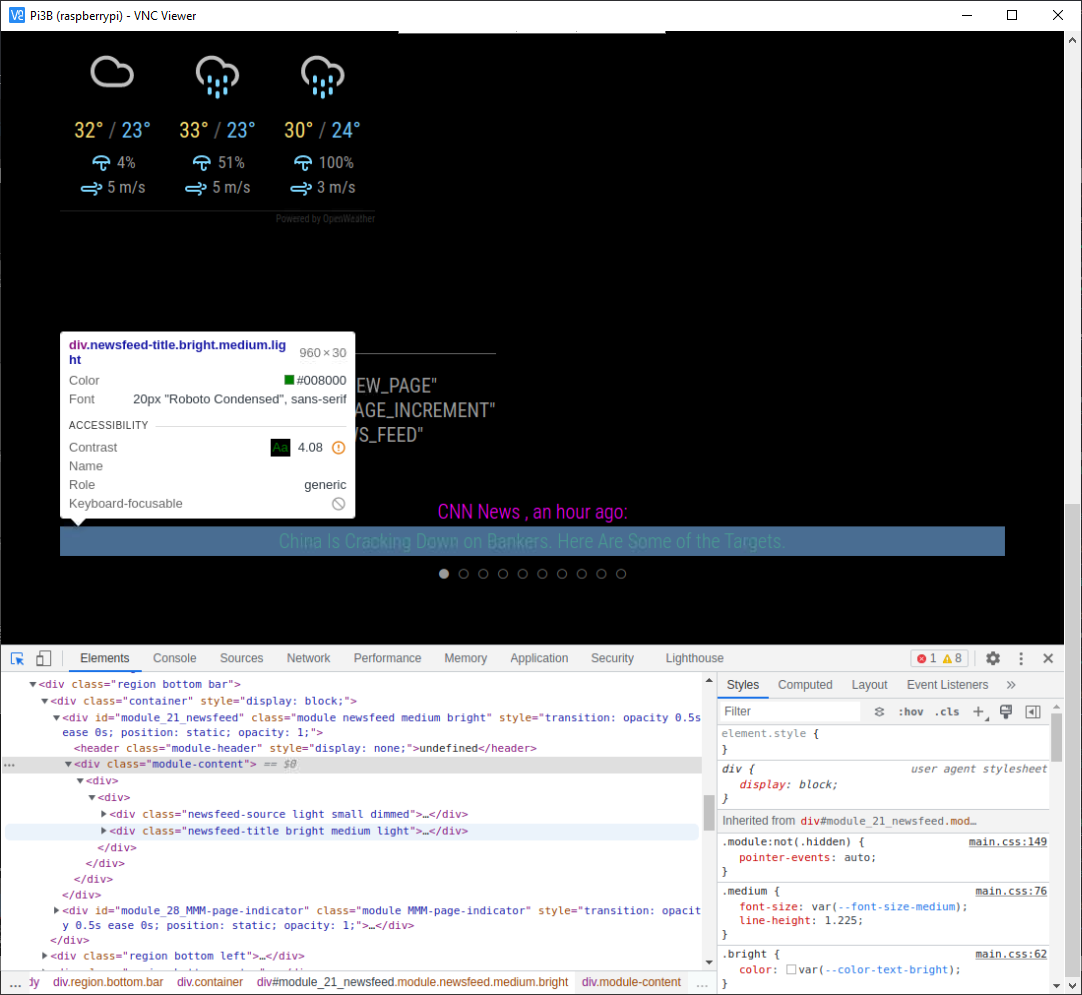
After struggling, this is what i managed to take a screenshot of. It does not show the styles of the selected content in the dev screen. -
RE: Resizing font size of modules
@sdetweil i am sorry but i am unable to follow correctly what u are advising. However, the HTML code does not seem to contain the newsfeed title descrp.
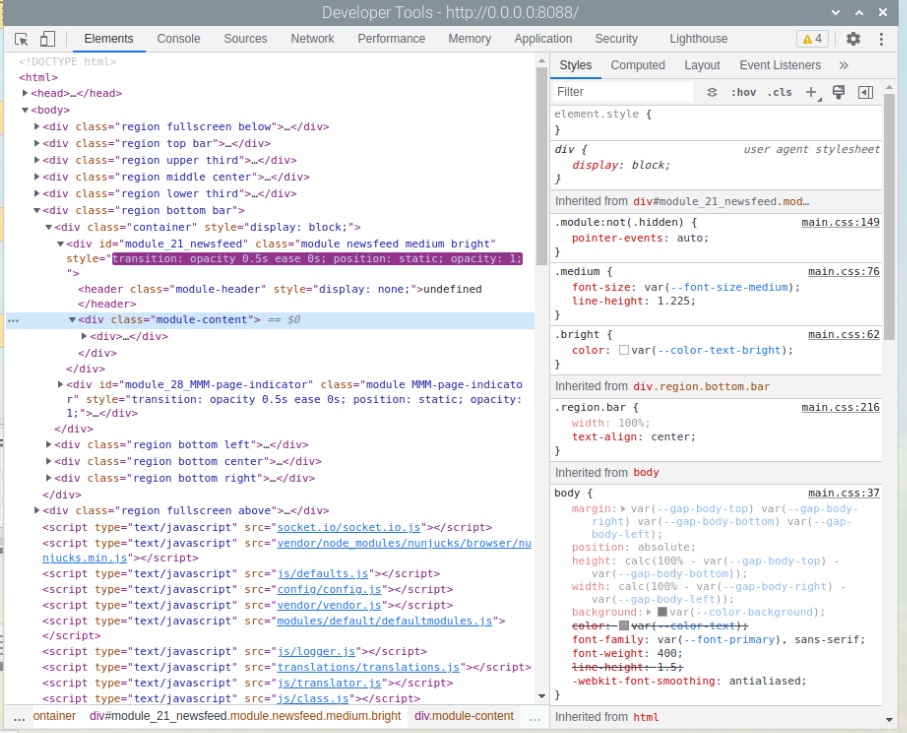
i think i selected the module content to expand, and i also changed the custom.css entry as suggested. The style display window is not showing the newsfeed entry. I am again not sure if i am doing the right thing. Anyways i am learning as we go.
On second thoughts the process of changing the font size is so tedious (as it seems to me now), I wonder if there is an alternate way. -
RE: Resizing font size of modules
@sdetweil
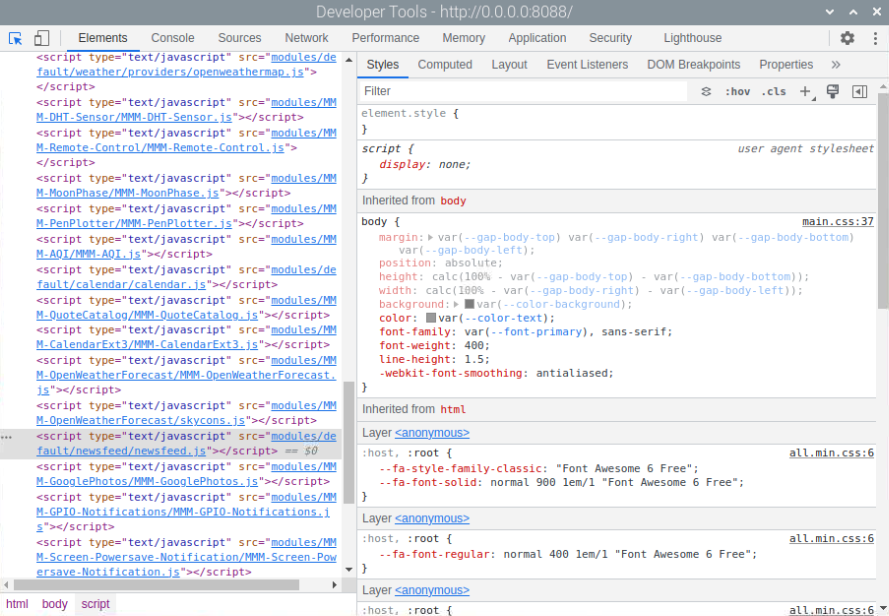
Obviously i am doing something wrong.
I am unable to get to the style even when newsfeed element is highlighted. Or, the style is picking up from main.css and changing anything here will impact all styles. -
RE: Resizing font size of modules
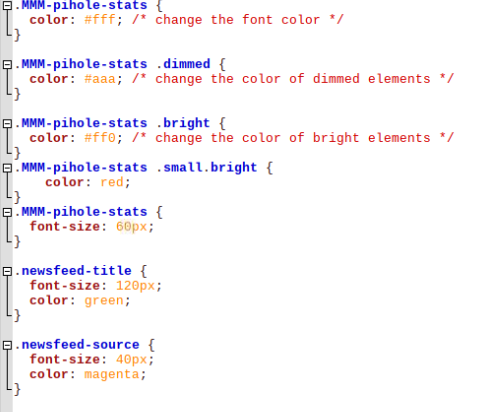
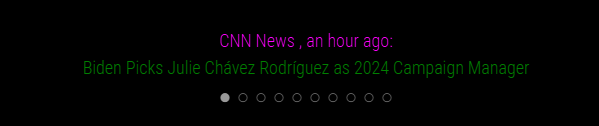
@MMRIZE I am stumped. The changes to the color happened, but the resizing still not responding.
-
RE: Resizing font size of modules
@MMRIZE It is still placed there ( /home/pi/MagicMirror/css/custom.css) , and configured with font-size:60px. I only copied that file into newsfeed module folder since the font size was not increasing, and thought to just try if it works by placing it into the newsfeed module folder.
-
RE: Resizing font size of modules
@sdetweil I have made changes to both custom.css file and newsfeed.css file. I also copied the custom.css file into newsfeed module folder. Nothing seems to work.
css/custom.css configuration;
.MMM-pihole-stats {
color: #fff; /* change the font color */
}.MMM-pihole-stats .dimmed {
color: #aaa; /* change the color of dimmed elements */
}.MMM-pihole-stats .bright {
color: #ff0; /* change the color of bright elements */
}
.MMM-pihole-stats .small.bright {
color: red;
}
.MMM-pihole-stats {
font-size: 60px;
}**.newsfeed {
font-size:70px;
margin-bottom: 0.5em;
}**newsfeed.css configuration;
iframe.newsfeed-fullarticle {
width: 100vw;
/* very large height value to allow scrolling */
height: 3000px;
top: 0;
left: 0;
border: none;
z-index: 1;
}.region.bottom.bar.newsfeed-fullarticle {
bottom: inherit;
top: -90px;
}.newsfeed-list {
list-style: none;
}.newsfeed-list li {
text-align: justify;
font-size:70px;
margin-bottom: 0.5em;
}Need further help please.
-
RE: Resizing font size of modules
@sdetweil I inspected the developer page for newsfeed and it indicates that the font size configuration is being picked up from main.css. So changing the font size here is messing up all the sizes and consequently all the MM modules. How to resize only for the font size of newsfeed. How to make the custom.css priority or the newsfeed.css as the priority.
-
Resizing font size of modules
Ok, so i have searched in the forum to find out how to do this. There is some information but confusing. I recently upgraded my monitor from 18 inch to a 27 inch monitor. I also changed the orientation to portrait. I had to reposition some modules for aesthetics. Some module fonts are too small to be clearly visible from a distance. For eg i am trying to increase the font size of the default module newsfeed. The forum answers are confusing (at least for me). SO there is a custom.css file in CSS folder in MM directory. The (CSS/custom.css) . Is the values to be defined here in this folder? Or in the modules folder .css file. There is a newsfeed.css file in newsfeed module folder. I added the configuration for size but nothing is happening.
I also tried to change the display size (cntrl+shift+ +), but the display of modules increases disproportionately.
So need help here.
Thanks. -
RE: ChatGpt developed Module MMM-Dockerstat
@karsten13 said in ChatGpt developed Module MMM-Dockerstat:
missed the
-a❯ docker ps -a --format "{{.Names}} {{.State}}" magicmirror running watchtower running traefik runningGreat !
Yes the command is working now but locally on the docker machine only. It needs to work from the first machine after ssh ing into docker machine.
ssh
.exec (‘docker ps -a --format “{{.Names}} {{.State}}”’)
.on(‘error’, (err) => {
console.error(Error: ${err});
this.status = ‘Error’;
this.sendSocketNotification(‘STATUS_UPDATE’, { status: this.status, icon: this.offlineIcon });
})