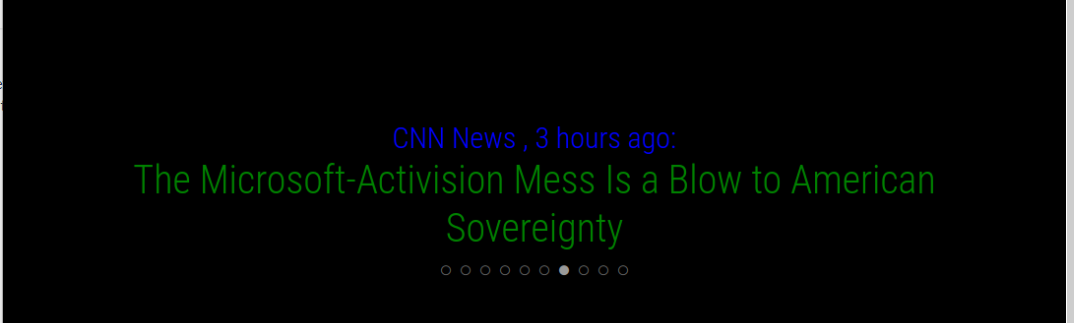
I took the plunge. My five year old MagicMirror ground to a halt as far as Display resolution, Rotation and DIsplay control are concerned. Everything was working great on my Raspberry Pi 3B+. An unfortunate rpi-update broke everything. I struggled to restore Bullseye, and it was a shock to realise it is not easy to find the right official image.
I then tried Bookworm, the three issues continued to remain unsolved.
I then decided to install Trixie. Most of the transition of MM was smooth, ofcourse with a few hicks, but getting the display resolution and rotation was the most frustrating part.
I got it working finally. I have restored the Display resolution and the rotation succesfully.
I will shortly upload the entire process which was not only exhausting but of great learning value.
I need to recover the GPIO Notification Module which isnt working and resulting Motion control of monitor using RCWL0516.
Read the statement by Michael Teeuw here.
Posts
-
MagicMirror on Trixie
-
RE: Official Bullseye OS 32 Bit for Raspberry Pi 3B
@sdetweil Thank you for the info. However, I finally successfully migrated to Trixie with desired Monitor Resolution and Rotation. And i am using Raspberry Pi 3B+ with an Acer 27 Inch monitor.
With Trixie being launched only three weeks back, there is almost no solutions avaiable. I will shortly share my process of how it was achieved.
Thanks -
Docker MagicMirror + a separate "dumb" display Pi (remote kiosk over a reverse proxy)
Sharing a setup that’s been working well for me, in case it’s useful to anyone else juggling a physical MM display on aging/fragile hardware.
Background: I had MagicMirror running natively on a Raspberry Pi 3B with a monitor attached. I wanted to move to Docker, but didn’t want to run Docker on the same Pi that’s driving the display, that Pi is old, and I didn’t want display/GPU quirks tangled up with container management.What I ended up with instead:
- MagicMirror runs as a single Docker container on a separate, more capable Pi on the same home network , completely headless, no monitor attached.
- The Pi with the physical monitor doesn’t run MagicMirror at all anymore. It just runs a browser in kiosk mode, pointed at a small local reverse-proxy process running on that same Pi, which in turn proxies through to the Docker container’s web UI.
Why the proxy, instead of just pointing the browser straight atcontainerhost:8080?
Two reasons:
- MagicMirror sends
X-Frame-Options: SAMEORIGIN, which matters if you want to wrap the feed in your own page (see #2). - I wanted a couple of small custom status overlays on the display itself — e.g. a banner if the Docker host becomes unreachable, or if internet connectivity drops but the local container is still fine. To overlay anything on top of MM’s own page you need it loaded same-origin, so a tiny local Node reverse-proxy on the display Pi re-serves the container’s content from
localhost, strips that header, and the wrapper page around it handles the status banners.
Why this arrangement, generally:
One MagicMirror instance/config to maintain, no matter how many physical screens you eventually want — each display Pi is just “a browser + a small proxy,” nothing module- or backend-specific.
Any hardware-specific pain (GPU driver quirks, monitor power management, etc.) on the display Pi stays isolated from the actual MagicMirror process, a crash or leak in a module’s backend logic can’t take the display down, since they’re not sharing a process tree anymore.Honest caveat: this doesn’t make the display Pi itself lighter, it’s still a real browser doing real DOM/JS rendering and image decoding locally, so don’t expect a resource-usage miracle on the display side. What you get is architectural: single source of truth for MM itself, and a much smaller, simpler thing running on whatever hardware is stuck driving a screen
I’m pairing this with a Radar motion sensor for wake-on-motion, poll a GPIO pin and call dpms_control on on a HIGH reading, dpms_control off after N minutes of no motion. One thing worth knowing if you’re doing the same: Trixie’s kernel exposes the GPIO chip at a different base offset than older Raspberry Pi OS versions, so older libraries like onoff that write raw BCM pin numbers straight to sysfs (/sys/class/gpio/export) fail with EINVAL. Shelling out to gpioget/gpiomon from libgpiod-tools instead sidesteps that entirely: -
MMM-HollywoodMovie
MMM-HollywoodMovies
A simple but beautiful MagicMirror² module that displays upcoming Hollywood movie releases — complete with poster thumbnails, release dates, and lead cast — powered by the free TMDB API. Fully configurable.Features
🎬 Displays up to 5 upcoming Hollywood movies releasing in the next 6 months
🖼️ Movie poster thumbnails via TMDB image CDN
📅 Formatted release dates
🎭 Top 3 lead actors per film
🔄 Auto-refreshes every 6 hours
⚡ Retry logic with timeout handling for reliable operation on Raspberry Pi
Check it out here;
https://github.com/Ragziesoft/MMM-HollywoodMovie -
RE: MM Ver.2.21 Electron failed to install error
@sdetweil
Bingo. All systems go…
Thanks once again.
I am doing the backup restore thing now. -
RE: electron-rebuild and MagicMirror v2.18 (and more)
Awesome. It really works. I had the same issue and it was really frustrating, until i stumbled upon this solution. Great my PIR-sensor module was revived. I just followed the steps mentioned and voila…it has come back to life. Thanks a ton, it is selfless gentlemen like yourself who keep this world going. Kudos.
-
RE: AI Coding Tools Infuse a new Life in MagicMirror
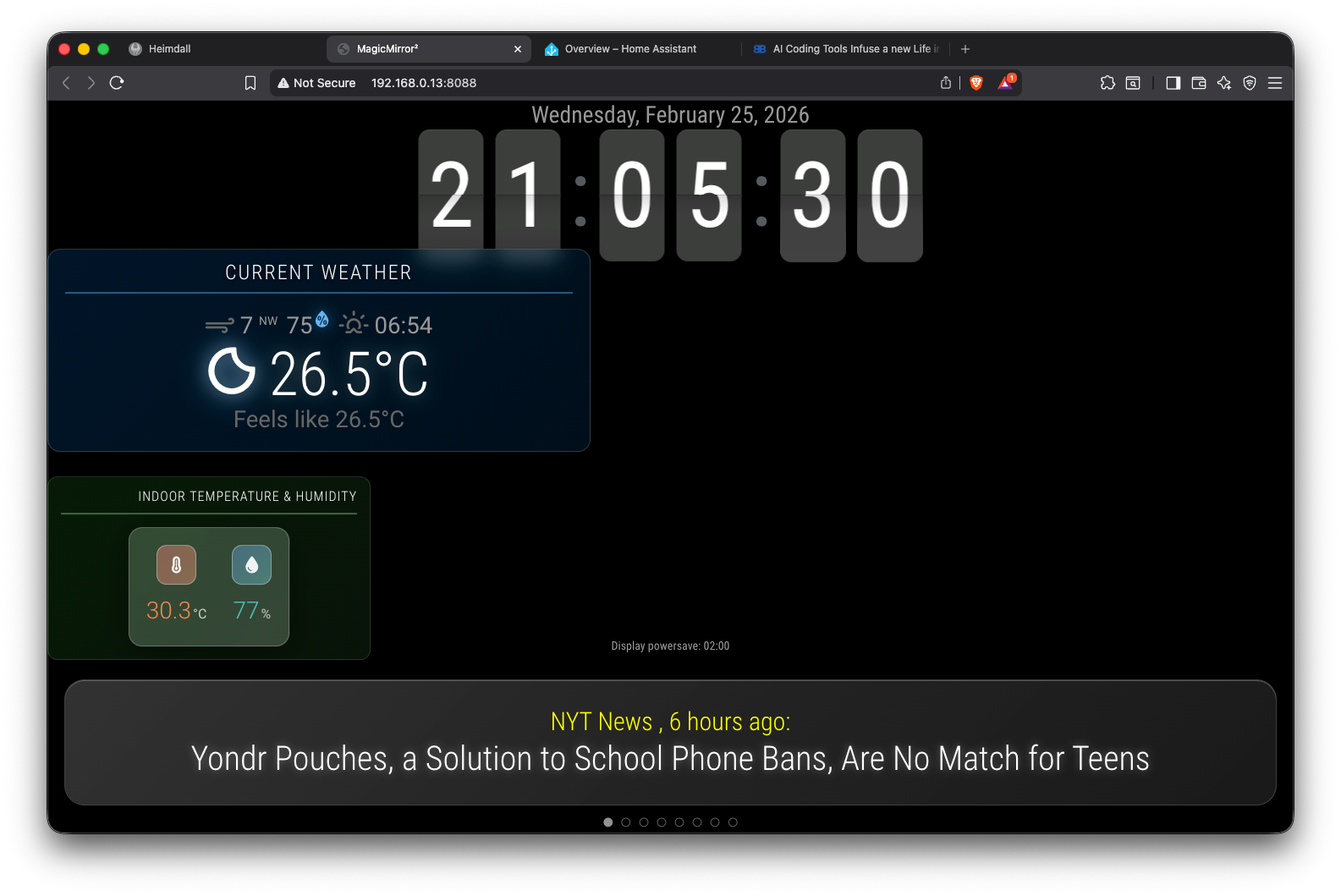
@sdetweil I agree. Just to make a point I used AI to rewrite .css code for some of the modules to enhance the UI display on the screen. I achieved the Glass Morphism display characteristics, which is the latest in IOS
-
RE: Resizing font size of modules
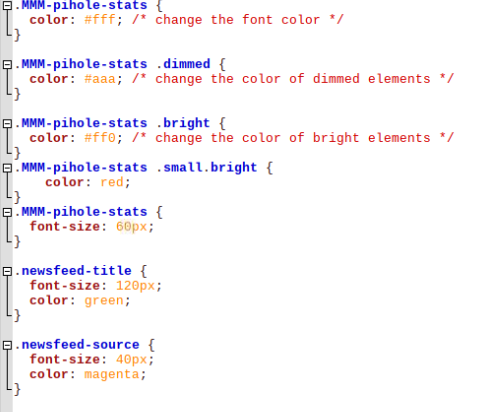
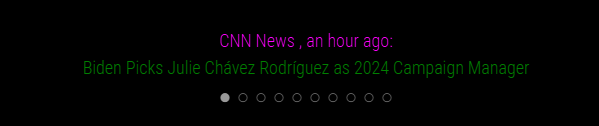
@MMRIZE I am stumped. The changes to the color happened, but the resizing still not responding.
-
MagicMirror MCP Server Integration For AI Assistants
A Model Context Protocol (MCP) server for controlling MagicMirror² via the MMM-Remote-Control API.
My first milestone in automating MagicMirror using the AI assistants. (With Help from AI Programming Tools.)
This lets AI assistants like Claude interact with your smart mirror showing/hiding modules, sending alerts, toggling the display, restarting the mirror, and more. The possibilities are endless, just requires ingenuity.
Check it Out Here :
https://github.com/Ragziesoft/magicmirror-mcp -
RE: Docker MagicMirror + a separate "dumb" display Pi (remote kiosk over a reverse proxy)
@bwente You gave me a great idea.
I decided o create a a tiny “launcher” page for switching between multiple displays on one kiosk device. A TV in my study.
I wanted the same Android TV to also show a security camera dashboard (Frigate NVR on my home network), not just MagicMirror. The kiosk browser only points at one URL at a time. Rather than build a full app switcher, I just added a tiny extra route to the small reverse-proxy Node server I already had running for the MM display one page, two big buttons:
!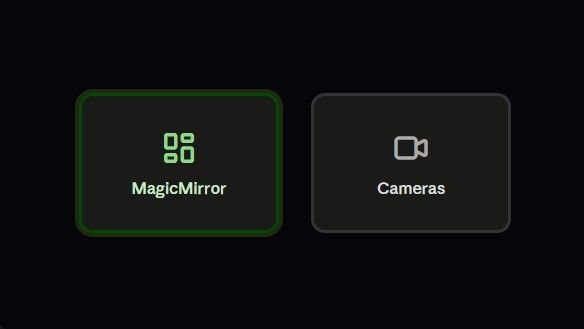
The two buttons just link out to http://192.168.0.16:8088 (MM-Docker) and http://192.168.x.x:5000 (Frigate NVR)
Point the kiosk browser’s start URL at 192.168.x.x:8080/launcher(MM- with Physical Monitor) instead of either destination directly, no JavaScript needed for the actual navigation, and they’re natively D-pad-focusable on a TV, so the remote just moves focus between them and select jumps straight there (the green focus ring makes the current selection obvious from across the room).
One thing worth flagging for anyone doing the same on an Android TV specifically: not every “kiosk browser” app renders a page like this correctly. I initially used one built more for single-photo slideshow display, and it auto-detected and fullscreened the first video element it found instead of showing the actual page layout, fine for MagicMirror (mostly text/widgets) but broke a multi-camera grid dashboard that uses video tags for live streaming. Swapping to a proper general-purpose kiosk browser (Fully Kiosk Browser) fixed it, worth checking that whatever app you use actually renders full webpages as-is, not just “the most interesting-looking media on the page.”
Thank you @bwente for the idea. -
RE: Resizing font size of modules
@sdetweil
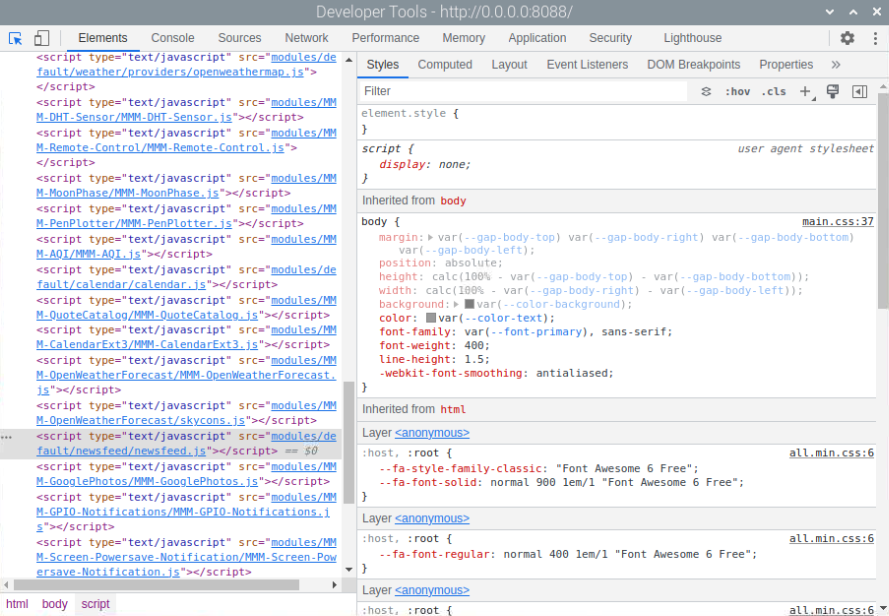
Obviously i am doing something wrong.
I am unable to get to the style even when newsfeed element is highlighted. Or, the style is picking up from main.css and changing anything here will impact all styles. -
RE: MagicMirror MCP Server Integration For AI Assistants
Thanks to the observation from @KristjanESPERANTO, I have updated the code avoided Axios completely and used the native Fetch. And while I was at it I also added the HomeAssistant integration.
Checkout the latest update;
https://github.com/CyberRagz/magicmirror-mcp -
RE: Resizing font size of modules
@MMRIZE Finally ! Finally…
I disabled all modules, except newsfeed, then cleared out the custom.css configs and added a fresh config for newsfeed as suggested above and finally it worked.
So was the issue just because of the corrupt custom.css?
Anyways, this issue has enabled me to learn working with the developer console. I am glad.
Thank you @MMRIZE and thank you @sdetweil . Ever obliged.