everything works except the PIR.
thanks again for your help.
now i need to customize the CSS because my display is so big .
A New Chapter for MagicMirror: The Community Takes the Lead
Read the statement by Michael Teeuw here.
Read the statement by Michael Teeuw here.
R
Offline
Posts
-
RE: [Electron] display en screen after installing MMM-PIR-Sensor
-
RE: [Electron] display en screen after installing MMM-PIR-Sensor
I reinstalled everything last night except the GA module and had the same problem.
This morning I start all over again with the MMM-PIR module and the [Electron] screen is displayed instead of my MM screen.
My pm2 log indicated that there is a Node.js version pb: I am in version 73 while the require version is version 64.
So I put an issue on the link of this module to request an update of the module with Node.js version 73, hoping that there is only that.
In the meantime I put aside this module and reinstall all the modules for the X time.
my pm2 log :0|mm | was compiled against a different Node.js version using 0|mm | NODE_MODULE_VERSION 64. This version of Node.js requires 0|mm | NODE_MODULE_VERSION 73. Please try re-compiling or re-installing 0|mm | the module (for instance, using `npm rebuild` or `npm install`).``` Thank you very much however for all your help and patience. -
RE: [Electron] display en screen after installing MMM-PIR-Sensor
I do this :
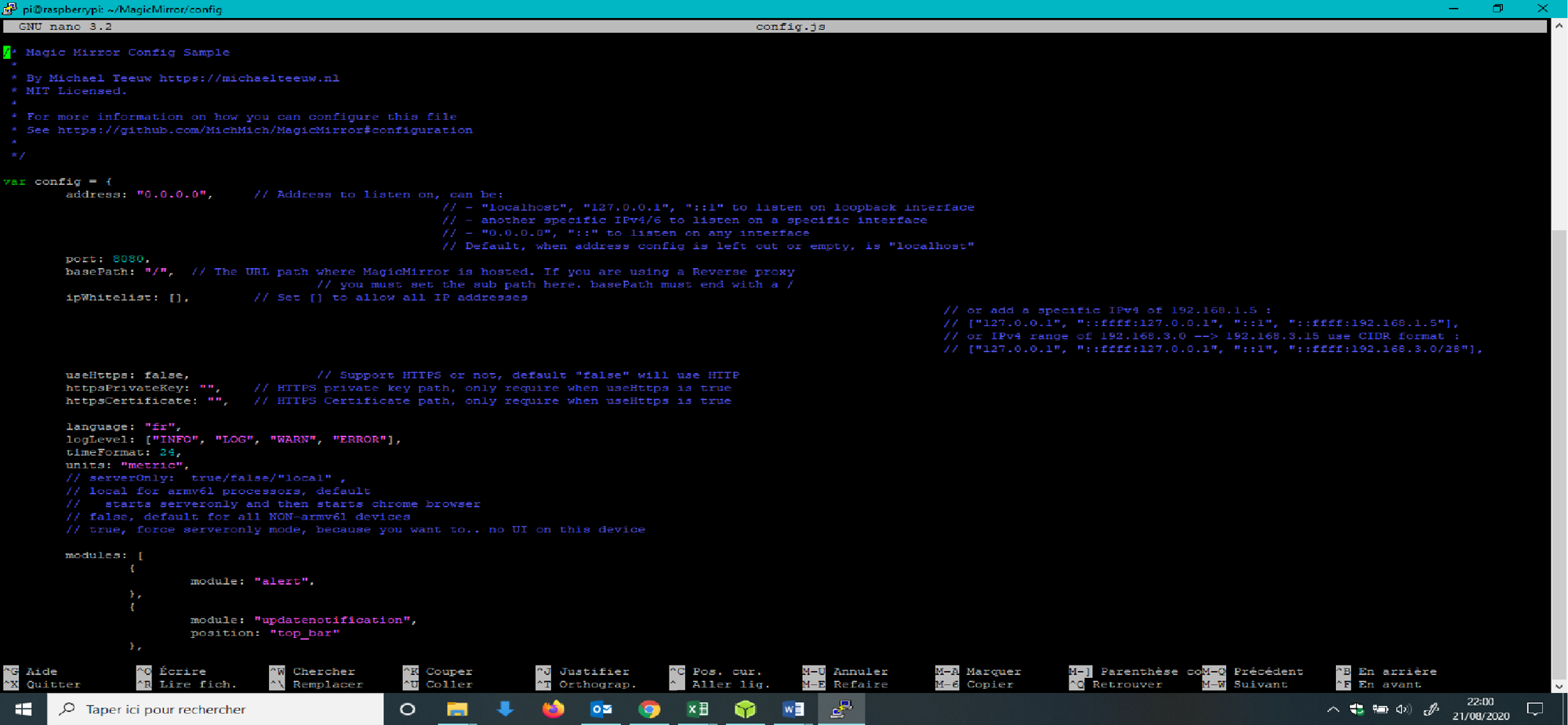
and type pm2 restart 0, but my screen of MM is steel powered off… -
RE: [Electron] display en screen after installing MMM-PIR-Sensor
But I have only acces to my MM with SSH, so how to edit the config.js on the mirror with ssh ?
-
RE: [Electron] display en screen after installing MMM-PIR-Sensor
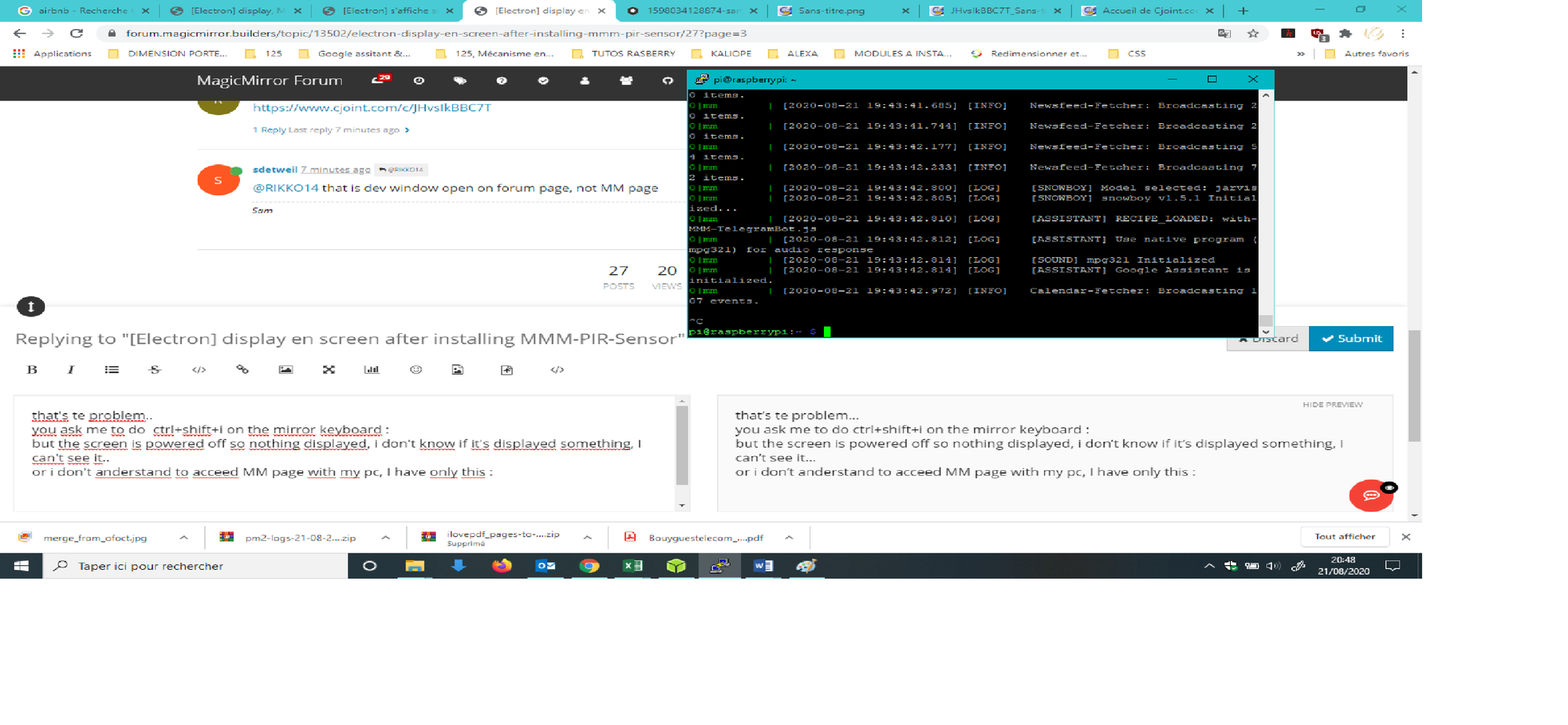
that’s te problem…
you ask me to do ctrl+shift+i on the mirror keyboard :
but the screen is powered off so nothing displayed, i don’t know if it’s displayed something, I can’t see it…
or i don’t anderstand to acceed MM page with my pc, I have only this :
-
RE: [Electron] display en screen after installing MMM-PIR-Sensor
ctrl+shift+i on the mirror keyboard : nothing displayed : because my screen is powered off : source of the issue…
-
RE: [Electron] display en screen after installing MMM-PIR-Sensor
ctrl+shift+i on the mirror keyboard : nothing displayed
ctrl+shift+i on my pc keyboard : this is displayed :

-
RE: [Electron] display en screen after installing MMM-PIR-Sensor
and this one (because i don’t if it it change something) : https://www.cjoint.com/c/JHvrUegIVzT after the command :
pm2 stop 0
pm2 flush
pm2 start 0
and after only
pm2 logs --lines=100without
pm2 statusandpm2 stop 0 -
RE: [Electron] display en screen after installing MMM-PIR-Sensor
I do this, the problem still here…
-
RE: [Electron] display en screen after installing MMM-PIR-Sensor
If it can help you this is my pm2 logs : https://www.cjoint.com/c/JHvqsqJ1QTT
-
RE: [Electron] display en screen after installing MMM-PIR-Sensor
below my pm2 logs,
If that can help you…
https://www.cjoint.com/c/JHvqsqJ1QTT -
RE: [Electron] display en screen after installing MMM-PIR-Sensor
ok, i find my IP adress (I’ve wrote it in excel file with some commandes i use) and I connected in SHH with putty,
thanks for your help to delete the commandh whose powered off my screen -
RE: [Electron] display en screen after installing MMM-PIR-Sensor
If i find my IP adress, Can you give me the commands to delete the problem ?
-
RE: [Electron] display en screen after installing MMM-PIR-Sensor
And I forgot to not the IP adress of my py, so I can’t use ssh now…
Pffff, I’m not lucky, every modules I want works instead of the PIR module… -
RE: [Electron] display en screen after installing MMM-PIR-Sensor
Yes, the screen actually powered off
-
RE: [Electron] display en screen after installing MMM-PIR-Sensor
I dont use ssh, only command on the py.
Instead of that, i think the py cut the power to the screen because the led of my screen is yellow like power off and not blue like something displayed. -
RE: [Electron] display en screen after installing MMM-PIR-Sensor
I do this, MM reload but now after 2-3 secondes the screen turn off, GA with Jarvis works in background but i can’t find the screen of MM, if i do Ctrl + M
nothing is happening, there, I’m completely stuck…, I unplugged but the problem stay here… -
RE: [Electron] display en screen after installing MMM-PIR-Sensor
I do
npm install onoff --savein ~/MagicMirror/modules/MMM-PIR-Sensor and reboot
but the same problem :0|mm | [2020-08-21 13:36:17.541] [ERROR] WARNING! Could not load config file. Starting with default configuration. Error found: Error: Cannot find module 'onoff' 0|mm | Require stack: 0|mm | - /home/pi/MagicMirror/modules/MMM-PIR-Sensor/node_helper.js 0|mm | - /home/pi/MagicMirror/js/app.js 0|mm | - /home/pi/MagicMirror/js/electron.js 0|mm | - /home/pi/MagicMirror/node_modules/electron/dist/resources/default_app.asar/main.jsand
0|mm       | [2020-08-21 14:22:15.086] [ERROR]  WARNING! Could not load config file. Starting with default configuration. Error found: Error: The module '/home/pi/MagicMirror/modules/MMM-PIR-Sensor/node_modules/epoll/build/Release/epoll.node'
0|mm       | was compiled against a different Node.js version using
0|mm       | NODE_MODULE_VERSION 64. This version of Node.js requires
0|mm       | NODE_MODULE_VERSION 73. Please try re-compiling or re-installing
0|mm       | the module (for instance, using `npm rebuild` or `npm install`).