MagicMirror Forum
    • Recent
    • Tags
    • Unsolved
    • Solved
    • MagicMirror² Repository
    • Documentation
    • 3rd-Party-Modules
    • Donate
    • Discord
    • Register
    • Login
    1. Home
    2. sil3ntstorm
    3. Posts
    A New Chapter for MagicMirror: The Community Takes the Lead
    Read the statement by Michael Teeuw here.
    S
    Offline
    • Profile
    • Following 0
    • Followers 0
    • Topics 6
    • Posts 59
    • Groups 0

    Posts

    Recent Best Controversial
    • RE: MMM-Netatmo does not load

      I first used another Netatmo module, but it hasn’t been updated for 4 years. I now want to use this one, but I don’t know exactly how to create the netatmo refresh token?
      Are there instructions for this?

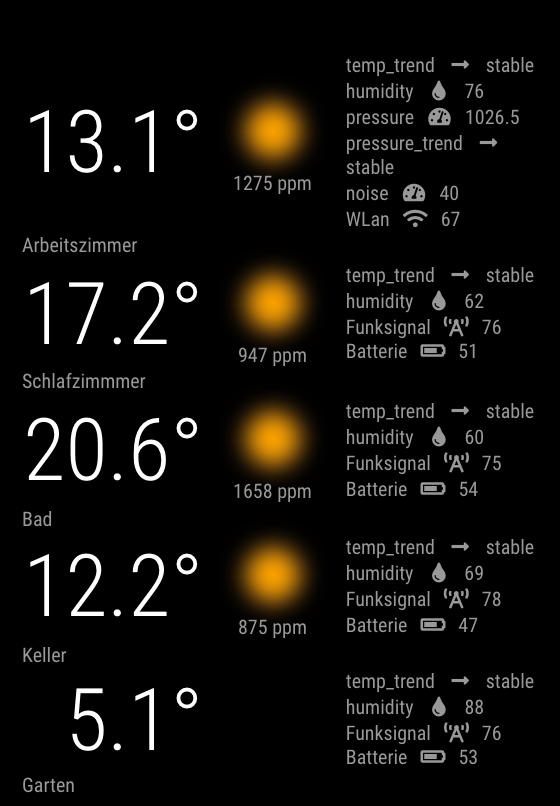
      Can someone show the module settings here so that the data is displayed exactly like this:

      preview.bubbles.png

      posted in Utilities
      S
      sil3ntstorm
    • RE: Modules duplicate themselves and move in and out

      Thanks for your help, I think I found the error. It was the module: weather online, when I hidden it, the other modules were in the right place and not moved.
      I hope it doesn’t happen again :-)

      Now I have to choose another module for my weather

      posted in Troubleshooting
      S
      sil3ntstorm
    • RE: Modules duplicate themselves and move in and out

      @MMRIZE Yes, I have the standard news module running. I don’t have a module for position/lateral control.

      posted in Troubleshooting
      S
      sil3ntstorm
    • RE: Modules duplicate themselves and move in and out

      @MMRIZE ```
      /###################################################################/

          {
              module: 'MMM-WetterOnline',
              position: "top_right",
          header: "Wetter Schama",
              config: {
      
      
      	useHeader: true,
      	city: "hemau",
      	width: "400px",
      	daysTrend: 7,
      	updateIntervalMins: 5,
      	
      		               
              }
          },
      

      /###################################################################/

      {
          module: 'MMM-Tado',
          position: 'bottom_right', // This can be any of the regions.
          config: {
              username: 'secret', 
              password: 'secret', 
              updateInterval: 120000
        
          }
      },
      

      /###################################################################/

      {
      module: ‘MMM-DWD-WarnWeather’,
      position: ‘top_center’,
      header: ‘Wetterwarnungen’,
      config: {
      region: ‘Hemau’,
      changeColor: true,
      minutes: false,
      displayRegionName: true,
      displayInnerHeader: false,
      interval: 10 * 60 * 1000, // every 10 minutes
      loadingText: ‘Warnungen werden geladen…’,
      noWarningText: ‘Keine Warnungen’,
      severityThreshold: 1
      }
      },

      /###################################################################/

      {
      module: “MMM-MyCalendar”,
      position: “bottom_left”,
      classes: “default everyone”,
      header: “Upcoming”,
      disabled: false,
      config: {
      colored: true,
      maximumNumberOfDays: 30,
      maximumEntries: 10,
      fade: false,
      maxTitleLength: 500,
      fetchInterval: 500000,
      useRelativeDates: false,

          dayOfWeekFormat: "dddd",
          timeFormat: "HH:mm",
          dateFormat: "MMMM D",
          joiningWord: "um",
          urgency: 1,
          calendars: [
          	{
            		url: "secret",
              		color: "#ffb350"
           	 },
      
      	{
      					
      		url: "secret",
      		color: "#ff77d4"		
      	},
      
       		{
           		url: "secret",
      		color: "#00FF00"
           	 }
          ]
      
      }
        
      },    
      

      /####################################################################/

      {
      module: ‘MMM-MonthCalendar’,
      position: “top_left”,
      header: “”,
      config: {
      updateDelay: 5,
      showAdjacentMonths: true
      }
      },

      /####################################################################/

      {
      module: ‘MMM-Netatmo’,
      position: ‘bottom_right’, // the location where the module should be displayed
      header: ‘Netatmo_Station’,
      config: {
      clientId: ‘secret’, // your app id
      clientSecret: ‘secret’, // your app secret
      refreshToken: ‘secret’,
      accessToken: “secret”,
      location: “germany/hemau”, //for AirQuality
      updateIntervalAirQuality: 600, // in secondes = every 30 minutes
      updatesIntervalDisplay: 60, //refresh internal
      lastMessageThreshold: 600, // in seconds (10 minutes)
      horizontal: false,
      horizontalOverflow: false,
      windUnit: “KT”, // Possible “KMH”, “MPH”, “MS”, “BFT”, “KT”
      displayWindInOutdoor: false,
      displayRainInOutdoor: false,
      showLastMessage: true,
      showDataIcon: true,
      showDataHeader: true,
      showModuleStatus: true,
      showModuleFirmware: true,
      refreshInterval: 3,
      moduleOrder: [ “Garten”, “Wintergarten”, “Wohnzimmer”, “Badezimmer”, “Schlafzimmer” ],
      }
      },

      /###################################################################/
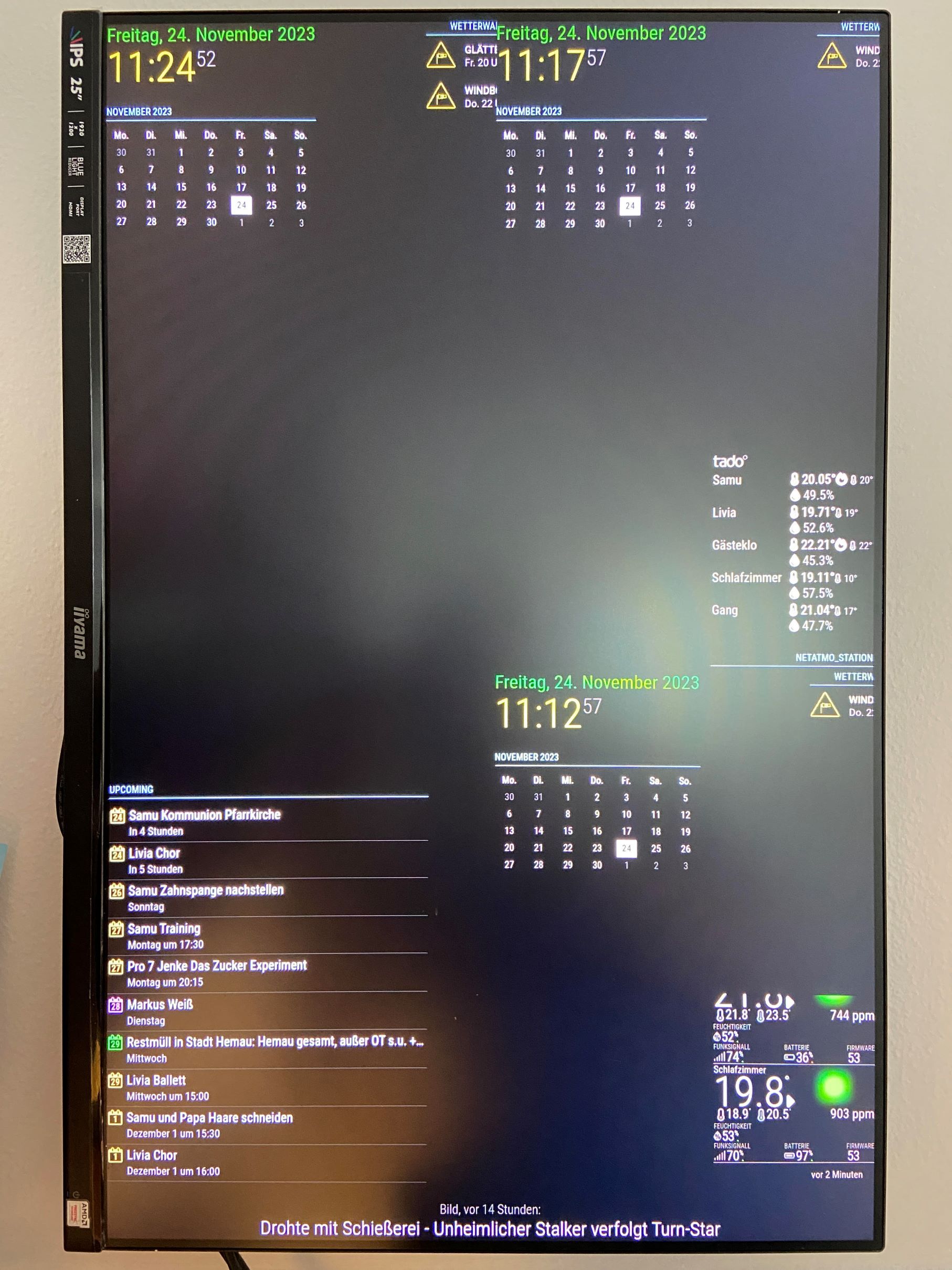
      unnamed.jpg

      posted in Troubleshooting
      S
      sil3ntstorm
    • Modules duplicate themselves and move in and out

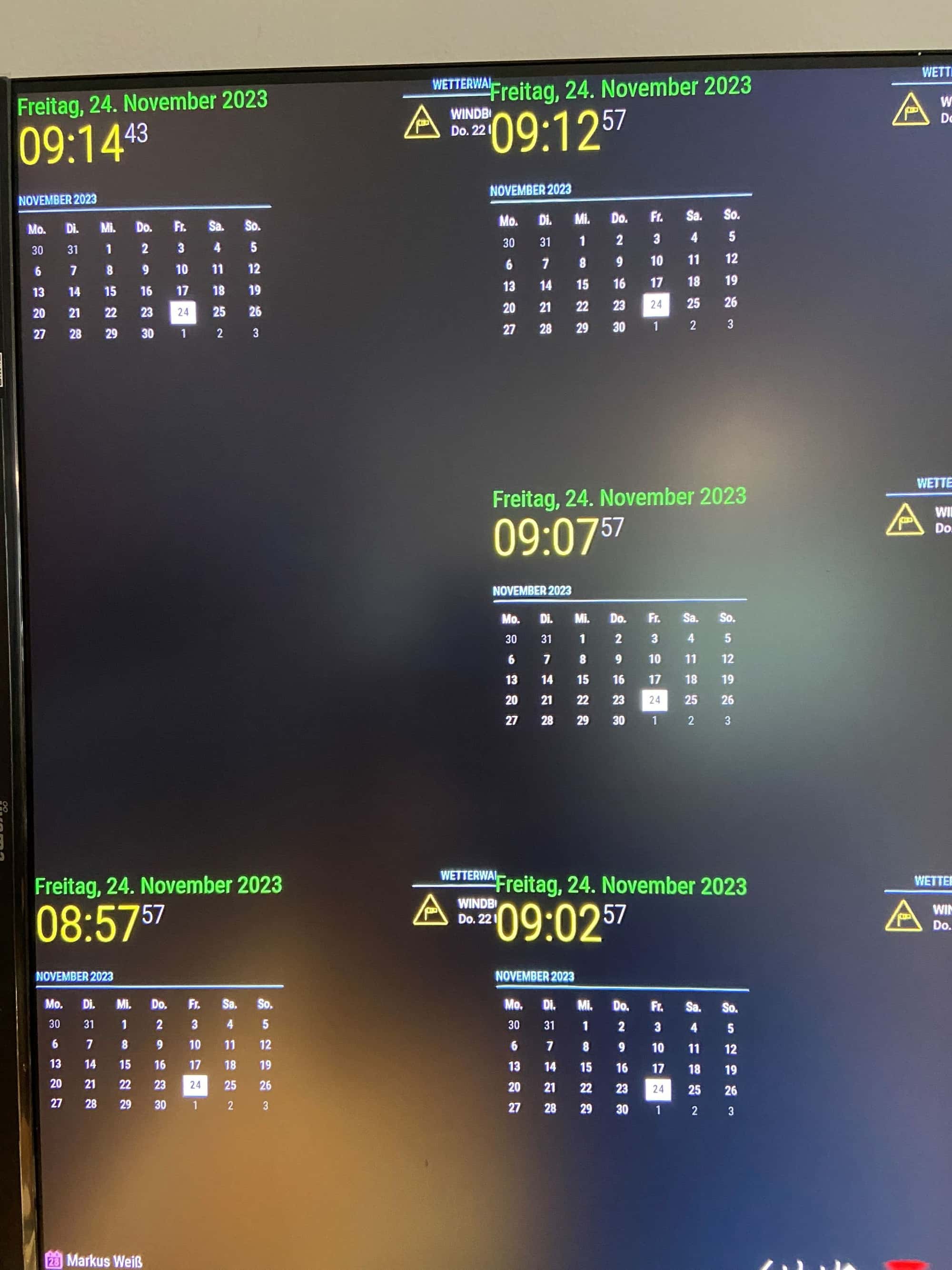
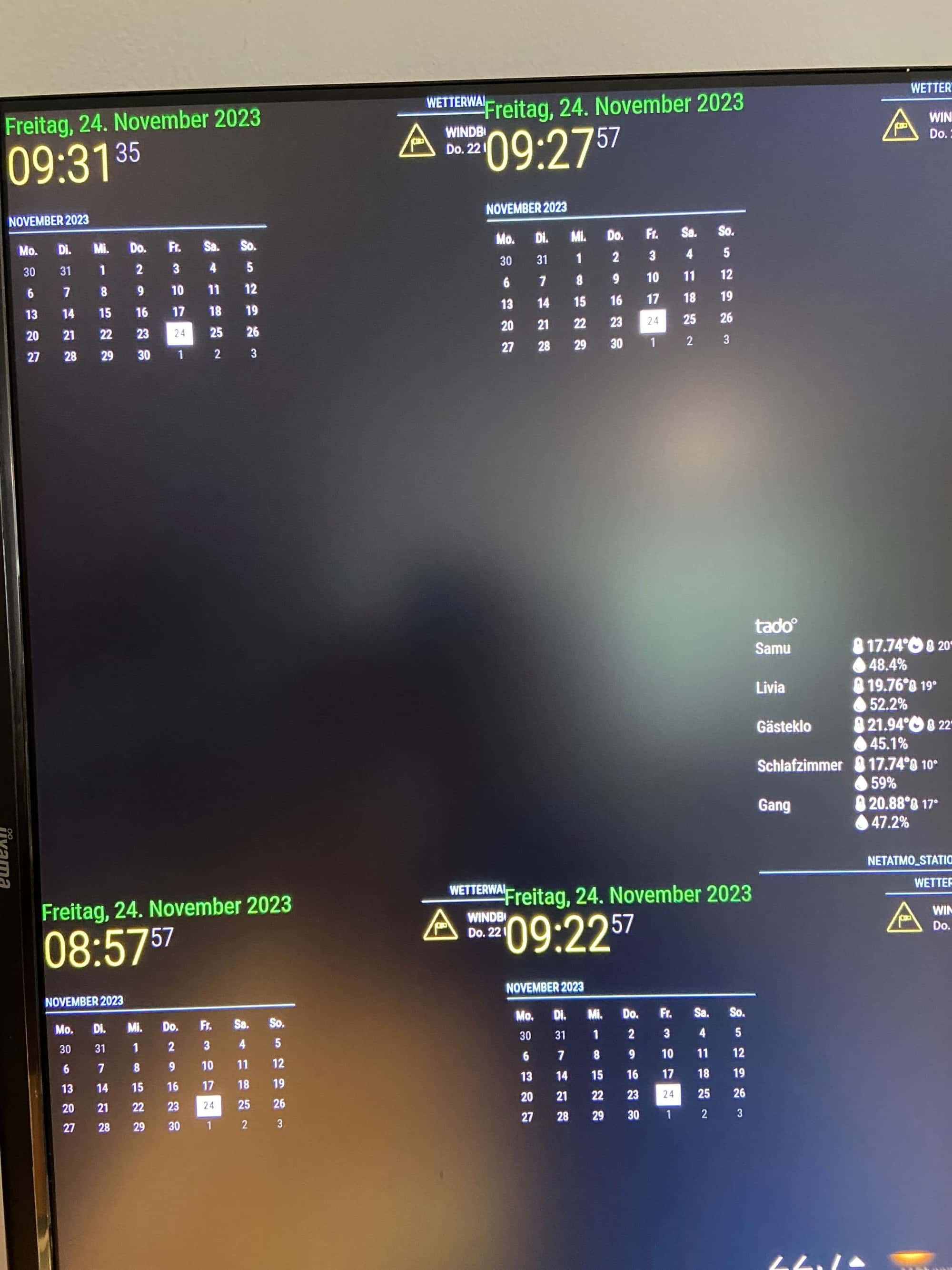
      Hello,
      My monitor is showing me strange things for the second time. The first time at the beginning of the week, restarting didn’t help. Since my monitor restarts every day at 5 a.m., I no longer had the problem the next day, but the next day it was back.
      I can’t explain why it is, does anyone of you know the problem or the solution?

      Some modules are duplicated, sometimes the monthly calendar, sometimes the Google calendar or even the Netatmo and weather module

      IMG_4021.JPG

      IMG_4022.JPG

      posted in Troubleshooting
      S
      sil3ntstorm
    • RE: MMM-WetterOnline does not load

      @lavolp3 it works, thank you very much

      posted in Troubleshooting
      S
      sil3ntstorm
    • MMM-WetterOnline does not load

      I just installed this module today:
      https://github.com/bogenpirat/MMM-WetterOnline
      Unfortunately my mirror doesn’t load the module, nothing is displayed.
      I entered the following, is that even correct?

      code_text

                  {
                              module: 'MMM-WeatherOnline',
                              position: "top_right",
                              config: {


                  useHeader: true,
                  header: "Hemau weather",
                  city: "https://www.wetteronline.de/wetter/hemau",
                  width: "400px",
                  daysTrend: 4,
                  updateIntervalMins: 5,
                  
                              }
                          },
      posted in Troubleshooting
      S
      sil3ntstorm
    • RE: My Bathroom Mirror

      at the top right, is that one weather module or two? And what are these called exactly? Could you post the config entry here?

      posted in Show your Mirror
      S
      sil3ntstorm
    • RE: Adding animated weather radar map

      @colel83 Can you show us your config.js entry here?

      posted in Utilities
      S
      sil3ntstorm
    • RE: Magic mirror does not start automatically when booting

      @sdetweil

      Wooooooooooooow it works, thank you very much

      This worked after I typed this:

      sudo env PATH=$PATH:/usr/local/bin /usr/local/lib/node_modules/pm2/bin/pm2 startup systemd -u pi --hp /home/pi

      then that:

      pm2 start ~/MagicMirror/installers/pm2_MagicMirror.json
      pm2 save

      posted in Troubleshooting
      S
      sil3ntstorm
    • RE: Magic mirror does not start automatically when booting

      @sdetweil
      Did I do it right? If so, it will appear as a message

      8617b984-212e-4359-a91d-98fdb926d2ea-grafik.png

      posted in Troubleshooting
      S
      sil3ntstorm
    • RE: Magic mirror does not start automatically when booting

      @sdetweil That worked very well this time. Magic Mirror finally starts. Thank you very much for your script.
      I would now like to know whether I can install my modules normally like before, or whether there are still difficulties with calendar modules (I have often read this week that calendar modules cause problems)?

      I had these modules on it before and would install everything again, or should I leave some out because there are problems with the new MM update/version?

      0228d839-f99a-432f-b47b-59d9c2ac3c2b-grafik.png

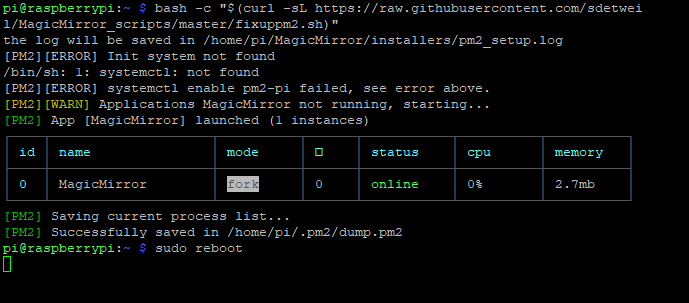
      Edit: After I rebooted, Magic Mirror doesn’t start automatically, then I entered this command:

      bash -c “$(curl -sL https://raw.githubusercontent.com/sdetweil/MagicMirror_scripts/master/fixuppm2.sh)”

      It then starts immediately, but after restarting the Pi starts without MM.

      50c08bc4-5f7e-484c-a131-ed01d8b1f824-grafik.png

      posted in Troubleshooting
      S
      sil3ntstorm
    • RE: Magic mirror does not start automatically when booting

      @sdetweil No, I re-flashed the SD card and could now reinstall the Magic Mirror software. Should I access my Pi and run this?

      bash -c “$(curl -sL https://raw.githubusercontent.com/sdetweil/MagicMirror_scripts/master/raspberry.sh)”

      Or do I have to do something else beforehand so that the Magic Mirror software is installed correctly?

      posted in Troubleshooting
      S
      sil3ntstorm
    • RE: Magic mirror does not start automatically when booting

      @sdetweil email has been sent

      posted in Troubleshooting
      S
      sil3ntstorm
    • RE: Magic mirror does not start automatically when booting

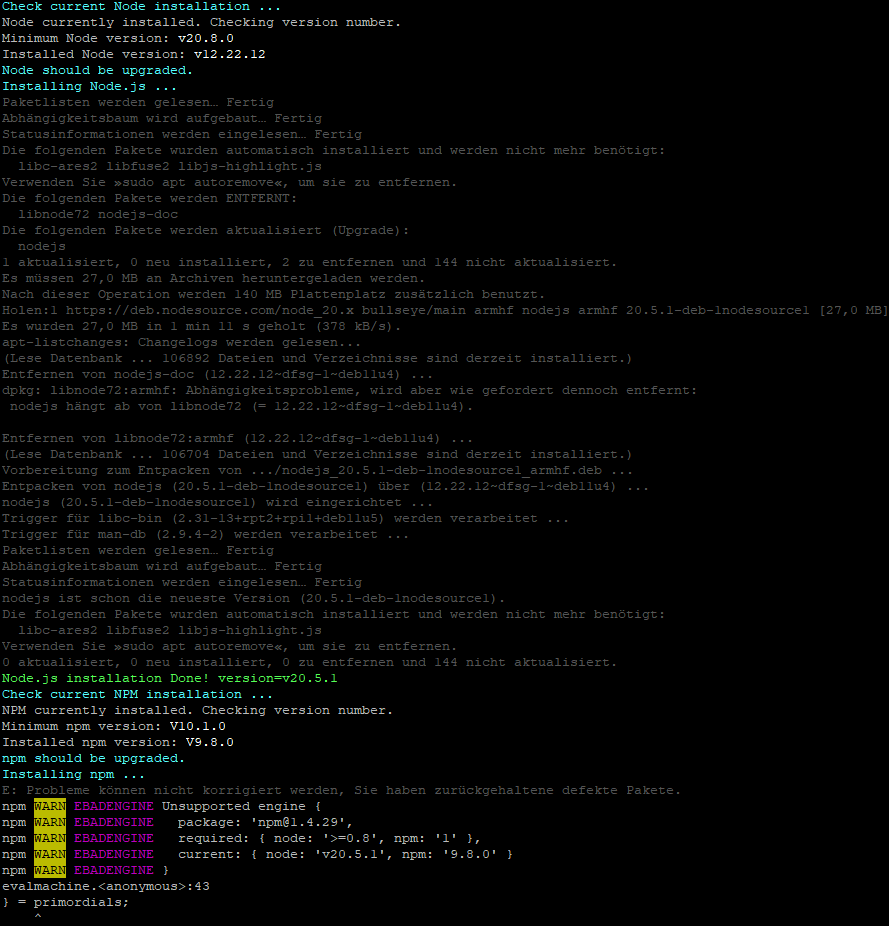
      @sdetweil I did it, at the beginning it said version 20.8 and further down it says that 20.5.1 was installed, did something go wrong here?

      b5f4df66-78d7-451b-8d5c-83e81e9605e4-grafik.png

      posted in Troubleshooting
      S
      sil3ntstorm
    • RE: Magic mirror does not start automatically when booting

      @sdetweil So that I don’t do something wrong for the third time, I’d rather ask carefully: I re-flashed the SD card, now I have to do this first:

      bash -c “$(curl -sL https://raw.githubusercontent.com/sdetweil/MagicMirror_scripts/master/node20_install.sh)”

      And then this: bash -c “$(curl -sL https://raw.githubusercontent.com/sdetweil/MagicMirror_scripts/master/raspberry.sh)”

      And there is already version 20.8 in there and no longer the defective 20.5.1?

      And then at the end turn off the two things for the screen saver and the autostart thing:
      bash -c “$(curl -sL https://raw.githubusercontent.com/sdetweil/MagicMirror_scripts/master/screensaveroff.sh)”

      and

      bash -c “$(curl -sL https://raw.githubusercontent.com/sdetweil/MagicMirror_scripts/master/fixuppm2.sh)”

      Have I understood everything correctly so far?

      posted in Troubleshooting
      S
      sil3ntstorm
    • RE: Magic mirror does not start automatically when booting

      @sdetweil

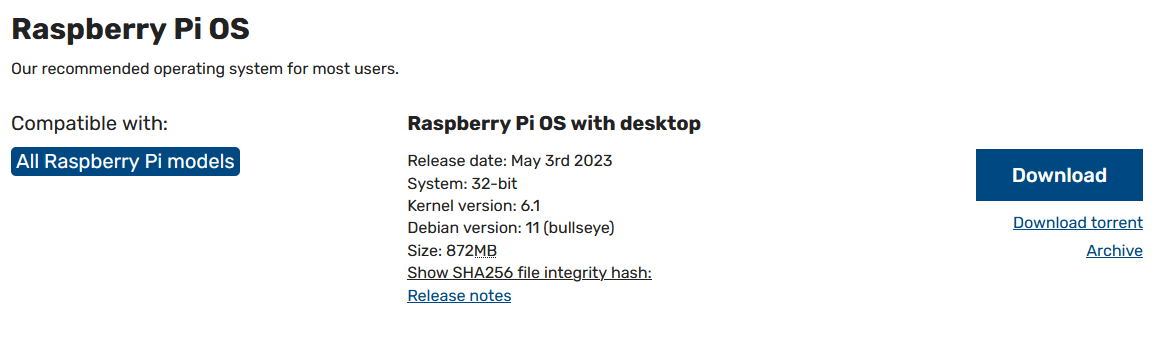
      I flashed this version.

      0940c54f-47e8-45e2-b7f9-85ad53a7711f-grafik.png

      Do you have a link for the installation script?
      I only saw the link for the backup script

      posted in Troubleshooting
      S
      sil3ntstorm
    • RE: Magic mirror does not start automatically when booting

      @sdetweil
      I don’t need the backup because I just flashed the memory card and haven’t installed any modules yet.
      If I re-flash the card now, what instructions should I follow so that version 20.8 is installed and not the defective 20.5.1 again?

      Thanks for your help so far

      posted in Troubleshooting
      S
      sil3ntstorm
    • RE: Magic mirror does not start automatically when booting

      @sdetweil said in Magic mirror does not start automatically when booting:

      20.8.0

      Can I just install 20.8.0 over it or do I have to uninstall the other version? Do you perhaps have suitable instructions for this?

      posted in Troubleshooting
      S
      sil3ntstorm
    • RE: Magic mirror does not start automatically when booting

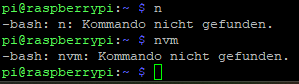
      @sdetweil 223b4769-f906-4e42-ada9-698b7e80f6e1-grafik.png

      do you think so?

      posted in Troubleshooting
      S
      sil3ntstorm
    • 1
    • 2
    • 3
    • 2 / 3