All, I have got the Libre Computer now. Trying my best to get the mirror up. Ran in to a small hitch. There is no chromedriver for arm64 yet. They are working on it and there is a PR but it has not yet gone completely through it seems. I’ll see if I can figure it out some how anyway. :)
I’ll come back to this thread as soon as I gotten MM up and running.
@grillchips Hmm… I don’t see why they would need the glass? It’s basically an array of IR leds on two sides and another array of IR receivers on the opposite two sides. I’m using a 32" frame and that worked in mid air when I tested. :)
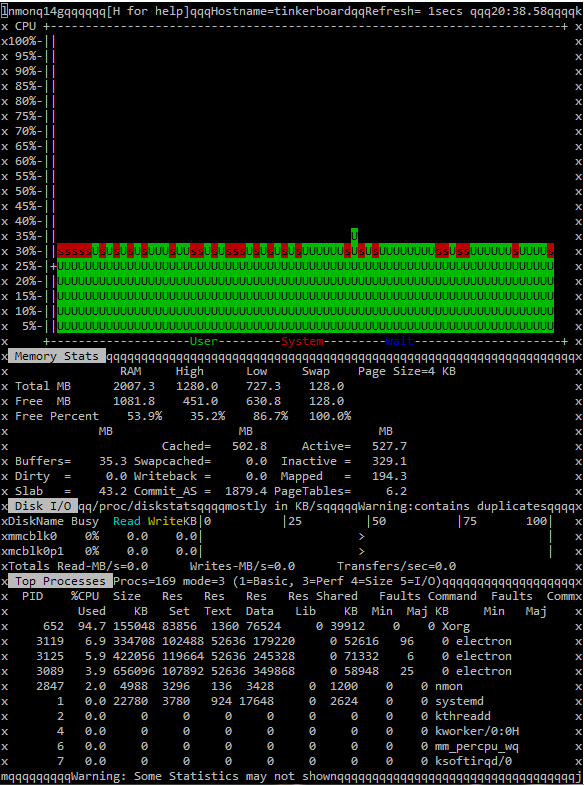
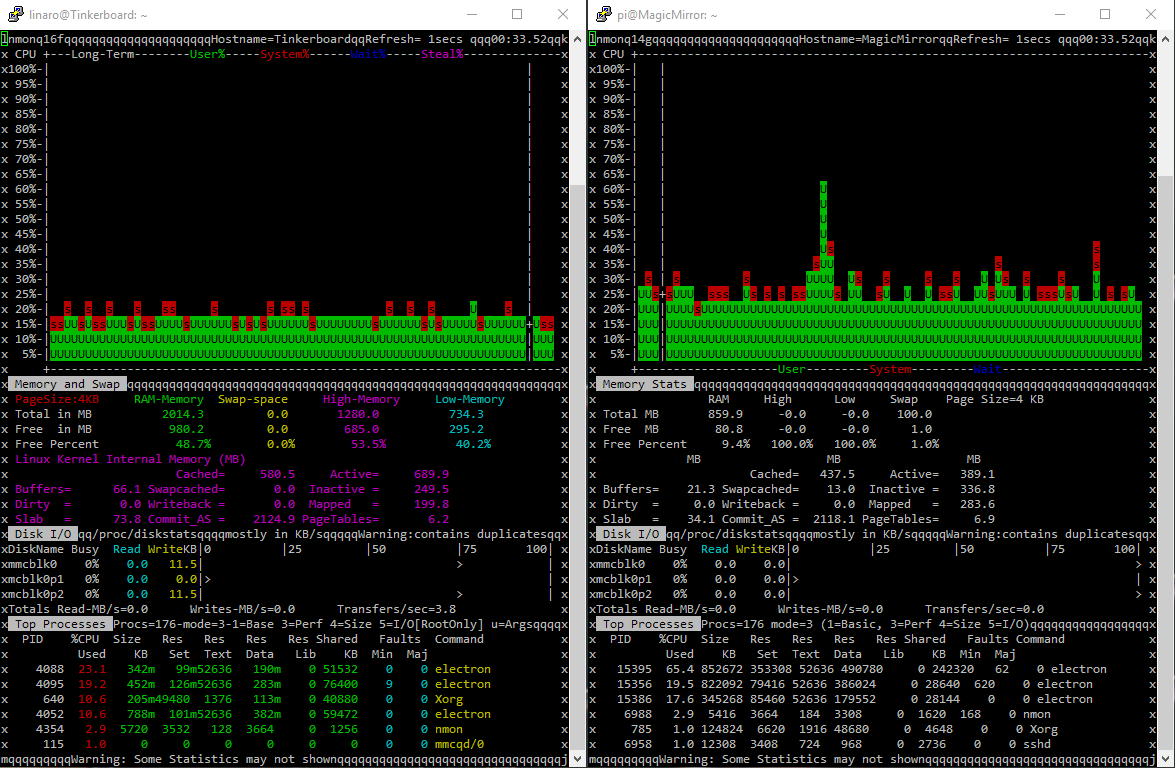
Hi again. Tried another OS called Armbian. I like the “looks” better to start with. So if you are going to use you Tinker Board for something else then being a MM. Maybe it’s a nicer alternative then TinkerOS. But for MM, it’s not. The over all CPU usage is even higher then on the RPi3… Tough, it seems to be X that’s hogging most of the CPU… It’s running XFCE instead of LXDE so, maybe that’s the reason…
If you want to play with even more OS:es you can find lot’s here.
Just to help you other people out there doing the same I’m doing, I made this little script to clone all the modules I’m using to a “new” mirror without any fuzz.
First change the “Moddir” path to the correct one for you.
array in script (I have all of mine in there, but just change or comment them out. :)
Make the script executable (chmod +x installmodules.sh)
And execute it.
Each module will then be cloned and “npm installed” automatically.
When it’s done, just copy the config.js and the custom.css files in place from your “other” mirror.
Restart the “new” mirror (pm2 restart mm). Done! :)
#!/bin/bash

## ----------------------------------------------------------------------------
## Snilles automatic module clone and install script for MM2.
## ----------------------------------------------------------------------------

## Don't forget to add your public SSH key to your GIT profile!
## If you don't, nothing will be cloned!

## If you don't have an SSH key. This is how you get one.
## Generate SSH key(s).
# cd ~
# ssh-keygen -t rsa

## Press: Enter, Enter, Enter...

## See the public Key...
# cat ~/.ssh/id_rsa.pub

## Copy the SSH public key and add it to you GIT SSH keys.

## ----------------------------------------------------------------------------
## Config below.
## ----------------------------------------------------------------------------

## The module install directory.
Moddir='/home/pi/MagicMirror/modules'
#Moddir='/home/linaro/MagicMirror/modules'
#Moddir='/var/www/html/magicmirror/mm/modules'
#Moddir='/var/www/html/magicmirror/m/modules'

## Package file
Packfile='package.json'

## All the modules repos from Git.
Repos[1]='git@github.com:KirAsh4/calendar_monthly.git'
#Repos[2]='git@github.com:desertblade/iFrame.git'
Repos[3]='git@github.com:masters1222/mm-hide-all.git'
#Repos[4]='git@github.com:valmassoi/MMM-bitcoin.git'
#Repos[5]='git@github.com:barnabycolby/MMM-Carousel.git'
Repos[6]='git@github.com:Snille/MMM-Chart.git'
Repos[7]='git@github.com:matteodanelli/MMM-cryptocurrency.git'
#Repos[8]='git@github.com:cowboysdude/MMM-DailyQuote.git'
#Repos[9]='git@github.com:brobergp/MMM-doomsDay.git'
Repos[10]='git@github.com:LukeSkywalker92/MMM-Globe.git'
Repos[11]='git@github.com:shbatm/MMM-JSONStatusChecker.git'
Repos[12]='git@github.com:schnibel/MMM-Memo.git'
Repos[13]='git@github.com:Snille/MMM-Modulebar.git'
Repos[14]='git@github.com:Snille/MMM-ModuleScheduler.git'
Repos[15]='git@github.com:CatoAntonsen/MMM-MotionEye.git'
#Repos[16]='git@github.com:Tueti/MMM-MovieListings.git'
#Repos[17]='git@github.com:Snille/MMM-MovieListings.git'
Repos[18]='git@github.com:jclarke0000/MMM-MyCommute.git'
#Repos[19]='git@github.com:ianperrin/MMM-NetworkScanner.git'
Repos[20]='git@github.com:brobergp/MMM-newsfeedtouch.git'
#Repos[21]='git@github.com/shbatm/MMM-OnScreenMenu.git'
#Repos[22]='git@github.com:Snille/MMM-PiLights.git'
#Repos[23]='git@github.com:Snille/MMM-PlexNowPlaying.git'
Repos[24]='git@github.com:Gyran/MMM-plex-recently-added.git'
Repos[25]='git@github.com:Snille/MMM-Profilepicture.git'
Repos[26]='git@github.com:tosti007/MMM-ProfileSwitcher.git'
Repos[27]='git@github.com:Jopyth/MMM-Remote-Control.git'
Repos[28]='git@github.com:Snille/MMM-Sonos.git'
Repos[29]='git@github.com:janbanan007/mmm-suncalc.git'
Repos[30]='git@github.com:BenRoe/MMM-SystemStats.git'
Repos[31]='git@github.com:brobergp/MMM-TextClock.git'
Repos[32]='git@github.com:tosti007/MMM-TouchNavigation.git'
Repos[33]='git@github.com/tosti007/MMM-TouchNotifications.git'
Repos[34]='git@github.com:RedNax67/MMM-WunderGround.git'
Repos[35]='git@github.com/jclarke0000/MMM-MyCalendar.git'
Repos[36]='git@github.com/TheBogueRat/MMM-iFrameReload.git'

## ----------------------------------------------------------------------------

## Start!
cd "$Moddir"
for t in "${Repos[@]}"
	do
		git clone $t
		#echo "Cloning $t"
done

echo "Cloning Done."
echo "Now npm installing..."

for f in *;
	do
		if [[ -d $f ]]; then
			installmodule=$(basename $f)
			[[ $installmodule =~ ^(default|node_modules)$ ]] && continue
			cd "$installmodule"
			if [ -e "$Packfile" ]; then
#				npm install --production
				npm install
			fi
			cd ".."
		fi
	done

echo "All done."
echo "Now you have to add all the modules to your config (or copy your old one) and don't forget your custom.css file."
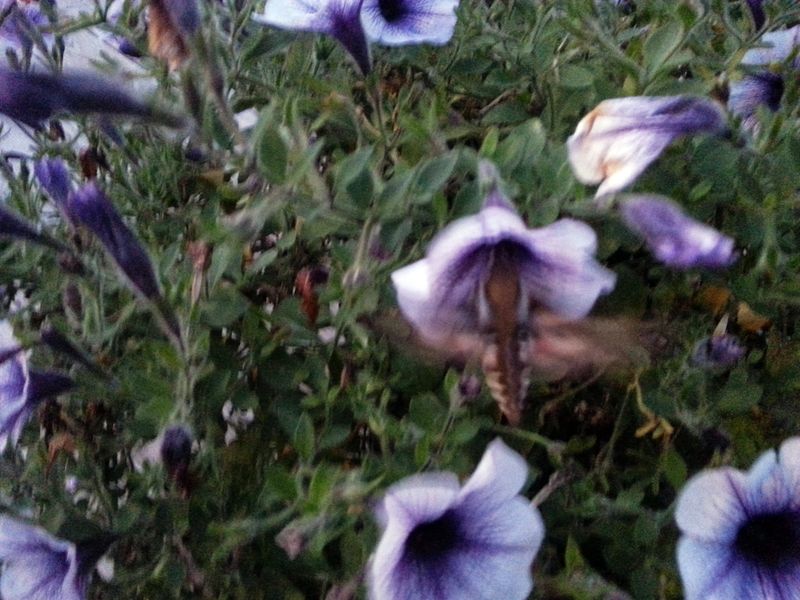
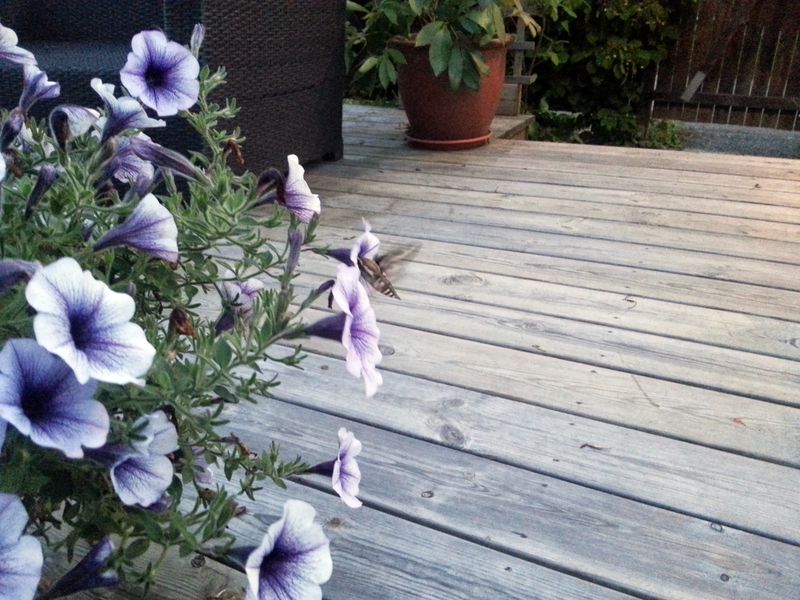
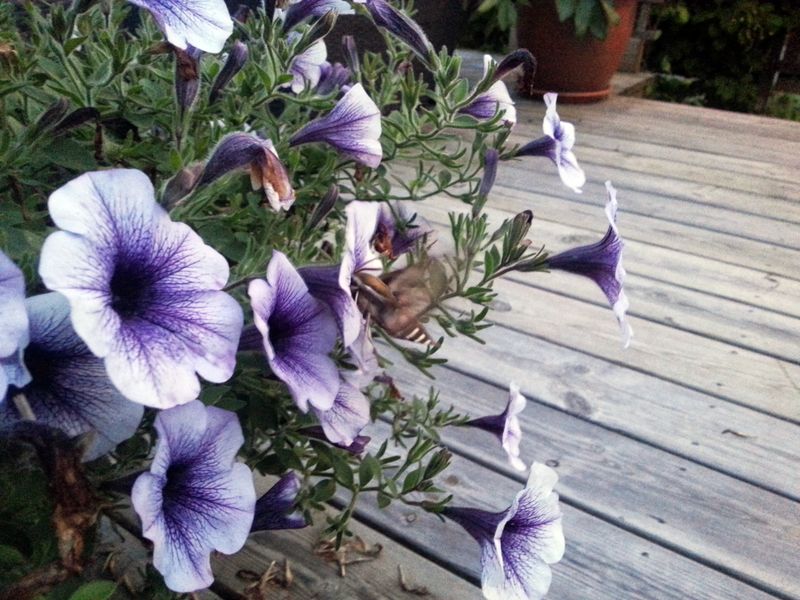
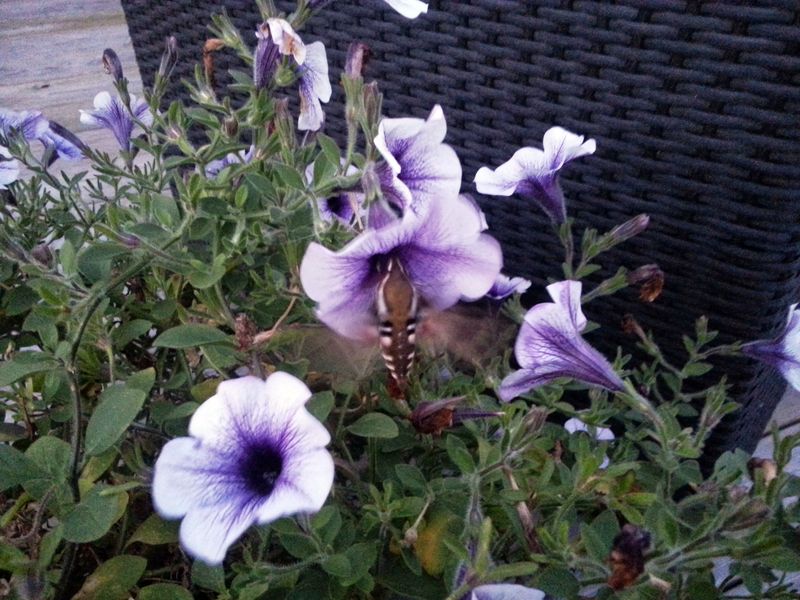
I’ll continue your thread with another visitor (we had 2013) when we moved to our first house. :) I don’t know the English name of it… But in Swedish it’s called “Jättesvärmare”.
Ah, just figured out how to rotate the screen. When logged in as “linaro”.
Open a terminal and do:
cd ~
nano .xsessionrc
Paste the following in the file and remove the # in front of the row (left or right) you want to rotate the screen. I am using left myself. :)
#!/bin/sh

## To rotate left enable below line.
xrandr --output HDMI-1 --rotate left

## To rotate right enable below line.
#xrandr --output HDMI-1 --rotate right
@Sean what did you put in your mm.sh?
I can’t get the MM to run… I only get errors… :/ I’m on development branch…
got this in the npm-debug.log:
cat npm-debug.log
0 info it worked if it ends with ok
1 verbose cli [ '/usr/bin/nodejs', '/usr/bin/npm', 'start' ]
2 info using npm@3.10.10
3 info using node@v6.11.2
4 verbose run-script [ 'prestart', 'start', 'poststart' ]
5 info lifecycle magicmirror@2.1.3-dev~prestart: magicmirror@2.1.3-dev
6 silly lifecycle magicmirror@2.1.3-dev~prestart: no script for prestart, continuing
7 info lifecycle magicmirror@2.1.3-dev~start: magicmirror@2.1.3-dev
8 verbose lifecycle magicmirror@2.1.3-dev~start: unsafe-perm in lifecycle true
9 verbose lifecycle magicmirror@2.1.3-dev~start: PATH: /usr/lib/node_modules/npm/bin/node-gyp-bin:/home/snille/MagicMirror/node_modules/.bin:/usr/local/bin:/usr/bin:/bin:/usr/local/games:/usr/games
10 verbose lifecycle magicmirror@2.1.3-dev~start: CWD: /home/snille/MagicMirror
11 silly lifecycle magicmirror@2.1.3-dev~start: Args: [ '-c', 'sh run-start.sh' ]
12 silly lifecycle magicmirror@2.1.3-dev~start: Returned: code: 1  signal: null
13 info lifecycle magicmirror@2.1.3-dev~start: Failed to exec start script
14 verbose stack Error: magicmirror@2.1.3-dev start: `sh run-start.sh`
14 verbose stack Exit status 1
14 verbose stack     at EventEmitter. (/usr/lib/node_modules/npm/lib/utils/lifecycle.js:255:16)
14 verbose stack     at emitTwo (events.js:106:13)
14 verbose stack     at EventEmitter.emit (events.js:191:7)
14 verbose stack     at ChildProcess. (/usr/lib/node_modules/npm/lib/utils/spawn.js:40:14)
14 verbose stack     at emitTwo (events.js:106:13)
14 verbose stack     at ChildProcess.emit (events.js:191:7)
14 verbose stack     at maybeClose (internal/child_process.js:891:16)
14 verbose stack     at Process.ChildProcess._handle.onexit (internal/child_process.js:226:5)
15 verbose pkgid magicmirror@2.1.3-dev
16 verbose cwd /home/snille/MagicMirror
17 error Linux 4.4.71+
18 error argv "/usr/bin/nodejs" "/usr/bin/npm" "start"
19 error node v6.11.2
20 error npm  v3.10.10
21 error code ELIFECYCLE
22 error magicmirror@2.1.3-dev start: `sh run-start.sh`
22 error Exit status 1
23 error Failed at the magicmirror@2.1.3-dev start script 'sh run-start.sh'.
23 error Make sure you have the latest version of node.js and npm installed.
23 error If you do, this is most likely a problem with the magicmirror package,
23 error not with npm itself.
23 error Tell the author that this fails on your system:
23 error     sh run-start.sh
23 error You can get information on how to open an issue for this project with:
23 error     npm bugs magicmirror
23 error Or if that isn't available, you can get their info via:
23 error     npm owner ls magicmirror
23 error There is likely additional logging output above.
24 verbose exit [ 1, true ]

 't
't