MagicMirror Forum
    • Recent
    • Tags
    • Unsolved
    • Solved
    • MagicMirror² Repository
    • Documentation
    • 3rd-Party-Modules
    • Donate
    • Discord
    • Register
    • Login
    1. Home
    2. wishmaster270
    3. Posts
    A New Chapter for MagicMirror: The Community Takes the Lead
    Read the statement by Michael Teeuw here.
    Offline
    • Profile
    • Following 0
    • Followers 6
    • Topics 16
    • Posts 340
    • Groups 2

    Posts

    Recent Best Controversial
    • RE: [MMM-Serial-Notifications] Sends notications based on messages on serial interfaces

      I did a lot of work on the module the last days. I integrated a more complex (and more detailed) example with an APDS-9960 and different Laser sensors, support sending payload based containing strings of the messages and it is possible to send different notifications based on the same input message in different profiles (MMM-ProfileSwitcher)

      posted in Utilities
      wishmaster270W
      wishmaster270
    • RE: [MMM-GPIO-Notifications] Sends notifications based on GPIO events on multiple pins

      I did some work on the module the last days.
      An example how to use an PIR sensor is integrated now. Also a new delay option is included and the possibility to send different notifications for the same pin based on profiles

      posted in Utilities
      wishmaster270W
      wishmaster270
    • RE: [MMM-Screen-Powersave-Notification] A module which (de)activates the screen based on delay and notifications

      I did a lot of work to the module the last days. Now modules can be hidden / shown instead of turning off/on the display. Also a countdown can be displayed and the delay can be set by active profile (MMM-ProfileSwitcher)

      posted in Utilities
      wishmaster270W
      wishmaster270
    • MMM-ProfileControl

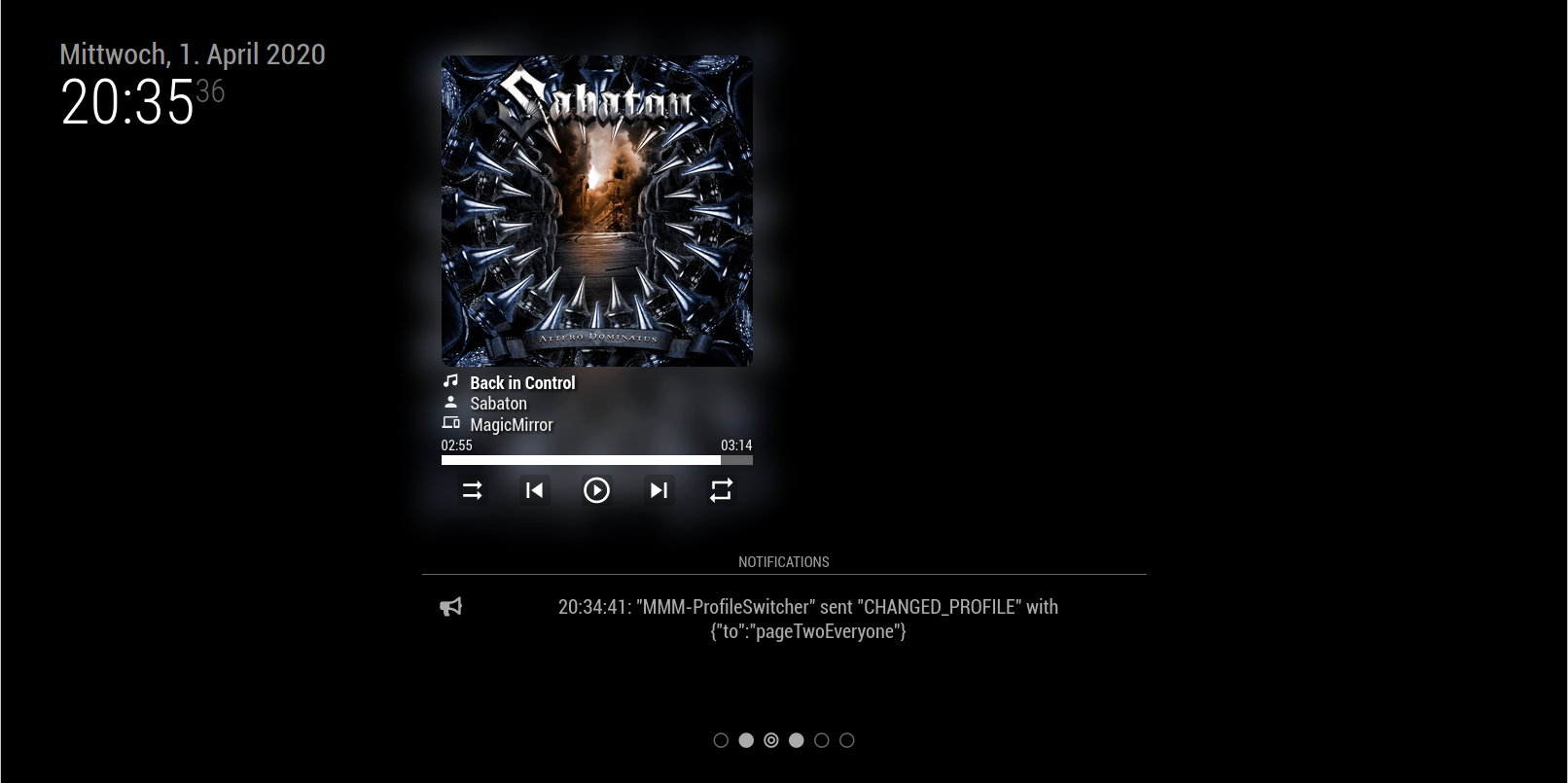
      This is an Add-On module to MMM-ProfileSwitcher and is based on MMM-pages and MMM-page-indicator.

      I wanted to be able to specify pages on my mirror but also be able to have different profiles on each page (i.e. i wanted an calendar page where either the events of my wife or my ones are displayed).

      MMM-ProfileControl differs between horizontal profiles (pages) and vertical ones. If you do not specify different vertical profiles the vertical indicator can be hidden and the modules behavior is nearly the same as of MMM-pages.

      The current profile can be changed with different notifications either to a specific horizontal or vertical one or you can iterate through them.

      If you do not like the default icons of the indicators you can change them via configuration.

      The module also keeps track of profile changes that happen through other modules (CHANGED_PROFILE notification).

      Attention: At the moment there are problems with MMM-CalenderExt2. I am already in contact with eouia and i think i found an solution. In my personal setup i use an patched version that works fine.

      Because i only send notifications to MMM-ProfileSwitcher modules that did not work without my module will not work with it.

      Screenshots

      Page One / Profile Two

      Page two / Profile one

      Download

      MMM-ProfileControl
      [card:Tom-Hirschberger/MMM-ProfileControl]


      Version 0.0.3

      • it is now possible to restore the last selected vertical profile if the horizontal profile (page) changed

      Version 0.0.2

      • added an option to send an USER_PRESENCE notification if the module triggers an profile change
      • added option to hide the profile indicators during screensave mode
      • removed reset of top margin of the module in css because it is not possible to override it if needed
      • fixed all issues reported by the new automatic module scanning script developed by @KristjanESPERANTO

      Version 0.1.0

      • Horizontal and vertical profile support
      • Indicator of the horizontal and vertical profile
      • All icons (horizontal, vertical, separator) can be changed in the configuration
      • Notifications to change either to a direct profile or rotate horizontal and vertical
      posted in Utilities
      wishmaster270W
      wishmaster270
    • RE: PIR Sensor

      Hi,
      great that you are interested in my module. I did not test ist for a while and currently have no working installation of MM.
      Hopefully the answer of Sam helps you.
      I will try to get my mirror running this week and will test the module.

      posted in Troubleshooting
      wishmaster270W
      wishmaster270
    • RE: Problem in using APDS-9960 Gesture Sensor with r-pi

      Hi,

      I asked me the same quastion a view weeks ago but could not find a library for the sensor that is still maintained. I ended up in buying a arduino board and send the signals via USB serial interface to the pi now.

      posted in Troubleshooting
      wishmaster270W
      wishmaster270
    • RE: MMM-SpotifyControl . Control your Spotify music player using Mk2 assistant.

      @ejay-ibm you are a genius and saved me a lot of time.
      I had the same idea but no time to implement it.
      Thank you very mich

      posted in Entertainment
      wishmaster270W
      wishmaster270
    • RE: [MMM-GPIO-Notifications] Sends notifications based on GPIO events on multiple pins

      @AdnanAhmed97
      Hi, i do not have any experience with keypads. A short research showed me, that the pads work with a polling mechanism. You need to check in a endless loop if two signals on different pins happend. In my opinion this is a bad job for the Pi. A better solution would be to do recognition work on a arduino board and only send the result (key x pressed) via serial interface to the Pi.

      posted in Utilities
      wishmaster270W
      wishmaster270
    • RE: PIR Sensor

      Hi, i do not now the script youbare using but i wrote two modules which do exactly what you like https://github.com/Tom-Hirschberger/MMM-Screen-Powersave-Notification and https://github.com/Tom-Hirschberger/MMM-GPIO-Notifications

      posted in Troubleshooting
      wishmaster270W
      wishmaster270
    • RE: HC-SR04 to play radio with MMM-RadioDe

      Hi,

      i wanted to suggest to use the https://github.com/Trekky12/MMM-ModuleToggle module in combination with in example my https://github.com/Tom-Hirschberger/MMM-Serial-Notifications module.
      The problem is that the MMM-RadioDe does not work. There are open issues as from 2017.
      I tried to do a quick fix but can’t get it run at the moment.

      posted in Requests
      wishmaster270W
      wishmaster270
    • RE: MMM-Volume

      @ejay-ibm I will take a look as fast as i can. It is deffinitly a problem with the code i added

      Edit: Added a pull request which should fix the issue

      posted in Utilities
      wishmaster270W
      wishmaster270
    • RE: [MMM-Screen-Powersave-Notification] A module which (de)activates the screen based on delay and notifications

      @sdetweil You are absolutly right. But it is a totally different aproach. Hiding the modules to get the background as dark as possible does not save the same energy as turning off the screen. I am one of the lucky guys that uses a Benq monitor which shuts off in a second after turning off the signal and is back in less than three when turning it on again.
      I think your module is the perfect solution for people who are not that lucky

      posted in Utilities
      wishmaster270W
      wishmaster270
    • RE: MMM-PIR-Sensor black screen

      @Stef Hi, yesterday i added two Modules to the Showcase Area. On that monitors GPIO Pins and one which controls the Monitor.
      My usecase is exactly like yours. I use an PIR sensor to detect user presence and want the screen to be turned off after a configurable timeout.
      If you want to try them:
      MMM-Screen-Powersave-Notification
      and
      MMM-GPIO-Notifications

      posted in Troubleshooting
      wishmaster270W
      wishmaster270
    • RE: Can't get pm2 to auto launch after reboot

      Hi,
      i had the same problem the last weeks.
      It looks like pm2 creates the startup script for systemd with wrong parameters.
      You should check if there exists a file “/etc/systemd/systemd/pm2-pi.service”
      In my case the file existed but contained the following lines:

      USER=root which should be USER=pi
      Environment=PM2_HOME=/root/.pm2 which should be Environment=PM2_HOME=/home/pi/.pm2
      PIDFile=/root/.pm2/pm2.pid which should be PIDFile=/home/pi/.pm2/pm2.pid

      If the file does not exist you can create it with:
      sudo pm2 startup systemd -u pi

      But you need to check the values again after creating it.
      In the end you can enable the script with:
      sudo systemd enable pm2-pi.service

      The parts in described by @Chris are needed as well

      posted in Troubleshooting
      wishmaster270W
      wishmaster270
    • RE: MMM-Volume

      @Sean All things i needed are merged now; i archived my repostory and added a hint to yours to the readme

      posted in Utilities
      wishmaster270W
      wishmaster270
    • [MMM-Screen-Powersave-Notification] A module which (de)activates the screen based on delay and notifications

      Description:

      This module is inspired by https://github.com/mboskamp/MMM-PIR and https://github.com/mboskamp/MMM-PIR but is controlled by notifications;
      Based on “USER_PRESENCE”, “SCREEN_ON”, “SCREEN_OFF” and “SCREEN_TOGGLE” notifications the screen is controlled; By default “vcgencmd” command is used to turn the screen on or off and also to check the current status but it can be changed in the config file;
      After the configured delay (which can be changed during rutime with an “SCREEN_POWERSAVE” notification) the screen will be turned off if no “USER_PRESENCE” notification had been send;
      If needed custom scripts can be run after switching the screen on or off;

      Download:

      MMM-Screen-Powersave-Notification
      [card:Tom-Hirschberger/MMM-Screen-Powersave-Notification]


      0.0.9

      • the DOM objects now only will be updated if a position is set in the configuration
      • fixed all issues reported by the new automatic module scanning script developed by @KristjanESPERANTO

      0.0.8

      • using spawnSync and spawn instead of execSync and exec now. the old commands caused “Error: write EFAULT” exceptions in installations with current nodejs and electron versions

      0.0.7

      • added scripts and description of how to use xrandr or tvservice as an alternative to the default vcgencmd command to control the screen. xrandr is the only solution working with current “vc4-kms-v3d” driver used in Raspberry Bullseye operating system.
      • fixed reset of screen timeout in “hideInsteadShutoff” mode.
      • the screen will be turned on if USER_PRESENCE notification is received, now. No need to send “USER_PRESENCE” and “SCREEN_ON” notifications, now.
      • the forced option in the payload of the notifications can be set either as string or as boolean value (String was need for notifications send by MMM-RemoteControl)
      • the html DOM objects now only will be updated if the module has a position set, now.

      0.0.6

      • fixed “hideInsteadShutoff” feature
      • added a new option to change to a specific profile before the “normal” action is triggered

      0.0.5

      • it now is possible to change to configured profile instead of shutting off the screen

      0.0.4

      • a new config option “hideInsteadShutoff” only hides/shows the modules instead of shutting off /on the display; the additional scripts can be used as if shutting down / on

      0.0.3

      • It is now possible to display an countdown if an module position is configured

      0.0.2

      • It is now possible to define different delays for different profiles (MMM-ProfileSwitcher)

      0.0.1

      • Supports “USER_PRESENCE”, “SCREEN_ON”, “SCREEN_OFF”, “SCREEN_TOGGLE” and “SCREEN_POWERSAVE” notifications
      • Scripts can be run after turning the screen on or off (i.e. to (de)activate a microphone)
      • Forced down/up is supported (i.e. to ignore an PIR event)
      posted in Utilities
      wishmaster270W
      wishmaster270
    • [MMM-GPIO-Notifications] Sends notifications based on GPIO events on multiple pins

      Description:

      This module monitores multiple configurable GPIO pins for state changes; if one of the pins changes to the configured state the notifcations which are specified will be send.
      I wrote this module to send “USER_PRESENCE” notifications based on PIR Sensors.

      Download:

      MMM-GPIO-Notifications
      [card:Tom-Hirschberger/MMM-GPIO-Notifications]

      Example:

      I recently added an example on how to connect a HC-SR501 PIR sensor to GPIO4 and send a SCREEN_ON notification to the MMM-Screen-Powersave-Notification module.


      Version 0.2.9

      • fixed a bug to support string only pin names (thanks to @n00b42)

      Version 0.2.8

      • changed from console.log to logger in node_helper (thanks to @gonzonia)

      Version 0.2.7

      • Introducing the new option forceInfoFileUsage. If this option is set to true the build in device information will be skipped the usage of the gpioinfo.json is forced.

      Version 0.2.6

      • fixed a issue which caused the converter script to not be called correctly by the preinstall script in some container setups
      • fixed bloated output introduced with version 0.2.5

      Version 0.2.5

      ** rolled back**

      Version 0.2.4

      • fixed another issue in the stop function which de-registers all pins during shutdown

      Version 0.2.3

      • fixed a bug which caused the stop function of node_helper.js to throw an error

      Version 0.2.2

      • As the new version of the opengpio library contains the GPIO information of most of the Raspberry devices now, the module tries to use the information of the library in a first mannwe. Only if no information is available for the used model the information generated during installation in gpioinfo.json is used.
      • added exception handling. Now console messages are printed instead of killing the whole application if a pin is already used or no information about the chip and lane to use are available.
      • the module releases all registered pins during shutdown now.

      Version 0.2.1

      • Now not only GPIOs which are named “GPIOX” (where X is the number of the GPIO) in the output of gpioinfo can be used but also named GPIOs.
      • added more output to log to show if a GPIO could be registered or not.

      Version 0.2.0

      • changed the “under the hood” library from onoff to opengpio to make it possible to use GPIO with kernels >= 6.6
      • totally rewrite of the GPIO handling
      • totally rewrite of the installation process
        • the required library gets installed with apt
        • the required toolset gets installed with apt
        • a python script automatically creates a configuration file with your GPIO info inside. The file will be used by the module to determine which GPIO chipset and GPIO line needs to be used for a specific GPIO number
      • removed the test scripts in the example folder and added some new one to either monitor GPIO ports or test a rotary encoder

      BREAKING CHANGES

      • dropped “gpio_debounce” option as the new library does not support debounce (at the moment). Please use delays as an alternative.

      Version 0.1.0

      • it is possible to use rotary encoders with this module now
      • added a hint about how to use the module in a container setup to the readme

      Version 0.0.9

      • it is possible to set different delays for high and low state now
      • the default value of gpio_debounce is now set to 0
      • the old syntax using gpio_state and notifications options is deprecated now. Use notifications_low and notifications_high instead.
      • add examples and a own section about the difference between gpio_debounce and the options delay, delay_low and delay_high to the README

      Version 0.0.8

      • It is possible to send notifications for both states of a watched pin now

      Version 0.0.7

      • Changed the way the necessary re-compile is handled during the installation (electron-rebuild problem). Removed the magicmirror-rebuild dependency and changed back to offical @electron/rebuild. Instead of installing electron-rebuild in the module directory it will be installed to the main MagicMirror project now and will be called from there.

      Version 0.0.6

      • changed the way electron-rebuild is called in the post-installation step to avoid problems if the electron version of the mirror changes

      Version 0.0.3

      • it is now possible to send different notifications based on profiles

      Version 0.0.2

      • introduced an delay option which can be used to suppress notifications if they happen to quick after another (PIR-Sensor without option to configure a hold time)

      Version 0.0.1

      • A first version of the module which montiores different GPIO pins and sends notifications based on the events
      posted in Utilities
      wishmaster270W
      wishmaster270
    • [MMM-Serial-Notifications] Sends notications based on messages on serial interfaces

      Description:

      This module is based on the ideas of the module https://github.com/thobach/MMM-Gestures but uses a newer version of the “serialport” library. Because of this it does not need an additional webserver but connects directly to multiple, configurable serial ports. If an configured message is received on the configured serial port the configured notifications will be send to all modules.
      The repository also contains two Arudino examples (testet on UNO R3 and Mega 2560) which use APDS-9960 and HC-SR04 sensors to send messages.

      Download:

      MMM-Serial-Notifications
      [card:Tom-Hirschberger/MMM-Serial-Notifications]


      Example:

      Today (2020-03-29) i added a more complex example with all stuff needed (.ino, wireringplan, description, example configuration) which uses an APDS-9960 and three VL53L1X sensors to detect hand gestures and hand presence with an Arduino Nano v3. The results will be transmitted to the Raspberry via USB Serial Interface and trigger some notifications.

      Version 0.0.8

      • updated the postinstall script
      • fixed all issues reported by the new automatic module scanning script developed by @KristjanESPERANTO

      Version 0.0.7

      • changed the way electron-rebuild is called in the post-installation step to avoid problems if the electron version of the mirror changes

      Version 0.0.3

      • it is now possible to send different notifications based on profiles; the same sensor can trigger different things if different profiles are active

      Version 0.0.2

      • it is now possible to replace strings in the payload with strings based on the received serial message

      Version 0.0.1

      • it is possible to configure notifications for multiple serial consoles
      posted in Utilities
      wishmaster270W
      wishmaster270
    • RE: MMM-Volume

      @Sean I wish i had seen your Module a view days earlier. Last week i desided to develop a volume control Module by my self (https://github.com/Tom-Hirschberger/MMM-VolumeControl). Your Module has nearly the same functionaltiy but looks nicer than mine. Mayby we can join forces. I try to take a closer look to your Module the next days. If something is missing i try to add it and make a pull request?

      posted in Utilities
      wishmaster270W
      wishmaster270
    • 1
    • 2
    • 13
    • 14
    • 15
    • 16
    • 17
    • 17 / 17