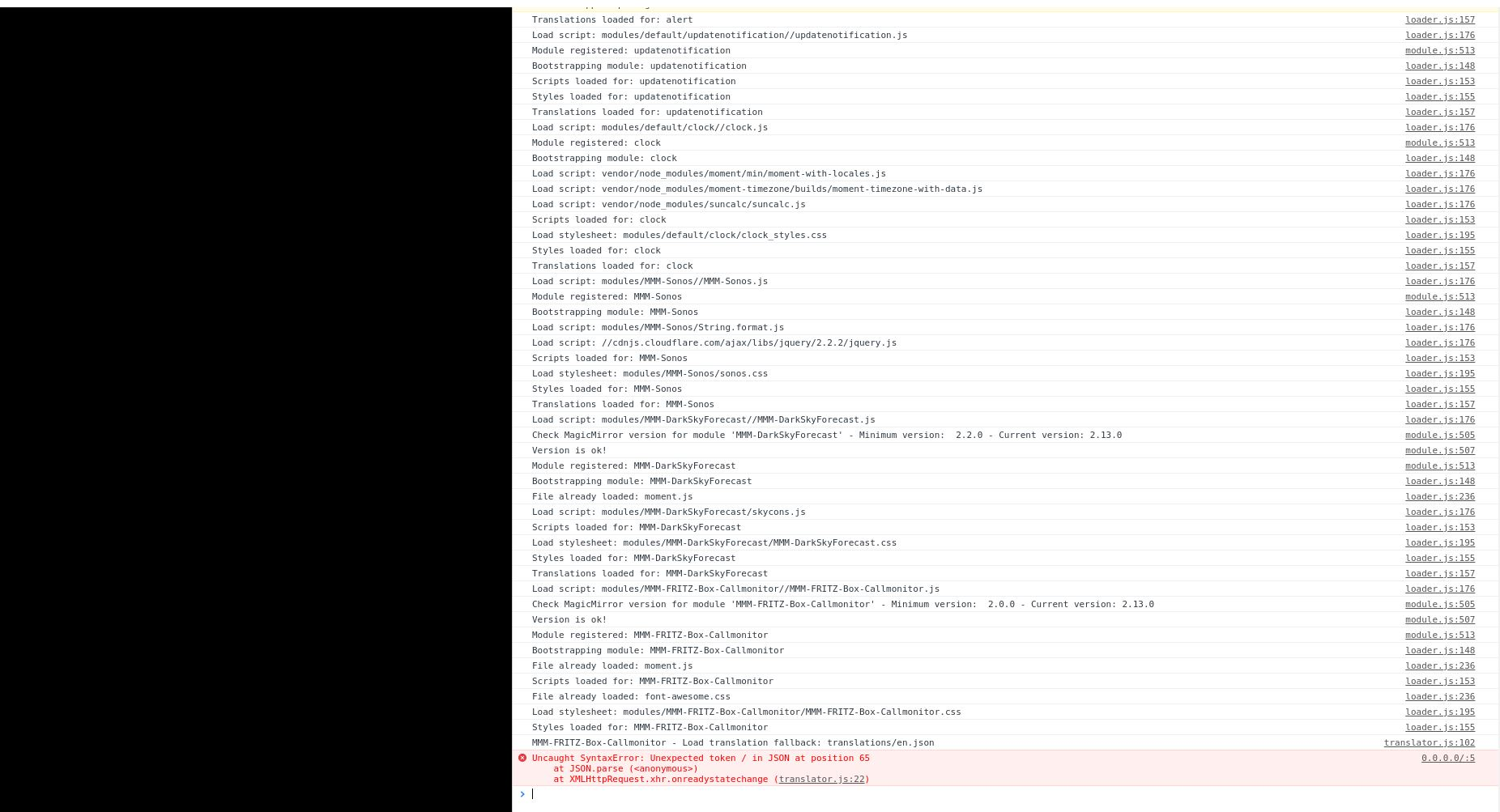
Hello, Yes the MM shows errors.

Hi
I ran the MM update to v2.20. Since then, Sonos hasn’t shown a cover anymore. Only the placeholder can be seen on the Magicmirror.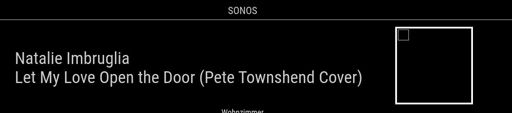
But via firefox http://192.168.178.100:8080/ you can see the cover. Can someone help me?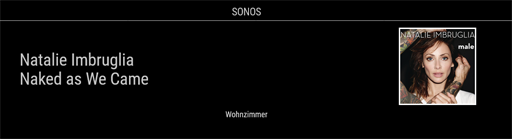
@TazDev I’ll stick with my CardDAV calendar for now. First I would like to solve the problem of why the age of the birthday is not displayed.
my config is:
var config = {

	address: "0.0.0.0",
	ipWhitelist: [],
	port: 8080,
	language: "de",
	locale: "de-DE",
	timeFormat: 24,
	units: "metric",


////////////////////////////////////////////////////////////////////////////////////////////////

////////////////////////////////////////////////////////////////////////
{
    module: 'MMM-vCard2Calendar',
    config: {
        url: "http://192.178.178.1:5000/carddav/test/xxxxxxxxxxxxxxxxxxxxxxxxxxx",
        auth: {                     // basic authentication for request
            user: 'name',
            password: 'passwort'
        }
    }
},
//////////////////////////////////////////////////////////////////////

{
module: "calendar",
header: "Persönlich",
position: "top_left",
config: {
	maximumNumberOfDays:3,
        colored: true,
	coloredSymbolOnly: true,
	displayRepeatingCountTitle: true,
	defaultRepeatingCountTitle: "",
	broadcastEvents: true,

	calendars: [
	{
 		symbol: "birthday-cake",
 		repeatingCountTitle: "Birthday",
     	        url: 'http://localhost:8080/MMM-vCard2Calendar',
		color: '#fc1500'
 		},
		]
	}
},
What settings do I have to make to display the age?
I’ve also tried icloud. Unfortunately, this is no longer possible because of the two-factor authorization. I exported a V-Card from Icloud and loaded the contacts onto my NAS. Synology releases the CardDAV URL.
Moin
I installed the MMM-vCard2Calendar and integrated it into the calendar list. He also gets the birthdays. Unfortunately, only the name is displayed. Is there a way to display the age in brackets?
Hello
The stream is only displayed at the moment the PIR triggers .
Which setting is causing the problem?
following error message :
pi@raspberrypi:~ $ vlc http://admin:pass@192.168.188.6/media/?action=stream
VLC media player 3.0.12 Vetinari (revision 3.0.12-1-0-gd147bb5e7e)
[01273b58] main libvlc: VLC wird mit dem Standard-Interface ausgeführt. Benutzen Sie 'cvlc', um VLC ohne Interface zu verwenden.
libEGL warning: DRI2: failed to authenticate
qt5ct: using qt5ct plugin
qt5ct: D-Bus global menu: no
qt5ct: D-Bus system tray: no
[b391b6b0] mmal_codec decoder: VCSM init succeeded: CMA
[b391b6b0] mmal_codec decoder error: MMAL error 2 "ENOSPC"
[b391b6b0] mmal_codec decoder error: MMAL error 2 "ENOSPC"
[b391b6b0] mmal_codec decoder error: MMAL error 2 "ENOSPC"
[b391b6b0] mmal_codec decoder error: MMAL error 2 "ENOSPC"
[b391b6b0] mmal_codec decoder error: MMAL error 2 "ENOSPC"
[b391b6b0] mmal_codec decoder error: MMAL error 2 "ENOSPC"
[b391b6b0] mmal_codec decoder error: MMAL error 2 "ENOSPC"
[b391b6b0] mmal_codec decoder error: MMAL error 2 "ENOSPC"
[b391b6b0] mmal_codec decoder error: MMAL error 2 "ENOSPC"
[b391b6b0] mmal_codec decoder error: MMAL error 2 "ENOSPC"
[b391b6b0] mmal_codec decoder error: MMAL error 2 "ENOSPC"
[b391b6b0] mmal_codec decoder error: MMAL error 2 "ENOSPC"
[b391b6b0] mmal_codec decoder error: MMAL error 2 "ENOSPC"
[b391b6b0] mmal_codec decoder error: MMAL error reported by ctrl
[b391b6b0] main decoder error: buffer deadlock prevented
I can’t do anything with the error message
I tried the stream on a Raspberry pi3 and it works. the settings are the same as on the Raspberry Pi4 (MagicMirror). I uninstalled and reinstalled VLC, unfortunately to no avail.
Does anyone have any idea what the stream is not running on the Pi4?
I tried the settings. Unfortunately no success. I have a mini spy cam. The stream runs on VLC on the WinPC. But not on the Raspberry VLC. 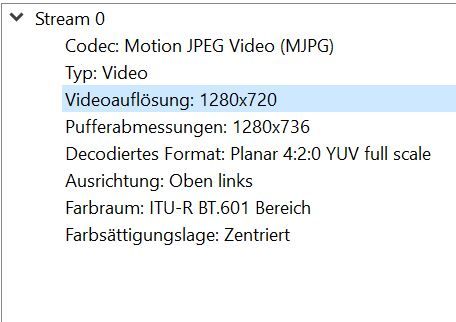 .
.
Hello,
I want to show a video stream when the doorbell rings. Unfortunately, the camera only sends an Http stream.
http://192.168.168.6/media/?action=stream?user=test&pwd=testf&resolution=128
I tried MMM-RTSPStream, the mirror only plays rtsp streams.
@Benny said in MMM-GoogleBirthdaysProvider No red birthday cake:
Hi,
After installation, the agenda items and birthdays are displayed correctly, however I cannot find why the birthday cake icons are not displayed in red color.
hello
add the lines to the config:
colored: true,
coloredSymbolOnly: true,
I found the mistake. The HDMI cable was defective. I installed a new cable and now it automatically detects the resolution. The display is now correctly rotated.
Hello,
I have a 2560x1080 display on the Raspberry Pi4. I cannot rotate the display. My settings are:
@lxpanel --profile LXDE-pi
@pcmanfm --desktop --profile LXDE-pi
@lxterminal
@leafpad
@xrandr --output HDMI-1 --rotate right
@xscreensaver -no-splash@
and /boot/config.txt:
hdmi_safe=1
hdmi_drive=2
hdmi_ignore_edid=0xa5000080
hdmi_aspect_21_9=7
hdmi_pixel_freq_limit=400000000
hdmi_cvt=2560 1080 50 7 0 0 1
config_hdmi_boost=4
max_framebuffer_width=2560
max_framebuffer_height=1080
framebuffer_width=2560
framebuffer_height=1080
display_rotate = 2
avoid_warnings=1
hdmi_group=2
hdmi_mode=87
hdmi_force_hotplug=1
dtoverlay=vc4-fkms-v3d
max_framebuffers=2
Can somebody help me?
:grinning_face: :thumbs_up:
Many thanks.
I’m so happy
hello
yes, I have git pull && npm install.
the red text is:
0.0.0.0/:5 Uncaught SyntaxError: Unexpected token / in JSON at position 79
    at JSON.parse (<anonymous>)
    at XMLHttpRequest.xhr.onreadystatechange (translator.js:22)
OK.
I changed mm.sh .
The error message “cannot open display: :10.0” is gone.
The screen is still black!
1|mm       | [2020-11-07 14:19:38.615] [LOG]    Connecting socket for: MMM-Sonos
1|mm       | [2020-11-07 14:19:38.616] [LOG]    Sonos helper started ...
1|mm       | [2020-11-07 14:19:38.616] [LOG]    Connecting socket for: MMM-DarkSkyForecast
1|mm       | [2020-11-07 14:19:38.616] [LOG]    ====================== Starting node_helper for module [MMM-DarkSkyForecast]
1|mm       | [2020-11-07 14:19:38.617] [LOG]    Connecting socket for: MMM-FRITZ-Box-Callmonitor
1|mm       | [2020-11-07 14:19:38.617] [LOG]    Starting module: MMM-FRITZ-Box-Callmonitor
1|mm       | [2020-11-07 14:19:38.618] [LOG]    Connecting socket for: calendar
1|mm       | [2020-11-07 14:19:38.618] [LOG]    Starting node helper for: calendar
1|mm       | [2020-11-07 14:19:38.619] [LOG]    Connecting socket for: MMM-iCloud-Client
1|mm       | [2020-11-07 14:19:38.620] [LOG]    Starting helper: MMM-iCloud-Client
1|mm       | [2020-11-07 14:19:38.620] [LOG]    loading Database
1|mm       | [2020-11-07 14:19:38.621] [LOG]    Connecting socket for: newsfeed
1|mm       | [2020-11-07 14:19:38.622] [LOG]    Starting node helper for: newsfeed
1|mm       | [2020-11-07 14:19:38.622] [LOG]    Sockets connected & modules started ...
1|mm       | [2020-11-07 14:19:38.712] [LOG]    Launching application.