A New Chapter for MagicMirror: The Community Takes the Lead
Read the statement by Michael Teeuw here.
  • AUTH_AND_TEST.JS, GOOGLE SIGN IN, STUCK IN LOOP

    Solved
    2
    0 Votes
    2 Posts
    729 Views
    D
    @DrDeadlock I solved the problem. You should allow your browser to default browser.
  • auth_and_test.js, Google Sign In, stuck in loop

    Solved
    3
    0 Votes
    3 Posts
    1k Views
    D
    @Cankerous How you fixed it i have same issue…
  • Please help - MMM-AssistantMk2

    Unsolved
    1
    0 Votes
    1 Posts
    554 Views
    B
    G’day every one. I am having issues with integrating MMM-AssistantMk2. When I start the MagicMirror, it seems to load. It initiates the default (“brief today”) and it activates a response, but towards the end of response the module appears to just terminate without completing correctly. I only seem to activate by using mouse function and clicking on the GA icon (via VNC Viewer). The microphone picks up my command and translates it onto the screen but there does not seem to be any response after that. I ran npm start dev and the only error I could see (and not sure how to fix) was: Uncaught TypeError: Cannot set property 'className' of null at Class.status (MMM-Hotword.js:261) at Class.socketNotificationReceived (MMM-Hotword.js:170) at module.js:246 at r.<anonymous> (socketclient.js:25) at r.emit (index.js:83) at r.onevent (index.js:83) at r.MMSocket.self.socket.onevent (socketclient.js:19) at r.onpacket (index.js:83) at r.<anonymous> (index.js:83) at r.emit (index.js:83) Any advice or tips would be very much appreciated. Regards, BJ Duncan
  • Errors after python capture.py

    Unsolved
    1
    0 Votes
    1 Posts
    569 Views
    S
    Re: Facial Recognition Module - Step by Step Guide I have followed all the directives here, but pull two errors upon trying to train: #1 pi@raspberrypi:~/MagicMirror/modules/MMM-Facial-Recognition-Tools $ pip install -r requirements.txt Looking in indexes: https://pypi.org/simple, https://www.piwheels.org/simple Collecting future (from -r requirements.txt (line 1)) Using cached https://www.piwheels.org/simple/future/future-0.17.1-py3-none-any.whl Installing collected packages: future ERROR: Could not install packages due to an EnvironmentError: [Errno 13] Permission denied: '/usr/local/lib/python3.5/dist-packages/libpasteurize' Consider using the `--user` option or check the permissions. #2 pi@raspberrypi:~/MagicMirror/modules/MMM-Facial-Recognition-Tools $ python capture.py Traceback (most recent call last): File "capture.py", line 18, in <module> import lib.capture as capture File "/home/pi/MagicMirror/modules/MMM-Facial-Recognition-Tools/lib/capture.py", line 21, in <module> from . import config File "/home/pi/MagicMirror/modules/MMM-Facial-Recognition-Tools/lib/config.py", line 15, in <module> (CV_MAJOR_VER, CV_MINOR_VER, mv1, mv2) = cv2.__version__.split(".") ValueError: need more than 3 values to unpack Can you help???
  • Proper way to have module loading screen

    Unsolved
    8
    0 Votes
    8 Posts
    2k Views
    S
    @isaac2004 said in Proper way to have module loading screen: I have not figured out a way to have multiple divs in my module container and flip visibility from that event what is the problem? when u start to load the map , it is hidden and the loading div is shown. then in your tileloaded event trigger, you would document.getElementByID(the loading div) and hide it, then show the tile div… I hide/show two different images directly without problem and another design is to have two divs and toggle them
  • Public Transportation Module Munich, Germany

    Solved
    3
    0 Votes
    3 Posts
    2k Views
    thedoorsfanaticT
    Dear @Babene1 , thanks for your quick response. I use the same module and since the module is working for you I was wondering what else could be the error. And I have found a solution: the latest module I installed was MMM-GoogleMapsTraffic. I deactivated that module and now MMM-mvgmunich is working again. Vielen Dank!
  • MMM-Calendar not showing calendar

    Solved
    3
    0 Votes
    3 Posts
    3k Views
    C
    @sdetweil Solved, thank you so much! Using port 8080, and placing the CalDav exported files (.ics format) in the …MagicMirror/modules/… tree is the answer. (Still unsure why I can’t view the CalDav directly, but I run an hourly script to download the calendars, so no real issue.) I am VERY happy! :) Thanks again.
  • This topic is deleted!

    Unsolved
    1
    1
    0 Votes
    1 Posts
    61 Views
  • Mirror not showing MMM-doomsDay module

    Solved
    5
    0 Votes
    5 Posts
    2k Views
    R
    This one worked!! thanks, I’ve submitted my time zone in your other post
  • MMM-MyCommute doesn't show commute times

    Unsolved mmm-mycommute google api
    1
    0 Votes
    1 Posts
    1k Views
    D
    I’m new to this, and have been trying everything I can think of to get the MyCommute module working. Help! My Magic Mirror works fine and the MyCommute module shows up fine with little car and bike icons. But it won’t show any commute times. I’ve gone over the code again and again, and think it might be a problem with the way I set up the Google API. Is there a primer on how to set up the Google API? Yes, I installed the module in the MMM-MyCommute directory. I did get an API Key and linked it to a billing account. Here’s my config.js code: { module: “MMM-MyCommute”, header: “Commute times”, position: “top_left”, classes: ‘default everyone’, config: { apikey: ‘GOOGLE API KEY’, origin: ‘19118 address’, startTime: ‘00:00’, endTime: ‘23:59’, destinations: [ { destination: ‘19104 address’, label: ‘Drive to Work’, mode: ‘driving’ }, { destination: ‘19104’, label: ‘Bike to Work’, mode: ‘bicycling’ } ] } }

  • MMM-AssistantMK2 USB Mic

    Unsolved
    4
    0 Votes
    4 Posts
    2k Views
    S
    I went through this tutorial and managed to use USB Mic: link text
  • MMM Globe - The Image Gallery has moved!

    Moved
    3
    0 Votes
    3 Posts
    1k Views
    C
    I’m looking for a nice view to Europe … this was possible with MMM Globe…
  • MMM-Hotword modules problem

    Unsolved
    4
    0 Votes
    4 Posts
    2k Views
    bheplerB
    @yuyuyu - Please use the markdown features of the forum when posting code.
  • Monitor to sleep with RPI camera?

    Unsolved
    3
    0 Votes
    3 Posts
    1k Views
    S
    @bhepler and I have a module MMM-SleepWake that uses Motion to enable motion detection and different styles of sleep.
  • MMM-GoogleMapsTraffic breaks MMM-KeyBindings

    Unsolved
    2
    0 Votes
    2 Posts
    2k Views
    R
    Hi Ralf I am using MMM-GoogleTraffic and not able to successfully load the map on my mirror. please let me know if you found a solution to your issue. Thanks ~R
  • This topic is deleted!

    Unsolved
    2
    0 Votes
    2 Posts
    20 Views
  • Newsfeed not displaying on MM

    Unsolved
    6
    0 Votes
    6 Posts
    3k Views
    bheplerB
    @redkittens - In general, you should not be modifying the module javascript files. newsfeed.js, clock.js, etc work pretty well and you just need to modify your config.js to configure the modules correctly. For example, you’re trying to modify the newsfeeds that are used by the newsfeed module, yes? Any configuration that you put in the config.js will override the defaults in the newsfeed.js module. You don’t need to overwrite the default values because the Magic Mirror framework will do it for you. If you need to add functionality to a module, then it’s a different story. But in my experience about 85% of what users need can be handled with careful editing of the config.js file.
  • PM2 install not working on Mac mini

    Unsolved
    4
    0 Votes
    4 Posts
    2k Views
    StoffbeuteluweS
    Ok thanks
  • mmm Dad Jokes

    Unsolved
    13
    0 Votes
    13 Posts
    5k Views
    bheplerB
    @bokow - First, please go edit your post with the config.js content and add the three back-ticks before the first line of the code and after the last line. That’s the markdown feature I was talking about. Second, you will have to find the URL for your calendar in .ics format. Depending on what provider you are using, there will be different instructions on how to find it. A search for “export my calendar to ICS format” will get you pointed in the right direction.
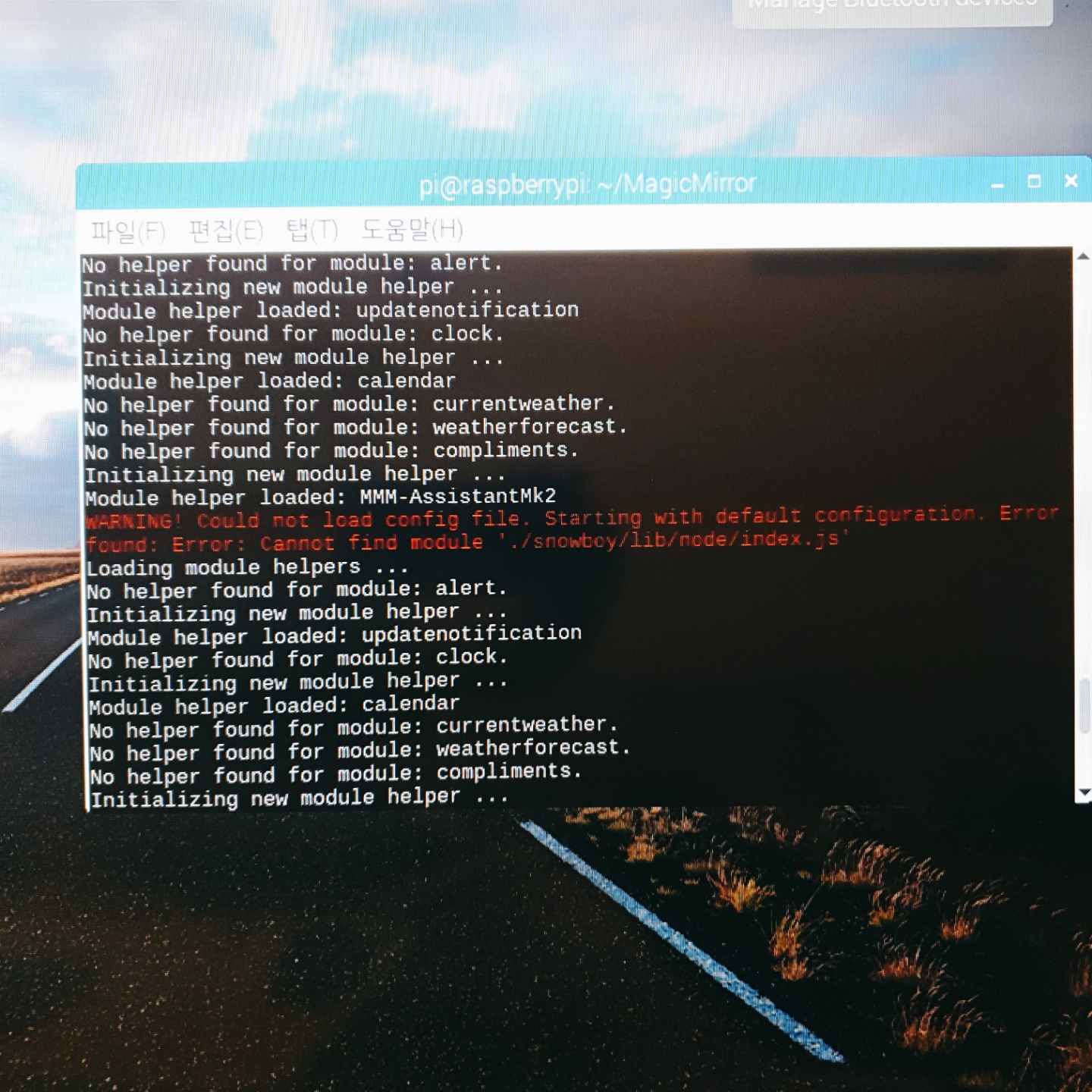
  • snowboy moduls problem

    Unsolved
    2
    1
    0 Votes
    2 Posts
    639 Views
    ?
    you might miss or fail something on installation of MMM-Hotword.