Read the statement by Michael Teeuw here.
My e-ink frame
-
Hi!
1 year ago, I discovered MagicMirror and started my project. Now, I use it daily since months and I think it’s time to share with the community.
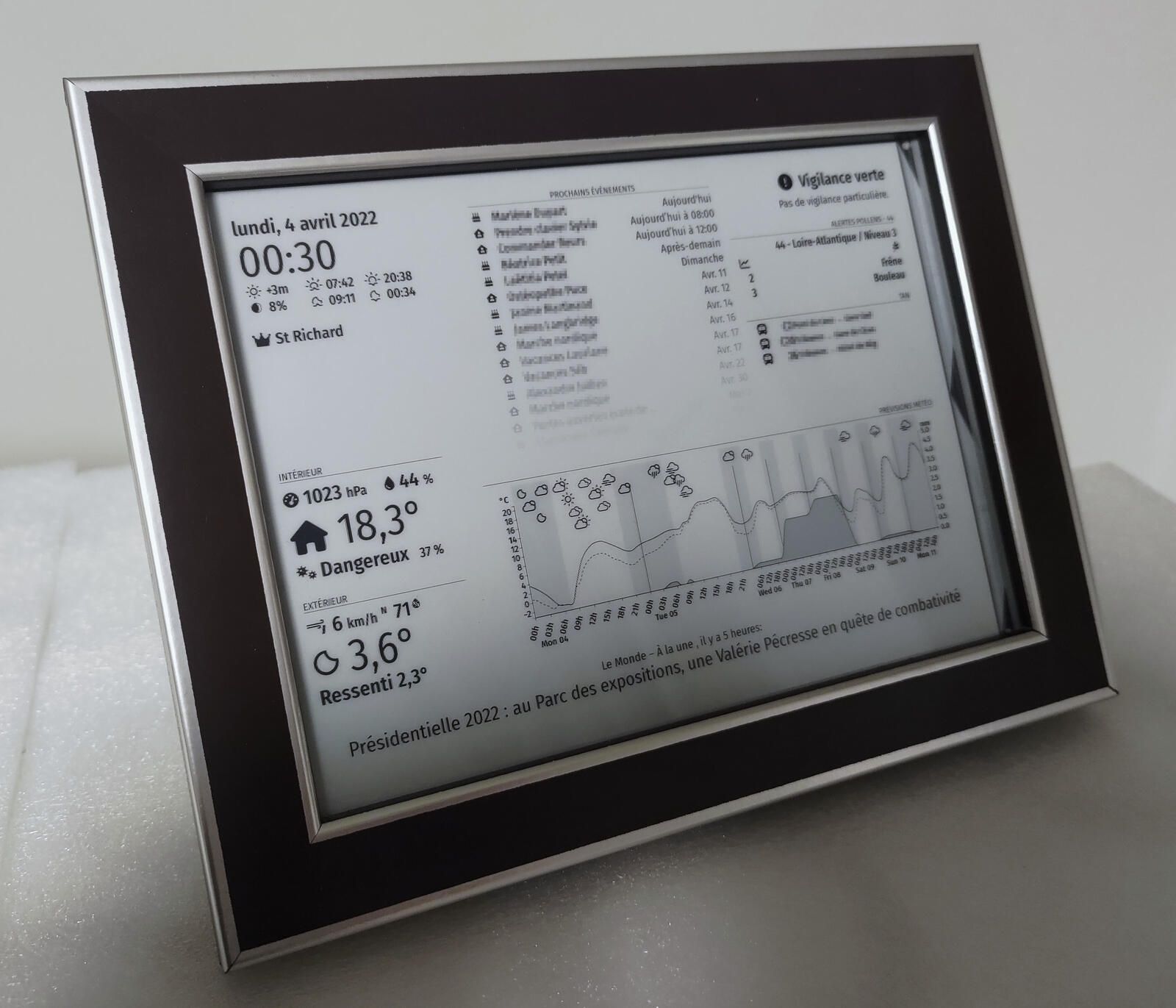
Basically, I wanted a nice little frame that displays my calendar and the weather and that is not on a LCD screen (I didn’t want the screen to be a light source).
So I decided to use a e-ink screen… then wanted to add a temperature sensor and a capacitive sensor to have “buttons” that can manage display… And finally I created my own PCB to manage this components plus a raspberry and hide all that behind a frame.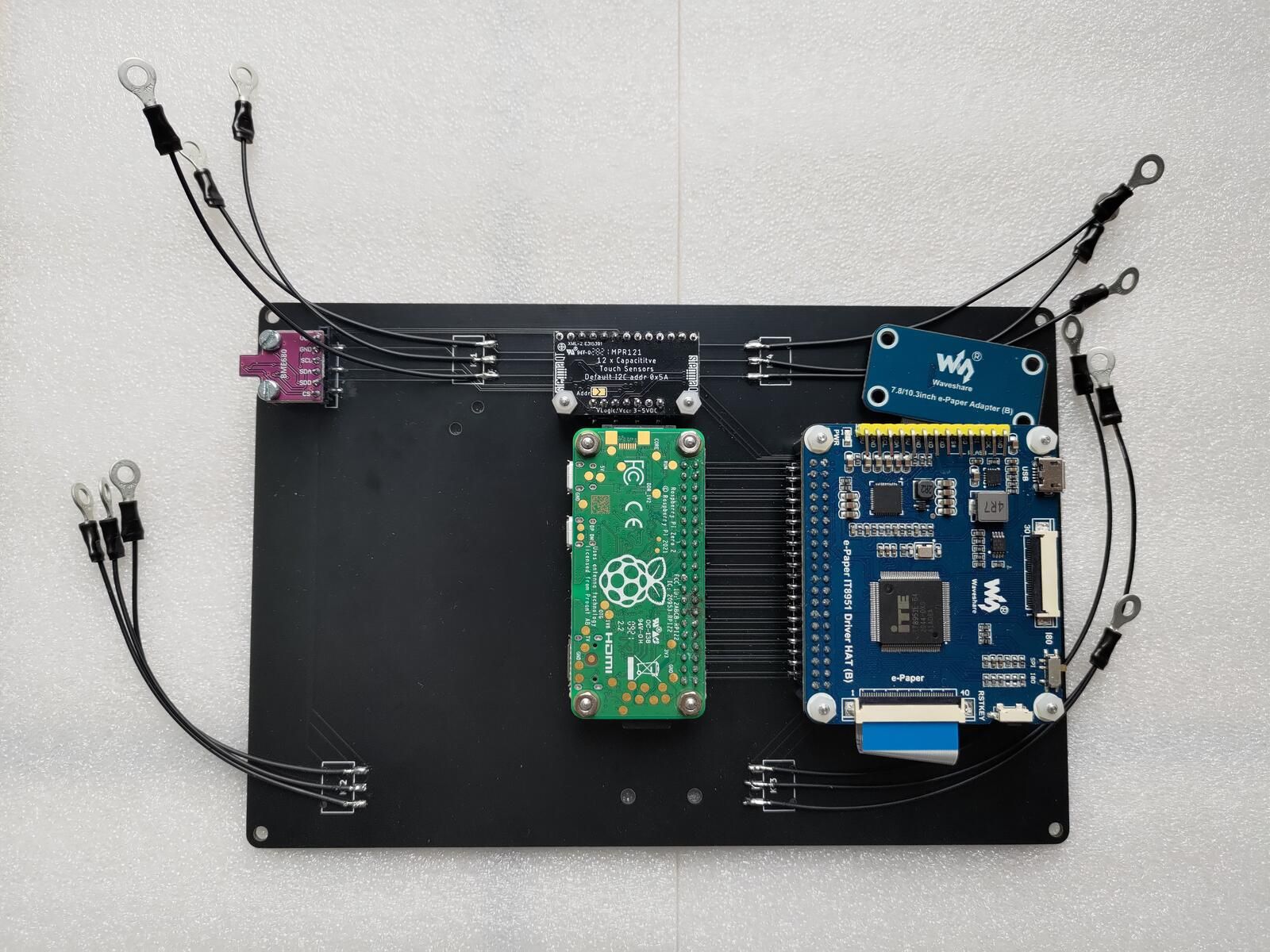
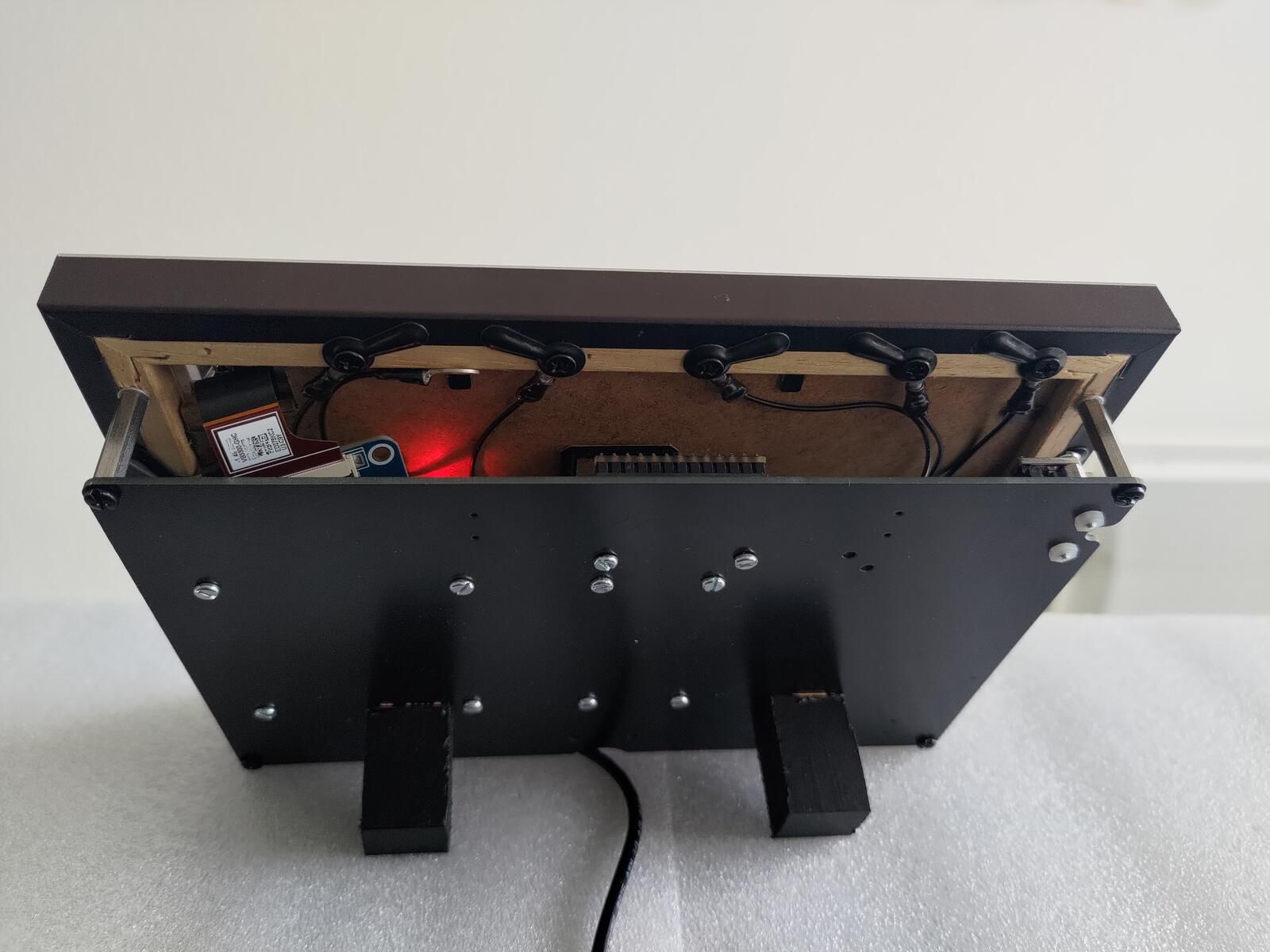
For those interested, the whole project is here: https://github.com/seb-ma/eInkFrame (hardware and software).
And all created modules are also on the repo. -
@Matuki WOW, looks great !!!
-
@Matuki Nice work!
-
Magnifique! Comment avez-vous intégré les transports en communs?
-
Looks nice
-
@jonathanperron
Dans ma ville, il y a de l’open data sur les transports en commun. Et il y a déjà quelqu’un qui avait fait un module pour récupérer les heures de prochains passages :
https://github.com/normyx/MMM-Nantes-TANJe l’ai simplement modifié pour ajouter les alertes sur les lignes affichées (+ quelques corrections mineures) :
https://github.com/seb-ma/eInkFrame/blob/master/magicmirror_files/patches/MMM-Nantes-TAN.patch -
@Matuki intéressant ici à Québec, à ma connaissance, il n’y a d’api disponible pour les réseaux te transport en commun ou du trafic. J’ai essayé avec Google maps mais ça pas été un grand succès. C’est bien qu’à Nantes il le fournisse.
-
@jonathanperron Pour moi, l’api Google ça marche parfaitement. Je n’ai pas réussi à faire fonctionner l’api de la STM
-
@luisestrada ça donne un bon résultat? Vous pouvez voir les prochaines autobus près de chez vous ou des destinations pré-établies? J’avais suivi un guide pour l’intégrer mais avec les 10000 api de Google, j’ai jamais réussi à le faire fonctionner! Le guide était un peut vieux dans un anglais louche et j’avais de la difficulté à trouvé l’équivalent en français. J’ai abandonné pour l’instant l’intégration Google. Mais là mon MM m’a lâché!
-
@jonathanperron Avec l’application que j’utilise, je peux voir à quelle heure j’arrive dans une destination spécifique, et aussi à quelle heure le bus quitte l’arrêt de bus où j’habite. Généralement, ces données peuvent être dues à l’horaire du bus mais aussi si le bus dispose d’un GPS.
Tu peux voir ci-dessous à quelle heure passe le bus: Próximo bus … (en espagnol :face_with_hand_over_mouth: )
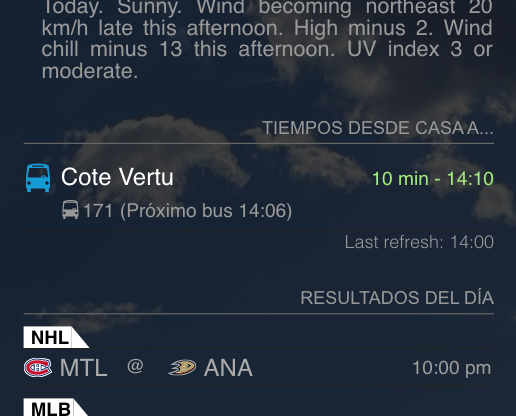
La partie la plus difficile à comprendre était de configurer l’API. Je peut vous aider.
Désolé pour mon français
-
This looks very nice indeed.
Can you say what the two weather apps on the bottom left and right are and what modifications you made there? I didn’t find those on the git.
Thanks
Christian -
@MajorC
Hello,
The left panel is the default weather module with minors modifications that can be found on the repository: https://github.com/seb-ma/eInkFrame/blob/master/magicmirror_files/patches/MagicMirror.patchAnd the chart on the right is the module I made and shown here: https://forum.magicmirror.builders/topic/17604/mmm-weatherchartd3
Both of them rely on modifications I made on weather provider to retrieve pollution (only openweather is currently supported). And I also did another modification on openweather provider to fetch all data once instead of having multiple calls to the API.
Finally, I also did a module that acts as a proxy to weather provider to avoid a call to weather API each time a module wants data (openweather and others are limiting the number of calls by day, thus this helps having more updates without reaching the limit): https://github.com/seb-ma/mmm-weatherproviderunique
-
Thank you. Then I will try the components next time.
-
@Matuki Thank you for sharing. I’m in the process of doing something similar: your code is a godsend!
-
perfect github page, thank you a lot!
I’m following your instructions, but can’t see the step where we get Magic mirror to display on the e-ink panel.
setting resolution etc. am I missing a step? -
@nat-andrews hello,
The display is done by the module I wrote: https://github.com/seb-ma/MMM-IT8951
The configuration is done like any module: https://github.com/seb-ma/eInkFrame/blob/4defe289e4ebbc873d0e68418e278ff21a976e08/magicmirror_files/config.js#L81
And the resolution is automatically found when initializing driver.
It can be forced in config file when using mock for tests:electronOptions: { fullscreen: true, width: 1872, height: 1404 }Be sure to set the correct value of VCOM to not damage your eink.
Also, I never had success running my module without the root user. So, unless you find a way (this interest me) you must run MagicMirror as root.I let you read the readme of the MMM-IT8951 module, but if you need more details or have some questions, let me know.
–
edited to correct behavior on resolution -
@Matuki Thanks again for you help with this. I’m trying to get my eink working without the touch pads.
Can I confirm how you run the mirror as root? Just using sudo? Also the VCOM needs to be given to the MMM-IT8951 module as “driverParam: { VCOM: -1.25 },” in the config? I didn’t see anything about this in the instructions.
Thanks!
-
@Matuki Also just wondering what version of nodejs you need and why? Just checking whether I need a new version of nodejs or if RPi distribution has caught up?



Hello! It looks like you're interested in this conversation, but you don't have an account yet.
Getting fed up of having to scroll through the same posts each visit? When you register for an account, you'll always come back to exactly where you were before, and choose to be notified of new replies (either via email, or push notification). You'll also be able to save bookmarks and upvote posts to show your appreciation to other community members.
With your input, this post could be even better 💗
Register Login