MagicMirror Forum
    • Recent
    • Tags
    • Unsolved
    • Solved
    • MagicMirror² Repository
    • Documentation
    • 3rd-Party-Modules
    • Donate
    • Discord
    • Register
    • Login
    A New Chapter for MagicMirror: The Community Takes the Lead
    Read the statement by Michael Teeuw here.

    -=]!Show Your Module Setup![=-

    Scheduled Pinned Locked Moved Show your Mirror
    59 Posts 9 Posters 66.3k Views 12 Watching
    Loading More Posts
    • Oldest to Newest
    • Newest to Oldest
    • Most Votes
    Reply
    • Reply as topic
    Log in to reply
    This topic has been deleted. Only users with topic management privileges can see it.
    • lucallmonL Offline
      lucallmon
      last edited by lucallmon

      Every single person here has a different setup for their Mirror with modules in different places for different reasons. Show yours and tell us why you have what you have!

      Here’s what I have currently: CLICK HERE TO SEE MY MIRROR SETUP alt text
      Top Left

      • Time in 12h format with date
      • CPU temp
      • multiple calendar events
      • gmail

      Top Right

      • Wunderground with forcast
      • phone notifications
      • car and train travel times in DC area

      Bottom Bar

      • AlexaPi integration
      • Compliments
      • RSS news feed
      cowboysdudeC Mykle1M 2 Replies Last reply Reply Quote 2
      • cowboysdudeC Offline
        cowboysdude Module Developer @lucallmon
        last edited by

        @lucallmon Nice job!!! Very nice!

        lucallmonL 1 Reply Last reply Reply Quote 0
        • lucallmonL Offline
          lucallmon @cowboysdude
          last edited by

          @cowboysdude I have the frame built but I have to shave it down a bit to fit the monitor. It’s a 30in old piece of crap, but it works.

          cowboysdudeC 1 Reply Last reply Reply Quote 1
          • cowboysdudeC Offline
            cowboysdude Module Developer @lucallmon
            last edited by

            @lucallmon Hey who cares it works!! I really do like it!

            1 Reply Last reply Reply Quote 0
            • Mykle1M Offline
              Mykle1 Project Sponsor Module Developer @lucallmon
              last edited by Mykle1

              @lucallmon said in -=]!Show Your Module Setup![=-:

              Show yours and tell us why you have what you have!

              Oh, I’m always looking for a reason to show my setup, so here it is:

              The top half of the mirror I used, what I like to call, “The Curtain Effect.” Notice how the curtains (modules) fill the top of the mirror and then recede to the side margins by the time they get to the middle of the mirror. Just like curtains would around your window.

              Modules:

              helloworld - Across the top with my humble statement about the mirror. Hidden most of the time.

              calendar - (Left) With US Holidays and my google calendar. All my dates and appointments go here.
              calendar_monthly - (Left) (Narrower) Just a splash of color. I like to see the whole month at a glance.
              MMM-SystemStats - (Left) (Narrower still) I don’t always display this one but I do like having it to keep an eye on things.
              MMM-NetworkScanner - (Left) (Narrowest) Everyone loves seeing their own icon. I see who is at home.

              clock - (Top Middle) You’ve got to know what time it is, right?
              MMM - WunderGround (Top Middle 2nd) Just the current weather from that module with the gorgeous icons.

              MMM-WunderGround - (Right) Just the forecast with some coloring. Removed some icons and rainfall column.
              MMM-doomsDay - (Right) (Narrower) Countdown to special occasions or events. Simple, but I love it.
              MMM-voice - (Right) (Narrowest) Show/Hide modules, Go To Sleep, Wake Up, just by speaking. Awesome!

              compliments - (bottom_third) I have quite a few compliments and insults. Very entertaining.
              planetrise - (under compliments) I’m an amateur astronomer. Right up my alley.
              MMM-SimpleLogo - (Bottom left and right) My favorite band logo and a picture I drew in high school.
              MMM-Globe - (Bottom Middle) Satellite picture of Earth every 10 minutes. Sign me up!
              newsfeed - (Bottom Bar) NASA, Reuters Science News, New York Times and BBS World News
              MMM-RemoteControl - (Not shown) A must have for any mirror

              0_1489110879956_show.JPG

              Create a working config
              How to add modules

              lucallmonL 1 Reply Last reply Reply Quote 2
              • lucallmonL Offline
                lucallmon @Mykle1
                last edited by

                @Mykle1 Looks Great! Could you post your config.js file so I can see how you have stuff setup? I’m curious to see how you setup multiple news feeds in the same module.

                Mykle1M 1 Reply Last reply Reply Quote 1
                • Mykle1M Offline
                  Mykle1 Project Sponsor Module Developer @lucallmon
                  last edited by Mykle1

                  @lucallmon said in -=]!Show Your Module Setup![=-:

                  Looks Great! Could you post your config.js file so I can see how you have stuff setup?

                  If you really want the entire config I guess I could post it when I get a chance to remove all the private data.

                  I’m curious to see how you setup multiple news feeds in the same module.

                  This I can show you right now. Replace the rss or xml feeds with your own, or use these:

                  {
                  			module: 'newsfeed',
                  			position: 'bottom_bar',
                  			config: {
                  				feeds: [
                  					{
                  						title: "NASA",
                  						url: "https://www.nasa.gov/rss/dyn/solar_system.rss"
                  					},
                  					{
                  						title: "Reuters Science News",
                  						url: "http://feeds.reuters.com/reuters/scienceNews"
                  					},
                  					{
                  						title: "New York Times",
                  						url: "http://www.nytimes.com/services/xml/rss/nyt/HomePage.xml"
                  					},
                  					{
                                      	                        title: "BBC World News",
                                      	                        url: "http://feeds.bbci.co.uk/news/world/us_and_canada/rss.xml"
                                  	                 },
                  				],
                  				showSourceTitle: true,
                  				showPublishDate: true
                  			}
                  		},
                  	]
                  
                  };
                  
                  /*************** DO NOT EDIT THE LINE BELOW ***************/
                  if (typeof module !== 'undefined') {module.exports = config;}
                  

                  Create a working config
                  How to add modules

                  johnnyboyJ 1 Reply Last reply Reply Quote 2
                  • A Offline
                    akhil
                    last edited by

                    could u please post your code ,it looks great bro,good job

                    Mykle1M 1 Reply Last reply Reply Quote 0
                    • Mykle1M Offline
                      Mykle1 Project Sponsor Module Developer @akhil
                      last edited by

                      @akhil said in -=]!Show Your Module Setup![=-:

                      could u please post your code ,it looks great bro,good job

                      How many mirrors are going to wind up looking like mine now? ;-)

                      var config = {
                      	port: 8080,
                      	ipWhitelist: [], 
                      
                      	language: 'en',
                      	timeFormat: 12,
                      	units: 'imperial',
                      
                      	modules: [
                      		{
                      			module: 'helloworld',
                      			position: 'top_bar',	// This can be any of the regions.
                      			classes: 'small bright',
                      			config: {
                      			text: 'Bottle Pop welcomes you to his very own Magic Mirror! You could have one if you were brilliant and talented and cool like him!'
                      		}
                      		},
                      		{
                      			module: 'updatenotification',
                      			position: 'top_bar',	// This can be any of the regions.
                      			config: {
                      			updateInterval: 600000 // (10 minutes)
                      		}
                      		},
                      		{
                                  module: 'motiondetector',
                                  config: {
                                  timeout: 600000 // time in milliseconds (10 minutes) to switch off after last movement is detected.
                              }
                              },
                      		{
                      			module: 'MMM-Remote-Control',
                      			position: 'lower_third'
                      		},
                      		{
                      			module: 'compliments',
                      			position: 'lower_third'
                      		},
                      		{
                      			module: 'planetrise',
                      			position: 'lower_third',	// This can be any of the regions.
                      			// header: 'Join pop in looking at the heavens through his telescope',
                              	config: {
                      				latitude: 12.345678,   // Place the latitude and longitude of your mirror
                                  	longitude: -12.345678,   // Place the latitude and longitude of your mirror
                                  	bodies: {'Sun': '☉',
                                          	'Moon': '☽',
                                          	'Mercury': '☿',
                                          	'Venus': '♀',
                                          	'Mars': '♂',
                                          	'Jupiter': '♃',
                                          	'Saturn': '♄',
                                  	}
                              	}
                      		},
                      		{
                      			module: 'alert',
                      			config: {
                      			timer: 3500,
                      			effect: 'jelly', // Possible values: scale slide genie jelly flip exploader bouncyflip
                      			alert_effect: 'flip', // Same as above
                      			position: 'middle_center',
                      		}
                      		},
                      		{
                      			module: 'MMM-SimpleLogo',
                      			position: 'bottom_left',	// This can be any of the regions.
                      			fileUrl: "modules/MMM-SimpleLogo/public/yes.jpg",
                      			config: {
                      			width: "260px",
                      		}
                      		},
                      		{
                      			module: 'MMM-SimpleLogo',
                      			position: 'bottom_right',	// This can be any of the regions.
                      			config: {
                      			width: "260px",
                      			fileUrl: "modules/MMM-SimpleLogo/public/starship.jpg",
                      			}
                      		},
                      		{
                      			module: 'MMM-Globe',
                      			position: 'bottom_center',
                      			config: {
                      			style: 'natColor', // natColor, geoColor, airMass, fullBand, europeDiscNat, europeDiscSnow, centralAmericaDiscNat
                      			imageSize: 175,
                      			updateInterval: 10*60*1000
                      		}
                      		},
                      		{
                      			module: 'clock',
                      			position: 'top_center'
                      		},
                      		{
                      			module: 'calendar',
                      			position: 'top_left',
                      			config: {
                      			urgency: 0,
                      			getRelative: 0,
                      			fadePoint: 0.25, // Start on 1/4th of the list.
                      				calendars: [
                      					{
                      						symbol: 'calendar-check-o ',
                      						url: 'webcal://www.calendarlabs.com/templates/ical/US-Holidays.ics'
                      					},
                      					{	// YOU GET THE FOLLOWING URL FROM YOUR GOOGLE CALENDAR PAGE
                      						url: 'https://calendar.google.com/calendar/ical/xxxxxxxxxxxxxxxxxxxxx/private-xxxxxxxxxxxxxxxxxxxxxxxxxxxxxxx/basic.ics'
                      					},
                      				],
                      			}
                      		},
                      		{
                                  module: 'calendar_monthly',
                                  position: 'top_left',
                                  config: {
                                  showHeader: false,
                      			cssStyle: 'custom', // block, clean, custom, (slate is for no mirror)
                      			updateDelay: 5 // 5 secs default
                              }
                              },
                      		{
                      			module: 'MMM-SystemStats',
                      			position: 'top_left', // This can be any of the regions.
                      			classes: 'small bright', // Add your own styling. Optional.
                      			config: {
                      			updateInterval: 10000,
                      			animationSpeed: 0,
                              }
                          	},
                      		{
                              	module: 'MMM-NetworkScanner',
                              	position: 'top_left', 
                              	config: {
                                  devices: [
                                      { ipAddress: "192.168.1.2", name: "Dove", icon: "medkit"},
                                      { ipAddress: "192.168.1.8", name: "BottlePop", icon: "globe"},
                                      { ipAddress: "192.168.1.11", name: "Donna", icon: "venus"},
                      				{ ipAddress: "192.168.1.10", name: "Nikki", icon: "coffee"},
                      				{ ipAddress: "192.168.1.7", name: "Jason", icon: "fire-extinguisher"},
                      				{ ipAddress: "192.168.1.18", name: "MJD", icon: "child"}
                                      	 ],
                                  	showUnknown: false,
                                  	showOffline: true,
                      				showLastSeen: false,
                                  	keepAlive: 1200, // in seconds (20 min)
                                  	updateInterval: 30, // in seconds
                                  	residents: []
                      		}        
                       		},
                      		{
                          		module: 'MMM-WunderGround', // Just for current weather w/css entry
                          		position: 'top_center',
                          		config: {
                              	apikey: 'YOUR API KEY GOES HERE', // private; don't share!
                              	pws: 'pws:KNYNEWYO103', // Richmondtown Weather Station - Just around the corner. Very Cool!
                      			currentweather: 1,
                              	coloricon: true,
                      			animationSpeed: 5000,
                          		roundTmpDecs: 0,
                          		UseCardinals: 1,
                      			windunits: "mph", // bft or mph
                      		}
                      		},
                      		{
                          		module: 'MMM-WunderGround', // Just for forecast w/css entry
                          		position: 'top_right',
                          		config: {
                              	apikey: 'YOUR API KEY GOES HERE', // private; don't share!
                              	pws: 'pws:KNYNEWYO103', // Richmondtown Weather Station - Very Cool
                      			currentweather: 0,
                              	coloricon: true,
                              	hourly: '1',
                              	fctext: '1',
                              	fcdaycount: "10",
                              	fcdaystart: "0",
                              	hourlyinterval: "2",
                              	hourlycount: "1",
                      			animationSpeed: 5000,
                              	alerttime: 10000,
                              	alerttruncatestring: "english:",
                          		roundTmpDecs: 0,
                          		UseCardinals: 1,
                          		layout: "vertical",
                      			windunits: "mph",
                          		sysstat: "0"
                      		}
                      		},
                      		{
                          		module: 'MMM-doomsDay',
                          		position: 'top_right', // This can be any of the regions, best results in center regions
                          		config: {
                              	doomsDay: "2017-04-11 24:00:00", // the end day of the countdown, format is YYYY-MM-DD HH:MM:SS, default is "2018-02-23 24:00:00", recommend that you don't alter the hour, keep it at 24:00:00
                              	toWhat: 'Mark B-Day!', // the title of your countdown event
                      			present: 'Call Him!',
                      			updateInterval: 1 * 3600000,
                      			singular: 'more day!', // what it should say when it's only one day left, default is `Day Left`
                      			plural: 'more days', // what it should say when it's more days left, default is `Days Left`
                      		}
                      		},
                      		{
                      			module: 'camera',
                          		position: 'top_right',
                          		config: {
                      			selfieInterval: 3,  // Time interval in seconds before the photo will be taken.
                              	emailConfig: {
                                  service: 'iCloud', // Email provider to use to send email with a photo.
                                  auth: {
                                  user: 'YOUR EMAIL ADDRESS',  // Your email account
                                  pass: 'YOUR EMAIL PASSWORD'  // Your password for email account
                              }
                              }
                      		}
                      		},
                      		{
                          		module: 'voicecontrol',
                          		position: 'top_right',
                          		config: {
                              		models: [
                                  	{
                                      	keyword: "Show Camera",
                                      	description: "Say 'Show Camera' to display camera",
                                      	file: "showCamera.pmdl",
                                      	message: "SHOW_CAMERA"
                                  	},
                                  	{
                                      	keyword: "Hide Camera",
                                      	description: "Say 'Hide Camera' to hide camera",
                                      	file: "hideCamera.pmdl",
                                      	message: "HIDE_CAMERA"
                                  	},
                                  	{
                                      	keyword: "Selfie",
                                      	description: "Say 'Selfie' when camera is visible",
                                      	file: "selfie.pmdl",
                                      	message: "SELFIE"
                                  	},
                              ],
                          }
                      },
                      		{
                      			module: 'newsfeed',
                      			position: 'bottom_bar',
                      			config: {
                      				feeds: [
                      					{
                      						title: "NASA",
                      						url: "https://www.nasa.gov/rss/dyn/solar_system.rss"
                      					},
                      					{
                      						title: "Reuters Science News",
                      						url: "http://feeds.reuters.com/reuters/scienceNews"
                      					},
                      					{
                      						title: "New York Times",
                      						url: "http://www.nytimes.com/services/xml/rss/nyt/HomePage.xml"
                      					},
                      					{
                                          	title: "BBC World News",
                                          	url: "http://feeds.bbci.co.uk/news/world/us_and_canada/rss.xml"
                                      	},
                      				],
                      				showSourceTitle: true,
                      				showPublishDate: true
                      			}
                      		},
                      	]
                      
                      };
                      
                      /*************** DO NOT EDIT THE LINE BELOW ***************/
                      if (typeof module !== 'undefined') {module.exports = config;}
                      

                      Create a working config
                      How to add modules

                      johnnyboyJ 1 Reply Last reply Reply Quote 1
                      • michael24hM Offline
                        michael24h
                        last edited by michael24h

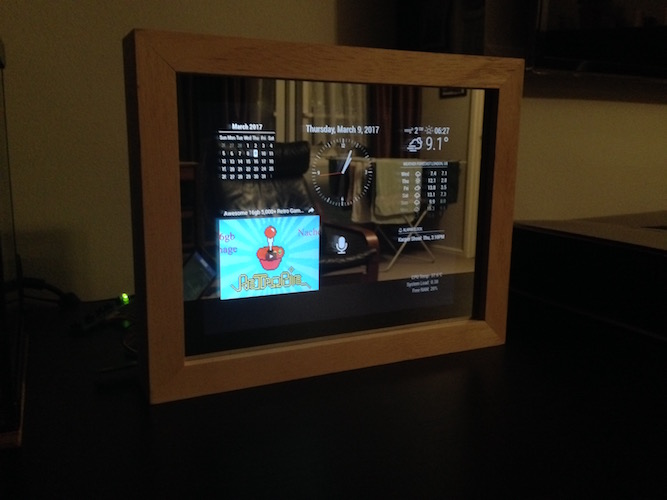
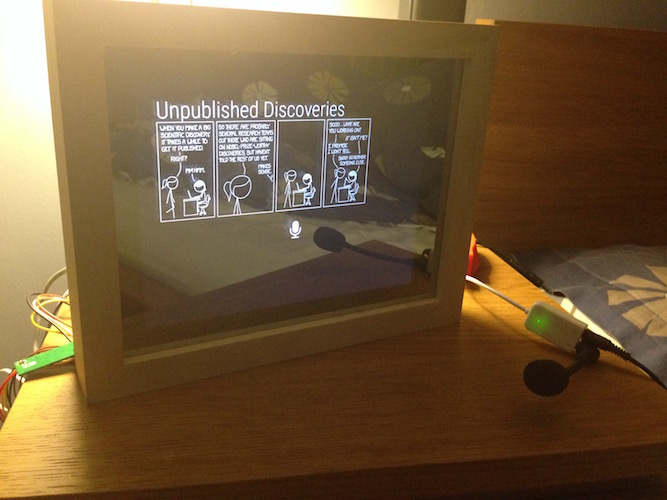
                        My little mirror 11 inch :-))
                        1_1489403480037_IMG_0386.JPG 0_1489403480036_IMG_0377.JPG

                        module: DailyXKCD, alert, clock, calendar_monthly, weather forecast, alexapi, alarm clock, iframe, traffic, and some ather not showing due restricted size of old apple iPad first gen

                        Thanks

                        Mykle1M 1 Reply Last reply Reply Quote 4
                        • Mykle1M Offline
                          Mykle1 Project Sponsor Module Developer @michael24h
                          last edited by

                          @michael24h said in -=]!Show Your Module Setup![=-:
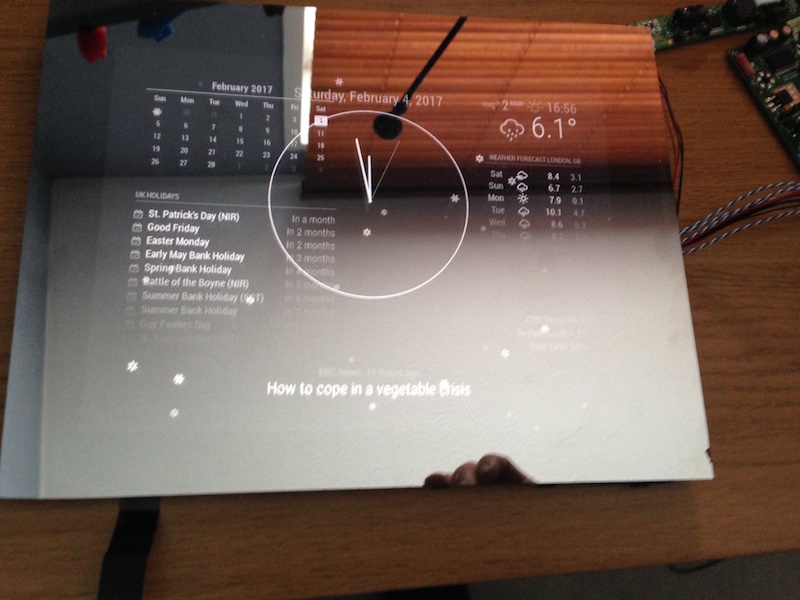
                          My little mirror 11 inch

                          Yo, dude, that’s awesome! Now, lets hear the story behind the build. Why you built it. How you built it. What you used, hardware and software. Pictures, if you have them, of the progress from start to finish

                          Create a working config
                          How to add modules

                          1 Reply Last reply Reply Quote 0
                          • michael24hM Offline
                            michael24h
                            last edited by

                            will do, later on this afternoone. with more pic.
                            Thanks

                            1 Reply Last reply Reply Quote 0
                            • michael24hM Offline
                              michael24h
                              last edited by michael24h

                              My little Clock story.

                              One day come across a youtube movie about the magicmirror projects. I thought I’ll give shot, starting to thinking how to start, what I will need to build my own miagicmirror and also cost of project.
                              Then came the time for little digging in google which took me to the magicmirror.builder forum and other great sites, different sources of information and very helpfully members.
                              That then took me to the Michael Teeuw’s github page. Very cool fella with other cool projects.

                              So lets get to project
                              Hardware.

                              I’ve been given a broken Apple iPad first get, which fixed last year. But I’m this tablet is to old to be somewhat useful device. So tablet ended up in the bottom of a drawer in the cupboard for quite some time. I wasn’t too sure what to do with it. I thought it will perfect for my little clock project.
                              First step will be to order two way mirror glass about 11 inch size for £20, with out magic glass we can’t talk about magicmirror. When I picked up the glass I took it straight to the frame shop. I ordered a picture frame for about £25, deep enough so it would accommodate 6mm glass, iPad screen, RaspberryPi board and a step down power module which can be found on ebay for a little as £2 to £5. Simple reason for adding the step down power module is the Raspberry Pi and iPad screen work on two different power supplies, different voltages and also different amperage. RaspberryPi 3 uses 5v 2.5A whereas the iPad screen needs only 3.3 volts in order to power on, but the lcd board normally takes about 6v to 12volts. So either way I will need to power both devices on one power pack (just to make it simple and easy).
                              I also purchased a RaspberryPi Camera and motion detector from ModMyPi.
                              Then I ordered power pack from ebay for about £5, which should handle RaspberryPi 3 and iPad screen, necessary voltage and amperage
                              My raspberryPi uses micro sd 32gb which is way more than what is needed for this project.
                              I followed installation steps to install magicmirror on to my clock and then start installing modules.

                              Modules.
                              Default magicmirror come pre install with some modules like: alert, calendar, clock, compliments, currentwether, helloworld, and few others.
                              I had some fun time playing around with this. But that wasn’t enough to call my clock a smart clock.
                              So I start adding other modules, some successfully and then some I couldn’t get to work. Then came the realy fun time to make these modules work.
                              The project isn’t completely finished yet but I can show you guys how far I got to now.

                              mm-clock My Setup Click Here

                              Alexa Click Here

                              0_1492630179161_mm-clock.jpeg

                              Mykle1M R 2 Replies Last reply Reply Quote 2
                              • Mykle1M Offline
                                Mykle1 Project Sponsor Module Developer @michael24h
                                last edited by Mykle1

                                @michael24h said in -=]!Show Your Module Setup![=-:
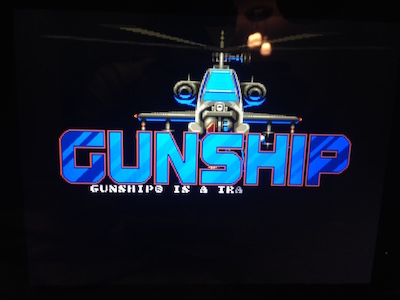
                                The project isn’t completely finished yet but I can show you guys how far I got to now.

                                Nice, real nice! :thumbsup_tone2:

                                So, you have MM on the Pi. How did you connect the Pi to use the iPad screen? The LCD board? I have an old iPad that might become useful again

                                Create a working config
                                How to add modules

                                1 Reply Last reply Reply Quote 0
                                • michael24hM Offline
                                  michael24h
                                  last edited by

                                  two way to do ths

                                  1. pourches Driver Controller Board Kit
                                  2. try find old pc screen which you will be able push in to drive for your screen. iPad first gen use samsung screens.
                                  1 Reply Last reply Reply Quote 1
                                  • michael24hM Offline
                                    michael24h
                                    last edited by

                                    If I’m right my first attempt was with IBM screen board. screen was probably 8 to 10 years old :-)))

                                    Mykle1M 1 Reply Last reply Reply Quote 0
                                    • Mykle1M Offline
                                      Mykle1 Project Sponsor Module Developer @michael24h
                                      last edited by

                                      @michael24h thanks for the info

                                      Create a working config
                                      How to add modules

                                      1 Reply Last reply Reply Quote 0
                                      • michael24hM Offline
                                        michael24h
                                        last edited by michael24h

                                        @michael24h said in -=]!Show Your Module Setup![=-:

                                        try find old pc screen which

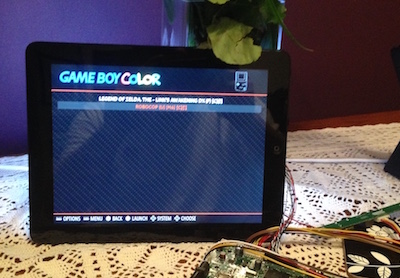
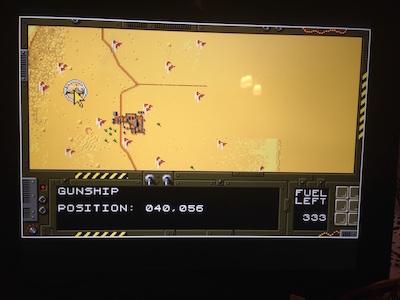
                                        Also I did use iPad screen with little retro pi project

                                        2_1489429916100_IMG_1172.JPG 1_1489429916099_IMG_1171.JPG 0_1489429916099_IMG_1173.JPG

                                        Mykle1M 1 Reply Last reply Reply Quote 2
                                        • Mykle1M Offline
                                          Mykle1 Project Sponsor Module Developer @michael24h
                                          last edited by

                                          @michael24h said in -=]!Show Your Module Setup![=-:

                                          Also I did use iPad screen with little retro pi project

                                          Ohhhh, that’s hot! I want one! :thumbsup_tone2:

                                          Create a working config
                                          How to add modules

                                          johnnyboyJ 1 Reply Last reply Reply Quote 0
                                          • johnnyboyJ Offline
                                            johnnyboy @Mykle1
                                            last edited by johnnyboy

                                            This post is deleted!
                                            1 Reply Last reply Reply Quote 0

                                            Hello! It looks like you're interested in this conversation, but you don't have an account yet.

                                            Getting fed up of having to scroll through the same posts each visit? When you register for an account, you'll always come back to exactly where you were before, and choose to be notified of new replies (either via email, or push notification). You'll also be able to save bookmarks and upvote posts to show your appreciation to other community members.

                                            With your input, this post could be even better 💗

                                            Register Login

                                            • 1
                                            • 2
                                            • 3
                                            • 1 / 3
                                            • First post
                                              Last post
                                            Enjoying MagicMirror? Please consider a donation!
                                            MagicMirror created by Michael Teeuw.
                                            Forum managed by Sam, technical setup by Karsten.
                                            This forum is using NodeBB as its core | Contributors
                                            Contact | Privacy Policy