MagicMirror Forum
    • Recent
    • Tags
    • Unsolved
    • Solved
    • MagicMirror² Repository
    • Documentation
    • 3rd-Party-Modules
    • Donate
    • Discord
    • Register
    • Login
    A New Chapter for MagicMirror: The Community Takes the Lead
    Read the statement by Michael Teeuw here.

    Alexa pi install, mic doenst work?

    Scheduled Pinned Locked Moved Solved Troubleshooting
    16 Posts 4 Posters 9.0k Views 4 Watching
    Loading More Posts
    • Oldest to Newest
    • Newest to Oldest
    • Most Votes
    Reply
    • Reply as topic
    Log in to reply
    This topic has been deleted. Only users with topic management privileges can see it.
    • aro28A Offline
      aro28 @Milad222
      last edited by

      @Milad222
      Hi,
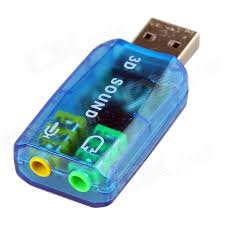
      I bought USB 3D sound card adapter since my Pi3 hasn’t Mic port and than i connected my jack 3.5 Microphone to it .
      0_1508003228825_98a215cb-a46f-46ef-9eca-0e08d88c4609-image.png

      If you have another USB HD camera with built-ed Mic you have to disable it since it will not work properly with your speech recognition software. I faced recently with this problem. I couldn’t configure it.
      If you have USB HD camera with built-ed Mic please let me know and i show you how to disable it.
      Best,

      M 2 Replies Last reply Reply Quote 0
      • M Offline
        Milad222 @aro28
        last edited by

        @aro28 said in Alexa pi install, mic doenst work?:

        USB HD camera with built-ed Mic please let

        Hi Thanx for replying me, i have a logitac usb camera with buildin cam… the mic work in the pluseaudi pannel… i see it moving at the input section…

        so i think i have to disable it…? i have also teamviewer installed on my laptop you can connect me if its to difficult to explane… :)

        ? 1 Reply Last reply Reply Quote 0
        • ? Offline
          A Former User @Milad222
          last edited by

          @Milad222
          I think it could be related with permission of account.
          As I know, Alexa Pi is running with Deamon mode, it means, the account of Alexa Pi is different with your personal account which you had tested audio with.(maybe pulse audio)
          I have no idea how to solve because I’m not an expert, but most of the cases seem to be related to that point in using Alexa Pi.

          1 Reply Last reply Reply Quote 0
          • M Offline
            Milad222 @aro28
            last edited by

            @aro28 0_1508156189755_Errormelding.PNG

            This is printscreen of my settings and error…

            ? 1 Reply Last reply Reply Quote 0
            • ? Offline
              A Former User @Milad222
              last edited by

              @Milad222
              Can you record and play with these commands? Does it work?

              arecord -d 10 test.wav && aplay test.wav
              
              M 1 Reply Last reply Reply Quote 0
              • M Offline
                Milad222 @Guest
                last edited by

                @Sean said in Alexa pi install, mic doenst work?:

                arecord -d 10 test.wav && aplay test.wav

                Yes that works…

                M 1 Reply Last reply Reply Quote 0
                • M Offline
                  Milad222 @Milad222
                  last edited by

                  @Milad222 said in Alexa pi install, mic doenst work?:

                  @Sean said in Alexa pi install, mic doenst work?:

                  arecord -d 10 test.wav && aplay test.wav

                  Yes that works…

                  pi@raspberrypi:~ $ arecord -d 10 test.wav && aplay test.wav
                  Recording WAVE ‘test.wav’ : Unsigned 8 bit, Rate 8000 Hz, Mono
                  Playing WAVE ‘test.wav’ : Unsigned 8 bit, Rate 8000 Hz, Mono

                  pi@raspberrypi:~ $
                  pi@raspberrypi:~ $ aplay test.wav
                  Playing WAVE ‘test.wav’ : Unsigned 8 bit, Rate 8000 Hz, Mono
                  pi@raspberrypi:~ $

                  ? 1 Reply Last reply Reply Quote 0
                  • ? Offline
                    A Former User @Milad222
                    last edited by

                    @Milad222
                    I’m not an expert, but Only I can say is…

                    • The error message caused by sound configuration fail.
                    • AlexaPi cannot understand your device “plughw:…” currently.
                    • I think it is related to alexapi daemon account and your personal account settings.
                    • https://github.com/alexa-pi/AlexaPi/wiki/Audio-setup-&-debugging This could be helpful.

                    Anyway, this is not realted with MagicMirror. You’d better get help from AlexaPi develpers or users on gitHub(or wiki)

                    1 Reply Last reply Reply Quote 0
                    • aro28A Offline
                      aro28
                      last edited by aro28

                      Since i installed 3D sound card(external USB card with speaker and Mic) i disabled other internal HD web camera’s Microphone which came with my Touch Screen monitor. I used usual 3.5 mm jack mic.

                      1. Go to- -> sudo nano /lib/modprobe.d/aliases.conf
                      ##options snd-pcsp index=-2 - This is my USB Mic which is came with internal HD camera on my monitor.
                      options snd-usb-audio index=-2
                      options cx88_alsa index=-2
                      options snd-atiixp-modem index=-2
                      options snd-intel8x0m index=-2

                      2. Go to --> sudo nano /etc/modprobe.d/raspi-blacklist.conf and added below command
                      blacklist snd_bcm2835

                      Above “snd_bcm2835” is my internal sound card

                      That’s all.

                      M 1 Reply Last reply Reply Quote 0
                      • M Offline
                        Milad222 @aro28
                        last edited by

                        @aro28

                        I order the Same USB soundcard like you today… I hope that it arrives tomorrow, do I have to install that also?

                        aro28A 1 Reply Last reply Reply Quote 0
                        • aro28A Offline
                          aro28 @Milad222
                          last edited by

                          @Milad222
                          Hi,
                          It’s plug&play device and no need to install any drivers. Hope you it will help you.
                          I’m currently configuring Jarvis assistant. Did you hear about this?
                          Let me know if you will success with Alexa P
                          Best,

                          M 1 Reply Last reply Reply Quote 0
                          • M Offline
                            Milad222 @aro28
                            last edited by

                            @aro28
                            Javaris… i hear about that… but never try… does it work good?

                            tonight i will try the USB soundcard! you will hear it from me

                            Greatz

                            1 Reply Last reply Reply Quote 0
                            • M Offline
                              Milad222
                              last edited by

                              So i finally have the 3D usb soundcard… with a 3.5mm jack mic… how verder now? What do i have to do…

                              1 Reply Last reply Reply Quote 0
                              • M Offline
                                Milad222
                                last edited by

                                Thnx to @aro28 Alexa pi work! Thnx a lot!

                                1 Reply Last reply Reply Quote 0
                                • shadeajS Offline
                                  shadeaj
                                  last edited by

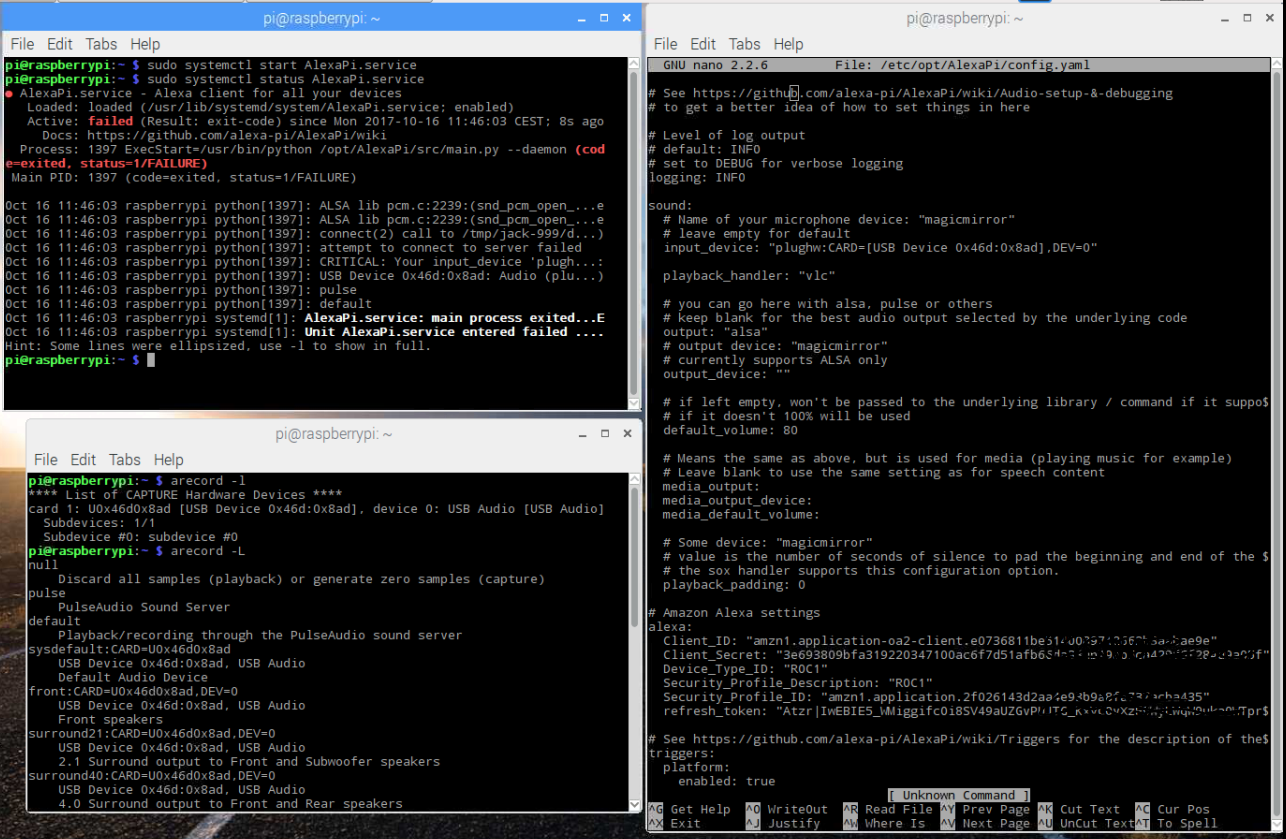
                                  Hi, I am confused on a matter. I have everything in the Alexa service set up and running but I have to scream in the mic to actually hear Alexa say “Yes?”. Does anyone know how I could fix this other than using the alsamixer tool? I go to alsamixer, select my usb mic pnp device, go to capture, raise it to 100, then esc out. Please help me…

                                  1 Reply Last reply Reply Quote 0

                                  Hello! It looks like you're interested in this conversation, but you don't have an account yet.

                                  Getting fed up of having to scroll through the same posts each visit? When you register for an account, you'll always come back to exactly where you were before, and choose to be notified of new replies (either via email, or push notification). You'll also be able to save bookmarks and upvote posts to show your appreciation to other community members.

                                  With your input, this post could be even better 💗

                                  Register Login

                                  • 1 / 1
                                  • First post
                                    Last post
                                  Enjoying MagicMirror? Please consider a donation!
                                  MagicMirror created by Michael Teeuw.
                                  Forum managed by Sam, technical setup by Karsten.
                                  This forum is using NodeBB as its core | Contributors
                                  Contact | Privacy Policy