Read the statement by Michael Teeuw here.
Pi Zero
-
I’m very interested too! Can anyone help us?
-
It probably can, because the specs are better than the Pi2. But since you’ll need a lot of extra accessories (usb Wifi, mini HDMI to HDMI convertor), it’s probably cheaper to use a Pi2 or Pi3.
-
@MichMich I was just thinking of lower power consumption, plus it would free up my Pi3 for something else :smiley:
-
I’ve read something about no support for the Zero. The specs are good enough I think, but is it supported by the software?
I already have a Zero and a wifi dongle, so it would definetely be cheaper. And less space necessary…
-
@jfi1310 it may have been me who replied to you. As I was told the zero wasnt supported.
I’m the same, I’ve got a WiFi adapter etc for mine
-
Well I personally never tried it, but I don’t see a reason why it shouldn’t work … :)
-
There’s this topic:
https://forum.magicmirror.builders/topic/201/sudo-npm-start-does-nothing-on-a-pi-zero/12Is it a problem especially with the Pi Zero or just because of the card switching?
-
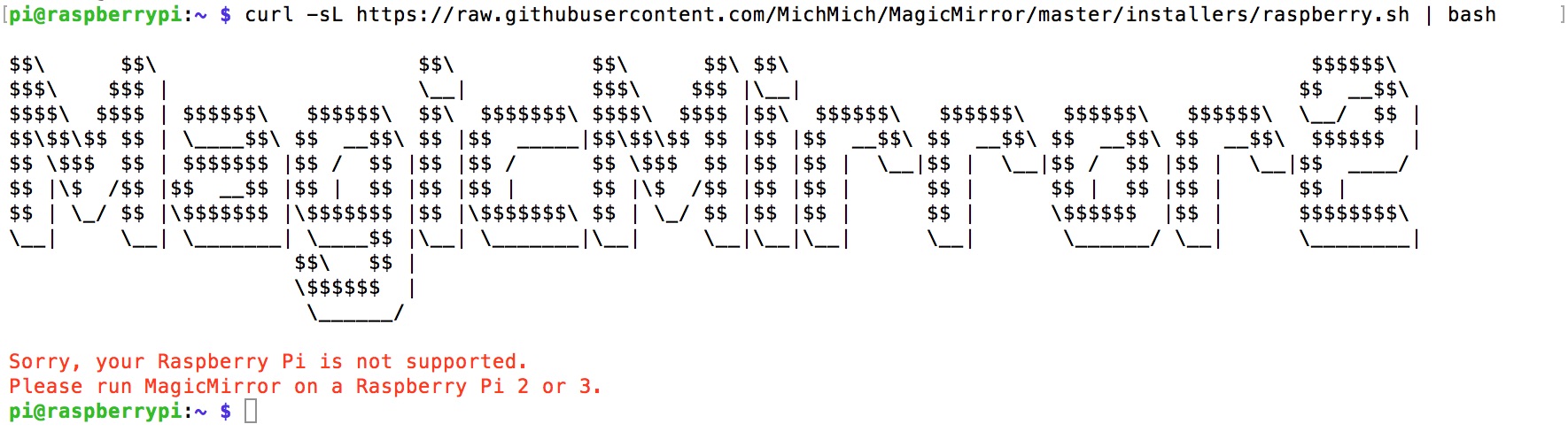
I just tried to install it on the Pi Zero but there was this message:
No Chance?
-
Hmmm … it seems the Zero is running on ARMv6. Just like the the Pi 1. Unfortunately, Electron (the browser frame on which MagicMirror relies) does not support ARMv6. You can install MagicMirror² and just use the serveronly method, but you would need to setup a browser in kiosk mode yourself. Which is tricky on the ARMv6 platform.
-
Hi,
I modify the installation file for Pi0. But the program don’t start. My Post “npm-do-not-start”
and the file.
0_1469782479446_MagicMirrorInstallPi0.shI don’t find the solution for the moment.
-
Ok thanks
-
Now is ok for the Pi0. But just for install Kweb.
i use this commands:wget http://steinerdatenbank.de/software/kweb-1.7.3.tar.gz tar -xzf kweb-1.7.3.tar.gz cd kweb-1.7.3 ./debinstall -
I’ve just tried out running MM2 on a Pi0. It all seems to load up using the server only but when I fire up kweb I just end up with a blank screen. This was a new install so I used the basic config file and added my own data (e.g. weather app key, etc.). I’m new to using MM2 as well so I was not sure if I should be seeing lines like:
No helper found for module: nnnn
As far as I can tell the calendar and newsfeed have started, but nothing is displayed :(
Any recommendations on the diagnostic steps I need to take?
-
Hopefully the community can help you out here as the Pi0 is not supported. Some people may have gotten it to work though …
-
@evos I’ve only just seen this. Awesome work! I’ll check it out!
This means I can free up my Pi3 for something else
-
Hi All,
MM2 works on Pi0. If you want install MM2 on Pi0 use the @evos process or use my install file.
MagicMirrorInstallPi0.sh -
@Neokamikaze thanks, I’d manually got to the same sort of place the script would have got me to… It would have got me there faster ;) Further testing has shown it was my set up of kweb that was at fault not MM2 (the page loaded correctly with firefox). I was testing the page in regular browser mode before using kiosk mode so I can perfect my own config.sh. It turned out I had jScript and cookies off, with these enabled fixed the issue I was seeing.
Thanks for all your great work on getting MM2 working on the Pi0!
-
@KirAsh4 it may be worth getting the support statement updated to the same level as using the Pi1, the Pi0 will run MM2 quite happily using ‘node serveronly’… in my case it turn out you just need to be sure kweb is set up correctly if that is the browser of choice ;)
-
I can confirm. It is working with pi 1 in server only mode and kweb. Just some modules don’t show like mmm-sonos. If you connect with anotrr machine with chrome it works normally so it is a browser problem :( and I couldn’t find a solution for that till now
-
@darkeagl105 I found out with kweb you must enable cookies and Java Script for anything to work. So far I’ve only tested with the default modules, if I find out more about the non-default modules I’ll post here. Kweb is nice and light, I tried firefox but the Pi0 struggles to run it.



Hello! It looks like you're interested in this conversation, but you don't have an account yet.
Getting fed up of having to scroll through the same posts each visit? When you register for an account, you'll always come back to exactly where you were before, and choose to be notified of new replies (either via email, or push notification). You'll also be able to save bookmarks and upvote posts to show your appreciation to other community members.
With your input, this post could be even better 💗
Register Login