Read the statement by Michael Teeuw here.
[MMM-RTSPStream] - Video Streaming from Live Feeds & Security Cameras
-
i tested the bunny rtsp and another camera that output a “rtsp://ipcamera:554/ch0.h264” link and both work,so i think the camera i want to use that output the “rtsp://ipcamera:554/12” link has a problem with omxplayer.I will look at pm2 logs and i ll get back to you,thanx
edit : the links that worked for me did not auto started but i had to press pause and play again.pm2 log :
/home/pi/.pm2/logs/mm-out.log last 15 lines:
0|mm       | Starting stream stream1 with args: [
0|mm       |     "--avdict",
0|mm       |     "rtsp_transport:tcp",
0|mm       |     "--win",
0|mm       |     "738, 63, 1090, 305",
0|mm       |     "--live",
0|mm       |     "--video_queue",
0|mm       |     "4",
0|mm       |     "--fps",
0|mm       |     "30",
0|mm       |     "rtsp://admin:@192.168.1.108/12.h264"
0|mm       | ]
0|mm       | PM2: omx_stream1 already running. Stopping old instance...
0|mm       | Starting PM2 for omx_stream1
0|mm       | PM2 started for omx_stream1
i see no error but no streaming,only the name of the cam and black screen…
-
I found that on my troubleshooting on the internet maybe that helps us?
-
@costascontis said in [MMM-RTSPStream] - Video Streaming from Live Feeds & Security Cameras:
i tested the bunny rtsp and another camera that output a “rtsp://ipcamera:554/ch0.h264” link and both work,so i think the camera i want to use that output the “rtsp://ipcamera:554/12” link has a problem with omxplayer.I will look at pm2 logs and i ll get back to you,thanx
edit : the links that worked for me did not auto started but i had to press pause and play again.pm2 log :
/home/pi/.pm2/logs/mm-out.log last 15 lines:
0|mm       | Starting stream stream1 with args: [
0|mm       |     "--avdict",
0|mm       |     "rtsp_transport:tcp",
0|mm       |     "--win",
0|mm       |     "738, 63, 1090, 305",
0|mm       |     "--live",
0|mm       |     "--video_queue",
0|mm       |     "4",
0|mm       |     "--fps",
0|mm       |     "30",
0|mm       |     "rtsp://admin:@192.168.1.108/12.h264"
0|mm       | ]
0|mm       | PM2: omx_stream1 already running. Stopping old instance...
0|mm       | Starting PM2 for omx_stream1
0|mm       | PM2 started for omx_stream1
i see no error but no streaming,only the name of the cam and black screen…
Looks like you’re using an older version of the module based on the log. Try pulling the new version and switching to the develop branch… you should see the full omxplayer command line output to the logs, which you can use to test your camera outside of MM and the module.
-
Updated to dev branch and use rotate streams true (3) and after 3 hours it completely locks up my entire RPi and I have to pull the plug and disable same. Seems like it is too much on CPU to keep starting/stopping OMX every 15 seconds to cause the crash? Single stream average RPi temp is 128f but when rotate is on it jumps to 160f. Maybe thats the issue?
-
@swvalenti That could be. OMX player doesn’t switch very easily. VLC switching was working well on the newest version of Rasbian with OpenGL (Fake KMS) enabled.
-
@shbatm said in [MMM-RTSPStream] - Video Streaming from Live Feeds & Security Cameras:
@swvalenti That could be. OMX player doesn’t switch very easily. VLC switching was working well on the newest version of Rasbian with OpenGL (Fake KMS) enabled.
How do I make that switch and implement? Sorry for the noob question.
-
@djuscha said in [MMM-RTSPStream] - Video Streaming from Live Feeds & Security Cameras:
I found that on my troubleshooting on the internet maybe that helps us?
RTSP-Stream-ViewerThanks for the link. Bits of that script look like the script I saw which originally inspired me to use omxplayer, but it has some additional options (like pushing a video off the screen instead of stopping it) that seem promising. I ended up using
pm2instead ofscreenbecause that’s what most MM users were already using, and it had the auto restart feature built in.I don’t have much time for the next month or so to keep playing with the omx version, so if you wouldn’t mind, please open an issue on GitHub, and if you or anyone has time/skills to implement, I’ll be happy to take a PR.
To-do (notes to myself or anyone that works on this):
- Implement dbus control to move the video off-screen instead of stopping it when we need to hide it: Example dbuscontrol.sh; npm dbus Package
- Implement ffmpeg & vlc’s shutdownDelay option for omx player (e.g. move the video off-screen and stop it after x seconds instead of stopping it immediately when hiding a stream).
-
@swvalenti said in [MMM-RTSPStream] - Video Streaming from Live Feeds & Security Cameras:
How do I make that switch and implement? Sorry for the noob question.
Look back at previous posts in this thread, there should be several posts from the past month about switching and upgrading.
-
@djuscha Use the latest
developbranch version if you still want to use omxplayer with OpenGL (Fake KMS). I was stumbling around and found that omxplayer requires the--no-osdflag to work properly with the OpenGL (Fake KMS) driver. -
can someone use vlc instead of omxplayer with your module?If yes whats the pro and con on that?
-
@costascontis said in [MMM-RTSPStream] - Video Streaming from Live Feeds & Security Cameras:
can someone use vlc instead of omxplayer with your module?If yes whats the pro and con on that?
I know on the develop branch you can.
Pro: it kept the original aspect ratio.
con: it didn’t work more than once. -
@costascontis said in [MMM-RTSPStream] - Video Streaming from Live Feeds & Security Cameras:
can someone use vlc instead of omxplayer with your module?If yes whats the pro and con on that?
Yes, its still experimental but was working fine for me. If you’re on a Raspberry Pi, it works best if you’re using the newest distro of Raspbian because VLC has Hardware Acceleration enabled.
Your mileage may vary between omxplayer and VLC. OMXPlayer is finicky and doesn’t rotate streams well (will be working on that)–VLC should in theory be much more stable and easy to use, but some people have had issues getting it to respond correctly on the Pi.
Back up a few pages on this thread to find out how to install the
developbranch. -
@shbatm I hope your module will be perfect one day until then I have unfortunately to give up with the channel switching function and set a static Radio/TV stream. :thumbs_up_medium-light_skin_tone:
-
Hi @shbatm ,
how is the bug fixing job doing right now? :)
I’ve done in the meantime some testing both with VLC and OMXplayer options by using different streaming sources like mp3 podcasts, mp4 live channels & some IP cameras (that I’ve got at home).
I can confirm that something is wrong in the module code because the EXACT same issue (wrong stream selected while switching) is happening with the above sources. :confused_face:
-
@shbatm you there mate? :smiling_face_with_open_mouth_cold_sweat:
-
@cr4z33 said in [MMM-RTSPStream] - Video Streaming from Live Feeds & Security Cameras:
you there mate?
Gotta earn some money to pay for all my expensive hobbies… Currently 100 miles from land for the next week so debugging will be… Slow.
In the meantime, can you please send/share/chat me a copy of your config with both this module and the controlling module sections at least? Also, have you tried using a different module, like my branch of MMM-Remote-Control w api to control the streams? Is it always the same number of streams wrong, or is it for sure random?
-
Have now made everything new. Raspe new SD card new. MagicMirror Software nue and RTSP module made new. I had 2 cameras. That ran for a few hours and then a camera picture was black, although PM2 status was online. After rebooting everything went again for a few hours.
have omxRestart set to 2 hours in both cameras that did not help synonymous.
Raspberry Pi 3 RTSP Stream Viewer
Now I’ve configured according to the instructions and this is stable for 3 days. Is independent of Magicmirror running in the foreground.
have a Raspi and there runs Raspberry Pi 3 RTSP Stream Viewer with 4 cameras for 5 days very stable. I also tested on Raspi zero, and it worked. -
@shbatm I’ve sent you the config link by private chat. ;)
Honestly I don’t want to use MMM-Remote-Control or other solutions but voice control in the end so no I didn’t try.
All I can say is that the issue happens with whatever source I use and the chosen (wrong) stream is ALWAYS random.
If using VLC multiple streams start at the same time while if using OMXplayer a single (wrong) stream is selected.
Last thing I am using your dev version of the module.You should get the issue if using the same config and modules. :slightly_smiling_face:
-
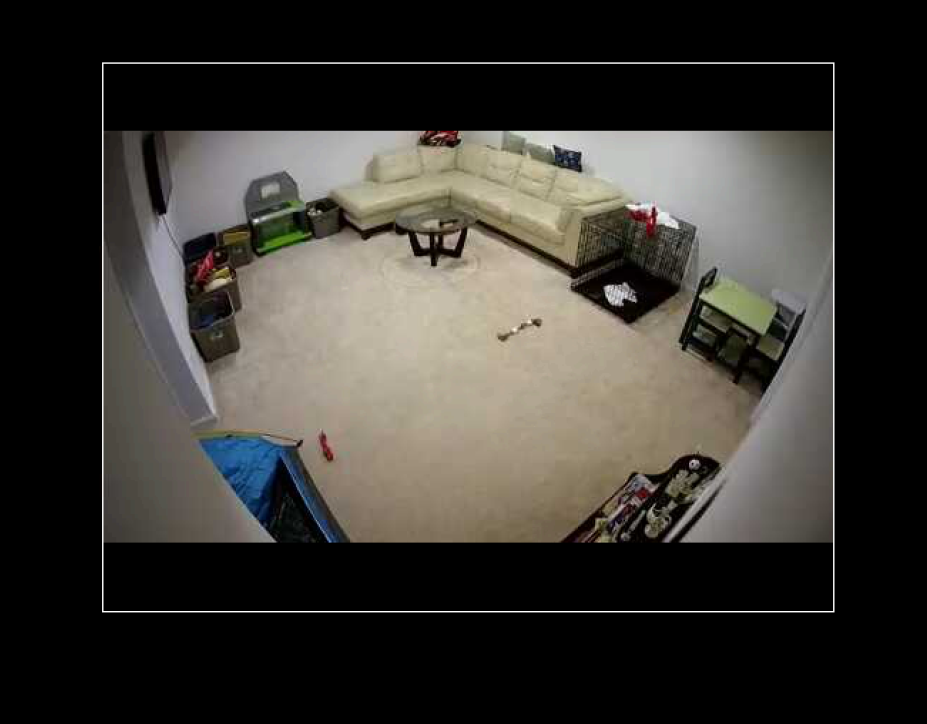
Switched to VLC but issue is now the stream doesn’t fit window…
-
I recommend in your custom.css file:
.MMM-RTSPStream .innerWrapper {
border: 0;
}No more border. :)



Hello! It looks like you're interested in this conversation, but you don't have an account yet.
Getting fed up of having to scroll through the same posts each visit? When you register for an account, you'll always come back to exactly where you were before, and choose to be notified of new replies (either via email, or push notification). You'll also be able to save bookmarks and upvote posts to show your appreciation to other community members.
With your input, this post could be even better 💗
Register Login