Read the statement by Michael Teeuw here.
MMM-Lunartic
-
What a surprise! The USNO api has not resumed normal operations by the expected completion date. I’ll keep checking the site but it’s anyone’s guess now. :(
-
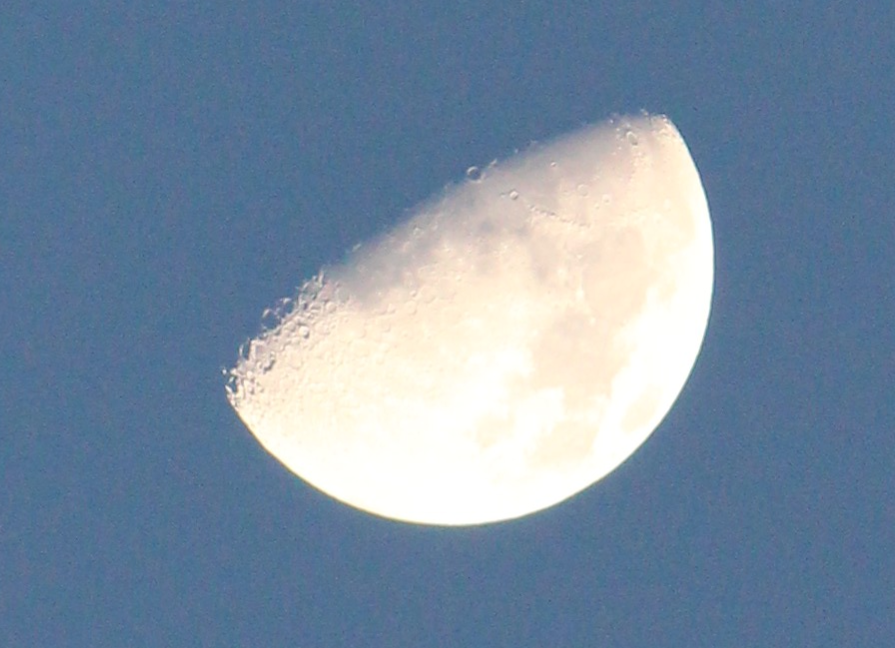
So, I went outside just as the sun was setting a little while ago and noticed the sky had cleared (it has been raining for days) and the moon was shining brightly. Ran inside, got my camera, click!
-
From the USNO website.

:(
-
@Mykle1 can’t help myself.

-
@sdetweil
:thumbsup: -
@Mykle1 Ohh no:disappointed_but_relieved_face:
-
I found this very interesting.
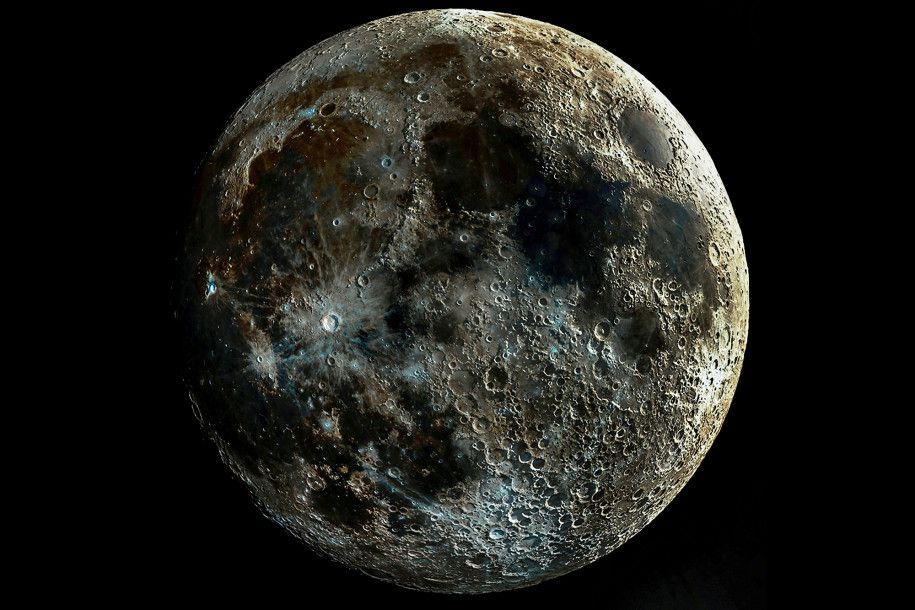
“You’ve never seen the moon like in this ‘all terminator’ image (and you never will).”
"Shadows creep down the banks of every crater on the near-side of the moon, highlighting the pockmarked face of Earth’s gravitationally-bound buddy with a clarity never before seen.
According to photographer Andrew McCarthy, who posted the stunning image to his Instagram in April, there’s a simple explanation for the unprecedented level of detail in his work — this lunar view is actually “impossible.”
“This moon might look a little funny to you, and that’s because it is an impossible scene,” McCarthy wrote on Instagram. “From two weeks of images of the waxing moon, I took the section of the picture that has the most contrast … aligned and blended them to show the rich texture across the entire surface.”
The high-contrast section of the moon that McCarthy referred to is called the “lunar terminator” — the long line in the sand (or regolith, if you prefer) that divides the moon’s Earth-facing side between darkness and light. This terminator line moves around constantly depending on the phase of the moon, revealing or concealing new sections of the lunar surface each day. Because the terminator line heightens the contrast between the light and dark sides of the moon’s face, shadows look elongated and intensified in craters closest to the terminator.
-
Hello,
Thanks a lot for your work on this addon.
I would like to hide the information about the distance to get just the image. I read carefully the README but I cannot find this configu trick.
Could you please tell me how ?Here is my conf :
               {
                        disabled: false,
                        module: 'MMM-Lunartic',
                        position: 'top_center', // Best in left, center, or right regions
                        classes: 'scheduler',
                        config: {
                                module_schedule: {from: '0 21 * * *', to: '0 8 * * *' },
                                mode: "rotating", // rotating or static
                                image: "current", // animation, current, DayNight or static
                                distance: "km", // miles or km
                                sounds: "no", // howling wolf, only on a full moon
                                useHeader: false, // true if you want a header
                                /* header: "The Lunartic is in my head", // Any text you want*/
                                maxWidth: "200px",
                                animationSpeed: 10,
                                rotateInterval: 15000,
                        }
                },
Thanks for advance.
-
@yomm please edit the post and use the code block, mark the section of text and hit the </> thing above the edit window
-
I got this… its all in the css.
-
@yomm thanks for your help, corrected
-
-
Update
The api is still down for both MMM-Lunartic and MMM-SunRiseSet.
http://api.usno.navy.mil/Their first announcement for a return to service was April 2020. The second announcement was revised to the Summer of 2020. I will keep checking. In the meantime, MMM-Lunartic still works with the temporary fix.
Peace
-
Update
The api is still down for both MMM-Lunartic and MMM-SunRiseSet. http://api.usno.navy.mil/
-
@Mykle1 thanks 🙏
-
This is a quote from their website. Upper left of the page. https://www.usno.navy.mil/USNO/astronomical-applications/data-services
The USNO websites aa.usno.navy.mil, ad.usno.navy.mil, aristarchus.usno.navy.mil, maia.usno.navy.mil, rorf.usno.navy.mil, toshi.usno.navy.mil, and tycho.usno.navy.mil are undergoing modernization efforts. The expected completion of the work and the estimated return of service is Fall 2020, subject to change due to potential impacts of COVID-19.
-
I already feel a little sorry for the coronavirus. It always takes the blame for many things that cannot be done. [It’s a joke :face_with_stuck-out_tongue_winking_eye: ]
-
@qu1que said in MMM-Lunartic:
I already feel a little sorry for the coronavirus. It always takes the blame for many things that cannot be done. [It’s a joke :face_with_stuck-out_tongue_winking_eye: ]
EVERYONE blames the virus for all the things that they don’t do LOL I’m tired of it.
-
@Mykle1 Thanks for the News…hope it will work in 2021. :face_with_stuck-out_tongue_winking_eye:
-
@mykle1 Is this module working again or still down? thx




Hello! It looks like you're interested in this conversation, but you don't have an account yet.
Getting fed up of having to scroll through the same posts each visit? When you register for an account, you'll always come back to exactly where you were before, and choose to be notified of new replies (either via email, or push notification). You'll also be able to save bookmarks and upvote posts to show your appreciation to other community members.
With your input, this post could be even better 💗
Register Login