Read the statement by Michael Teeuw here.
MMM-YouTube
-
@rafaelcota said in MMM-YouTube:
DOESN’T PLAY (the mirror does nothing at all)
/yt https://youtu.be/y83x7MgzWOA
/yl PLDIoUOhQQPlXr63I_vwF9GD8sAKh77dWUHmmm. with my test, it works well.
Withverbose:trueoption, indev-consoleyou can see what’s going on. Try and tell me what’s significantly suspicious?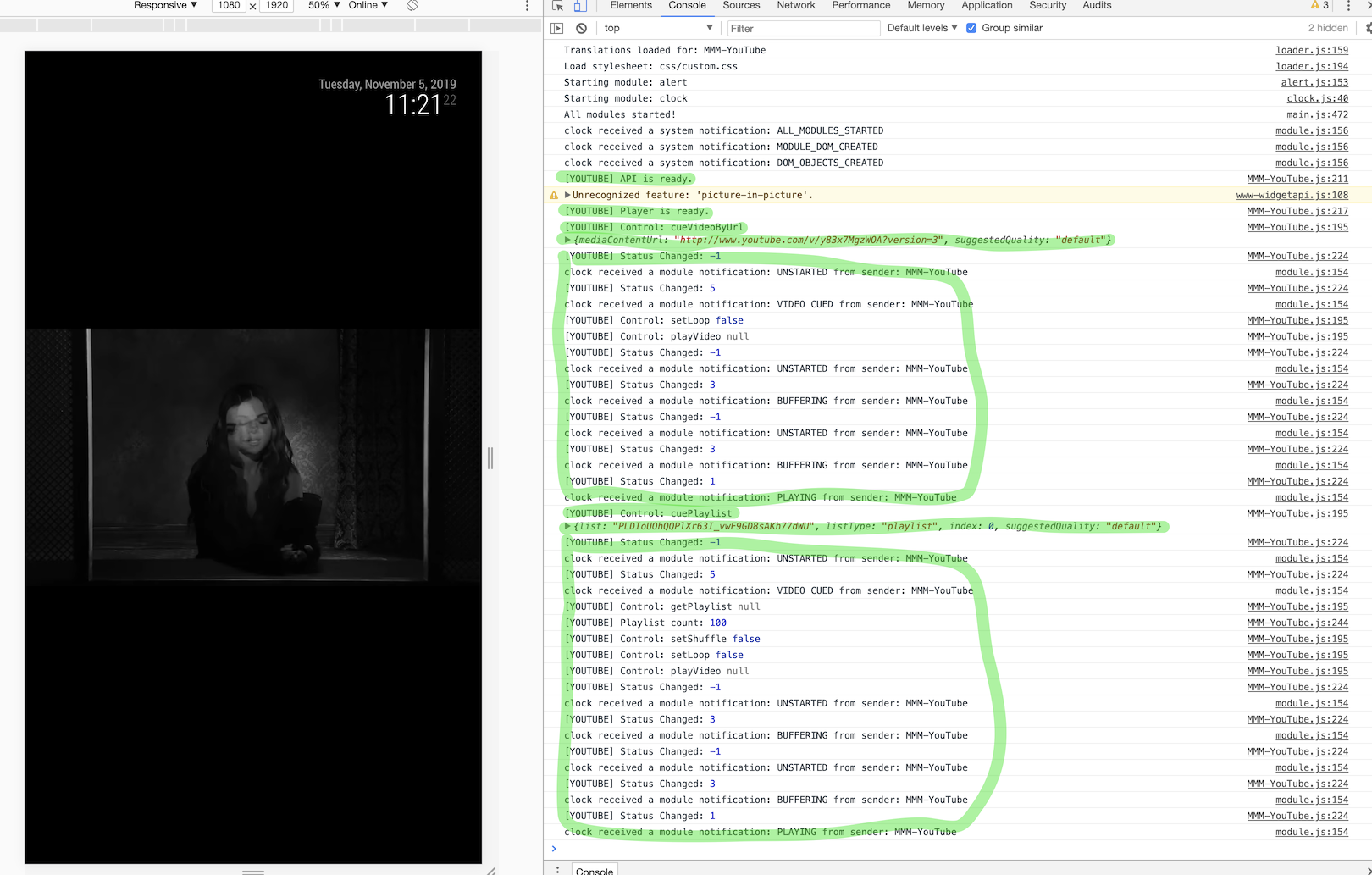
-
@Sean The messages are now clear, “Not allowed By Owner”
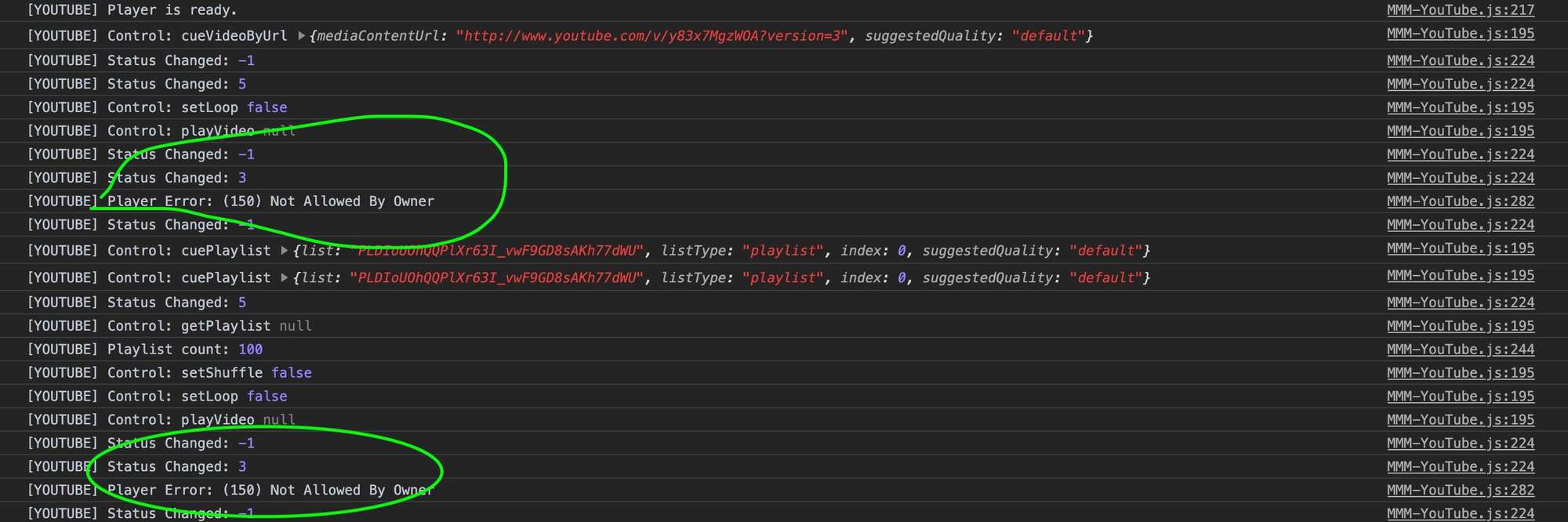
I guess there’s nothing I can do but finding videos that are allowed to be played outside YouTube.
Thank’s again
-
Hi,
I’m wondering if it possible to run the module but to not display the video?
I would like to have just the audio.Thanks.
-
@mosheva
Hmmmm… difficult question. Maybe with CSS, it could be but I haven’t tested. -
@Sean @Sean Thanks, is there a way to make the youtube screen 1px by 1px? :)
the smaller option in the code is “small”… -
Love the module. Is it possible to add a feature to allow you to change the video being streamed after a certain amount of time? I’d like to cycle through multiple live video camera streams.
-
Hi @Sean ,
I installed your module and thank you for your effort.I did not understand how do I send YouTube videos to the MM …
Could you explain to me?Many thanks.
-
@Egnos
You can use a few methods; via TelegramBot commands, notifications from other modules.
Which usecase are you considering? -
Thanks @Sean
Unfortunately I thought there was the possibility of sending youtube videos via smartphone using “RaspiCast” or something similar…Could you recommend some module?
-
@Egnos
MMM-TelegramBot. You can send like this on telegram;/yt https://www.youtube.com/watch?v=dAB3gziF9R4Or you can use MMM-Remote-Control or other HTTP Request Receiver modules (e.g: MMM-NotificationTrigger),
But additional typing is somewhat annoying. -
@Sean said in MMM-YouTube:
MMM-Remote-Control
Thanks for your advises, but I chose to use RaspiCast directly to share the videos (when the video ends the MM returns…).
Do you know how to mute the sound of the MM (not the Raspberry …)?
-
@iwaldrum
Well, ideally possible. But I think you’d better makeplaylistto play several video sequentially. -
@Sean Thanks Sean. Is there a way to limit the amount of time for each video in the playlist? Only play for 30 seconds, then switch to the next video in the playlist?
-
@iwaldrum
Maybe possible. As far as I know, There are several scheduling modules. Or you can usecron. Emit notification per 30 seconds.
But, If I were you, I would just make a summary video clip with 30 seconds of each videos. :D -
Hi! How do I get rid of black borders around the video, i.e. stretch/fill/crop the video?
-
@csoogos : and yes … it’s dead and this module is not maintened ;)
Actually, just only one module with youtube feature works ;)
-
@bugsounet Good morning and happy Sunday. I would like to ask you which youtube module works?
-
Same question : I want to use youtube (via iframe or not), how can it be possible with the actual version of Magic mirror ? please ! thanks
-
@hogedir @Shinigami
I didn’t test all the feature, but still working as expected in MM 2.26.

Tested config is here;
{
	module: "MMM-YouTube",
	position: "top_right",
	config: {
		defaultQuality: "default",
		width: "400px",
		height: "300px",
		onStartPlay: {
			type: "id",
			id: "UOxkGD8qRB4",
			shuffle: true,
			loop: false,
			autoplay: true,
		},
	}
},


Hello! It looks like you're interested in this conversation, but you don't have an account yet.
Getting fed up of having to scroll through the same posts each visit? When you register for an account, you'll always come back to exactly where you were before, and choose to be notified of new replies (either via email, or push notification). You'll also be able to save bookmarks and upvote posts to show your appreciation to other community members.
With your input, this post could be even better 💗
Register Login