MagicMirror Forum
    • Recent
    • Tags
    • Unsolved
    • Solved
    • MagicMirror² Repository
    • Documentation
    • 3rd-Party-Modules
    • Donate
    • Discord
    • Register
    • Login
    A New Chapter for MagicMirror: The Community Takes the Lead
    Read the statement by Michael Teeuw here.

    3rd Party Modules with APIs not loading.

    Scheduled Pinned Locked Moved Unsolved Troubleshooting
    32 Posts 3 Posters 11.3k Views 3 Watching
    Loading More Posts
    • Oldest to Newest
    • Newest to Oldest
    • Most Votes
    Reply
    • Reply as topic
    Log in to reply
    This topic has been deleted. Only users with topic management privileges can see it.
    • Mykle1M Offline
      Mykle1 Project Sponsor Module Developer
      last edited by Mykle1

      And another as it goes through the rotation.

      0_1571354630587_Screenshot from 2019-10-17 19-23-23.png

      Create a working config
      How to add modules

      1 Reply Last reply Reply Quote 0
      • B Offline
        bflbarlow
        last edited by bflbarlow

        I’m glad yours works.

        Mine still doesn’t.

        If 30 seconds is what I have to wait, then I’m already 120+ times past that (over an hour) with no rotation.

        I’m curious if you have any suggestions on things to try to help narrow this issue down.

        Mykle1M 1 Reply Last reply Reply Quote 0
        • Mykle1M Offline
          Mykle1 Project Sponsor Module Developer @bflbarlow
          last edited by Mykle1

          @bflbarlow

          Try disabling the other modules to see if it loads. If not, I would delete the MMM- Launch module folder and clone it again, trying it alone again. If that does not work then something else is amiss. I assure you, the module does work and it should work for you.

          Create a working config
          How to add modules

          1 Reply Last reply Reply Quote 0
          • B Offline
            bflbarlow
            last edited by bflbarlow

            I’ll give that a try.

            I’m not concerned with that specific module not working. 3rd Party Modules I’ve installed that do not utilize APIs work perfectly well and the default modules work perfectly well as well.

            It is a trend however, that of the six total 3rd Party Modules that I have tried and tested that do connect to APIs, none of them appear to be receiving data, which is why I am still slightly suspicious about something being wrong in the general Raspberry Pi configuration. But that wouldn’t explain why the default modules work perfectly well despite pulling from the openweathermap API.

            Mykle1M 1 Reply Last reply Reply Quote 0
            • Mykle1M Offline
              Mykle1 Project Sponsor Module Developer @bflbarlow
              last edited by Mykle1

              @bflbarlow

              Then my suggestion should confirm or eliminate that suspicion. Good luck and report back here.

              Create a working config
              How to add modules

              1 Reply Last reply Reply Quote 0
              • B Offline
                bflbarlow
                last edited by bflbarlow

                Removing the modules file, starting from a fresh config.js, cloning back the modules file, and adding the MMM-Launch config didn’t yield any data after the last 5 minutes.

                I’m thinking I’ll just cut ties and start again from scratch with a fresh install of raspbian. Maybe that’ll reset anything that might have gone haywire in the setup.

                1 Reply Last reply Reply Quote 0
                • B Offline
                  bflbarlow
                  last edited by bflbarlow

                  Unfortunately, a fresh raspbian image and MagicMirror install doesn’t appear to solve the problem.

                  Still open to any/all suggestions.

                  It’s been sitting on T - Minus 5 seconds for the last 10 minutes.

                  0_1571358660682_fbd0d71d-c011-445b-90d1-bec16ef1f63f-image.png

                  Mykle1M 1 Reply Last reply Reply Quote 0
                  • Mykle1M Offline
                    Mykle1 Project Sponsor Module Developer @bflbarlow
                    last edited by

                    @bflbarlow

                    Please start MM using npm start dev. You should see an error for MMM-Launch.

                    Question: You are cloning the module into the MagicMirror/modules folder? Not into the default folder?

                    Create a working config
                    How to add modules

                    1 Reply Last reply Reply Quote 0
                    • Mykle1M Offline
                      Mykle1 Project Sponsor Module Developer
                      last edited by Mykle1

                      The error, in the dev console on loading, should look like this

                      Uncaught (in promise) TypeError: Cannot read property 'name' of undefined. As the api is slow to respond. Then, upon refresh, the module works normally, or should.

                      Create a working config
                      How to add modules

                      1 Reply Last reply Reply Quote 0
                      • B Offline
                        bflbarlow
                        last edited by bflbarlow

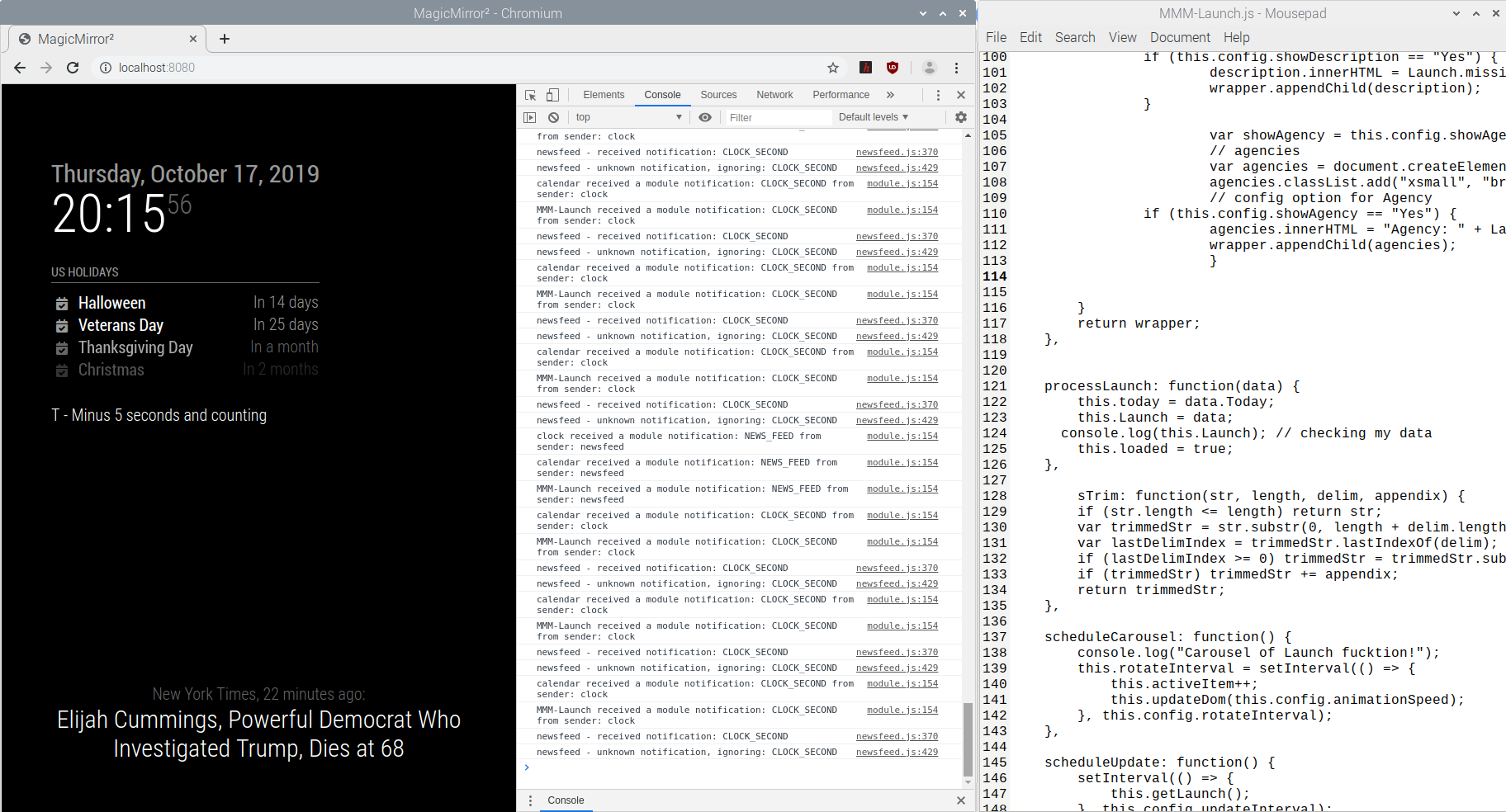
                        MMM-Launch is located at home/pi/MagicMirror/modules.

                        The only errors were for openweathermap, so I removed that from the config.

                        I’m only seeing some warnings, but no more errors.

                        1_1571359413131_2019-10-17-194212_1824x984_scrot.png 0_1571359413130_2019-10-17-194220_1824x984_scrot.png

                        1 Reply Last reply Reply Quote 0
                        • B Offline
                          bflbarlow
                          last edited by bflbarlow

                          I’ll include a screenshot here in a minute, but I’m noticing that “MMM-Launch received a module notification: CLOCK_SECOND from sender: clock” is being logged. Is that expected?

                          EDIT: Screenshot.

                          0_1571359742261_2019-10-17-194801_1824x984_scrot.png

                          Mykle1M 3 Replies Last reply Reply Quote 0
                          • Mykle1M Offline
                            Mykle1 Project Sponsor Module Developer @bflbarlow
                            last edited by

                            @bflbarlow

                            I believe that is just the clock module broadcasting a notification and should have no affect on MMM-Launch as MMM-Launch has no action to perform when receiving.

                            Create a working config
                            How to add modules

                            1 Reply Last reply Reply Quote 0
                            • Mykle1M Offline
                              Mykle1 Project Sponsor Module Developer @bflbarlow
                              last edited by

                              @bflbarlow

                              Can you open a browser and try this url?

                              https://launchlibrary.net/1.2/launch?next=60&mode=verbose

                              Create a working config
                              How to add modules

                              1 Reply Last reply Reply Quote 0
                              • B Offline
                                bflbarlow
                                last edited by

                                This post is deleted!
                                1 Reply Last reply Reply Quote 0
                                • Mykle1M Offline
                                  Mykle1 Project Sponsor Module Developer @bflbarlow
                                  last edited by

                                  @bflbarlow

                                  Going out for a smoke. I’ll be back in 10.

                                  Create a working config
                                  How to add modules

                                  1 Reply Last reply Reply Quote 0
                                  • B Offline
                                    bflbarlow
                                    last edited by bflbarlow

                                    That URL worked great on the browser.

                                    I really appreciate the help troubleshooting.
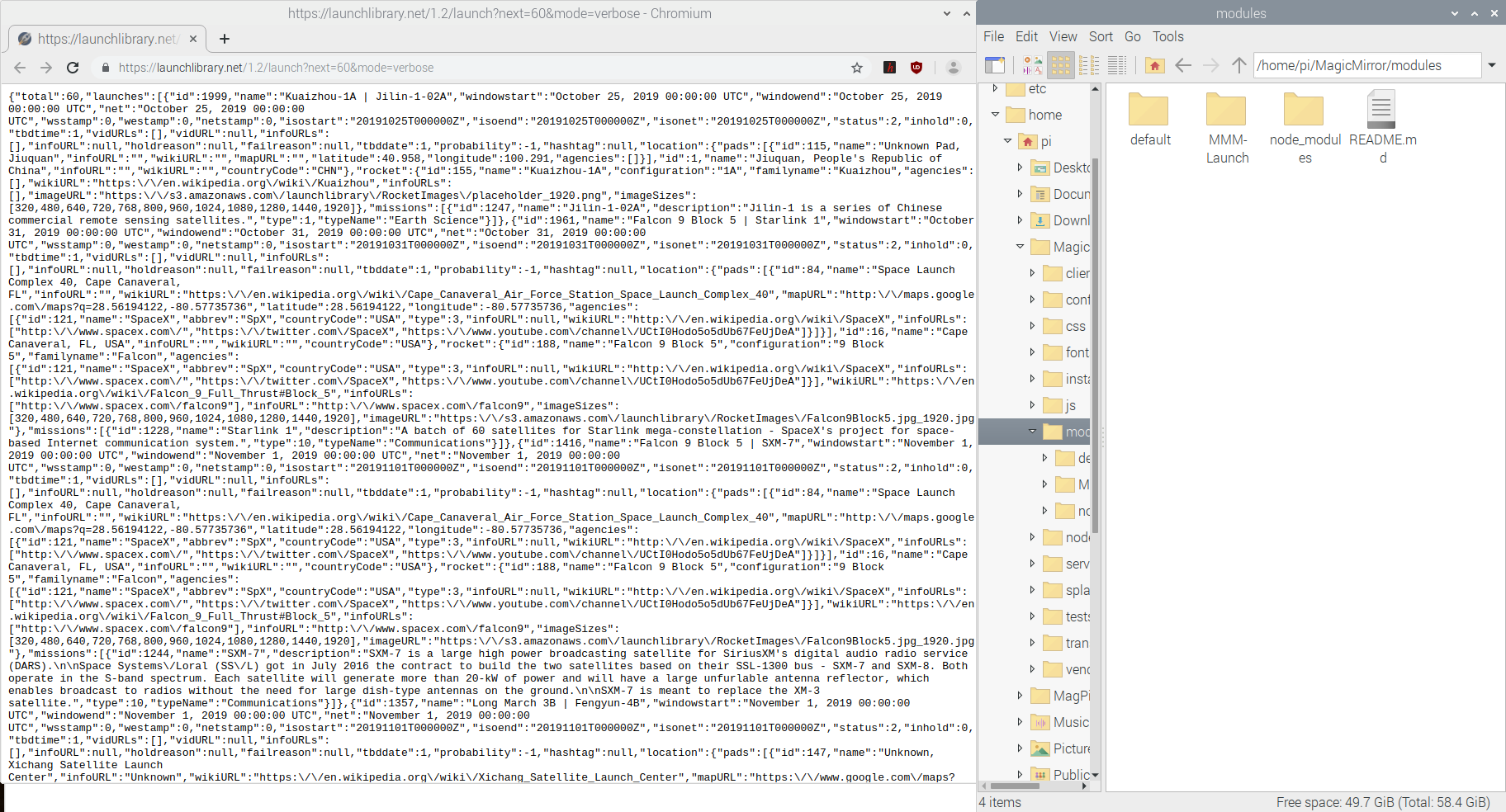
                                    0_1571360825227_2019-10-17-200616_1824x984_scrot.png

                                    Mykle1M 1 Reply Last reply Reply Quote 0
                                    • Mykle1M Offline
                                      Mykle1 Project Sponsor Module Developer @bflbarlow
                                      last edited by Mykle1

                                      @bflbarlow

                                      No problem. Ok, so you can get data. Now let’s see what the module tells us about getting the data. Can you go in the MMM-Launch.js file and uncomment line 124. Save. Run MM again using npm start dev and see if it reports receiving the data from the api. It should look something like this

                                      >Array (60)

                                      Create a working config
                                      How to add modules

                                      1 Reply Last reply Reply Quote 0
                                      • B Offline
                                        bflbarlow
                                        last edited by

                                        No errors a few minutes in.

                                        0_1571361418428_2019-10-17-201556_1824x984_scrot.png

                                        1 Reply Last reply Reply Quote 0
                                        • Mykle1M Offline
                                          Mykle1 Project Sponsor Module Developer
                                          last edited by

                                          @bflbarlow said in 3rd Party Modules with APIs not loading.:

                                          No errors a few minutes in.

                                          Sucks! You should see it right away. I’m stumped. I can’t reproduce this behavior with my module. You CAN get data, based on the url test. But, for you, the module is not getting the data. Thus, it’s not loading.

                                          I don’t think this is a module issue. I’ll ask my friend on the forum to look into this for you. He is amazing at troubleshooting MM and modules. I’m sure he will take a look at this. I’m sorry I couldn’t figure this out for you.

                                          Create a working config
                                          How to add modules

                                          B 1 Reply Last reply Reply Quote 0
                                          • B Offline
                                            bflbarlow @Mykle1
                                            last edited by

                                            Sounds good and no worries.

                                            Thanks for giving it a shot!

                                            Mykle1M 2 Replies Last reply Reply Quote 0

                                            Hello! It looks like you're interested in this conversation, but you don't have an account yet.

                                            Getting fed up of having to scroll through the same posts each visit? When you register for an account, you'll always come back to exactly where you were before, and choose to be notified of new replies (either via email, or push notification). You'll also be able to save bookmarks and upvote posts to show your appreciation to other community members.

                                            With your input, this post could be even better 💗

                                            Register Login

                                            • 1
                                            • 2
                                            • 2 / 2
                                            • First post
                                              Last post
                                            Enjoying MagicMirror? Please consider a donation!
                                            MagicMirror created by Michael Teeuw.
                                            Forum managed by Sam, technical setup by Karsten.
                                            This forum is using NodeBB as its core | Contributors
                                            Contact | Privacy Policy