MagicMirror Forum
    • Recent
    • Tags
    • Unsolved
    • Solved
    • MagicMirror² Repository
    • Documentation
    • 3rd-Party-Modules
    • Donate
    • Discord
    • Register
    • Login
    A New Chapter for MagicMirror: The Community Takes the Lead
    Read the statement by Michael Teeuw here.

    Any plan to replace "request" and "moment"?

    Scheduled Pinned Locked Moved Unsolved Feature Requests
    61 Posts 8 Posters 35.2k Views 8 Watching
    Loading More Posts
    • Oldest to Newest
    • Newest to Oldest
    • Most Votes
    Reply
    • Reply as topic
    Log in to reply
    This topic has been deleted. Only users with topic management privileges can see it.
    • BKeyportB Offline
      BKeyport Module Developer @sdetweil
      last edited by

      @sdetweil I’m trying to get luxon up and running.

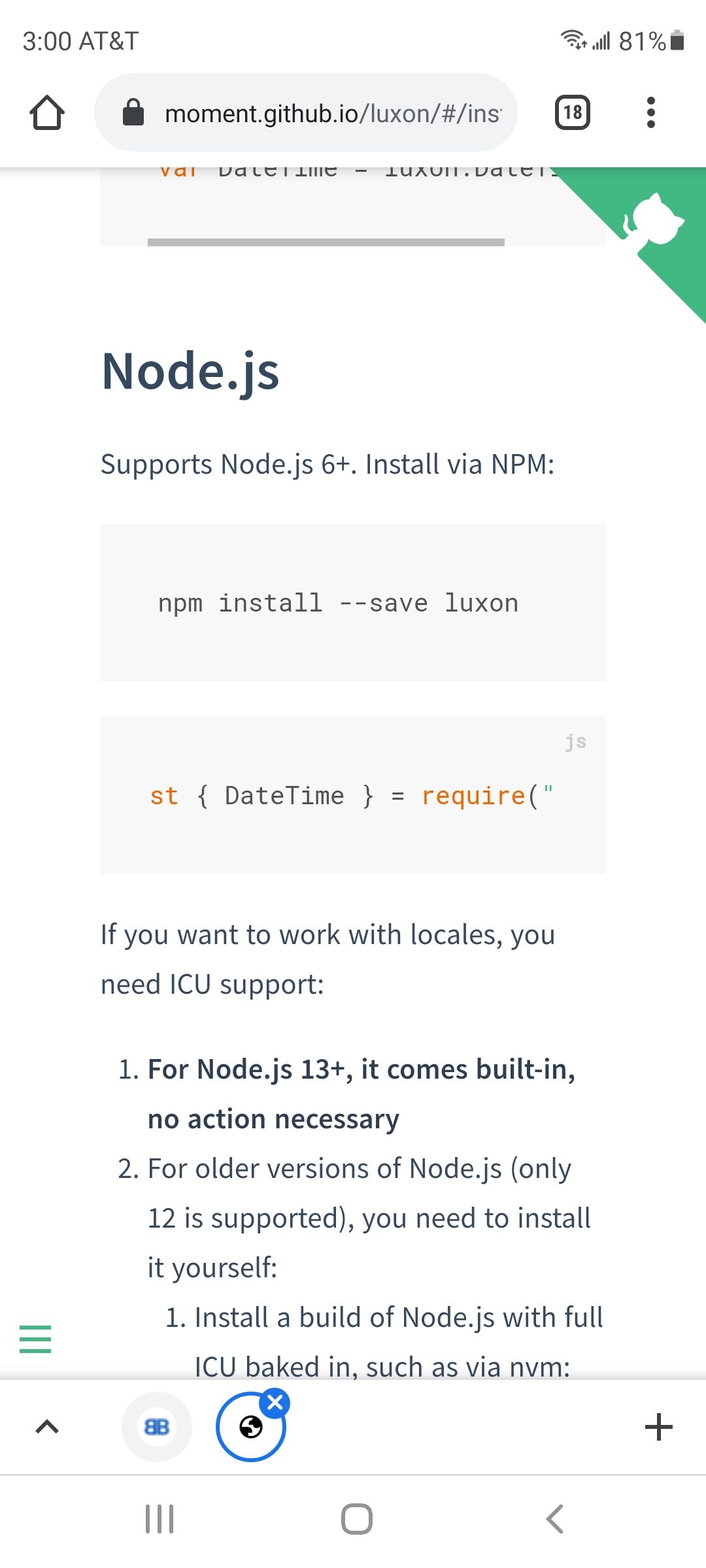
      Supports Node.js 6+. Install via NPM:
      
      npm install --save luxon
      
      const { DateTime } = require("luxon");
      

      Do I need to use node_helper to get it going, then?

      https://moment.github.io/luxon/#/install

      The "E" in "Javascript" stands for "Easy"

      S 1 Reply Last reply Reply Quote 0
      • S Offline
        sdetweil @BKeyport
        last edited by sdetweil

        @bkeyport require only works in node_helper
        Screenshot_20210903-150010_Chrome.jpg

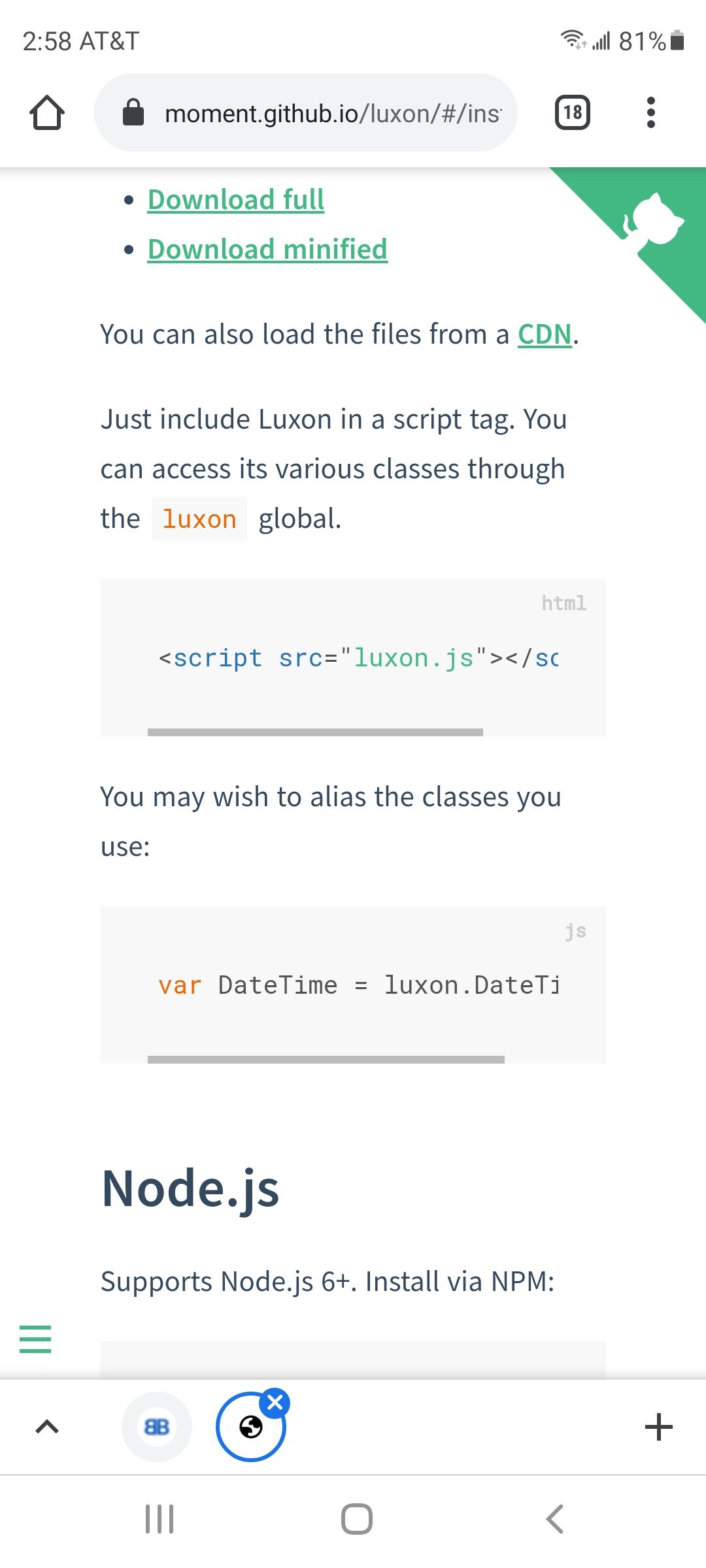
        the doc also gives u a < script approach

        still npm install
        then getScripts to load the file from node_modules folder/luxon folder

        the use in modulename.js as shown for browser
        Screenshot_20210903-145848_Chrome.jpg

        Sam

        How to add modules

        learning how to use browser developers window for css changes

        BKeyportB 1 Reply Last reply Reply Quote 0
        • BKeyportB Offline
          BKeyport Module Developer @sdetweil
          last edited by

          @sdetweil Oh, so I set up the require in node_helper, and use it accordingly in the main module script? Nice.

          The "E" in "Javascript" stands for "Easy"

          S 1 Reply Last reply Reply Quote 0
          • S Offline
            sdetweil @BKeyport
            last edited by

            @bkeyport no. one OR the other

            Sam

            How to add modules

            learning how to use browser developers window for css changes

            BKeyportB 1 Reply Last reply Reply Quote 0
            • BKeyportB Offline
              BKeyport Module Developer @sdetweil
              last edited by

              @sdetweil OK, I’m lost.

              If Moment goes away, I’ll delete my modules.

              The "E" in "Javascript" stands for "Easy"

              S 1 Reply Last reply Reply Quote 0
              • S Offline
                sdetweil @BKeyport
                last edited by sdetweil

                @bkeyport if you don’t have a node_helper, the you use the getScripts approach

                if u have both, then u have to do both

                Sam

                How to add modules

                learning how to use browser developers window for css changes

                BKeyportB 1 Reply Last reply Reply Quote 0
                • BKeyportB Offline
                  BKeyport Module Developer @sdetweil
                  last edited by

                  @sdetweil

                  I give up.

                  Suggestion for the main app -

                  Create a date-time service that hides what library you’re using. If you decide to replace the library in the future, you’ll need to update only one file.

                  That way, we don’t have to move at all - just convert from accessing moment directly to accessing the internal service.

                  In the meantime, I’m indeed dropping it.

                  The "E" in "Javascript" stands for "Easy"

                  S 1 Reply Last reply Reply Quote 0
                  • S Offline
                    sdetweil @BKeyport
                    last edited by sdetweil

                    @bkeyport I don’t understand dropping the library…

                    sadly its never that easy. code has to change.

                    as for the other.
                    can u do all you app in the browser side (module name.js)

                    if so then u load the new moment library with
                    npm install --save libname
                    and then (check syntax)

                    getScripts:
                      return [ this.file("node_modules/libname/....")]
                         // the file is whatever would be in the script tag
                    

                    of u need to use node_helper, and need moment like stuff,

                    const ???? = require('libname')
                    

                    if u need both, then u have to do both

                    Sam

                    How to add modules

                    learning how to use browser developers window for css changes

                    BKeyportB 1 Reply Last reply Reply Quote 0
                    • BKeyportB Offline
                      BKeyport Module Developer @sdetweil
                      last edited by

                      Dropping it = Not going to bother until I have to.

                      The "E" in "Javascript" stands for "Easy"

                      mumblebajM 1 Reply Last reply Reply Quote 0
                      • mumblebajM Offline
                        mumblebaj Module Developer @BKeyport
                        last edited by mumblebaj

                        EDIT: Reference path to luxon.min.js
                        @bkeyport I think the following should work for you.
                        Add luxon.min.js to your project in the root of your project.
                        Then add the following to you project, I have used your MMM-Multimonth as an example project.

                        getScripts: function() {
                                      return[this.file("/node_modules/luxon/build/global/luxon.min.js")]
                              },
                        

                        Once added you should be able to use it like this:
                        In your project you have the following for moment:

                        monthTitle = moment().add(-1, "month").format("MMMM YYYY")
                        

                        You an now do the following in luxon:

                        const luxMonth = luxon.DateTime.now().plus({month: -1}).toFormat("MMMM yyyy")


                        Hope this gives you a start in the right direction.

                        You can find luxon.min.js here

                        Check out my modules at: https://github.com/mumblebaj?tab=repositories
                        Check my blog-post: https://mumblebaj.xyz/
                        Check my MM Container: https://hub.docker.com/repository/docker/mumblebaj/magicmirror/general

                        S 1 Reply Last reply Reply Quote 0
                        • S Offline
                          sdetweil @mumblebaj
                          last edited by

                          @mumblebaj don’t copy the file to the root of your module. just use it from the linstalled location.

                          Sam

                          How to add modules

                          learning how to use browser developers window for css changes

                          mumblebajM 1 Reply Last reply Reply Quote 0
                          • mumblebajM Offline
                            mumblebaj Module Developer @sdetweil
                            last edited by mumblebaj

                            @sdetweil I have now found it in the /node_modules/luxon/build/global

                            I should have searched some more. :beaming_face_with_smiling_eyes:
                            But, yes, you are correct. You can just point to that location.

                            Check out my modules at: https://github.com/mumblebaj?tab=repositories
                            Check my blog-post: https://mumblebaj.xyz/
                            Check my MM Container: https://hub.docker.com/repository/docker/mumblebaj/magicmirror/general

                            BKeyportB 1 Reply Last reply Reply Quote 1
                            • BKeyportB Offline
                              BKeyport Module Developer @mumblebaj
                              last edited by

                              @mumblebaj Yeah, I got irritated enough that it wasn’t working I realized I was being a total idiot and not pointing at the JS correctly. Why the hell it’s buried so deep, well…

                              The "E" in "Javascript" stands for "Easy"

                              S 1 Reply Last reply Reply Quote 0
                              • S Offline
                                sdetweil @BKeyport
                                last edited by sdetweil

                                @bkeyport

                                why is it buried so deep?

                                cause everybody does their own thing

                                Sam

                                How to add modules

                                learning how to use browser developers window for css changes

                                BKeyportB 1 Reply Last reply Reply Quote 0
                                • BKeyportB Offline
                                  BKeyport Module Developer @sdetweil
                                  last edited by BKeyport

                                  @sdetweil heh.

                                  Now, I’m down to the javascript exploding bug. A <= B == Crash. 😢

                                  Oh well. Shelved.

                                  I’ll tackle it when/if the main switches.

                                  The "E" in "Javascript" stands for "Easy"

                                  mumblebajM 2 Replies Last reply Reply Quote 0
                                  • mumblebajM Offline
                                    mumblebaj Module Developer @BKeyport
                                    last edited by

                                    @bkeyport You doing date comparison?

                                    Check out my modules at: https://github.com/mumblebaj?tab=repositories
                                    Check my blog-post: https://mumblebaj.xyz/
                                    Check my MM Container: https://hub.docker.com/repository/docker/mumblebaj/magicmirror/general

                                    BKeyportB 1 Reply Last reply Reply Quote 0
                                    • mumblebajM Offline
                                      mumblebaj Module Developer @BKeyport
                                      last edited by

                                      @bkeyport Can you adapt the following and see if it works for you?

                                      var startDate = DateTime.fromISO("2021-09-06T17:22:49.916+02:00");
                                      var someDate = DateTime.fromISO("2021-03-06T17:22:49.916+02:00");
                                      var result = startDate.startOf("day") <= someDate.startOf("day");
                                      console.log("Date Comparison Result: ", result) // => true;

                                      

                                      Check out my modules at: https://github.com/mumblebaj?tab=repositories
                                      Check my blog-post: https://mumblebaj.xyz/
                                      Check my MM Container: https://hub.docker.com/repository/docker/mumblebaj/magicmirror/general

                                      1 Reply Last reply Reply Quote 0
                                      • BKeyportB Offline
                                        BKeyport Module Developer @mumblebaj
                                        last edited by

                                        @mumblebaj I’ll play with it later, We’ve hijacked the thread enough.

                                        The "E" in "Javascript" stands for "Easy"

                                        1 Reply Last reply Reply Quote 0

                                        Hello! It looks like you're interested in this conversation, but you don't have an account yet.

                                        Getting fed up of having to scroll through the same posts each visit? When you register for an account, you'll always come back to exactly where you were before, and choose to be notified of new replies (either via email, or push notification). You'll also be able to save bookmarks and upvote posts to show your appreciation to other community members.

                                        With your input, this post could be even better 💗

                                        Register Login

                                        • 1
                                        • 2
                                        • 3
                                        • 4
                                        • 3 / 4
                                        • First post
                                          Last post
                                        Enjoying MagicMirror? Please consider a donation!
                                        MagicMirror created by Michael Teeuw.
                                        Forum managed by Sam, technical setup by Karsten.
                                        This forum is using NodeBB as its core | Contributors
                                        Contact | Privacy Policy

