MagicMirror Forum
    • Recent
    • Tags
    • Unsolved
    • Solved
    • MagicMirror² Repository
    • Documentation
    • 3rd-Party-Modules
    • Donate
    • Discord
    • Register
    • Login
    A New Chapter for MagicMirror: The Community Takes the Lead
    Read the statement by Michael Teeuw here.

    MMM-CalendarExt3

    Scheduled Pinned Locked Moved Utilities
    689 Posts 82 Posters 2.8m Views 86 Watching
    Loading More Posts
    • Oldest to Newest
    • Newest to Oldest
    • Most Votes
    Reply
    • Reply as topic
    Log in to reply
    This topic has been deleted. Only users with topic management privileges can see it.
    • M Offline
      MMRIZE @almightyyoshi
      last edited by

      @almightyyoshi
      For removing calendarWeek number;
      https://github.com/MMRIZE/MMM-CalendarExt3/wiki/Examples-%26-Tips

      A 1 Reply Last reply Reply Quote 0
      • M Offline
        MMRIZE @almightyyoshi
        last edited by MMRIZE

        @almightyyoshi
        For the second question, I cannot understand. More details for TO-BE and AS-IS be needed. (Show me the example)

        A 1 Reply Last reply Reply Quote 0
        • A Offline
          almightyyoshi @MMRIZE
          last edited by

          @MMRIZE Perfect. Thanks!

          1 Reply Last reply Reply Quote 0
          • A Offline
            almightyyoshi @MMRIZE
            last edited by

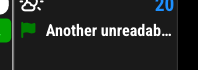
            @MMRIZE I have two instances of CalExt3: monthly (currentMonth) and weekly (currentWeek). Except for one calendar (Dinner), they both currently shows events with the event time like this:

            7490b2cf-aa2d-4cbc-9b4f-a751723b6170-image.png

            What I’d like is for only the currentMonth instance to show events without the event time like this:

            bd4ad26a-65ea-4796-baff-daaed64cd52f-image.png

            M 1 Reply Last reply Reply Quote 0
            • M Offline
              MMRIZE @almightyyoshi
              last edited by

              @almightyyoshi

              /* css/custom.css */
              .CX3_currentMonth .event.singleday .headline .time {
                display: none;
              }
              

              Before
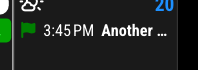
              0bfad0a3-4e6e-4ddc-9225-cc1b0f4e8d45-image.png

              After
              6a85d25f-0a1d-42f2-ab13-0af2117b1d8a-image.png

              A 1 Reply Last reply Reply Quote 0
              • A Offline
                almightyyoshi @MMRIZE
                last edited by

                @MMRIZE That worked…after I figured out I spelled instanceId incorrectly (I had instanceID). Thanks!

                1 Reply Last reply Reply Quote 0
                • M Offline
                  moosespectacles
                  last edited by

                  Anyone know of a config that looks identical/similar to the skylight calendar layout? I’m trying to emulate that look and those features, as a starting point, but I’m having trouble with getting the calendar to even display one week or 3 days, only. At the moment I see a week, with another week right next to it, instead of underneath it, as well as week numbers being show. I haven’t been able to figure out how to get rid of the extra days, nor the week numbers.

                  S M 2 Replies Last reply Reply Quote 0
                  • S Offline
                    sdetweil @moosespectacles
                    last edited by

                    @moosespectacles well the skylight view is one week

                    so

                    mode:‘week’,
                    weeksInView:1,

                    then you have to use css to remove the weeknumber

                    Sam

                    How to add modules

                    learning how to use browser developers window for css changes

                    1 Reply Last reply Reply Quote 0
                    • M Offline
                      MMRIZE @moosespectacles
                      last edited by

                      @moosespectacles
                      I think what you want is MMM-CalendarExtJournal, not this module.

                      M 1 Reply Last reply Reply Quote 0
                      • M Offline
                        moosespectacles @MMRIZE
                        last edited by

                        @MMRIZE said in MMM-CalendarExt3:

                        @moosespectacles
                        I think what you want is MMM-CalendarExtJournal, not this module.

                        The thing is I want the full calendar functionality, similar to Google calendar/skylight, so I have the ability to change views. Is that possible with either module or another? My main goal is a fully functional Google/skylight calendar clone, in terms of looks and features and use that as my layout, and build the rest of my features/modules off of that, so if I decide I want to add a tab for a shopping list or to do list later on, I can, but at minimum I’d love to be able to have a calendar that syncs with all of my family’s devices to be a family calendar

                        1 Reply Last reply Reply Quote 0
                        • D Offline
                          danncabrera
                          last edited by

                          Love this module, and have spent some time modifying some parts of it using CSS and learning a lot on the way. One thing i have not been able to achieve is to have the time format to show exactly how i want it to be.

                          I want the time for any event to show like 9am / 9:15am instead of the “9:00 a.m.”, to save some space and try to make it more readable. Any ideas on how to achieve this?? i have tried to modify with eventtransformer code in many ways, but all i get is to turn back to 24hr; it seems like it defaults to my locale (ES), and i don’t want to switch since i want everything to be in Spanish.

                          Any suggestions are welcomed, thank you.

                          eventTransformer: (event) => {
                            // Get the event's start time as a Date object
                            let startDate = new Date(event.startDate);
                          
                            // Manually extract hours and minutes
                            let hours = startDate.getHours();
                            let minutes = startDate.getMinutes();
                            
                            // Determine AM or PM
                            let ampm = hours >= 12 ? 'pm' : 'am';
                            
                            // Convert 24-hour format to 12-hour
                            hours = hours % 12;
                            hours = hours ? hours : 12;  // If 0 (midnight/noon), set to 12
                          
                            // Format minutes (add leading zero if needed)
                            let formattedMinutes = minutes < 10 ? '0' + minutes : minutes;
                            
                            // Construct the final time format (e.g., "9am" or "9:15am")
                            let formattedTime = `${hours}${minutes === 0 ? '' : ':' + formattedMinutes}${ampm}`;
                          
                            // Manually set the formatted time as the event's start time
                            event.startTime = formattedTime;
                            
                            return event;  // Return the modified event with the new time
                          },
                          
                          S M 2 Replies Last reply Reply Quote 0
                          • S Offline
                            sdetweil @danncabrera
                            last edited by

                            @danncabrera did you try to change the formatting via the module configuration ?
                            see
                            https://devhints.io/moment

                            Sam

                            How to add modules

                            learning how to use browser developers window for css changes

                            M 1 Reply Last reply Reply Quote 0
                            • M Offline
                              MMRIZE @sdetweil
                              last edited by

                              @sdetweil this module doesn’t use moment module. It is using pure JavaScript Intl function

                              S 1 Reply Last reply Reply Quote 0
                              • S Offline
                                sdetweil @MMRIZE
                                last edited by

                                @MMRIZE i stand corrected, sadly few options for formatting

                                Sam

                                How to add modules

                                learning how to use browser developers window for css changes

                                D 1 Reply Last reply Reply Quote 0
                                • M Offline
                                  MMRIZE @danncabrera
                                  last edited by

                                  @danncabrera
                                  https://forum.magicmirror.builders/post/101510

                                  D 1 Reply Last reply Reply Quote 0
                                  • G Offline
                                    GerrieD
                                    last edited by

                                    this month has to much weeks so I am having overlap issues, one of my options is to remove the header (September) but I cant find where to remove it.
                                    I am trying to remove the Month at the top.

                                    		 {
                                               module: "MMM-CalendarExt3",
                                               position: "top_right",
                                               title: "",
                                               instanceId: '1',
                                    		   config: {
                                                 mode: 'month',
                                                 carouselId: "basicCalendar",
                                                 locale: 'en-ZA',
                                    		     header: "",
                                                 //headerTitleOptions: {month: 'long' , year:'numeric'},
                                    		     eventTimeOptions: {timeStyle: 'short'},
                                    		     useWeather: false,
                                                 maxEventLines: 5,
                                                 firstDayOfWeek: 1,
                                    		     displayEndTime: false,
                                    		     useMarquee: true,
                                    		     displayCW: false,
                                    		     showMore: true,
                                    		     showEnd: false,
                                    		     weekIndex: 0, // From which week the view starts; -1 : last week, 0: this week 2: 2 weeks later, ...
                                    		     weeksInView: 5, // How many weeks will be shown from `weekIndex`
                                    		     fontSize: "18px",
                                                 eventHight: "20px",
                                    		     calendarSet: ['Pieter', 'US_holiday'],
                                    	             }
                                             },
                                    		
                                    
                                    .MMM-CalendarExt3 .module-header {
                                    	text-align:center;
                                    	padding-bottom :30px;
                                    	font-size:80px;
                                    	color:rgb(45,73,69);     /*This is the Header Month Colour  */
                                    	/*text-shadow: -1px 0 white, 0 1px white, 1px 0 white, 0 -1px white;*/
                                    	display: none;
                                    }
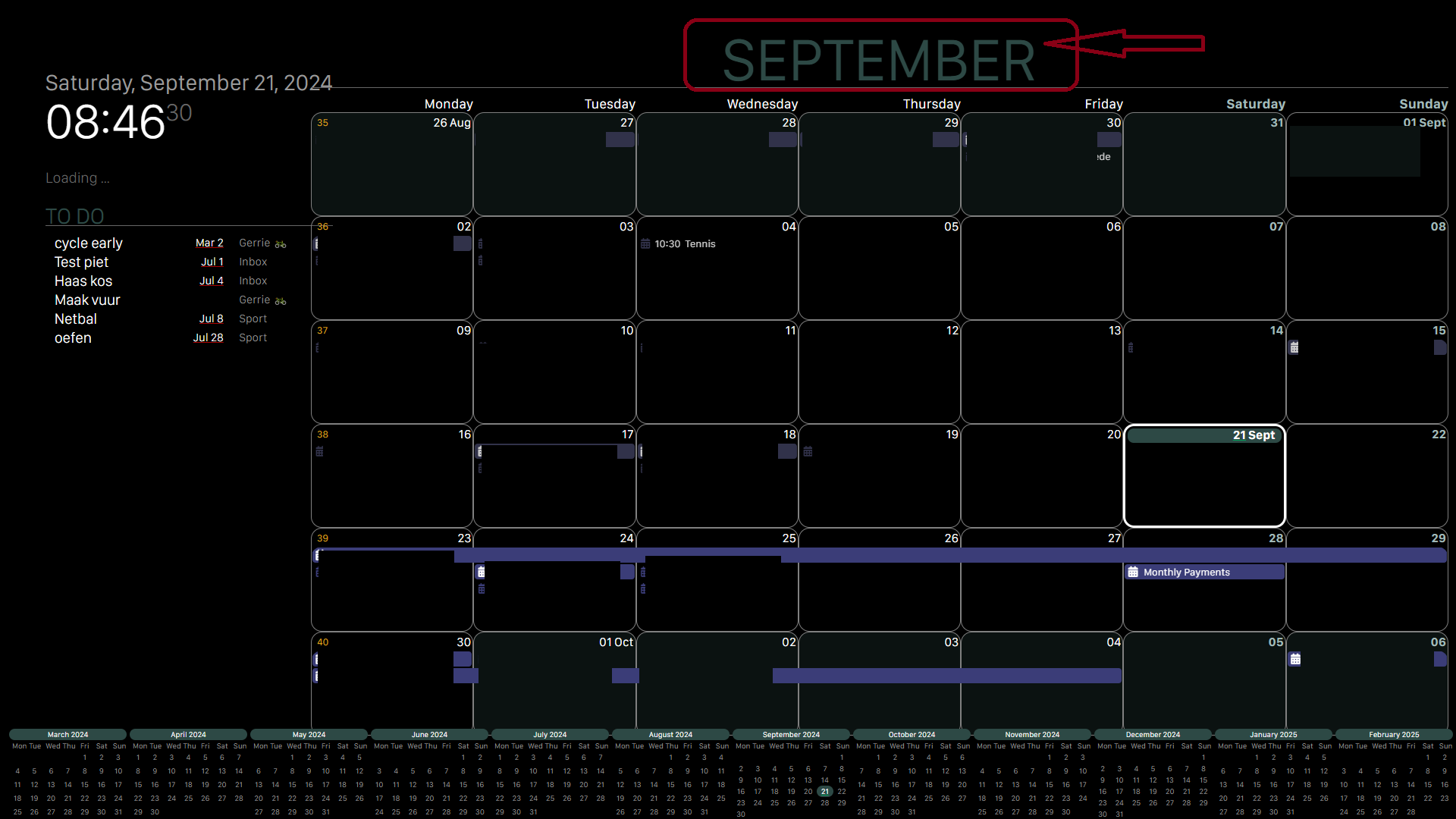
                                    

                                    b54220c2-9cdd-4c21-9e42-989da6fe1151-image.png

                                    S 1 Reply Last reply Reply Quote 0
                                    • S Offline
                                      sdetweil @GerrieD
                                      last edited by

                                      @GerrieD i don’t know exactly, but you can use the developers window to find the html element and get its classes

                                      see the second link in my signature for how to use the developers window

                                      Sam

                                      How to add modules

                                      learning how to use browser developers window for css changes

                                      G 1 Reply Last reply Reply Quote 0
                                      • G Offline
                                        GerrieD @sdetweil
                                        last edited by

                                        @sdetweil thanks for you quick response

                                        I have followed a lot of your hep topics and thanks to you got familiar with the developers window.

                                        I added the display: none; to the module but in the developers window it is crossed out.
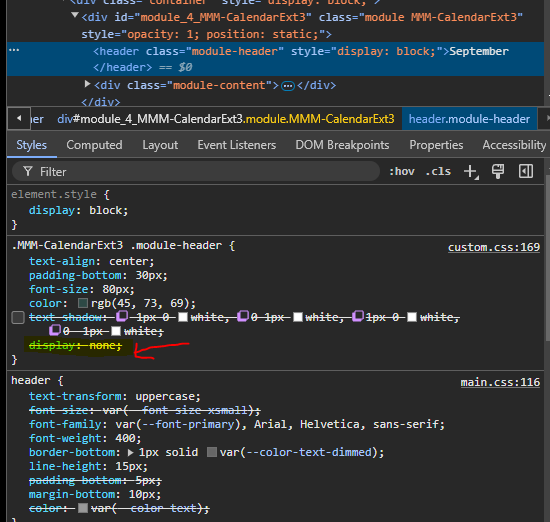
                                        f22d6ec9-c298-4106-8b81-a6bcf275ab3c-image.png

                                        S 2 Replies Last reply Reply Quote 0
                                        • S Offline
                                          sdetweil @GerrieD
                                          last edited by

                                          @GerrieD you can add !important
                                          after the display:none;

                                          display:none !important;

                                          this should override the more specific

                                          you are doing this in the top window. right

                                          in custom.css

                                          .CX3 .module-header {
                                          display:none;
                                          }
                                          

                                          should work tho

                                          Sam

                                          How to add modules

                                          learning how to use browser developers window for css changes

                                          G 1 Reply Last reply Reply Quote 0
                                          • S Offline
                                            sdetweil @GerrieD
                                            last edited by sdetweil

                                            @GerrieD also, in the top window you have display:block, the top window overrides those below

                                            remove that top window should be empty

                                            element.style
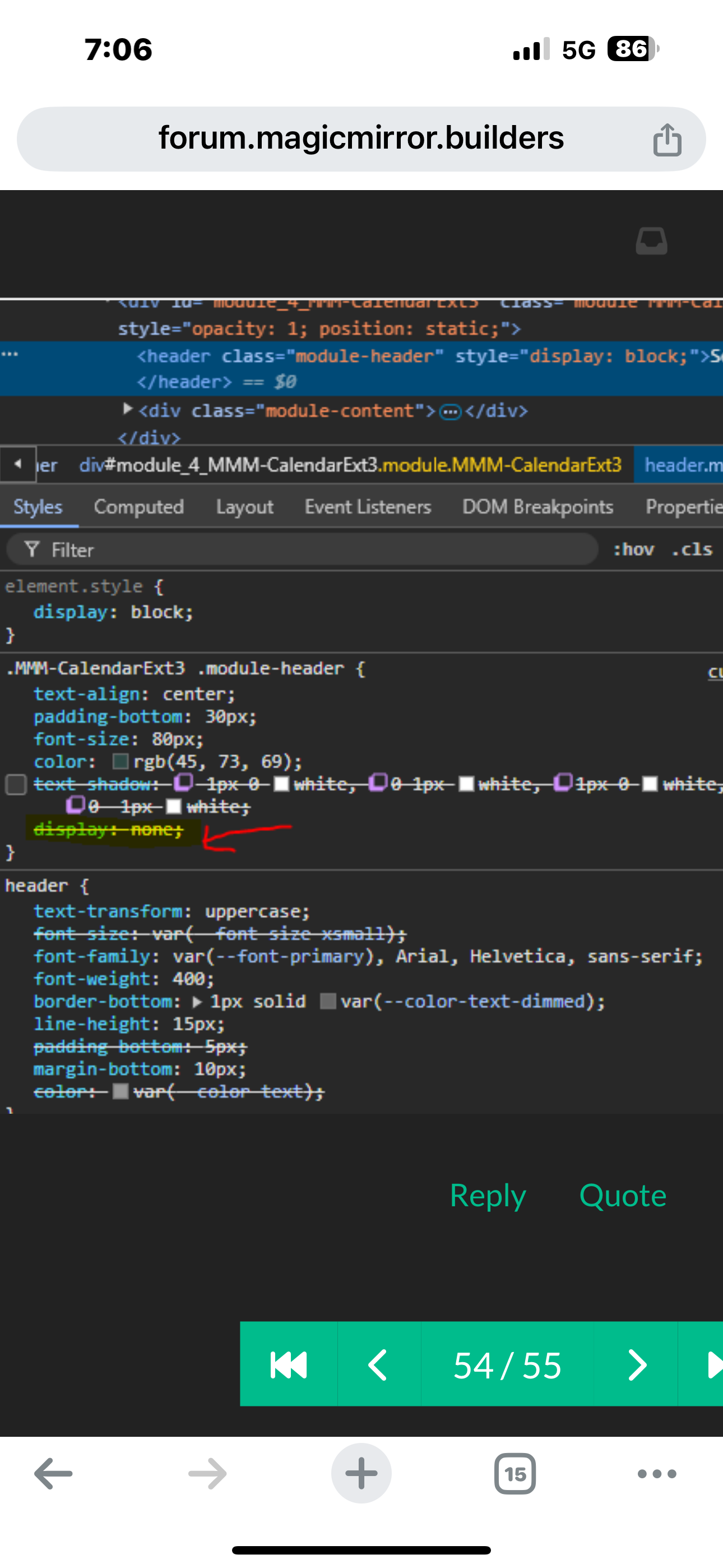
                                            

                                            IMG_0303.png

                                            Sam

                                            How to add modules

                                            learning how to use browser developers window for css changes

                                            G 1 Reply Last reply Reply Quote 0

                                            Hello! It looks like you're interested in this conversation, but you don't have an account yet.

                                            Getting fed up of having to scroll through the same posts each visit? When you register for an account, you'll always come back to exactly where you were before, and choose to be notified of new replies (either via email, or push notification). You'll also be able to save bookmarks and upvote posts to show your appreciation to other community members.

                                            With your input, this post could be even better 💗

                                            Register Login

                                            • 1
                                            • 2
                                            • 11
                                            • 12
                                            • 13
                                            • 14
                                            • 15
                                            • 34
                                            • 35
                                            • 13 / 35
                                            • First post
                                              Last post
                                            Enjoying MagicMirror? Please consider a donation!
                                            MagicMirror created by Michael Teeuw.
                                            Forum managed by Sam, technical setup by Karsten.
                                            This forum is using NodeBB as its core | Contributors
                                            Contact | Privacy Policy