Read the statement by Michael Teeuw here.
[MMM-OnThisDayWikiApi] - Get Wikipedia's OnThisDay using the Wikimedia API
-
MMM-OnThisDayWikiApi!
This module displays historical events from Wikipedia based on the current date using the free Wikimedia API. The event items will scroll through with the time-based (
updateInterval).Screenshots
Default Configuration:

Configured to show as list:

Download
https://github.com/slugmuffin/MMM-OnThisDayWikiApi
Version 0.1.0
- Initial Version
License
MIT
Thanks
- MagicMirror² (specifically
newsfeed) - MMM-OnThisDay
- MMM-DailyBibleVerse
- on-this-day
-
@slugmuffin
Just installed the module on my MM and it is working great. Thanks for this! The only thing that could be tweaked is, if using the bottom bar position, it will not be centered, but shifted to the left. Thus, I had to use the bottom center position. -
@BerkSmash1984
Is that happening as a list or as the single item view? -
@slugmuffin
Default config, using single item view. -
@BerkSmash1984 - Interesting, that’s the same configuration and position I’m using. Do you have any custom css or other modules that may be affecting it?
-
@slugmuffin
I am using MMM-pages. Nothing in custom css created for this module specifically -
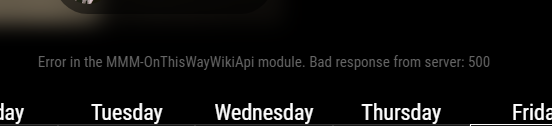
I’m getting an error message. Is this something that will fix itself?
-
@angeliKITTYx The module works fine for me. Error code 500 indicates an error on the API. You can’t do anything about that. Do you use the latest version of the module? There was an update two weeks ago.
-
@KristjanESPERANTO i just reinstalled it and I’m getting the same error
-
@angeliKITTYx Please show us your config of the module.
-
{ module: "MMM-OnThisDayWikiApi", position: "bottom_bar", config: { type: "all", } -
@angeliKITTYx Okay, with
type: "all"'it doesn’t work for me either. Try it withtype: "selcted". That works for me.{ module: "MMM-OnThisDayWikiApi", position: "bottom_bar", config: { type: "selected" } }, -
Is there any way to make the font bigger? It looks so tiny compared to the rest of my display
-
@angeliKITTYx as always, if it’s not in the module instructions , then you have to use css to adjust the styles.
sometimes the module author provides an initial css file you can copy from to custom.css to make those adjustments.
-
The title seems to ignore the forced maxWidth. Is there any way to force the title to align to the body?
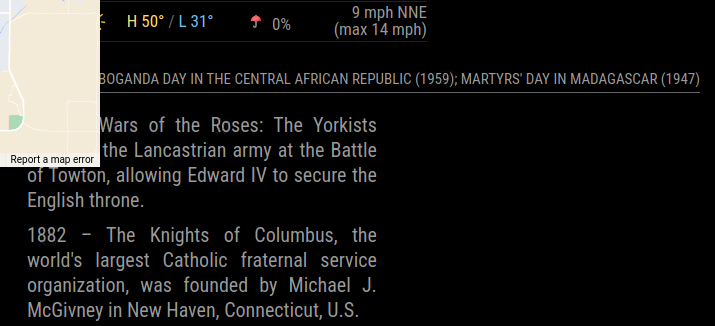
-
@imdickie said
The title seems to ignore the forced maxWidth. Is there any way to force the title to align to the body?!
I’ve had this issue before
try the developer view in a browser to see your options
the default settings doesn’t prohibit you.MMM-OnThisDayWikiApi {max-width:100vh;height:auto;max-height:auto;line-height:1em;} .MMM-OnThisDayWikiApi .title {text-align:justify;margin-bottom:0.5em;text-transform:uppercase;} .MMM-OnThisDayWikiApi-single .title {text-align: center; text-transform: capitalize;} .MMM-OnThisDayWikiApi ul {padding: 0; margin-top: 0.5em;} .MMM-OnThisDayWikiApi-list {list-style: none; padding: 0;} .MMM-OnThisDayWikiApi-list li { text-align: justify; margin-bottom: 0.5em;}post your custom.css to assist you further
-
 B bugsounet referenced this topic on
-
@greedyvegan said in [MMM-OnThisDayWikiApi] - Get Wikipedia's OnThisDay using the Wikimedia API:
@imdickie said
The title seems to ignore the forced maxWidth. Is there any way to force the title to align to the body?!
I’ve had this issue before
try the developer view in a browser to see your options
the default settings doesn’t prohibit youIt didn’t accomplish what I wanted, but I can see you did send me down the right path. I’ll do some investigating some Custom CSS statements.
Thanks.


Hello! It looks like you're interested in this conversation, but you don't have an account yet.
Getting fed up of having to scroll through the same posts each visit? When you register for an account, you'll always come back to exactly where you were before, and choose to be notified of new replies (either via email, or push notification). You'll also be able to save bookmarks and upvote posts to show your appreciation to other community members.
With your input, this post could be even better 💗
Register Login