MagicMirror Forum
    • Recent
    • Tags
    • Unsolved
    • Solved
    • MagicMirror² Repository
    • Documentation
    • 3rd-Party-Modules
    • Donate
    • Discord
    • Register
    • Login
    A New Chapter for MagicMirror: The Community Takes the Lead
    Read the statement by Michael Teeuw here.

    Calendar shows "no entries" after MM Update

    Scheduled Pinned Locked Moved Troubleshooting
    37 Posts 12 Posters 32.8k Views 16 Watching
    Loading More Posts
    • Oldest to Newest
    • Newest to Oldest
    • Most Votes
    Reply
    • Reply as topic
    Log in to reply
    This topic has been deleted. Only users with topic management privileges can see it.
    • P Offline
      Peter_van_Evert
      last edited by

      Hello yawns,

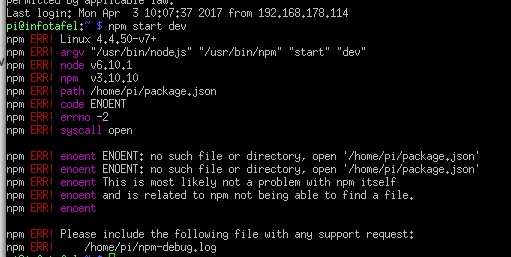
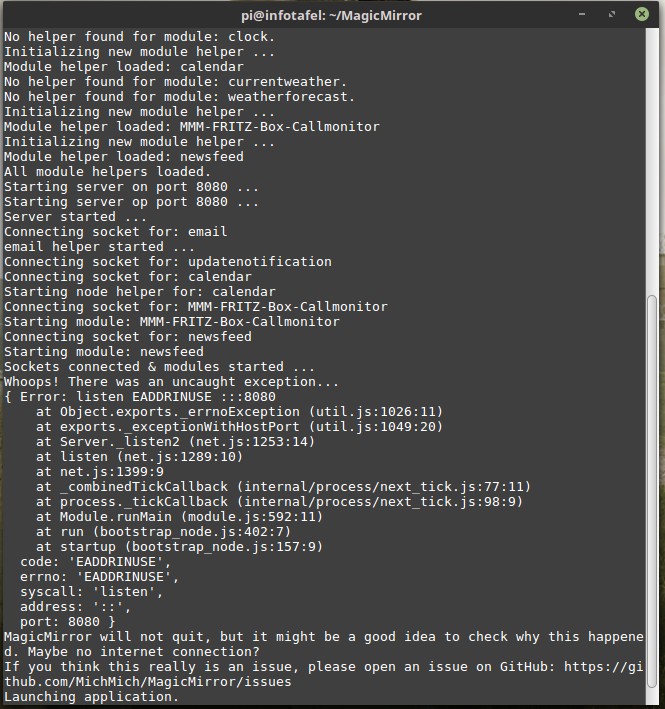
      this are the Terminal messages after i follow your advice. I log into over ssh. 0_1491221260182_Bildschirmfoto vom 2017-04-03 14-05-30.jpg
      strawberry 3.141S 1 Reply Last reply Reply Quote 0
      • strawberry 3.141S Offline
        strawberry 3.141 Project Sponsor Module Developer @Peter_van_Evert
        last edited by

        @Peter_van_Evert take a look here https://forum.magicmirror.builders/topic/2209/error-listen-eaddrinuse-help-plox

        Please create a github issue if you need help, so I can keep track

        1 Reply Last reply Reply Quote 0
        • P Offline
          Peter_van_Evert
          last edited by

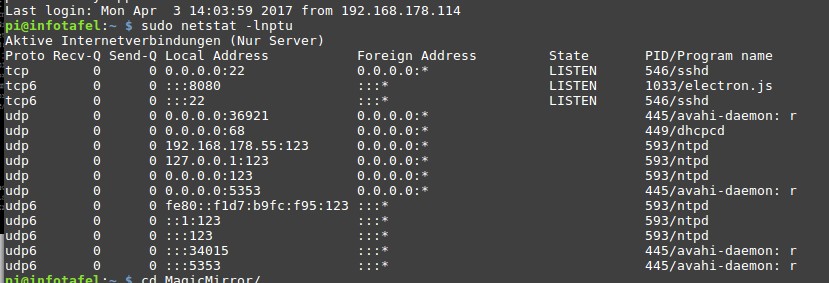
          Thank for your help but I think there is no other Application who listen on 8080. This is the result on your idea and I think electron.js is an app of MagicMirror isn’t it ?0_1491223517493_Bildschirmfoto vom 2017-04-03 14-38-29.jpg

          strawberry 3.141S 1 Reply Last reply Reply Quote 0
          • strawberry 3.141S Offline
            strawberry 3.141 Project Sponsor Module Developer @Peter_van_Evert
            last edited by

            @Peter_van_Evert yes, but this shows that there is an instance of MagicMirror still running, if you dont know how to kill it the easiest solution would be to restart the pi

            Please create a github issue if you need help, so I can keep track

            P 1 Reply Last reply Reply Quote 0
            • P Offline
              Peter_van_Evert
              last edited by

              and before I install the Update of MM, everything works fine.

              1 Reply Last reply Reply Quote 0
              • P Offline
                Peter_van_Evert @strawberry 3.141
                last edited by

                @strawberry-3.141 what do you think is the second instance of MM ? There’s only one who listen on 8080 and when I kill this app, my MM close.

                1 Reply Last reply Reply Quote 0
                • J Offline
                  jasondreher
                  last edited by

                  I am having the same issue. I have multiple calendars in one view and after the update one will not show up and there are current events on that calendar.
                  I luckily had backed up my sd card before updating so I just went back to the prior version. This was after troubleshooting multiple items to get the new update to work.

                  1 Reply Last reply Reply Quote 0
                  • S Offline
                    sacha81 @Peter_van_Evert
                    last edited by sacha81

                    Same here, I have two ICS from google calendar, on (from my wife) works fine (when I download ICS it’s 300Kb) and mine doesent work (download of ICS is 1.3MB)

                    1 Reply Last reply Reply Quote 0
                    • Mitch1138M Offline
                      Mitch1138
                      last edited by

                      I mentioned this in another post, but I am seeing the same behavior described here.

                      1 Reply Last reply Reply Quote 0
                      • J Offline
                        jasondreher
                        last edited by

                        We need troubleshooting with this! Who can help? My MM was fantastic before the update.

                        1 Reply Last reply Reply Quote 0
                        • P Offline
                          Peter_van_Evert
                          last edited by

                          Hello everybody - I know now, that the problem with the google calendar is. As sacha81 wrote : a small calender will be displayed, a big one ( my is 850k) not !! I tested it with a new calendar with 10 entrys. Is there a way to get the old version back ? The calendar is for me the most important item in the magic mirror. Nobody needs a buggy version of MagicMirror.

                          1 Reply Last reply Reply Quote 0
                          • J Offline
                            jasondreher
                            last edited by

                            That makes sense, the only calendar that does not show is my largest one. And most important!!

                            1 Reply Last reply Reply Quote 0
                            • P Offline
                              Peter_van_Evert
                              last edited by

                              Hello everybody. I come with very good News ! I find a solution without the people from MagicMirror.

                              1. My old google calendar was too big (850k) and I search earlier for a solution to delete my old calendar entries in the google calendar, e.g. everything before 2017, but there were no function or button at google.
                              2. I export my old and heavy ics File from google to my Computer.
                              3. I wrote a short python script, which takes the ics header from my ics file, delete everything that is older than 2017 and ended with the original ending from my ics file. The new file is 85k :)
                              4. I create an test calender to import the ics file - everything is ok.
                              5. I delete every !! entrie in my Maincalender (my heart goes up) and import the new light ics file - everything goes fine and the new calendar is shown in the MM calendar.
                              6. Delete the test calender
                                Another nice thing is, that there are now no old datas in the google calender. For further information, just contact me.
                                Yours
                                Peter
                              1 Reply Last reply Reply Quote 1
                              • S Offline
                                sacha81
                                last edited by

                                Thank you Peter for this idea, it will help to mitigate the issue. But this is only a workaround and not a solution, I want to keep my old entires …


                                P 1 Reply Last reply Reply Quote 0
                                • J Offline
                                  jasondreher
                                  last edited by jasondreher

                                  Is no one else having this issue? Besides the couple of us on this thread.

                                  1 Reply Last reply Reply Quote 0
                                  • P Offline
                                    Peter_van_Evert @sacha81
                                    last edited by

                                    @sacha81 thats no problem. Export your large an old calender on your PC. Create a new calender an import the data. Delete all the data in your main calender and import the small calender, sort by my Python Skript. So you got one calender with your old data and one small with your 2017 datas.

                                    1 Reply Last reply Reply Quote 0
                                    • S Offline
                                      sacha81
                                      last edited by

                                      I made a copy of my google calendar and cleaned out with https://chrome.google.com/webstore/detail/bulk-action-tool-for-goog/lkpgfdjgbcmeblffjfefgkhkneilhfnf now my ICS is 400kb but it still not load :(

                                      1 Reply Last reply Reply Quote 0
                                      • Mitch1138M Offline
                                        Mitch1138
                                        last edited by

                                        I am still having this problem, but it might not be total related to size. I have a 2.43MB calendar that works fine and a 1.38MB calendar that will not display, both worked before the update. Has anyone found anything that works?

                                        Thanks.

                                        1 Reply Last reply Reply Quote 0
                                        • C Offline
                                          Chadeus
                                          last edited by

                                          This post is deleted!
                                          1 Reply Last reply Reply Quote 0
                                          • S Offline
                                            sacha81
                                            last edited by

                                            I removed all items until today, now my calendar (Google private ICS) has just events in the future and still does not load items on the mirror. Wondering whats changed in this version with the calendar :-(

                                            1 Reply Last reply Reply Quote 0

                                            Hello! It looks like you're interested in this conversation, but you don't have an account yet.

                                            Getting fed up of having to scroll through the same posts each visit? When you register for an account, you'll always come back to exactly where you were before, and choose to be notified of new replies (either via email, or push notification). You'll also be able to save bookmarks and upvote posts to show your appreciation to other community members.

                                            With your input, this post could be even better 💗

                                            Register Login

                                            • 1
                                            • 2
                                            • 1 / 2
                                            • First post
                                              Last post
                                            Enjoying MagicMirror? Please consider a donation!
                                            MagicMirror created by Michael Teeuw.
                                            Forum managed by Sam, technical setup by Karsten.
                                            This forum is using NodeBB as its core | Contributors
                                            Contact | Privacy Policy