Read the statement by Michael Teeuw here.
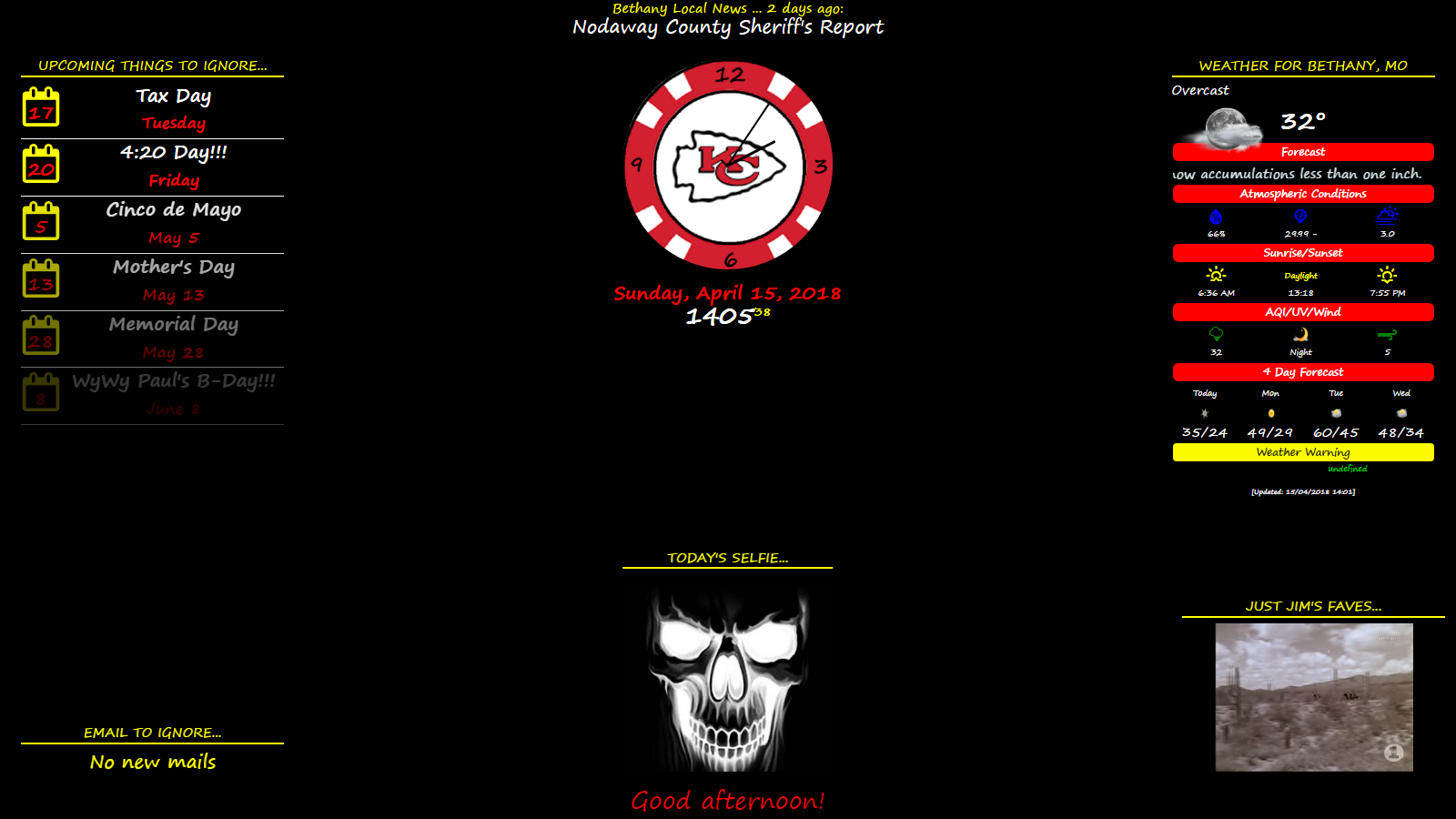
My display so far...
-
Hi @j.e.f.f,
I have just tried the new commit you made today. Unfortunately, the module does not load anymore and shows only “loading”. The console does not throw any error. Do I have to change something in my config-file to adapt to the changes you made? -
@rudibarani no it was a big fix. Can you send me your config? I likely broke something along the way.
-
@j.e.f.f It worked before your update and I did not change anything.
The relevant part is:{ module: 'MMM-MyWeather', position: 'top_center', config: { apikey: '###', // private; don't share! pws: 'pws:IBRAUNSC93', units: 'metric', coloricon: true, fcdaycount: "3", fcdaystart: "0", lang: 'de', fctext: '1', scaletxt: '0', daily: '1', hourly: '1', hourlyinterval: "3", hourlycount: "3", fade: false, fadepoint: '0.75', initialLoadDelay: 1000, alerttime: 10000, alerttruncatestring: "english:", roundTmpDecs: 1, UseCardinals: 1, windunits: 'bft', layout: "vertical", iconset: 'colourful', currentweather: 1, // 0 to hide currentweatherdetails: 0, forecasttable: 1, // 0 to hide forecasttablecolumnheadericons: 0, forecasttableheadertext: "Home", sysstat: 0 } }, -
@rudibarani thanks. I’ll take a look tonight when I get home from work.
-
@rudibarani Ok try pulling the latest commit. I indeed broke the default
timeFormatsetting. I didn’t notice because my config was using an explicit configuration option. -
@j.e.f.f Now its working again, but the timeformat still does not show up in the 24h format:

Thanks a lot and greetings from Germany.
-
I’m sure there’s a way to do this in css but not sure how. I want to make the icon and temperature smaller.

-
@rudibarani in your config, set the
timeFormattoHH:mmand you shoudl see 24-hour format.I just tried this. My config looks like this:
{ module: 'MMM-MyWeather', position: 'top_right', classes: 'default everyone', config: { apikey: '...', // private; don't share! pws: 'pws:IONTORON421', //Toronto Beaches units: 'metric', // other configs omitted for clarity timeFormat: 'HH:mm', //Set this here } },And it looks like this:

-
@brandongomez You can target both of these in CSS as follows:
/* Icon */ .MMM-MyWeather .currentWeatherIconWrapper .currentWeatherIcon { max-width: 140px; max-height: 140px; /* play with these two values to get the size you want */ } /* temperature text */ .MMM-MyWeather div.large span.bright { font-size: 65px; line-height: 65px; /* play with these two numbers to adjust text size */ } -
@j.e.f.f Ah - you are using the moments-timeformat. Now it works :)
I was confused, as the timeformat in the config.js was either “12” or “24”.
Thanks for the clarification! -
@rudibarani Yeah I like using the Moment.js format since it gives you the ultimate flexibility with how you want to display time.
Glad it’s working for you now! :)
-
@j.e.f.f Thanks for the quick response!
-
@j-e-f-f
In MMM-MyWeather …
I just saw that the clock for the sunset / sunrise is not displayed in the 24 hour format. Is there any option for setting this? Well searched but not found in the config options. -
@pjkoeleman Let me look into this. Likely overlooked in the code.
-
@j.e.f.f
Thanks in advance -
@pjkoeleman Try now. It’s a bit hacky… basically if your time format has a capital H in it, then it formats it in 24 hour time
HH:mm, otherwise it will use 12 hour timeh:mm a.I should probably make this a separate time format config parameter, but this should do for now.
-
@j.e.f.f
Thanks, is working now like it should be doing.So the module is not using ‘timeFormat’ as set in the main part of config.js
I thought that it would look and use the settings of ‘language’ and ‘timeFormat’ in the global settings of config.js -
@pjkoeleman not directly, no, as it specifically comes down to how I have it configured. My time format for the forecast table is “h a” (e.g.: “9 pm”). This time format has no minutes, which is fine for the hourly forecast, but doesn’t work for sunrise/sunset. So when rendering the sunrise/sunset time it looks for the presence of a capital “H” in the time format config. If present, sunrise sunset is rendered as “HH:mm” (i.e.: 24 hour time format). Otherwise it is rendered as “h:mm a” (12 hour time format).
The right thing to do is separate sunrise/sunset time format out to its own configuration parameter.
-
@j.e.f.f
Thanks for clearing us up. -
would it be possible to have a copy of your program have been trying for a while now to come up with something like this, and does it work with touch???
Hello! It looks like you're interested in this conversation, but you don't have an account yet.
Getting fed up of having to scroll through the same posts each visit? When you register for an account, you'll always come back to exactly where you were before, and choose to be notified of new replies (either via email, or push notification). You'll also be able to save bookmarks and upvote posts to show your appreciation to other community members.
With your input, this post could be even better 💗
Register Login