Read the statement by Michael Teeuw here.
MMM-MyCommute
-
The module doesn’t show up at all, looks like it doesn’t load the module. I’ll post config file when I get home tonight or tomorrow. Module doesn’t load even with standard commute config part.
Not sure if it has something to do with my other modules (remote module maybe) -
I saw the updates this morning at the office and updated. Looks great! Thanks for the work.
-
I re-installed the module and it works fine now.
-
@joela85 good to hear you got it working.!
-
Very good job j.e.f.f !!! nice update ! thanks !
-
Hey there,
very nice looking module! I only have a very little issue with my train icon.
When the MM loads for the first time I can see the train icon but only as long as the driving time is being retrieved from google, then it disappears…Before
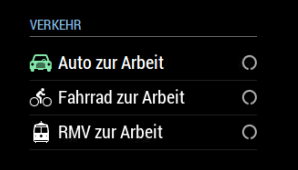
After
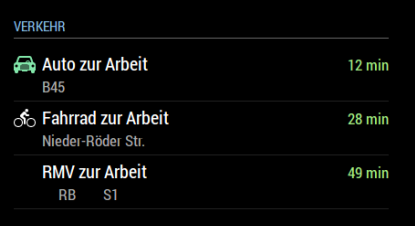
I have already switched the order of the destinations to check that out, but it only concentrates on the train icon.
Can you support me on that?
Thank you Kind Regards
-
@beck0r Sure. Can you provide your config? Hide your API key, of course.
-
Of course… here it comes
{ module: 'MMM-MyCommute', position: 'top_left', config: { showHeader: true, headerText: 'Verkehr', apikey: '...', origin: '...', startTime: '05:00', endTime: '17:00', destinations: [ { destination: '...', label: 'Auto zur Arbeit', mode: 'driving', color: '#82E5AA' }, { destination: '...', label: 'Fahrrad zur Arbeit', mode: 'bicycling', color: '#FFB444' }, { destination: '...', label: 'RMV zur Arbeit', mode: 'transit' } ] } }, -
@beck0r Can you try doing a git pull in your MMM-MyCommute directory and restarting your mirror? I think I found your issue – I didn’t have an icon definition for High-speed rail.
EDIT Maybe not… I need to add definitions for all sorts of possible transit vehicle types. Stay tuned…
EDIT OK fixed for real this time. I added definitions for all of the transit modes listed here: https://developers.google.com/maps/documentation/directions/intro#VehicleType
Note: You’ll see the tram icon while the route is loading, as that is the default icon used when no transitMode is specified. But you’ll see it change to the train icon after your travel times are retrieved.
-
@j.e.f.f This is perfect! Thank you so much!
-
Hi,
once again for everybody with the same issue. It’s working now! Thumbs up for j.e.f.f, thank you!
-
One more question. I want to make a route going via different roads, can that be done in this config file?
For example:
Destination: X
Via: A1Destination: X
Via: A2 -
@joela85 so the google API doesn’t allow that specifically, but there are a couple of ways we could accomplish something similar:
-
I can have Google return alternative routes, and they can be listed out. No garantee you’re going to get any of the routes you’re interested, but they will be the fastest.
-
you can provide a list of waypoints and Google will return your route passing through those specific places. So if you put specific landmark addresses that are on the highways you’re interested in then you would more or less get the result you’re looking for.
Both of these options seem fairly straightforward to add so I might just do both :)
-
-
@joela85 I added the first of the above two options. You can specify
alternatives:truefor any of your destinations to get alternative routes.showSummarymust be set totruefor this to work.Will be working on the second option soon.
-
@joela85 I’ve added the second option too. You can now specify a
waypointsparameter for any of the destinations to influence the route Google will find.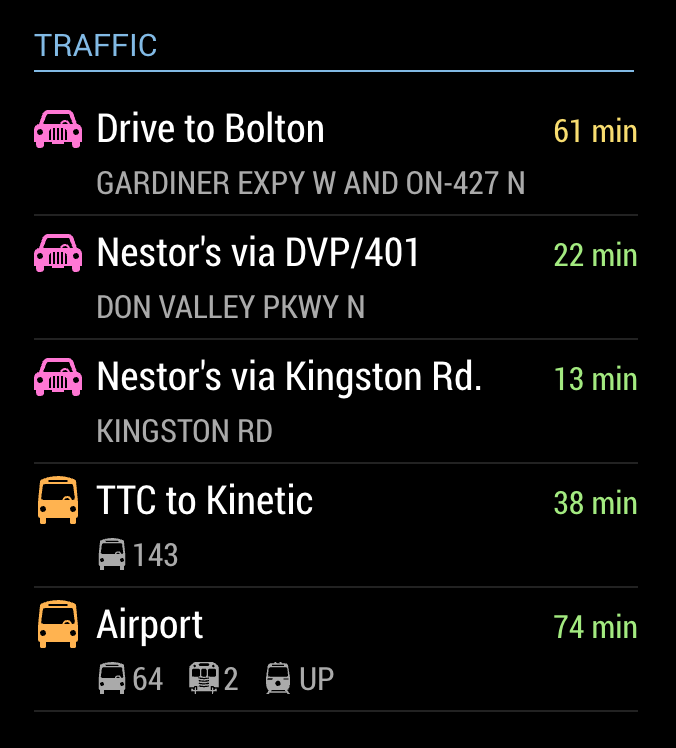
-
@j.e.f.f Hey Jeff
can you add the time for the next metro/tram/bus ?
is it possible to catch the adress in the agenda ? and if its blank just used the definited adress in destination ? :-) -
@tidus5 I’ll have to see what the API gives me. Not sure that info is available.
I wrote a transit-specific module that does that but it is for TTC (Toronto transit). However it is based in the NextBus API which supports many systems. It could easily be modified to work with a number of transit systems. Which is yours?
-
@tidus5 I’ve added a param
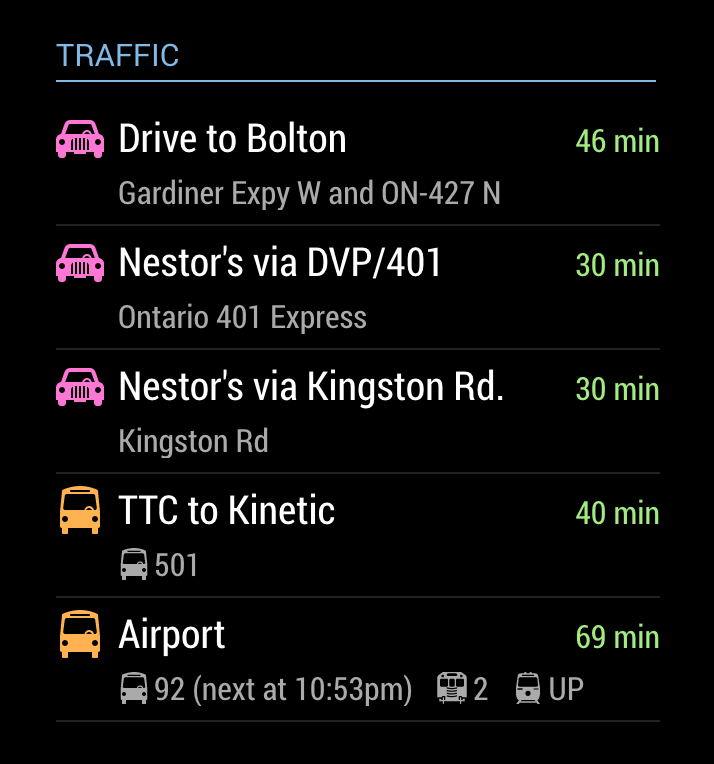
showNextVehicleDeparturethat you can specify for destinations withmode:'transit'. This will show you the next available vehicle factoring your walking time to the stop. It will only show the departure time for the first vehicle on your route to save summary space (and really once you’ve departed, you’ll either make your connections on time or you won’t. So the departure time is kind of moot.) My thinking is that you’ll want to know of you have enough to walk to the stop to catch the next vehicle.There is a limit of 2500 requests per day to the Google API using the free service. Since each entry in your
destinationslist requires its own request, I’ve kept the poll frequency to a conservative 10 minute interval to avoid hitting this limit. As such, it is possible that you’ll see a next vehicle time that is unrealistic to walk to in time, or in some cases, the next vehicle time will be in the past. Keep it in mind that the next vehicle time may be a bit stale.The time is shown as follows (see the last entry labelled “Airport”):
-
@j.e.f.f Perfect!!!
thanks :-)
-
Hi @j.e.f.f
Just wanted to say, thanks so much for spending your time building this module! I have just finished my MagicMirror build and this module is by far the best and most used. I love how much I’m able to customise it to thanks to your hard work.Now, I wondered if it was easy to add the following… My commute is always over an hour, would it be possible to format the commute time to show 1h 30 min rather than 90 min for example? It would still show just ‘min’ if under an hour (20 min for example).
If it’s not all that easy and you’d rather not alter the code, then that’s fine, I may have a bash at editing the code on my Pi myself.
Thanks again!

Hello! It looks like you're interested in this conversation, but you don't have an account yet.
Getting fed up of having to scroll through the same posts each visit? When you register for an account, you'll always come back to exactly where you were before, and choose to be notified of new replies (either via email, or push notification). You'll also be able to save bookmarks and upvote posts to show your appreciation to other community members.
With your input, this post could be even better 💗
Register Login