Read the statement by Michael Teeuw here.
Hello-Lucy
-
@mykle1
I don’t. Pretty normal that a lot of stuff goes wrong when a noob creates a big project lol. Nothing that could stop me -
Well for anyone interested I created a seperate thread
https://forum.magicmirror.builders/topic/7162/german-voice-recognition -
Hello Lucy!
(My granddaughter)
-
@Mykle1 what are the specs of the laptop mainboard your using?
-
ubuntu 16.04 LTS
AMD C-50 1 GHz
Dual-Core
Cache L2 - 1 MB
64-bit
DDR3 SDRAM 2 GB
Graphics Processor AMD Radeon HD 6250This one is a Compaq CQ57. Runs MM amazingly well
-
@Mykle1 still have a windows 10 development board with 4gb ram and a Intel Atom x5-Z8350. Hope I have the time to try MM with that this we :)
-
That’ll do. For me, I don’t like having to run Windows for a MagicMirror, especially if the resources of the board I am using are limited (Ex. 2GB RAM). Also, at some point, you may run into a problem installing dependencies under a Windows system (Ex MMM-voice). Running Ubuntu and MM eliminates both of these drawbacks.
-
@Mykle1 hm I will see drivers on there work better with windows. However if it sucks with windows I can still put Ubuntu on it ;)
Don’t need mmm-voice since I use a voice recognition on a different raspberry pie -
You will have better luck with the Windows Developer than Windows 10.
But, you may have problems with the Atom CPU.
Which is from my experiences…
I have not tried it on Ubuntu or any other OS besides Windows. I did try Widows Developer, But the computer I was using just wasn’t strong enough to run it.I have tried Windows 7 and windows 10 on several different types of laptops and desktops. And it really does make a difference making sure you always have the latest updates, and you will need a beefy CPU and more than 4gb RAM. I have an older SFF Lenovo desktop and it’s maxed out on the CPU and RAN it can have, and the more I work on it, the more I have to reboot to clear memory as it locks up. But, if I have MM running, and absolutely nothing else, it runs pretty smooth. Same experiences with a couple laptops, with So-So cpu’s and 4 gb max RAM. I also attempted to run MM on a Surface RT, it doesn’t allow any applications other than what it came with, so, as expected, wouldn’t work. I do know of a person running MM on a Surface Pro 15.6" Tablet PC, don’t know the specs, but he says he doesn’t have any problems with it. I also know of a person trying it on an Ubuntu Laptop, but he is having problems getting it to run at all. I would help him, but he knows more about Ubuntu and the Linux-Based OS’s than I do.
I also had MM on an HP All-In-One, with maxed out CPU and 16gb RAM, and an Asus laptop with the latest Core-i7 CPU and 16gb RAM, and they run very smooth, even if I’m running other applications, surfing the web, making changes to MM and restarting it several times, I had no problems with it. I also had no issues using it on a Lenovo 14" 360 laptop with a core-i3 CPU and 8gb RAM.
I had it going on a Nexxus 10.1" tablet running Windows 10, but it was extremely slow… I had nothing on this 32gb tablet with a 32gb micro SD except a stripped down version of Win 10 and the Mirror. and it was just too slow. if I remember right, it only had 2gb RAM.
And yes, Mykle is very correct about the voice issue. I’m am still researching on what may be available for running voice and facial recognition with Windows. but as of right now, I have tried several different types of modules and applications. have yet to find anything that works, YET!!!
When you get it installed on your Atom device, I would definitely like to know your outcome!
“Life’s Too Short To Dance With Ugly People”
Jim Hallock - 1995 -
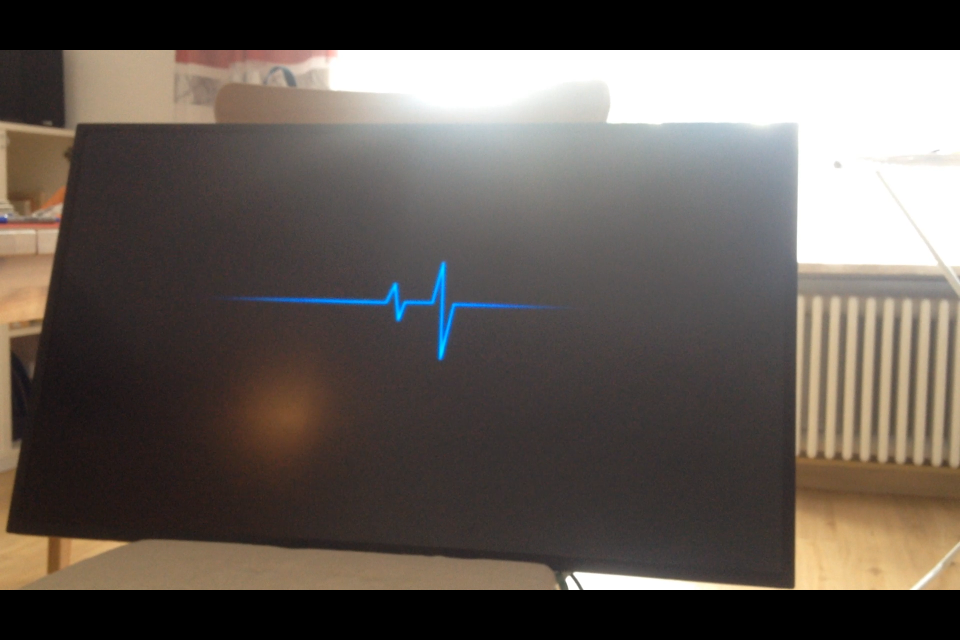
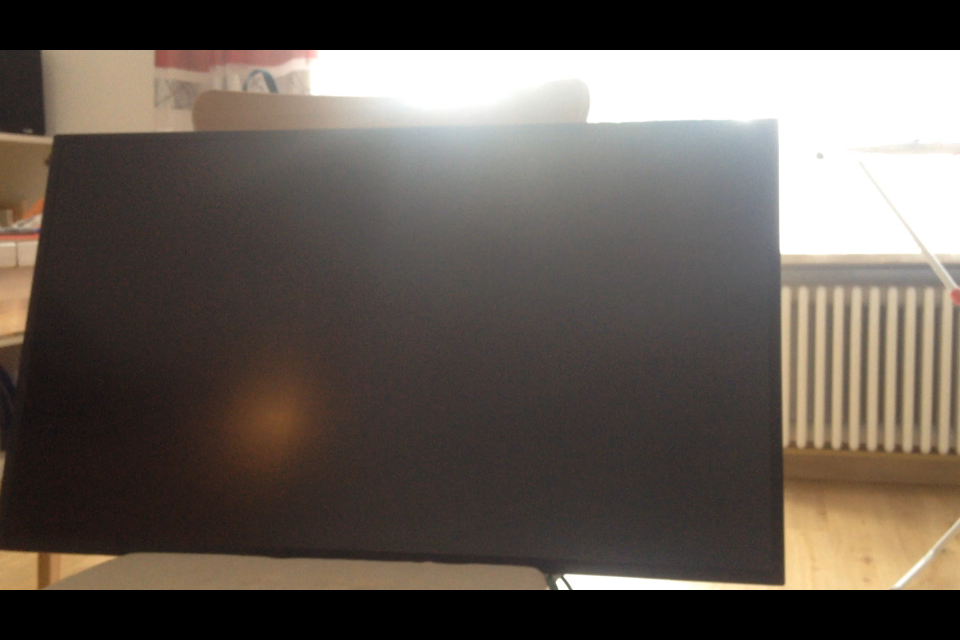
@Mykle1
Just tried my Monitor out. Thats a sick black. I can’t see any difference between black and Monitor off.
And there is no message when unplugging or plugging in the HDMI cable :grinning_face:Hope I get the walnutwood for my frame next week
-
@Mykle1 Probably going to keep the pi: The only problem I have right now is the gif.
So I checked why this actually is a problem: GIF’s and the Pi just really hate each other, because unlike a video it gets processed in the cpu. However showing the gif as a video in a loop should work a lot better ;)
Will try this and let you know how it worked out -
-
@justjim1220 was just the first mainly black picture I had laying around lol
-
I hope someone has a clue about this problem. Magic Mirror ect has a black background. However when I show it on my monitor it appears a bit gray. I would usually say thats because of the monitor. However when I plug in my windows laptop and show black it’s a lot darker. Whats the reason that my debian has no real black?
-
- Found the problem the raspberry used limited RGBinstead of full RGB now it’s real black ;)
- the video runs without lagg however it’s really at the limit lol
need a cooler otherwise the raspberry keeps overheating
-
@justjim1220 said in Hello-Lucy:
And yes, Mykle is very correct about the voice issue.
The point I was really trying to make is that ubuntu uses the least amount of resources and turns a useless/worthless laptop into an excellent MM board that outperforms any Pi.
-
I would recommend a fan for any Pi running MM. I learned that quickly enough. :-)
-
@Mykle1 since I need some more raspi anyways I might just give it a 3b+ so I have a bit more power (I am at stable 83% cpu usage so the 17% should help a bit) and a already included cooler
-
@justjim1220 said in Hello-Lucy:
When you get it installed on your Atom device, I would definitely like to know your outcome!
I have ubuntu, MM, and Hello Lucy running on a POS EeePC. The thing was ready for the trash. Amazing how well it runs now. Oh yeah, it’s an Atom processor.
-
Yeah, I’m just really stubborn im this old age I getting to… Still bound and determined to get it to run on Windows somehow!!!
I may be 75 or 90 by the time I figure it out, But, I ain’t giving up!!! :smiling_face_with_horns:
“Life’s Too Short To Dance With Ugly People”
Jim Hallock - 1995


Hello! It looks like you're interested in this conversation, but you don't have an account yet.
Getting fed up of having to scroll through the same posts each visit? When you register for an account, you'll always come back to exactly where you were before, and choose to be notified of new replies (either via email, or push notification). You'll also be able to save bookmarks and upvote posts to show your appreciation to other community members.
With your input, this post could be even better 💗
Register Login