Read the statement by Michael Teeuw here.
-
That changed worked for me. I also had issue of white screen on my phone. After the change above and restarting phone, works fine now.
-
Hello everyone,
I am a little new to MagicMirror and I am trying to control MMM-RTSPStream or somehow hide the stream with MMM-ModuleToggle and Remote Control module.
I am having problems with requests.I have read every example and tryed many things in postman but with no success. I am trying to post these kind of notifications and I don’t know how to formulate request correctly.
This is how Module toggle notification should be formulated:notification: "MODULE_TOGGLE", payload: {hide: ["MMM-RTSPStream"], show: [], toggle:[]}Or maybe there is a way to cut the stream directly. This is what MMM-RTSPStream suports:
 "stream": {
        "module": "MMM-RTSPStream",
        "path": "stream",
        "actions": {
            "play": {
                "notification": "RTSP-PLAY",
                "prettyName": "Play Stream(s)"
            },
            "stop": {
                "notification": "RTSP-STOP",
                "prettyName": "Stop Stream(s)"
            },
            "fullscreen": {
                "notification": "RTSP-PLAY-FULLSCREEN",
                "prettyName": "Play Fullscreen"
            },
            "window": {
                "notification": "RSTP-PLAY-WINDOW",
                "prettyName": "Play in Window"
            }
        }
    }
}
I am very grateful for such great modules and I would be very please if you could give me a hint to how to do it.
Regards -
i all i’m new to this world so bear with me plz,
I have built en set-up my daughters SM ( she’s 7 so made her a Disney “mirror, Mirror on the Wall” kinda thing.
I have set up most of the basic stuff, work in progress is;
motion sensor
voicecontole
and the darn MMM remote control
the last one gives me heaps of trouble, i’ve managed to fix a lot problems by trial and error, using this forum as a guideline.
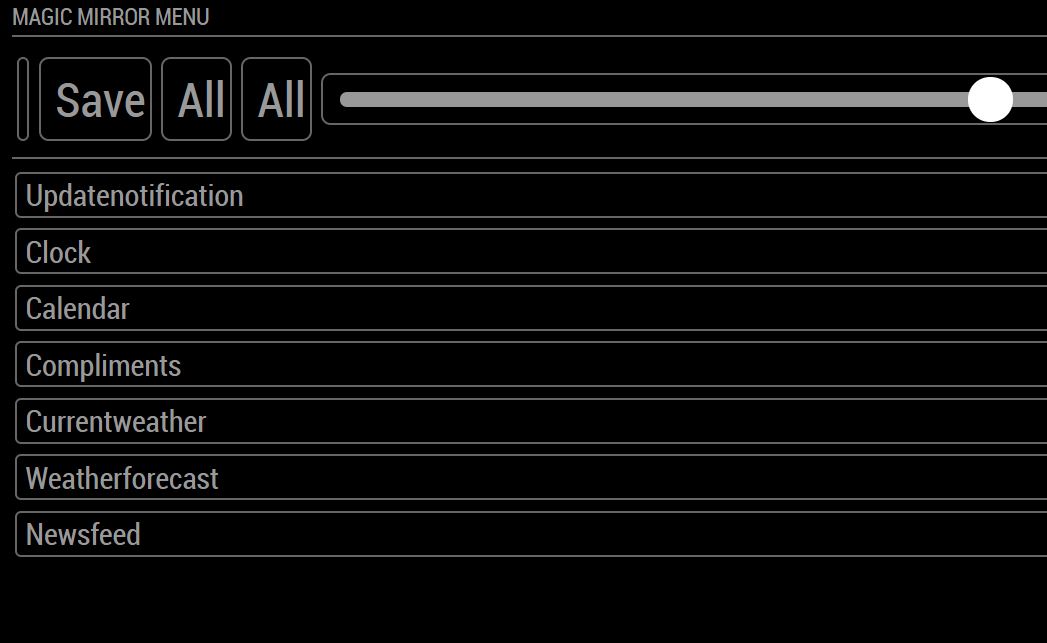
There is one thing, picto’s and “sliders” to turn on off stuff on my phone, i havent been able to fix.I’ve read and applied all the suggested fixes on the forum.
everything works but i’m unable to see if a module is on or off on my phone.
can anyone point me in the right direction, i’m lost atm… not native english (correct my grammer i dont mind, infact it helps)
thanks in advance
p.s. new to programming so be gentle
-
@apster - the font awesome package was updated in v2.7 so the direct reference to FA in remote.html will need to be updated.
It looks like this line
link rel=“stylesheet” type=“text/css” href=“vendor/node_modules/font-awesome/css/font-awesome.min.css”Should be changed to
link rel=“stylesheet” type=“text/css” href=“vendor/css/font-awesome.css” -
Just to let you now that there is a new maintainer (not me) for this module, same Git repository though!
Many bugs have been fixed, many issues have been closed.So far most of the changes are into the “developer” branch until the new release.
Build smart things with magic and love! | https://smartgic.io
-
@goldyfruit thanks
-
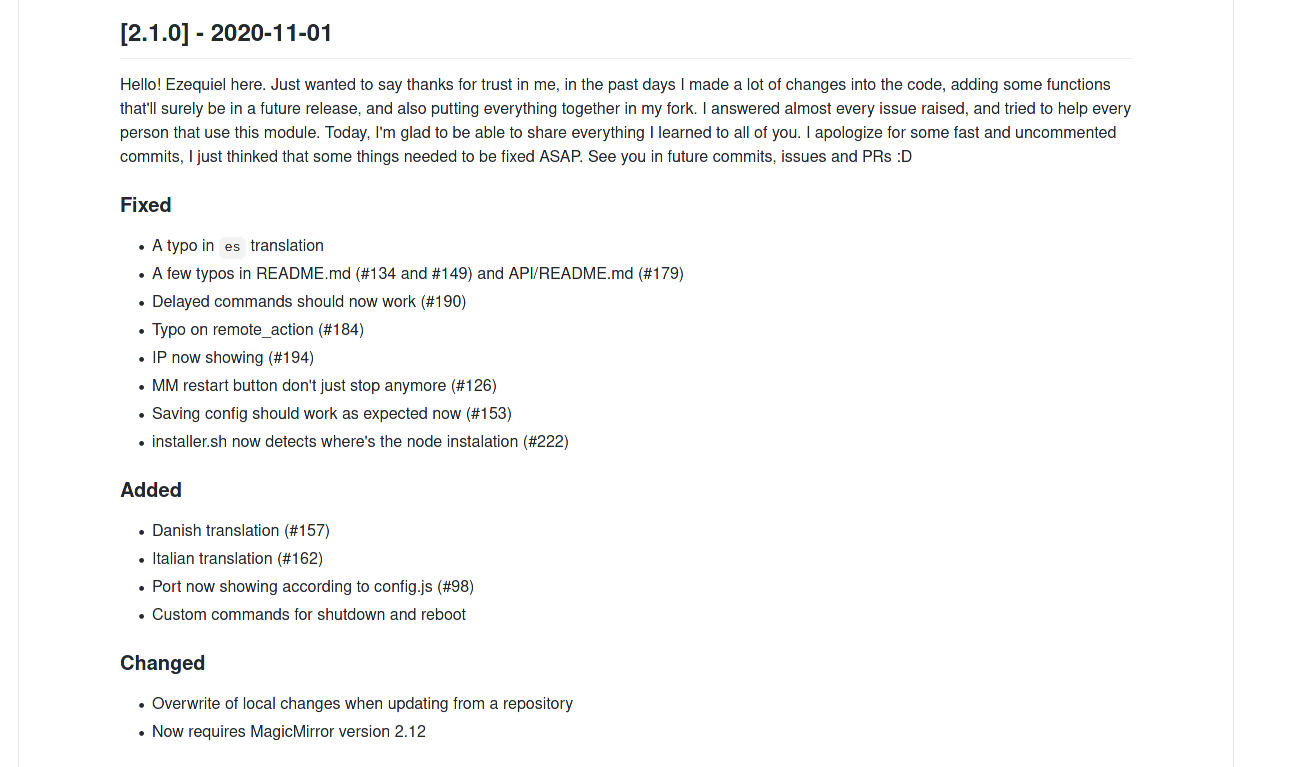
The new version has been released!!
-
@goldyfruit Why not just post the text? :D
[2.1.0] - 2020-11-01
Hello! Ezequiel here. Just wanted to say thanks for trust in me, in the past days I made a lot of changes into the code, adding some functions that’ll surely be in a future release, and also putting everything together in my fork. I answered almost every issue raised, and tried to help every person that use this module. Today, I’m glad to be able to share everything I learned to all of you. I apologize for some fast and uncommented commits, I just thinked that some things needed to be fixed ASAP.
See you in future commits, issues and PRs :DFixed
- A typo in
estranslation - A few typos in README.md (#134 and #149) and API/README.md (#179)
- Delayed commands should now work (#190)
- Typo on remote_action (#184)
- IP now showing (#194)
- MM restart button don’t just stop anymore (#126)
- Saving config should work as expected now (#153)
- installer.sh now detects where’s the node instalation (#222)
Added
- Danish translation (#157)
- Italian translation (#162)
- Port now showing according to config.js (#98)
- Custom commands for shutdown and reboot
Changed
- Overwrite of local changes when updating from a repository
- Now requires MagicMirror version 2.12
[2.0.1] - 2020-10-28
Huge thanks to @ezeholz who has offered to maintain the module fron now on!
Credit for this (and future) versions and releases goes to @ezeholz (unless noted otherwise).Now requires MagicMirror version 2.7.
Fixed
- Path to font awesome icons
- A few typos in
caandestranslations - Updates to
remote.htmlto support newbasePathfeature in MMconfig.js, follow up to this MM issue, related to #185
- A typo in
-
@Jopyth because I was lazy :p
-
[2.2.0] - 2020-11-16
FIXED
- Default values now removed from backup (#12)
- Custom Menus now works as expected
- API working, not well implemented in the past
- API
userPresencenow working as expected
ADDED
- Updates now show if there’s an update available every day (#52)
- Templates for issues and PRs, and also stale for automanagement of issues.
- Close Dev Tools (#119)
- Undo Config Implementation [Beta]
- Classes to show, hide or toggle multiple modules at once (#34)
- Classes and saves API
- Changelog of every module updated
- Showdown implemented in order to show changelog markdown.
- secureEndpoint config to bypass the non-apikey limitation. This could be dangerous, use it with caution.
- Added
POSTsupport for Monitor API (#200) - Added endpoint to edit config file (#206)
- Endpoint
/api/docsnow shows you the documentation available for the API. You can test your mirror right there!
CHANGED
lodashrequired. Donpm installon the Remote Control module.- Alert button don’t show up when Alert module isn’t active
- The way monitor turn on and off (#225)
- Now hide, show or toggle modules also accept arrays
/api/testcan be reach without anyapiKey/api/modules/installedand /available are now/api/module/installedand/availableapiKeyrequired in order to change substantial things on the Mirror- Some Endpoints are gonna be deprecated in the future. You can see those inside
/api/docs, in theLegacymenu.
REMOVED
/api/modulesit’s no longer available, you can use/api/moduleinstead.- Postman collection deprecated ~ (Sorry n.n)
-
Hey,
I’m very new to coding and the magicmirror thing, here I’m stuck at restarting the mirror, the command pm2 restart doesn’t work, I managed to instal pm2 (I think) but it still doesn’t work “Process or namespace magicmirror not found”
It also said ealier in the module I needed an API key in my config section, where should I write it ?
Could someone help ? Thanks !
-
@Morganga for pm2 u can use my fixuppm2 script
-
@sdetweil Hey,
Thank you, managed to do it.
Now the RC website says the device isn’t allowed to acces the mirror…
Any clues ?Ok just withelisted all IP adresses and it’s all good !
-
Hello,
Im trying to get a custom menu ready to send customized notifications via input fields.
Sadly im not into JS.
Can someone tell me how to get the value of an input field i added?my custom_menu.json:
{
   "id": "custom",
   "type": "menu",
   "icon": "id-card-o",
   "text": "%%TRANSLATE:CUSTOM_MENU%%",
   "items": [{
         "id": "custom-item-1",
         "type": "item",
         "icon": "dot-circle-o",
         "text": "Next page",
         "action": "NOTIFICATION",
         "content": {
            "notification": "INCREMENT_PAGE",
            "payload": null
         }
      },
      {
         "id": "custom-item-2",
         "type": "item",
         "icon": "dot-circle-o",
         "text": "Last page",
         "action": "NOTIFICATION",
         "content": {
            "notification": "DECREMENT_PAGE",
            "payload": null
         }
      },
      {
         "id": "level2",
         "type": "menu",
         "menu": "custom",
         "icon": "bars",
         "text": "Send notifications",
         "items": [
         {
             "id": "custom-item-3",
             "type": "input",
             "icon": "dot-circle-o",
             "text": "Notification",
             "action": null,
             "content": null
         },
         {
             "id": "custom-item-4",
             "type": "input",
             "icon": "dot-circle-o",
             "text": "Payload",
             "action": null,
             "content": null
         },
         {
             "id": "custom-item-5",
             "type": "button",
             "icon": "dot-circle-o",
             "text": "Send",
             "action": "NOTIFICATION",
             "content": {
                  "notification": null,
                  "payload": null
             }
         }
         ]
      }
   ]
}
The button (last entry) should now send an notification with the values from the input fields above.
something like this:{ "id": "custom-item-5", "type": "button", "icon": "dot-circle-o", "text": "Send", "action": "NOTIFICATION", "content": { "notification": "custom-item-3".value, "payload": "custom-item-4".value } }So how can i get the value from my input items?
Thanks :)And another question. Is there a security problem when im neither using an ApiKey nor the secureEndpoints? Im using it in my private secured wifi with only me inside.



Hello! It looks like you're interested in this conversation, but you don't have an account yet.
Getting fed up of having to scroll through the same posts each visit? When you register for an account, you'll always come back to exactly where you were before, and choose to be notified of new replies (either via email, or push notification). You'll also be able to save bookmarks and upvote posts to show your appreciation to other community members.
With your input, this post could be even better 💗
Register Login