I’ve made an update. Now it works with a node_helper.js so you will have less problems with CORS errors.
Have fun
 B
Offline
B
Offline
I’ve made an update. Now it works with a node_helper.js so you will have less problems with CORS errors.
Have fun
can you maybe post your solution? that would be great
thanks bangee
@kwyjibo089, yes it’s possible:
change the line function getParams() like this:
	/* getParams()
	 * Generates an url with api parameters based on the config.
	 *
	 * return String - URL params.
	 */
	getParams: function() {
		var params = "?";
                params += "id=" + this.config.id;
		params += "&limit=" + this.config.maximumEntries;
                params += "&transportations[]=ec_ic&transportations[]=s_sn_r&transportations[]=ir&transportations[]=re_d&transportations[]=ice_tgv_rj";

		return params;
},
The line params += "&transportations[]=ec_ic&transportations[]=s_sn_r..."; is new an should allow you to filter the transportation object.
Here are all option:
transportations
Transportation means; one or more of ice_tgv_rj, ec_ic, ir, re_d, ship, s_sn_r, bus, cableway, arz_ext, tramway_underground
example:
&transportations[]=ec_ic&transportations[]=bus
Source: http://transport.opendata.ch/docs.html#section
It’s not testet yet, but I think it should work for you.
Have fun,
Gruss aus Oberrieden :-)
Try to remove the folder: ~/MagicMirror and use the installer as described on git.
check this:
https://github.com/MichMich/MagicMirror
Manual Installation
Download and install the latest Node.js version.
Clone the repository and check out the beta branch: git clone https://github.com/MichMich/MagicMirror
Enter the repository: cd ~/MagicMirror
Install and run the app: npm install && npm start
no it’s not testet at the moment. i have different type of glas at home, so let’s find out if it works.
I’ve ordered a Touch Film
but this will take some time, untill this arrives in Switzerland :-D
you can test your software in a browser using the webserver:
http://mirror_ip_adress:8080
install in firefox a tool called Firebug https://addons.mozilla.org/de/firefox/addon/firebug/
it will show you errors on the fly.
Changes in node_helper.js requires a restart of your mirror software.
can you post a pic of your wiring?
when you run the command sudo ./dht_var direct in your console, what happens?
I’ve ordered the mirror with the hole in it.
I don’t know how to do this by your selve :-)
Hi @binderth
The monitor is put in the frame and hold by the glass and some lashes.
This frame very thin an built with 1.5mm aluminium.
The Weight ist only 1 kg.
I’ve used a 3mm 12% twoway mirror.
If someone is interested in this, I will produce some more pices.
PM me if you’re interested in it.
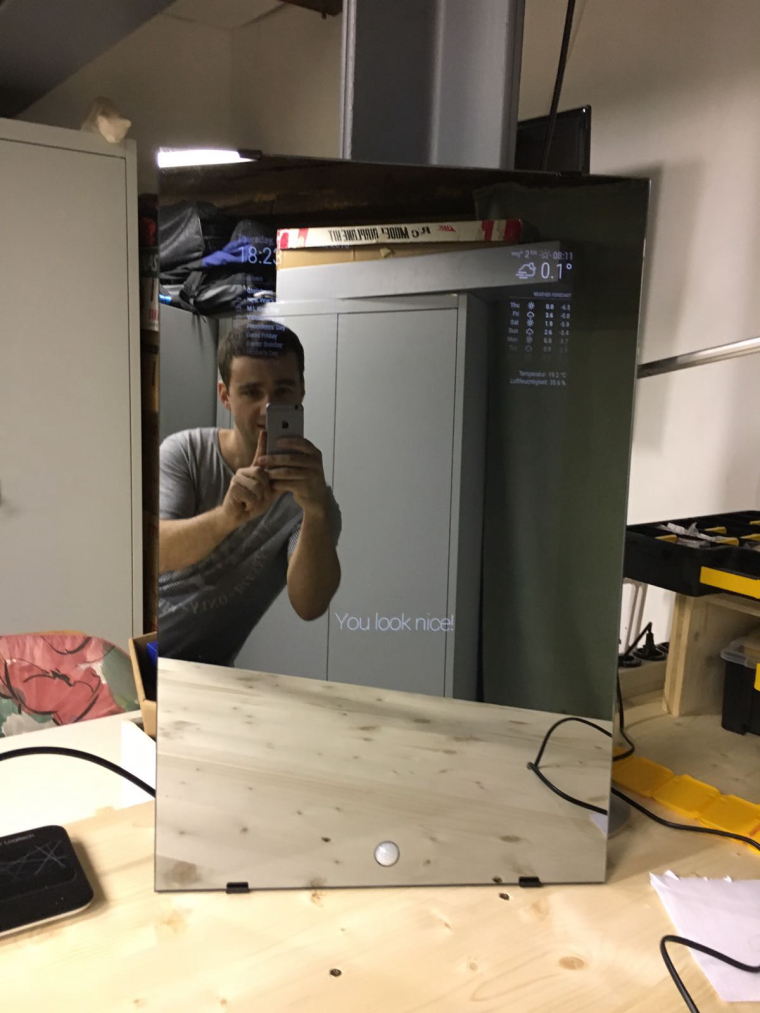
Here is my latest project. I have integrated the PIR sensor in my the glass 😏
I am using a PIR sensor.
So i can’t reproduce it.
that’s very strange!?!
Is this module working with a PIR Sensor or a Webcam?
Im using Paviro’s PIR Sensor to turn on an off my monitor.
Ok, :-) but actually I don’t no where to implement this in js :-)
Can someone give me a hint where to place my str_replace (UTC+00:00) in DTSTART variable?
Thanks ;-)
so now I found something new:
in my Calendar the DTSTART is set to:
DTSTART;TZID="(UTC+00:00) Monrovia, Reykjavik":20161028T200000
when I remove (UTC+00:00) everything works fine.
Then it looks like this:
DTSTART;TZID="Monrovia, Reykjavik":20161028T200000
I’ve used a PHP Script to do this.
@MichMich can you implement this in the js script? or what will I need to replace for testing?
        $ch = curl_init();

        // set url
        curl_setopt($ch, CURLOPT_URL, "https://ical.url/calendar.ics");
        curl_setopt($ch, CURLOPT_USERAGENT, "Mozilla/4.0 (compatible; MSIE 5.01; Windows NT 5.0)");
        curl_setopt($ch, CURLOPT_HEADER, false);
        curl_setopt($ch, CURLOPT_RETURNTRANSFER, true);
        curl_setopt($ch, CURLOPT_FOLLOWLOCATION, true);
        curl_setopt($ch, CURLOPT_COOKIEJAR, "blabla");

            // $output contains the output string
        $output = curl_exec($ch);

        // close curl resource to free up system resources
        curl_close($ch);
        $response = new Response();

        $output = str_replace('(UTC+00:00) ', '', $output);

        $response->setContent($output);
        $response->setStatusCode(Response::HTTP_OK);

        $response->headers->set('Content-type', 'text/calendar');

        return $response;