for the ones who need to the same, here is how i updated my config file:
var config = {
        port: 8080,
        address: "0.0.0.0",
        ipWhitelist: [],
Thx to both for your help
for the ones who need to the same, here is how i updated my config file:
var config = {
port: 8080,
address: "0.0.0.0",
ipWhitelist: [],
Thx to both for your help
@bhepler thx for your confirmation!
@dazza120 :relieved_face: but neither the restart or the start cmd will display the mirror as i expected… i have tightvncserver installed but maybe x11vnc is needed? idk this
@dazza120 yes via hdmi it working perfectly fine. i just wanted to avoid switching on / off my monitor each time i do a change either in a module or custom.css. i wanted to have a easy way to refresh MM after a change was done and to see the results of those changes.
@dazza120 well the aim was not to use another module as MMM-remote-control to be able to display the mirror on the phone for instance but i’ll give it a try when possible.
@dazza120 will check these modules! thx
@dazza120 look like you are a step forward :smiling_face_with_open_mouth_cold_sweat:
1st im trying to display MM on the remote screen. or at least find a way to do so…
but i keep your shortcut for a later stage ;-)
Hi all,
Thx for taking some minutes to read my question, much appreciated!
The aim is to test some modules an custom.css without having to connect the Pi to a monitor physically.
I would like to know how would it be possible to display graphically the mirror from a remote access? i have tried with VNCviewer from my laptop but when starting the mirror with “pm2 start mm” from the vnc screen, the mirror is not displaying. Maybe i missed a config part? or maybe there is a more simple way to achieve this? ipWhitelist option?
The aim is to test some modules without having to connect the PI to a monitor physically.
Hi @sdetweil, thx for your help and inputs! Indeed, i also figure it out BUT few things for the ones who also struggle with. (might be obvious for some but not for others… :) )
have fun! :)
Thx @costascontis for your feedback. I can’t share a screenshot right now but yes it shows only the first one. The one in the array of my calendar. Obviously only the 2 first entries as set in the option.
I am a bit lost here, I read lot of posts regarding how to add a 2nd calendar but despite my efforts :face_with_stuck-out_tongue_winking_eye: I couldn’t find any solutions to fix my problem. Indeed, i can’t display 2 calendars in either the standard or the MMM-MyCalendar module. No idea why as the output of npm start dev does apparently not show any errors…
Don’t know where to look!
MM is running with the latest version
OS : Jessie / RPi3
node v6.9.1
npm 3.10.8
{
                module: "MMM-MyCalendar",
                        position: "top_left",   // This can be any of the regions. Best results in left or right regions.
                        config: {
                                colored: true,
                                maximumEntries: 2,
                                        calendars: [
                                                        {
                                                        url: 'http://www.xyz.org/ical/2019_Occasions.ics',
                                                        symbol: 'calendar',
                                                        color: '#99FF99'
                                                        },
                                                        {
                                                        url: 'http://www.calendarlabs.com/templates/ical/US-Holidays.ics',
                                                        symbol: 'calendar',
                                                        color: '#ffb350'
                                                        },
                                                   ],
                                }
                        },
Any help would be muchhh appriciated!
Thx a lot
would this ring a bell to anyone?
0 info it worked if it ends with ok
1 verbose cli [ ‘/usr/bin/nodejs’, ‘/usr/bin/npm’, ‘start’, ‘dev’ ]
2 info using npm@3.10.8
3 info using node@v6.9.1
4 verbose stack Error: missing script: start
4 verbose stack at run (/usr/lib/node_modules/npm/lib/run-script.js:151:19)
4 verbose stack at /usr/lib/node_modules/npm/lib/run-script.js:61:5
4 verbose stack at /usr/lib/node_modules/npm/node_modules/read-package-json/read-json.js:356:5
4 verbose stack at checkBinReferences_ (/usr/lib/node_modules/npm/node_modules/read-package-json/read-json.js:320:45)
4 verbose stack at final (/usr/lib/node_modules/npm/node_modules/read-package-json/read-json.js:354:3)
4 verbose stack at then (/usr/lib/node_modules/npm/node_modules/read-package-json/read-json.js:124:5)
4 verbose stack at /usr/lib/node_modules/npm/node_modules/read-package-json/read-json.js:311:12
4 verbose stack at /usr/lib/node_modules/npm/node_modules/graceful-fs/graceful-fs.js:78:16
4 verbose stack at tryToString (fs.js:455:3)
4 verbose stack at FSReqWrap.readFileAfterClose [as oncomplete] (fs.js:442:12)
5 verbose cwd /home/pi/MagicMirror/modules/MMM-Globe
6 error Linux 4.4.26-v7+
7 error argv “/usr/bin/nodejs” “/usr/bin/npm” “start” “dev”
8 error node v6.9.1
9 error npm v3.10.8
10 error missing script: start
11 error If you need help, you may report this error at:
11 error https://github.com/npm/npm/issues
12 verbose exit [ 1, true ]
I could make it work by uninstal the module and git clone it again… no idea why it was not working but the answer should be in the pics i assume :)
Nevertheless, i have red few issues regarding how to display 2 calendars.
I just can’t figure it out how to display 2 of them… my config file :
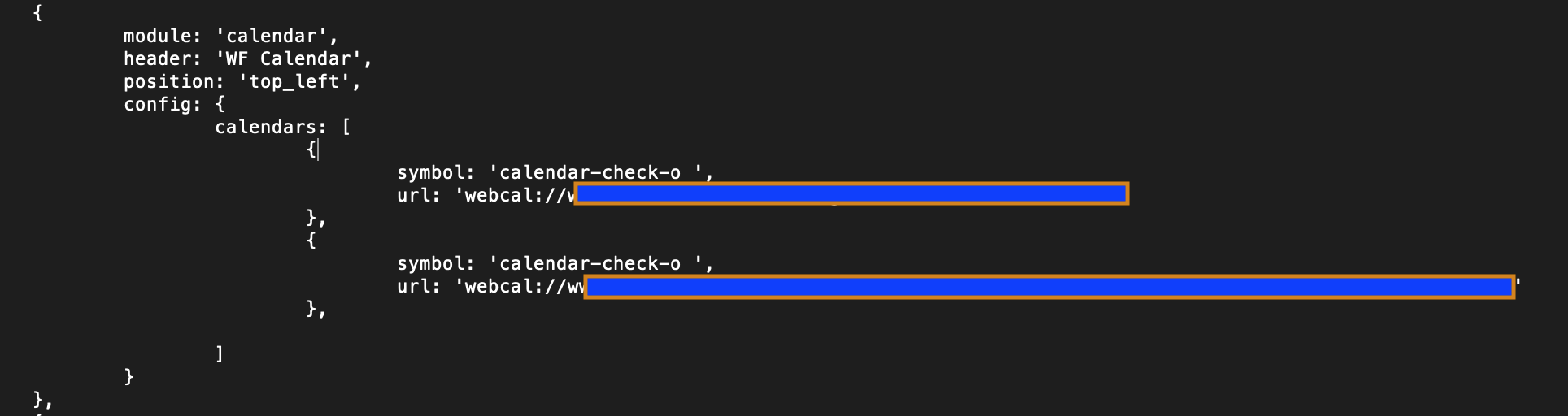
If someone can share his/her config file for this, pls, it would be great!
@sdetweil thx for the tip but honestly i don’t know how to analyze the console output… :( here are 2 pics that i took just now (sorry for bad quality) ! 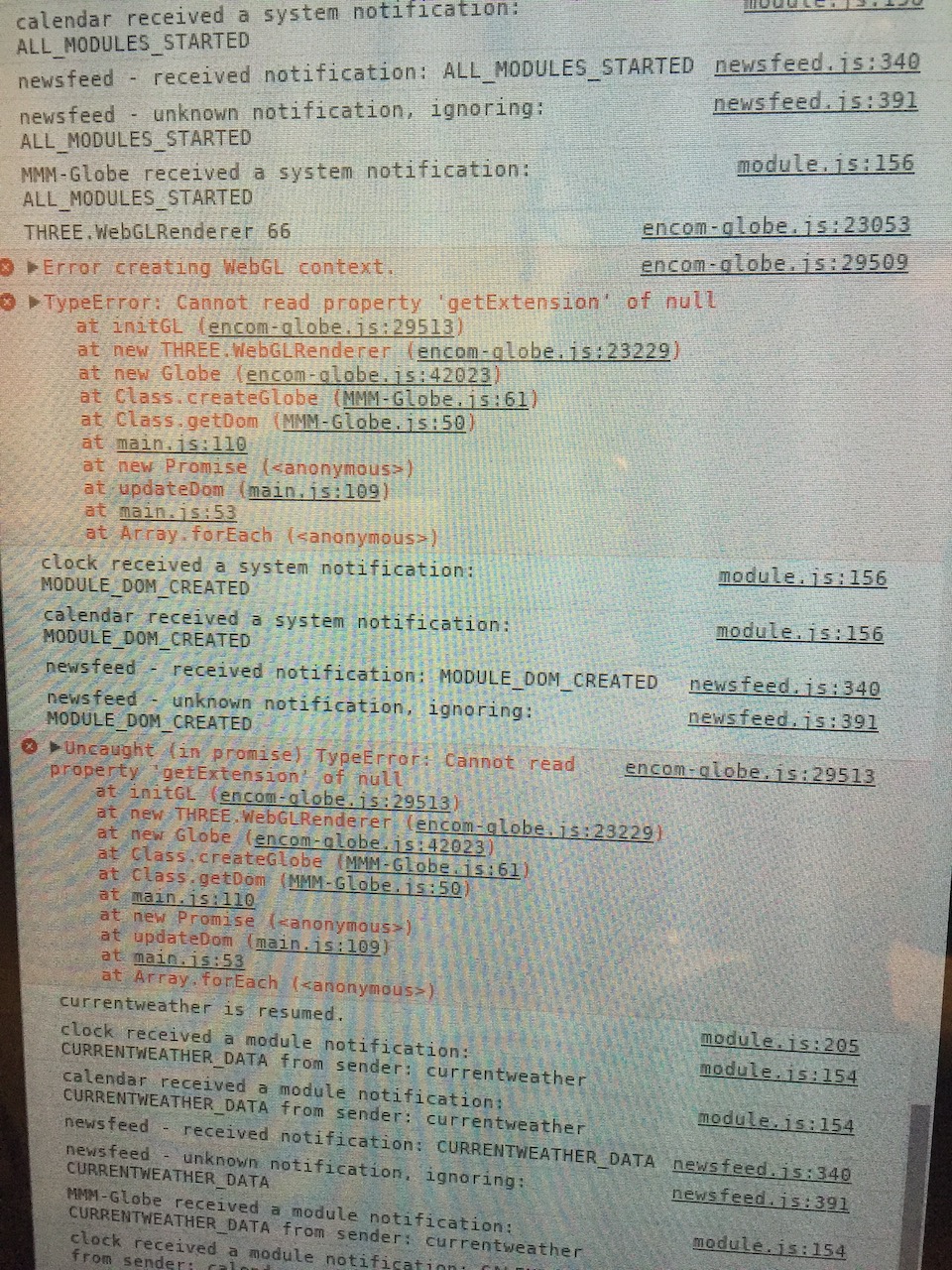

@lolobyte Thank you very much for your prompt feedback help. The problem is not MMM-globe module itself ;-) (was just an example) but a general like problem with all 3rd part modules so far.
Hi there,
Build my mirror time ago, rebooted it lately, all standard modules are working fine but i can’t add any 3rd part modules…for instance MMM-globe from @LukeCodewalker … they just won’t show up, don’t know why :( config file is ok (i assume) as the standard modules are showing up.
css custom file was modified to only stretch the content to the edges of the screen as below:
body {
margin: 0px;
height: 100%;
width: 100%;
}
System:
Upgraded to v.2.6
Running on Jessie
RPI3
Please let me know if any additional info is needed :)
Thx in advance for your time if anybody can help me.
@shashank hi! unfortunately you will not find the cmd line in the github to enable the service at boot time. As far as i have checked, the systemd should already run at boot but for strange reasons it was not the case for me. Therefore, i had to issue the command : sudo systemctl enable pir_sensor.service
good luck!
@phrazelle interesting! thx a lot will check this :)