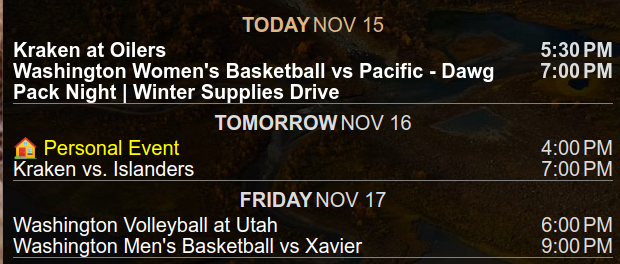
@sdetweil I figured I might as well make it as clear as possible…
 B
Offline
B
Offline
A New Chapter for MagicMirror: The Community Takes the Lead
Read the statement by Michael Teeuw here.
Read the statement by Michael Teeuw here.
Posts
-
RE: Magic mirror dual screen
-
RE: MMM-OpenWeatherForecast - Replacement for MMM-DarkSkyForecast
@BerkSmash1984 I’ve also found, in the documentation for MMM-Wallpaper, a “filter” option - If you don’t want to put a background on the modules, you can use this to improve readability.
-
RE: Change default module width
@eqpaisley Technically yes. This is my top bar.

To do this I made the following changes.
in
custom.css:/* adjust modules to display side by side */ .MMM-FlipClock, .MMM-Worldclock, .MMM-Multimonth { display: inline-flex; }in
config.jsI found that I had to have the modules in the same order and next to each other to function:{ module: 'MMM-FlipClock', // https://github.com/MarcLandis/MMM-FlipClock position: 'top_bar', config: { seperator: ":", dateFormat: "dddd - LL", displaySeconds: true, }, }, { module: "MMM-Worldclock", // https://github.com/bkeyport/MMM-Worldclock position: "top_bar", config: { offsetTimezone: "UTC", style: "bottom", clocks: [ { title: "Eastern<br>", timezone: "America/New_York", timeFormat: "hh:mma[<br>]Do", }, { title: "Sydney, AU<br>", timezone: "Australia/Sydney", timeFormat: "hh:mma[<br>]Do", }, { title: "World<br>", timezone: "UTC", timeFormat: "HHmm[<br>]Do", }, ] }, }, { module: "MMM-Multimonth", // https://github.com/BKeyport/MMM-Multimonth position: "top_bar", config: { startMonth: -1, // Define when you start from current month (negative is before current, zero is current, positive is in future) monthCount: 3, // How many months to display monthsVertical: false, // Whether to arrange the months vertically (true) or horizontally (false). //repeatWeekdaysVertical: true, // Whether to repeat the week days in each month in vertical mode. Ignored in horizontal mode. weekNumbers: false, // Whether to display the week numbers in front of each week. highlightWeekend: false, startWeek: 0, otherMonths: true, } }, -
RE: Changing the colour of all text on screen
@boybay7 said in Changing the colour of all text on screen:
@lavolp3 So just to confirm, even though I have edited code in like modules or custom.css for the font colour, it won’t be replaced when I update with git pull?
Short answer without a bunch of confusing and unneeded parts: Yes.
Long answer in simple form but more detail:
These aren’t updated when you follow recommended upgrade path (usually just git pull && npm install in magicmirror directory):
config.js
custom.css
modules directory structure except for the default directory treeThere are scripts out there to stash any changes you have made to changed items, however, 99.99% of the time, changes are not needed to updated parts of the MagicMirror ecosystems. the remaining time, it’s a change to get around a short term bug (like currently, the calendar applet), that will be included in the next update, so there’s no reason to stash it.
Bottom line - your customizations, unless done in a poor way, will never be deleted, until you rm -rf the whole mess or the boot device (Not just SD anymore!) crashes.
If you’ve decided to customize a module within it’s own code, that isn’t a official fix of the module, I would highly recommend forking the project, switching to your fork, then modifying to your needs. Then, if you think everyone else would benefit from it, please do a merge request, and let the author(s) decide to do so, or, in the case of dead modules, change the name and take over the project (I’ve done that with MMM-Worldclock, for instance)
-
RE: How to learn more about coding
@bebetter14 I started out that way. What I did personally, was take a dead module that I really liked and started trying to figure out how it worked. Looked up the commands (Lots of searches for “XYZ Javascript” etc and playing on Jsfiddle.net – -Once I got that figured out, I built up my own module (MMM-Multimonth) and got help from some amazing people on here, including Sam and mmrize - major contribution was from a user who CSSified the whole thing and showed me how to do it.
Knowledge grows as you jump in.
-
RE: MMM-CalendarExt3Agenda
@MMRIZE Boy, we did things the hard way…
/* Fade adjustments */ .CX3A .agenda::after { position: absolute; bottom: 0; left: 0; height: 6%; width: 100%; content: ''; background-image: unset; } -
RE: Brand New Install works until I enable PM2 Autostart
@sdetweil Sam: Just to let you know, if PM2 is not running any tasks, it won’t save with a plain
pm2 save- you have to usepm2 save --forceto clear the list after deleting everything. -
RE: Cached pictures in iFrame
Got it working guys, thanks for your help, I’ve created a merge request with Mr. Wong as well.
If anyone else runs across the thread, and it’s still not merged, my code mods are:
-
RE: MMM-SystemMonitor
@btastic to double down on what @MMRIZE said - taking over someone else’s archived module is an exceptional way to learn how to do things. I Would highly encourage it, as the author has directly said he’s okay with it. I did that with a module myself. Taught me so much about javascript working out bugs in an existing module and adding my own flair (and I really should get back on it for one bit…)
-
RE: How do I get Times for events that happen today instead of "in 3 hours"?
looked back in my archives, and found it:
// Force Absolute to Absolute all the time, michmich *really* hates solid dates, apparently. timeformat: "absolute", getRelative: 0, urgency: 0, -
RE: eaddress in use
@binog Even though it’s fixed, there could be another issue - something else running on port 8080. I always change the default ports… 60001, 60002, etc. Less mess.
-
RE: Top 5 unseen modules
I have three:
Built in Calendar module - While it’s normally a display module, I use it in the background to handle the calendar retrieval for MMM-CalendarExt3 (Day mode), MMM-CalendarExt3Agenda (Agenda), and MMM-Multimonth (My own module for month mode because I didn’t like MMM-CX3’s month mode)MMM-CommandToNotification - Enables display of various features, including data for an non-published module I wrote to handle display of my local weather data from my weather station.
MMM-NotificationToCommand - Much like the previous - it will take a notification and issue a command to the system - I use it to adjust a set of LEDs I have rigged in to match the mode of my mirror.
-
RE: MMM-DHT22
@Jonae Nicely done.
I’ve used MMM-CommandToNotifcation/MMM-ValuesByNotification for mine, with MMM-Temperature prior to that. Nice to have a specific to device module, though. :)
-
RE: Update for calext3
@Michelle-H2020 Once you do the update (git pull, NPM install in module directory) then restart your magic mirror and it’ll disappear.
-
RE: Bullseye
On new card it worked flawlessly. I’m assuming the old conditions of partial installs and whatnot had the old install broke things.
Nothing but warnings about depreciated modules.
-
RE: Do modules stop requesting API data when monitor is off or module is hidden?
@sdetweil I simplifed out the details on purpose… Trying to keep it simple, Stupid (KISS)
:)
-
RE: Module isn't staying in its position area
@Kelemvor there’s multiple WOTD modules, some that can be controlled through CSS, some that can’t. If yours has a .CSS file, check to see if there’s an element with “width” as a tag, if so, you can set ‘max-width’ in that tag and cut it back. You may need other tags to force it to wrap, etc, however.
-
RE: Questions about update
@sdetweil Slick script by the way, I gotta steal a few things from it. :)