@csongor-varga-0 Course, my answer would be to delete CX2 and go with CX3.
A New Chapter for MagicMirror: The Community Takes the Lead
Read the statement by Michael Teeuw here.
Read the statement by Michael Teeuw here.
 B
Offline
B
Offline
Posts
-
RE: MMM-CalendarExt2 initial setup
-
RE: Update for calext3
@Michelle-H2020 Once you do the update (git pull, NPM install in module directory) then restart your magic mirror and it’ll disappear.
-
RE: Modifying the Config File
@jimb it’s always the simplest solution… ALWAYS.
-
RE: Any slideshow / wallpaper modules that can pull from OneDrive?
@Kelemvor Well, you can always mount your onedrive on linux.
https://www.howtogeek.com/devops/how-to-mount-your-microsoft-onedrive-in-linux/
then point one of the local picture viewers to it via either a symlink or direct point, depending on the pictures module.
-
RE: MMM-Multimonth
@pugsly in your custom.css file, change as desired, everything is based off the MagicMirror fonts:
.MMM-Multimonth .settings {
  --background-dimmed: var(--color-background);
  --background-weekday: var(--color-background);
  --background-weekend: cornflowerblue;
  --background-current: Yellow;
  --background-header: Green;
  --background-weekno: grey;
  --background-dow: var(--color-background);
  --color-weekday: var(--color-text);
  --color-weekend: var(--color-background);
  --color-current: var(--color-background);
  --color-dimmed: var(--color-text-dimmed);
  --color-header: var(--color-text-bright);
  --color-weekno: var(--color-text-bright);
  --color-dow: var(--color-text);
  --color-event: Red;
  --back-rounding: 8px;
  --alignment: center;
  --fontsize: --var(--font-size-xsmall);
}
If you’re talking about the undocumented feature, It’s not ready yet, I just had some critical updates caught in the crossfire of forgetting to build on a dev branch. :)
Also, you may want to scrub any previous custom.css for the module out and start over, a lot of the module’s css changed when I did the “one entry to rule them all” functionality above, and it may be confused a bit. This was mentioned in an older release.
-
RE: How do I get Times for events that happen today instead of "in 3 hours"?
looked back in my archives, and found it:
// Force Absolute to Absolute all the time, michmich *really* hates solid dates, apparently. timeformat: "absolute", getRelative: 0, urgency: 0, -
RE: How do I get Times for events that happen today instead of "in 3 hours"?
@sdetweil You also need urgency if I recall right.
-
RE: Modifying the Config File
@jimb that appears to be your windows computer, not the pi.
-
RE: Changing Text Size and Color
what @sdetweil said - here’s the thing - try looking at the raw css before it gets generated in the files I indicated - you can match that up to what you’re seeing in the developer window.
Some other tips - if you’re using chrome or edge to view your mirror for dev mode:
The Elements Tab shows the raw HTML generated by MM. If you click on the icon in the upper left of the elements window as shown below, you can then click on an item you want to change and see how it’s done.
Chrome:
 Edge:
Edge: 
you’ll see something like:
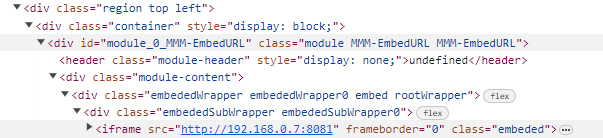
You can then either use those to find the classes in their respective css files (In my case MMM-EmbedURL.css in the MMM-EmbedURL directory, or main.css in the css directory, and adjust in custom.css if you don’t mind reloading frequently to see what happens.
Alternatively, there’s a Styles tab, usually located below the elements tab, that you can pull up, and follow Sam’s direction. Generally, the options flow from top to bottom in this screen, and crossed out items are overridden (even with the same items) with something above it - it’ll show what and where it got it, by line number too.
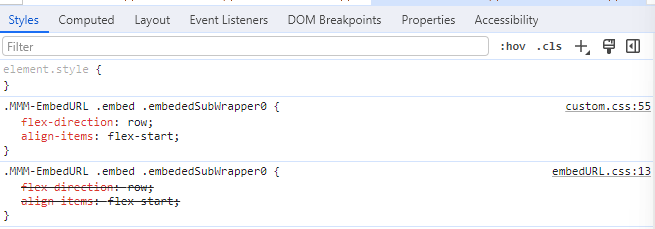
Variables are declared like var(–aVariable) – if you see that, the setting is elsewhere, go lower in the styles, you’ll find it without the var() wrapper, that’s the declaration. Again, the location of the original CSS is listed in the upper right hand corner for you to grab and modify.
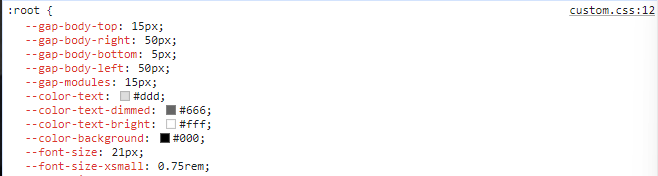
(my root declarations are in custom.css starting at line 12)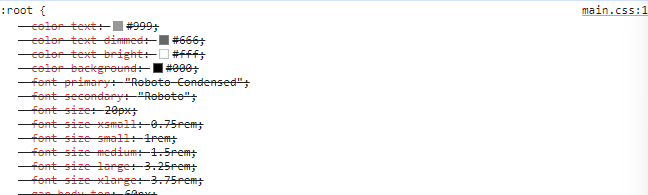
(Their root declarations are in main.css starting at line 1)When I make changes, I copy the entire text from the original CSS file and paste it into the custom.css - you can just enter the changes, but there was some change I made that didn’t want to work unless I replaced the whole thing, so I got into that habit.
As you’re wanting to work with the clock, there’s one other change you might need to do. Clock is a fast updater on the screen, every second. Once the mirror is loaded completely in your browser of choice, in the developer window, right click on the div that includes the region the clock is in (Top bar contains all the top elements, bottom bar includes all the bottom elements) and use the “Break On” menu to break on “Subtree Modifications” - this will pause the mirror ASAP and let you work on it without it resetting mid-work.
Most important, relax - the worse you can do if you don’t modify the system files is break it temporarily. If that happens, back out your changes and try different.
-
RE: Changing Text Size and Color
@Grizz952 There is a simpler way - look into but do not modify the main.css file.
In particular, most of the key defaults are in
:root. You can override that in your custom.cssThe default apps, and many well behaved other modules will use these defaults in some form.
Other modules will likely have their own .css files in their directory, which will give you help in figuring out everything you need. Again, don’t modify them, use custom.css
That, with help from the developer’s window in particularly tough cases, will let you fix everything to your look.
-
RE: Turning system on and off
@Michelle-H2020 The pi itself don’t take that much power, I’d just leave it running - and instead, control the monitor. simple commands - if you’re using a TV for a monitor like I do for one screen, look into CEC tools.
vcgencmd display_power
Show current display power state, or set the display power state.vcgencmd display_power 0will turn off power to the current display.vcgencmd display_power 1will turn on power to the display. If no parameter is set, this will display the current power state. The final parameter is an optional display ID, as returned bytvservice -l, which allows a specific display to be turned on or off.vcgencmd display_power 0 7will turn off power to display ID 7, which is HDMI 1 on a Raspberry Pi 4.
-
RE: Modifying the Config File
sounds to me like too much tinkering got the network FUBAR.
I’d reset and start over, personally.
-
RE: Modifying the Config File
@sdetweil Fair enough, I was applying a bit of KISS (Keep It Simple, Stupid) suggesting at least initial edits can be done locally - don’t want to overwhelm.
-
RE: Modifying the Config File
@jimb If you’re thinking you’re FUBAR, you can always boot a fresh image (Raspberry Pi Imager, preferably, other methods available, search for Raspberry Pi Recovery Mode)
If you do build a new image, take a look at the advanced options in the Imager - You can pre-set things that’ll make life a ton easier - like hostnames, SSH availability, username/passwords, etc. Make sure to have the newest version of the imager, and it’ll remind you to look at the settings every time, rather than have it be a different workflow.
That being said, if you just need to dump Magic Mirror, delete the directory tree and start over - using Sam’s exceptional script this time to set it up. Good chance that gets it going.
What I do personally, is use combinations of SAMBA, Geany, VNC & SSH to get everything up and running fully remote, but that’s a bit advanced - Geany is on the Pi desktop, so if you want to try to use that to edit your config files, great, makes it so much easier.
-
RE: Brand New Install works until I enable PM2 Autostart
@sdetweil Sam: Just to let you know, if PM2 is not running any tasks, it won’t save with a plain
pm2 save- you have to usepm2 save --forceto clear the list after deleting everything. -
RE: Modifying the Config File
@jimb https://docs.magicmirror.builders/modules/configuration.html would be great to read - tells you how to set up the default modules to run. Once you get that, you can get going on any replacements you’d like to run.
-
RE: Automatic checking of all MagicMirror² modules
@sdetweil It don’t matter how it’s done, honestly. JS, JSON - Same diff in my book… I’d just love to see it get simpler, and wrap up some of these projects into one.
-
RE: Automatic checking of all MagicMirror² modules
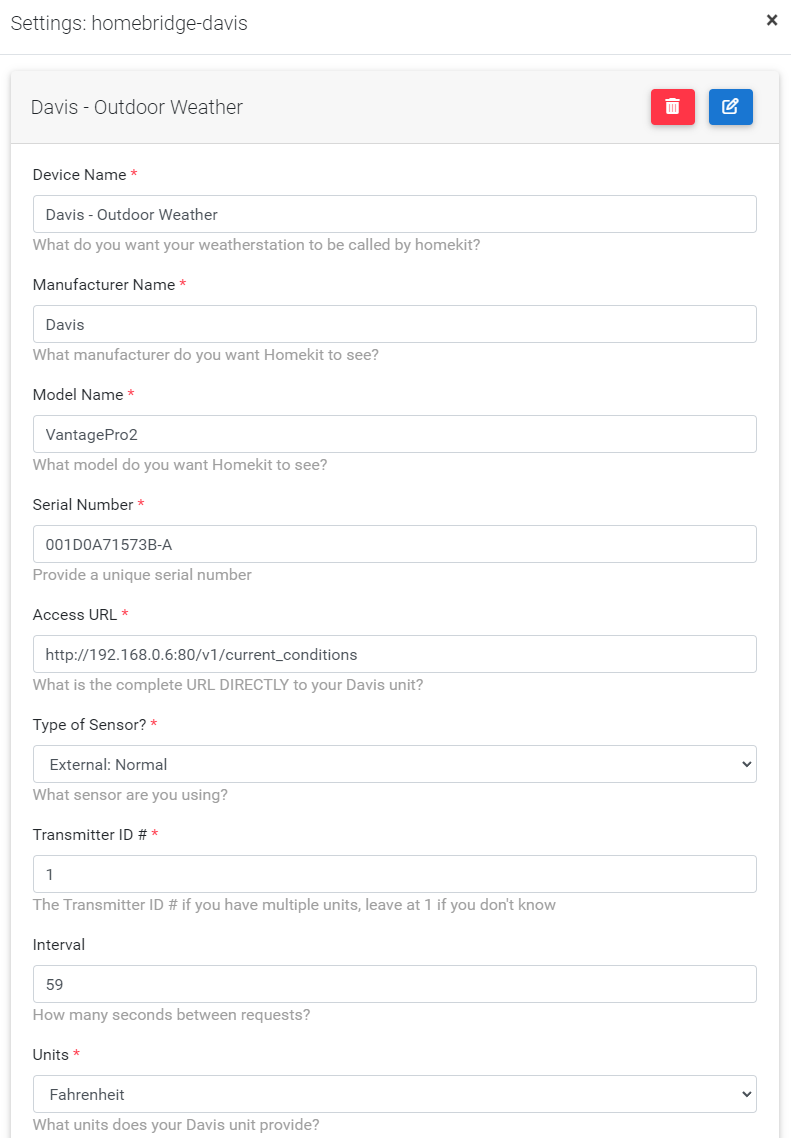
@sdetweil We already have some standards in place (node_helper.js, naming conventions, package.json, etc) - what’s one more (config-schema.json) for the programmer? Think along the lines of the schema.json file used in MMM-Config.
Programmer creates the GUI settings page, using API into a specific file. It’s up to the core to insert result into the main config file. if GUI file isn’t there, then resort to a web based editor.
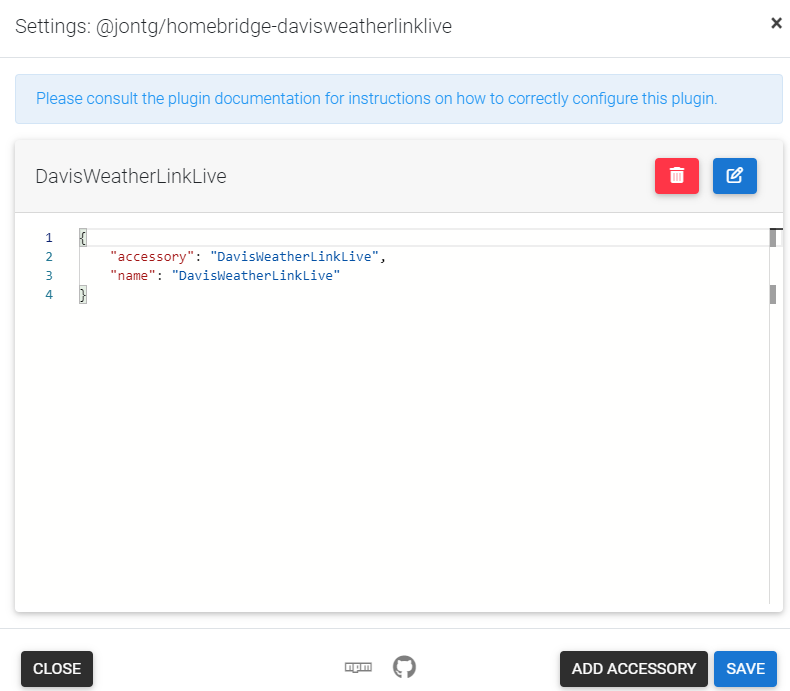
https://github.com/homebridge/homebridge/wiki/Verified-Plugins describes the process in homebridge’s case. Provide a reward, and bam - We’ve got easier access to the project, making it more widespread, and it completely eclipses the automatic checking process here.
Reward for the programmer is rather simple. A badge set thusly - everywhere - in the built in plugin manager’s search, on websites, etc.

Example - No GUI settings page file (the dead module):
Example - GUI settings page file (my reworked module with more functionality):
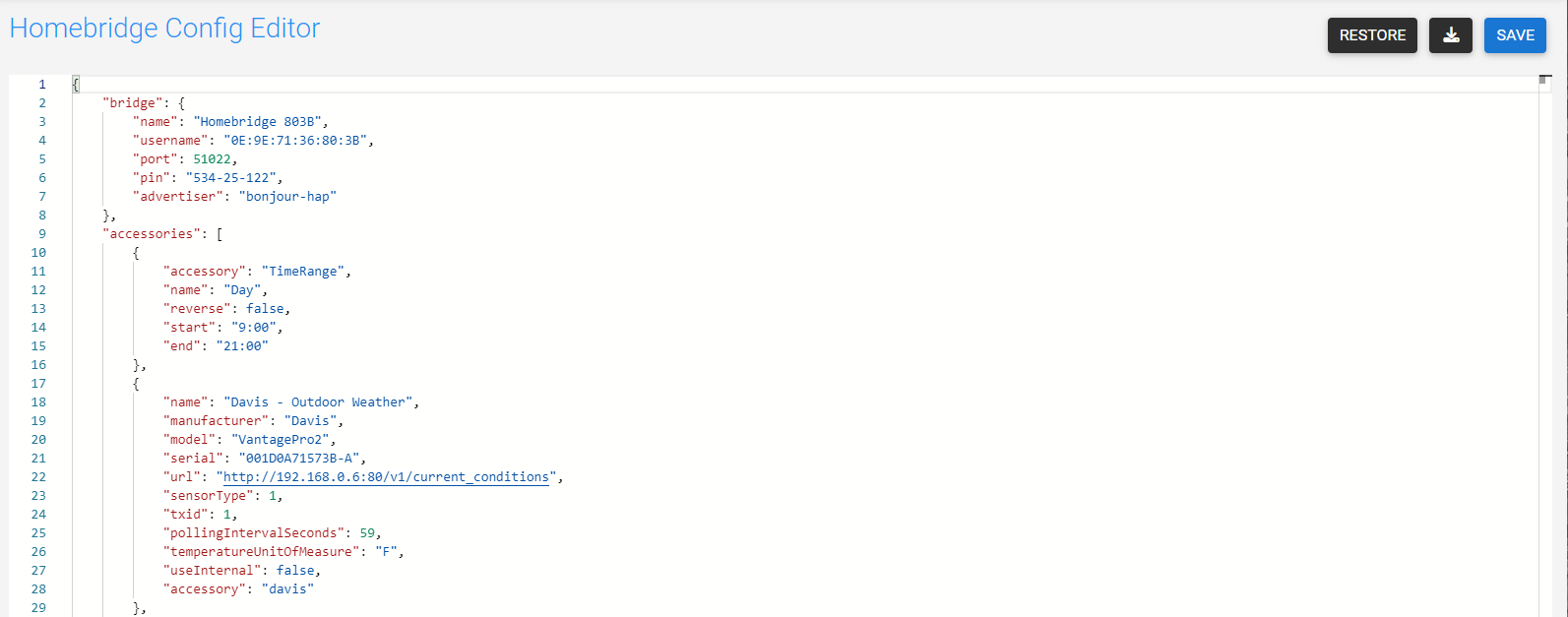
and the resulting config (I believe they use JSON rather than JS):
-
RE: Automatic checking of all MagicMirror² modules
I’ve over simplified as I tend to do.
What I was thinking of was more along the lines of how Homebridge is doing things. Full on NPM integrations across the board. GUI installer/maintainer. bonus points for GUI configuration tool on their “plugins” etc. Can still get into the weeds if you want to mess with operations under the hood.
I honestly think it’s time, but I’ve got nowhere near the skill to do it.
MMM-Config on steroids.The pieces are there - we’re just missing the core.
Setting the core up would build in a natural module checking system and weed out the unmaintained stuff for new users, because new users won’t want to install stuff that has no GUI settings and/or unmaintained wouldn’t show in the official repository/search anymore.
-
RE: Automatic checking of all MagicMirror² modules
@KristjanESPERANTO You know, this is turning more and more into a NPM type project.
Perhaps it’s time to work on getting MM into the NPM ecosystem instead?