@Cato said in PIR sensor behind glass?:
@dmcinnes Would you mind share some code? :)
 C
Offline
C
Offline
@Cato said in PIR sensor behind glass?:
@dmcinnes Would you mind share some code? :)
@core run your mirror like this ‘npm start dev’ and tell me what errors you are getting.
Apparently there is a conflict on your mirror so lets see what it is and fix it :)
@idoodler Thanks for the help!!! :) I’m so busy this time of year I’m not on here much.
I’d like a copy of the Italian language file if someone wants to do a pull request on github and upload it that would be great! Thank you
@CCoates said in What to do with the monitor casing?:
I now have a suggestion by my son (7) who whats to turn it into a Lego family potrait frame.
Cover the back in coloured card or paper then mount a base plate and buy some custom lego figures that look like us!
Sold!
Tell your son that’s an excellent idea!
@evroom Yes that used to be true…the readme is wrong, sorry. The old weather used to be wunderground and since they quit their free api I had to use a different provider and it works for one location only.
There is no longer a need to use “PWS”…as the new api doesn’t use that. That’s an old wunderground requirement.
At the moment this is all that’s required to make it work…
{
            disabled: false,
            module: 'MMM-NOAA',
            position: 'top_left',
            config: {
            	apiKey: "xxxxxx",
		airKey: "xxxxx"
			}
         },
I am also working to eliminate the airKey in that version…
@TheGeekfather The problem is when you try to change things you also are changing the way the mirror works and this will lead to issues…the kind you are having LOL.
Default modules are wired to work out of that directory - /modules/default
3rd party modules are wired to work out of the modules directory. /modules
Seems like a lot of extra work and if you miss something then you will have issues. So my suggestion is that if you get a module from github you do this:
in the MagicMirror/modules directory
git clone https://github.com/mykle1/Hello-Lucy.git
Then go to the dir you just cloned the repository in ie MagicMirror/modules/Hello-Lucy
[typically from there if a module has dependencies you’d run ‘npm install’… for Lucy you have to be in the MagicMirror/modules/Hello-Lucy/installers directory and you would run a bash command]
Put the module in your config and you’re off an running…
This will put your modules in the correct place to run without having to change the module itself… Where you are going to run into issues is when a developer hard codes something you can’t find…
It’s already happened and that creates issues that are VERY difficult to solve…
But I am glad you are trying to learn something and seem very enthusiastic about it :)
There is kinda a cool feature here on the forum… it’s at the top right… I think they call it the Search feature… LOL People are afraid of it I think…
Make sure you have top vent holes… heat rises… let it!
The other thing you could do is to use modules like MMM-ModuleScheduler to turn off modules and/or mirror when you don’t need it on like all day when you’re at work/school…
That’s what I do and have had no issues… :)
@evroom It automatically gets the latitude and longitude and uses that :)
@TheGeekfather Well in all honesty what you’re doing is just making a huge mess. You need to delete ALL the modules that don’t belong in the default folder. ANY changes you made to any files undo…
Install modules as they are intended and we can help you, other then that I have no answers for you.
@yawns said in raspberry-pi alternatives:
That kind of depends what you intend to do. Basically you can use every box (spare laptop, full workstation, small devices like raspberry, …) running Windows, Linux or MacOS.
However the raspberry is strong enough for most users, so I’m curious why you are asking for a stronger alternative.
Don’t be to anxious about Linux, once you setup your magicmirror you don’t have to twiddle around with Linux all day long.
I am also looking for a much stronger or should I say powerful board for the mirror. I’m going to be building a 40" mirror that I want to do many things with … the Pi just doesn’t have enough power to handle some of the things I’d like it to do… Also the voice control module works so much better with a more powerful board… I know, I’ve tested it :)
@oceank The BIGGEST problem that nobody either wants to admit or doesn’t realize is that the pi wasn’t made to be pounded on this hard.
It’s a simple computer…when you start adding constant pulls for data and scrolling text, etc it over heats and overloads the pi.
Not too sure either but it needed to be addressed after the 1st time it happened.
THIS has been a problem for others running NodeBB. Here’s an answer:
https://community.nodebb.org/topic/3036/spam-control-options/2
@morozgrafix said in I am sure nobody know it but...perhaps you know a fade in/out switch?:
@fersev what is fade in/fade out switch?
I asked the same thing… then I suggested perhaps a dimmer switch…
Not really sure what’s needed here.
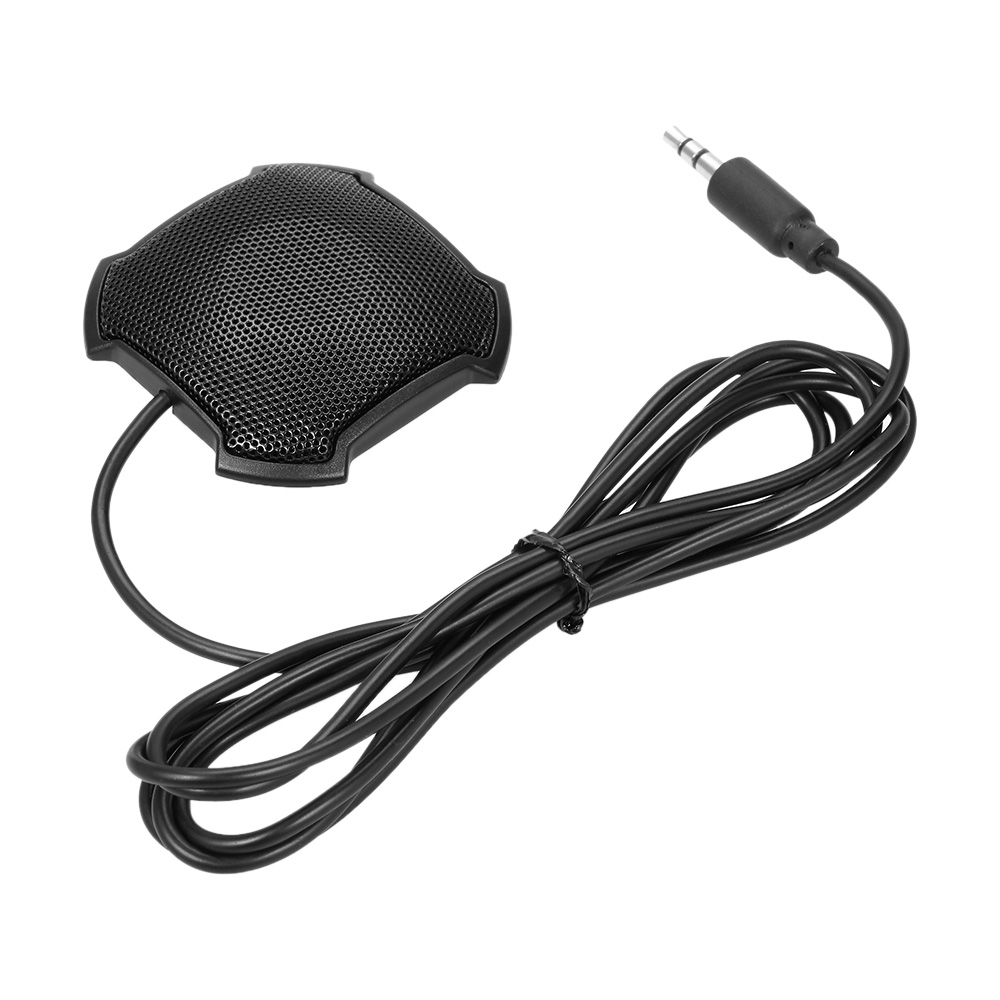
@TheGeekfather Try using a Omnidirectional mic… like this :
https://www.walmart.com/ip/Stereo-Omnidirectional-Condenser-Microphone-Mic-3-5mm-Connector-for-Meeting-Business-Conference-Desktop-Computer/392379431
Can’t say it will solve the delay…the Pi’s seem to have that delay…
@amanzimdwini Installing MM is easy on Unbuntu.
I downloaded it and unpacked it into MagicMirror folder then in a terminal window:
npm install
npm start
Starts right up no issues :)
Pretty much everything works just as it did on a Pi except it’s a lot faster :)