@peterkatana this is for you and anyone else having issues.
It’s a pretty good guide!
 C
Offline
C
Offline
@peterkatana this is for you and anyone else having issues.
It’s a pretty good guide!
@pillaresci 1st rule of config.js club.
Always make a backup of your config.js LOL
Does it work before you change and put your own info in the weather module?
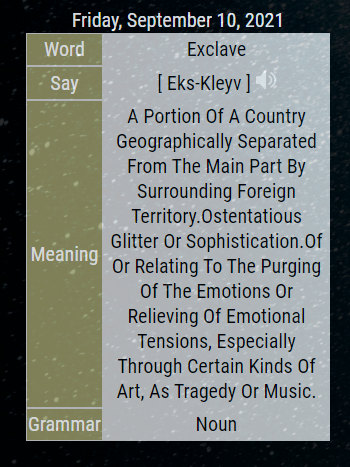
V2 is out!
Changes have been done to conform with the non use of request :)
It uses Axios now.
All updates files including new package.json file are there.
https://github.com/cowboysdude/WWW-WOTD
@swvalenti Yes but this ONLY works for an RPI4… So I KNOW someone is going to see this and try it on a 3 and come back with ‘it doesn’t work’… it does.
You can also do it on a 3 but it’s different…
https://thepi.io/how-to-boot-your-raspberry-pi-from-a-usb-mass-storage-device/
Just replying here so I can save myself trouble when someone tries it LOL
https://www.raspberrystreet.com/learn/how-to-boot-raspberrypi-from-usb-ssd
There may be an easier way but this helped me.
@bkeyport 1st thing I do is change the port always :)
@0m4r meh either way LOL
@bkeyport I wouldn’t worry about it. Moment will be around for a while. Easy to use and yes you can add it to your own package json file and still use it.
Request…not so much LOL
@swvalenti Glad you got it working :) Enjoy my friend.
@gashion That requires you to know what you want first…this is the api for that:
https://api.brewfather.app/v1/batches/:batch_id/brewtracker
Where you have to know what your :batch_id is…
Not really sure what you’re after here. There’s a LOT to the API so you have to know what you want first.
I’m using Brave which is Chrome based without all the tracking and such ;)
@swvalenti this =>
.compliments_plus .pre-line {
	font-weight: bold;
}
You can also change colors under same custom.css like this ->
.compliments_plus .pre-line {
	font-weight: bold;
   color: white;
OR you can even change color of icon and font at the same time =>
.compliments_plus .pre-line {
	font-weight: bold;
	color: white;
}
.compliments_plus .wi,
.compliments_plus .fa {
	color: yellow;
}
OR just one at a time =>
.compliments_plus .pre-line {
	font-weight: bold;
	color: white;
}

.compliments_plus .fa {
	color: yellow;
}

.compliments_plus .wi, {
color:  green;
}
Hope that helps :)
@mmrize Well we all know how ‘browsers supporting’ all work out LOL
Some do…some don’t.
I’m confused…doesn’t it already do this?
@ankonaskiff17 Called boredom LOL
@hango go here…until his pull request is complete but this is the fix.
Just delete yours and reinstall this one.
git clone https://github.com/cowboysdude/MMM-Lunartic into the ~/MagicMirror/modules directory.
go to modules/MMM-Lunartic folder and type in npm install