sounds awesome, but I think the dimension 2350mm x 700mm is not possible ship to Taiwan… :cry:
A New Chapter for MagicMirror: The Community Takes the Lead
Read the statement by Michael Teeuw here.
Read the statement by Michael Teeuw here.
 I
Offline
I
Offline
Posts
-
RE: [ORDER CLOSED] Two way mirror order in Germany
-
RE: Jake's Magic Mirror (Done)
Hi ~
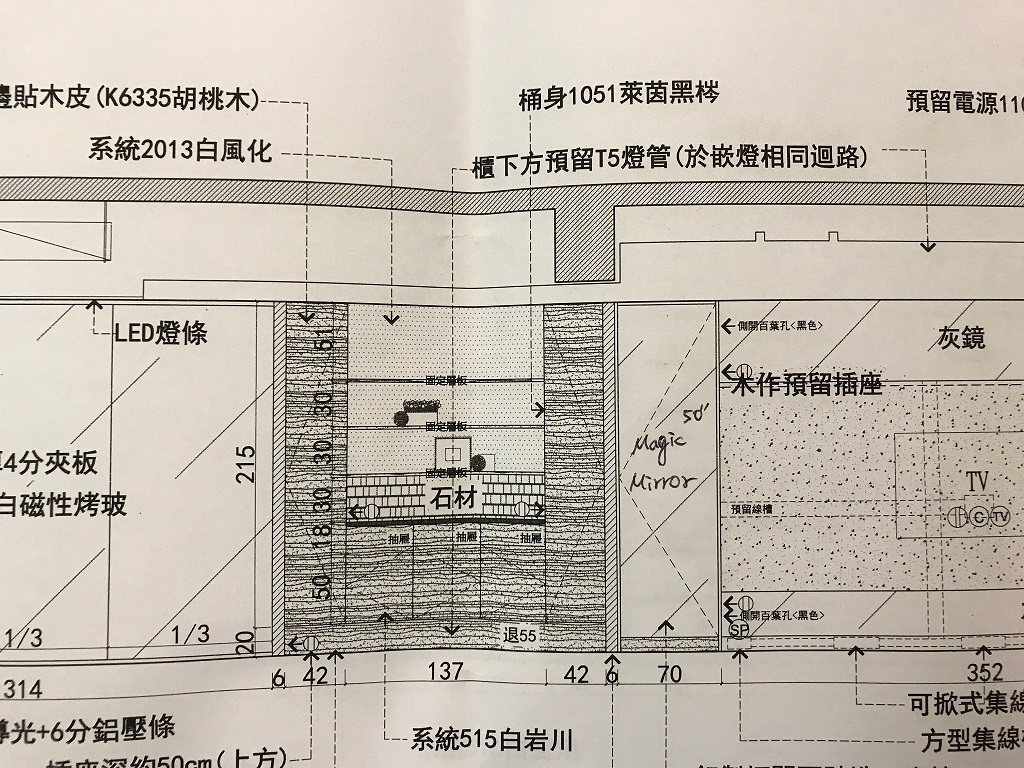
Time flies, my new house has been started decorating. Just bought 50" TV for wall mount perpetration and double check installation to avoid any problem.
My Magicmirror will stay in a wide 700mm x height 2350mm chamber with 2 ways mirror in front.for safety reason and pi’s hdmi on/off function is not stable, I use a PIR to control TV power directly, the tv will automatically turned on when AC power is in, PIR sets turn on AC 30mins for every trigger.
what thing will be inside of chamber:
upper:
airport express x4
stereo amp x4Middle:
pi3 x1
50" TV x1
wireless AC controller for LED lamp with a power supply x1Bottom:
10bay NAS x1
GbE HUB x2
Router x1upper and bottom also have two “AC Infinity AIRPLATE T9, Quiet Cooling Fan System with Thermostat Control” to cooling this chamber.
hope soon enough that I can show my magicmirror to you~
share with you ~
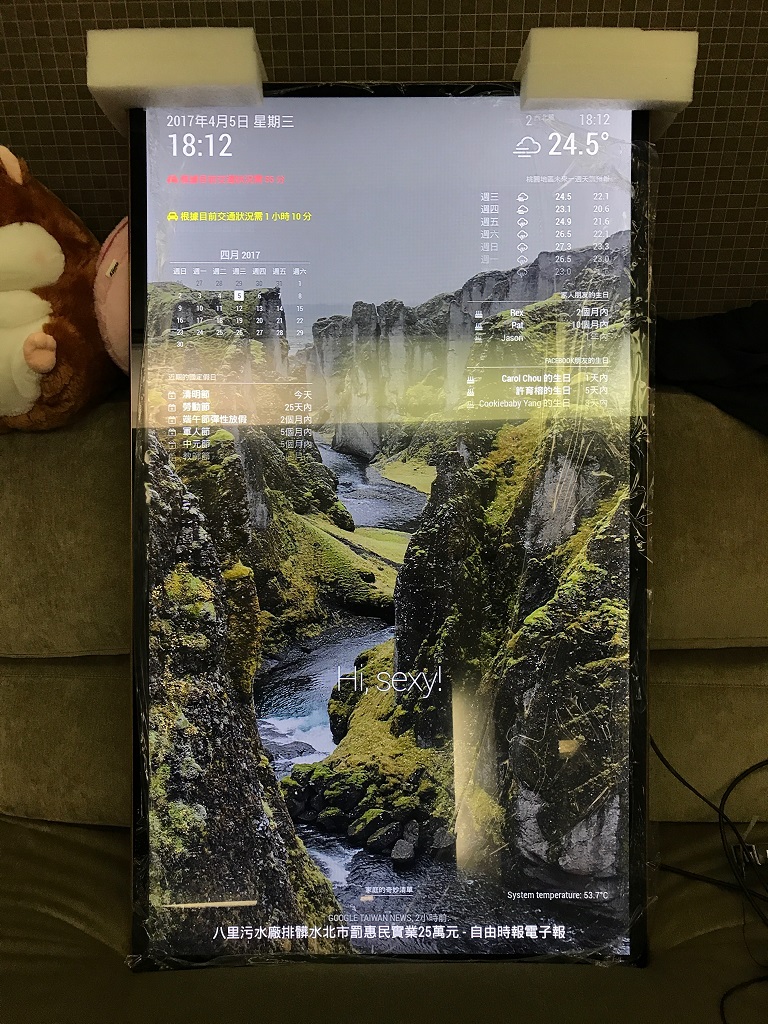
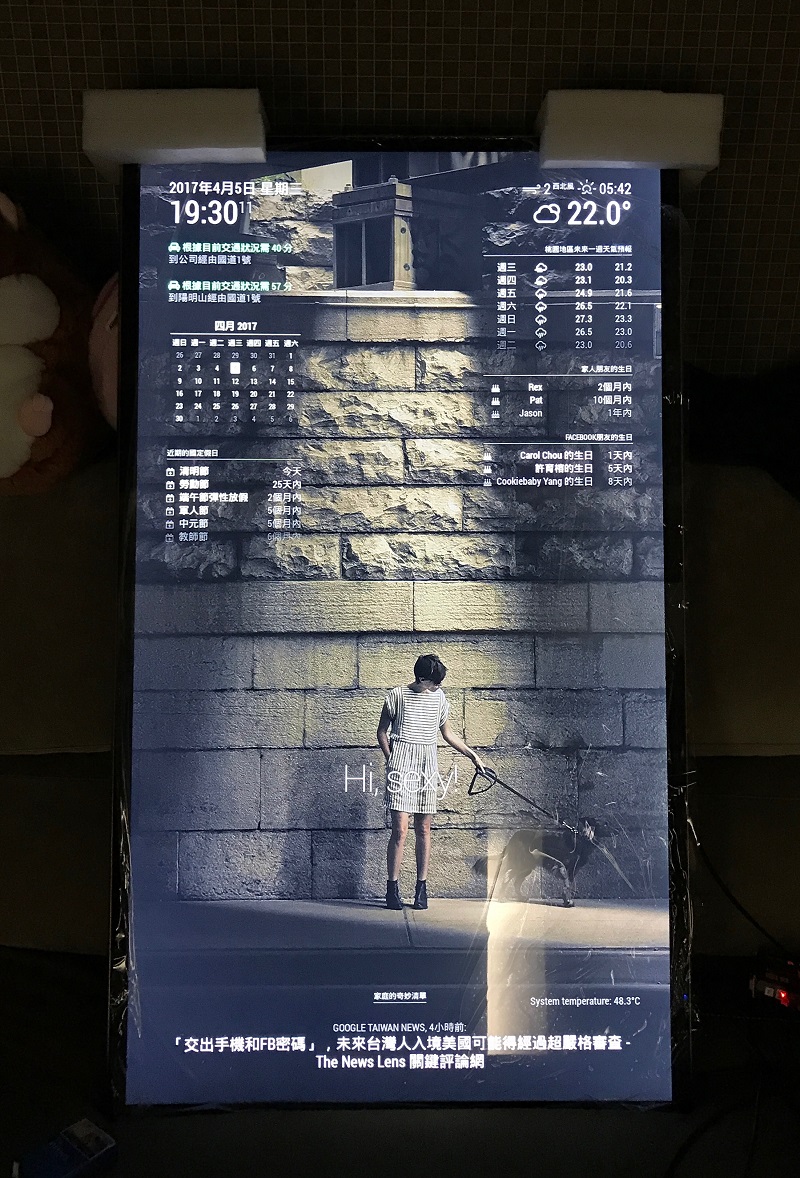
Regards,
Jake -
RE: MMM-Strava
@ianperrin I made a video for saying abnormal flashing in table rotate mode, if like like to see it.
https://goo.gl/KNdkk7 -
RE: MMM-Strava
@ianperrin add twice will cause 2 modules won’t work. and after I tested in an all new Raspbian Jessie installation, it still happen abnormal flashing in rotate mode or stop showing anything after 10 mins or more, but every time happened.
in pm2 log won’t show anything error on this module. I will turn it to no rotate mode anyway. -
RE: MMM-Globe
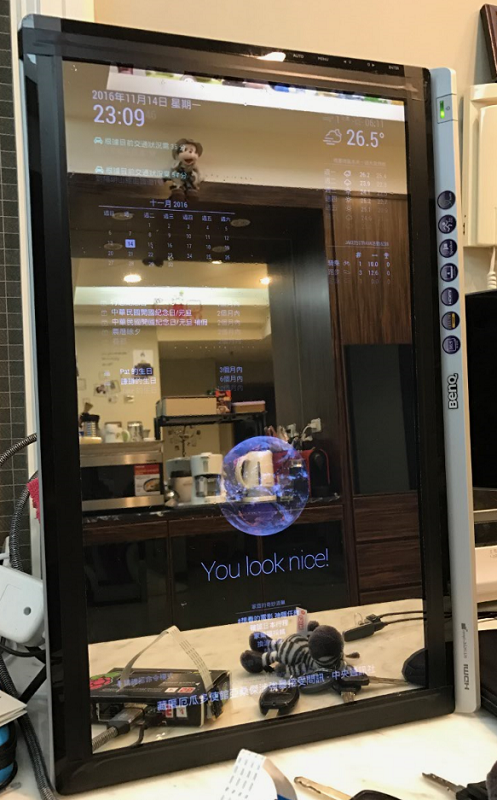
@LukeCodewalker my mirror will be built in my new living room on Jan, 2017.
this is my test screen(22") with glass+film, I think you also want to see.
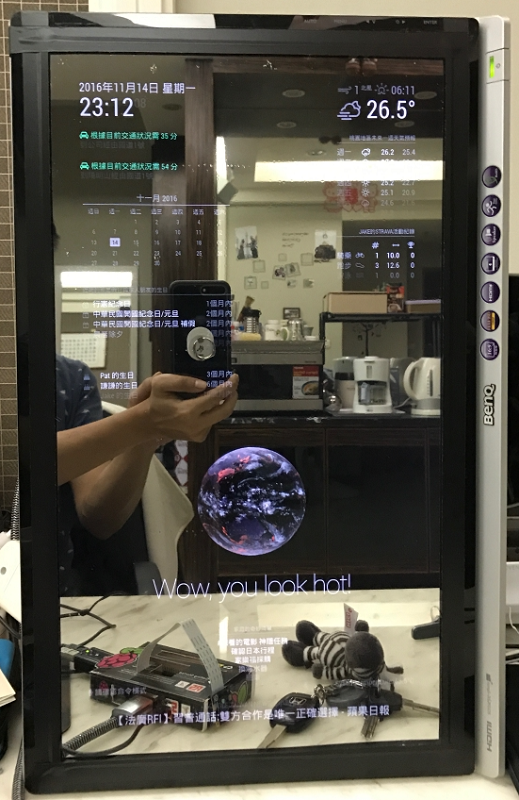
-
RE: MMM-voice
@DirkS please say " magic mirror" at the first. when it flashing say “voice”, when it changes to Voice mode, you can say command.
-
RE: MMM-voice
finally got it work… due to command behavior, all set, but don’t know how it works.
@strawberry-3-141 is it possible that you could spend time to build a simple music player for MMM-voice module?
all I need is random play mp3 in a folder, no need to select, just play and stop is OK via voice command.
thanks in advance. -
RE: Jake's Magic Mirror (Done)
@bhepler thanks for your comment, but I think the problem is not comes from environment.
I did a comparison table, as you can see, no one can use for vanity as my wife said.I may choose #4 for house decoration at end this year. but it is expensive and sensitive parts in Taiwan (you should know, the bad guy use it for “Candid camera” behind glass). And, I don’t know if I use #2 for vanity table my wife will accept…
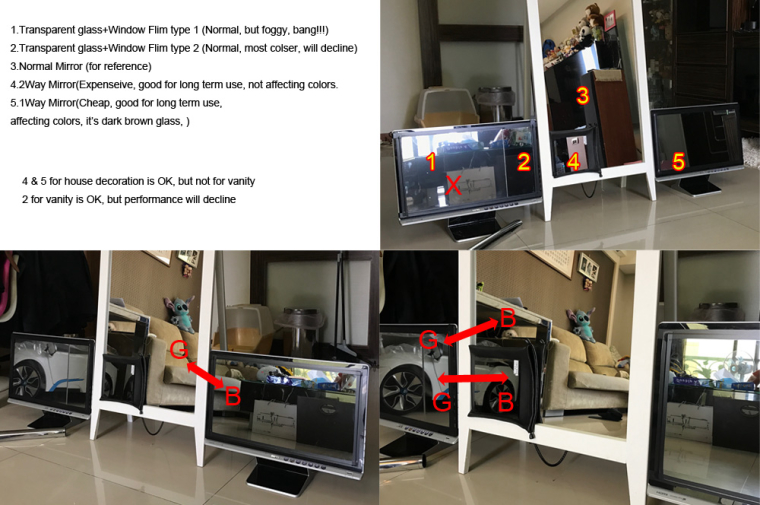
-
RE: Jake's Magic Mirror (Done)
@builer Yes, I tried 2 way mirror and even Window Films(for car), still can’t reach what I need. :(
-
RE: Jake's Magic Mirror (Done)
@MichMich Yes, it’s Chinese version of your mirror, I like it, thank you very much. :)
-
Jake's Magic Mirror (Done)
Hi all,
Yes, sorry!! as you can see, it still under construction. I will use it on 37~50 inch monitor in my living room.
I got “one way mirror” for testing today, I don’t really know how to call it eventually.
In the photo, it looks great, but when I use my eyes to see it, it isn’t like a real mirror, something like “black mirror”?!
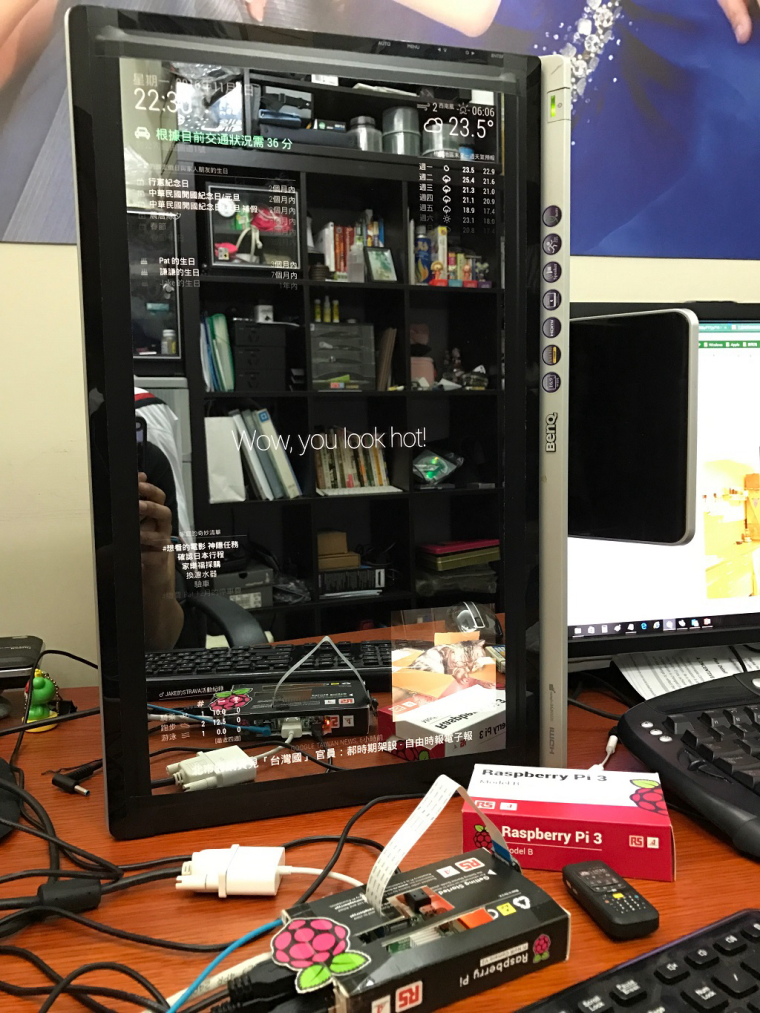
Can anyone suggest me that what mirror or solution can fix this problem? or it can’t be a real mirror for everyday use my wife says…
Thanks in advance !!!
iMAGiCJAKE
-
RE: MMM-Strava
@ianperrin sorry for late reply, it was quite busy this week, I will try it again in this week.
btw, could this module run and show two people record? for ex. one for me, one for my wife. -
RE: Introduce yourself!
Hi everyone,
I am Jake Huang 42 from Taoyuan, Taiwan, a barcode scan engine sales in Taiwan and China.
Thanks for the Magic Mirror project and all module authors, I am finding customized f/w panels and parts for it for my new house. I will build a big and wide mirror in the living room with multiple RPI and Apple TV(for photo slideshow only, can’t find better than it) behind mirror use motion detection to control panels and ac power.
Hoping that my idea could be achieved :)Best regards,
Jake -
RE: MMM-Strava
@ianperrin Hi, I add Strava rotate like below, but only this module stopped(blank) after 7 hours running. all modules still running well, but Strava, please suggest a hint to solve this issue, thank you very much.
iMAGiCJAKE
{
		        module: 'MMM-Strava',
			position: 'top_right',
			header: 'STRAVA ACTIVITY',
        		config: {
            			strava_id: 'xxxxxxx',
            			access_token: 'xxxxxxxxxx',
				auto_rotate: true
			}
        	},