MagicMirror Forum
    • Recent
    • Tags
    • Unsolved
    • Solved
    • MagicMirror² Repository
    • Documentation
    • 3rd-Party-Modules
    • Donate
    • Discord
    • Register
    • Login
    1. Home
    2. j.e.f.f
    3. Posts
    A New Chapter for MagicMirror: The Community Takes the Lead
    Read the statement by Michael Teeuw here.
    J
    Offline
    • Profile
    • Following 0
    • Followers 22
    • Topics 27
    • Posts 681
    • Groups 2

    Posts

    Recent Best Controversial
    • RE: MMM-MyCommute

      @joela85 When you say nothing shows up, do you mean the module just doesn’t appear at all? Or you can get the module to show but the travel times never fill in (i.e.: you see the spinning circle forever?)

      Can you post your config? Hide your API key of course.

      posted in Transport
      J
      j.e.f.f
    • RE: MMM-MyCommute

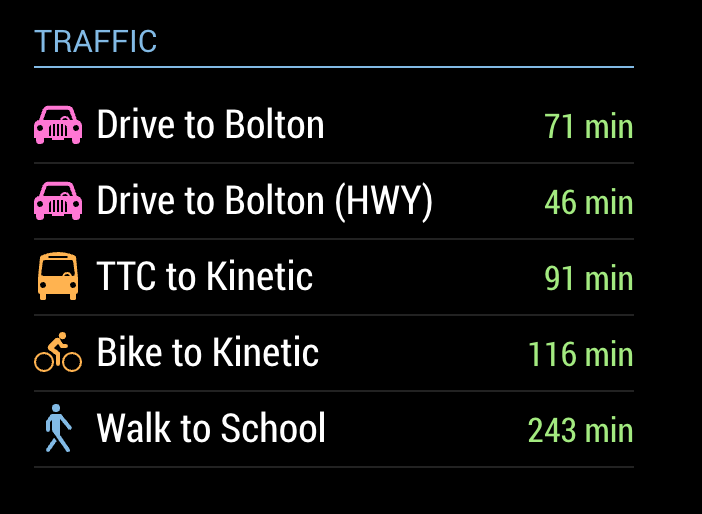
      @Fonfon @BlackTalon I’ve made an update that adds this capability, plus a whole lot more:

      • added the config showSummary to toggle a brief route summary. For transit, this gives you the route names (bus, streetcar, subway numbers, etc).
      • added the config colorCodeTravelTime to colour the travel red, yellow or green depending on traffic conditions. Only works for mode : 'driving'.
      • added two configs moderateTimeThreshold and poorTimeThreshold to adjust the threshold for red (i.e.: poor) and yellow (i.e.: moderate) traffic. Defaults to 1.1 and 1.3 respectively for 10% and 30% time delays.
      • for destinations where mode : 'transit', you can specify an additional config transitMode to instruct which transit modes you would like Google to use when calculating your route. Can be bus, subway, train, tram, or rail. Multiple choices allowed, separated by the | character (e.g.: transitMode : 'bus|subway'). Specifying rail is equivalent to specifying subway|train|tram.
      • added more icons to support the various modes of transit.

      0_1495595633864_MMM-MyCommute.png

      It’s still possible to use the old compact mode, by specifying showSummary : false. e.g.:

      0_1495595766287_Screen Shot 2017-05-23 at 11.15.49 PM.png

      posted in Transport
      J
      j.e.f.f
    • RE: MMM-MyNest

      @tidus5 Yeah I’ve been thinking about how I can create the same display as the Nest itself, with the ticks on the outside of the circle, the ambient temperature, the target heating .cooling temperature, etc. I plan to release an update once I figure that out.

      posted in Utilities
      J
      j.e.f.f
    • RE: MMM-AlexaPi

      @borrigan I wasn’t able to get mine to show up in the mirror interface either, but otherwise AlexaPi was functional. In my case I needed to enable it for all users in the config:

      {
        module: "MMM-AlexaPi",
        position: "lower_third",
        classes: "default everyone",   // Needed this line
        config: {
          ...
        }
      },
      

      I hope this helps!

      • Jeff
      posted in Utilities
      J
      j.e.f.f
    • RE: MMM-MyCommute

      @Sandy2503 Well the traffic gives you an up to the minute estimate based on current traffic conditions. So the estimate will likely have changed when you’re ready to come home from work. I’m assuming you don’t have your mirror with you at work :)

      That said, there is a Google API that allows exactly this… it’s called their matrix API and it gives you time estimates for multiple origin points to multiple destinations.

      Another idea is you could set up two instances of this module. One set up for your drive to work, and a second setup up for your drive home. That works nicely because each can have their own module header and schedule.

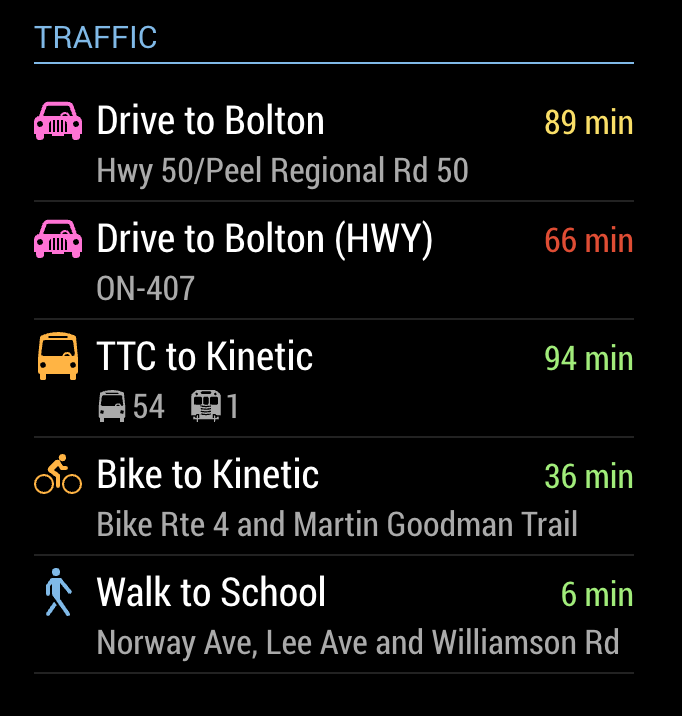
      EDIT I tried this, and it works nicely. Here’s my output:
      0_1495037746268_upload-fcfe1fd9-d0b0-4a30-b320-5d8fac86ca59

      My config looks like this:

      {
        module: 'MMM-MyCommute',
        position: 'top_left',
        config: {
          ... configure for your drive to work
        }
      },
      {
        module: 'MMM-MyCommute',
        position: 'top_left',
        config: {
          ... configure for your drive home
        }
      },
      
      
      posted in Transport
      J
      j.e.f.f
    • RE: MMM-MyCommute

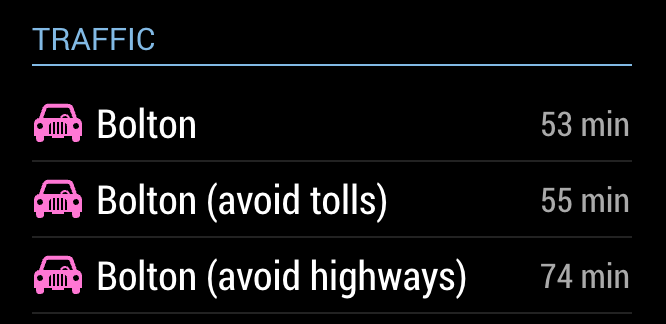
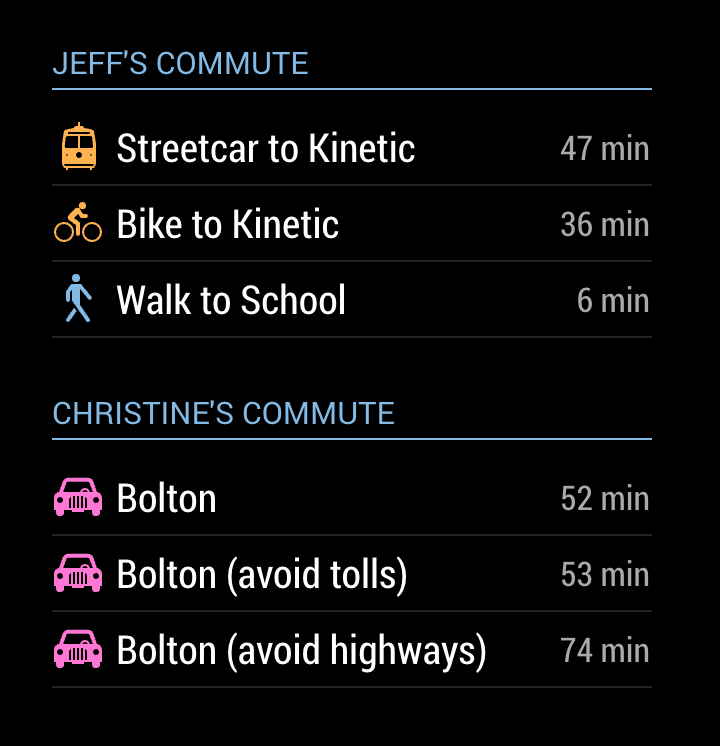
      @joela85 OK I just published v1.1 with the ability to specify an optional avoid configuration for each destination that can be one of the following options:

      • tolls
      • highways
      • ferries
      • indoor

      Config looks like this:

      destinations: [
          {
              destination: '37 Holland Dr Bolton, ON L7E 5S4',
              label: 'Bolton',
              color: '#ff77d4'
          },
          {
              destination: '37 Holland Dr Bolton, ON L7E 5S4',
              label: 'Bolton (avoid tolls)',
              color: '#ff77d4',
              avoid: 'tolls'
          },
          {
              destination: '37 Holland Dr Bolton, ON L7E 5S4',
              label: 'Bolton (avoid highways)',
              color: '#ff77d4',
              avoid: 'highways
          }
      ]
      

      Here’s my result:

      0_1494976473768_Screen Shot 2017-05-16 at 6.58.43 PM.png

      posted in Transport
      J
      j.e.f.f
    • RE: MMM-MyCommute

      @joela85 yeah that sounds like a good addition. Let me see if that’s available through Google’s API.

      Edit: looks like it’s doable. I’ll see if I can add this today or tomorrow.

      posted in Transport
      J
      j.e.f.f
    • RE: MMM-AlexaPi

      @clumsy_ninja Hey I just got this working tonight, and I’m having all sorts of fun with it. Thanks for this!

      I’d like to know if it’s possible to get this to directly control the MagicMirror (similar to MirrorMirrorOnTheWallSkill – is it possible to use this skill?). It’s great that I can control things like my lights and such, but I would also like to tell my Mirror who is looking at the mirror (e.g. as a fall back when Facial Recognition doesn’t work), or explicitly show/hide modules by name. Is this possible?

      Would also be amazing if this could receive a notice from the Facial Recognition app to speak out the recognized user (e.g.: “Good Morning, Jeff! Here’s your view.”)

      posted in Utilities
      J
      j.e.f.f
    • RE: My display so far...

      The last two – Sonos and Scoreboard – need a bit more work before I can release them. Will work on those over the next week or so. Meanwhile, enjoy, and let me know if something doesn’t seem quite right.

      posted in Showcase
      J
      j.e.f.f
    • MMM-MyNest

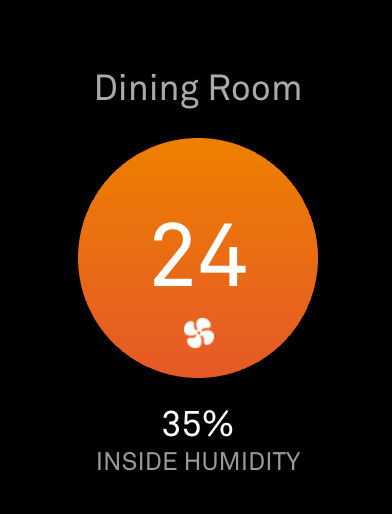
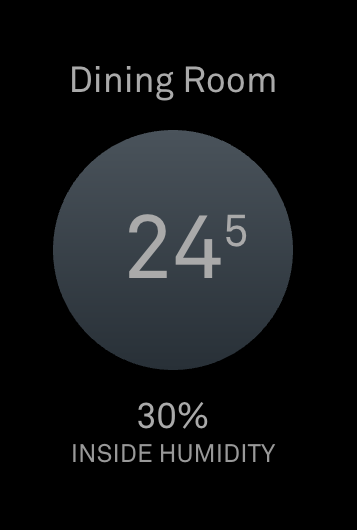
      This is a fork of MMM-Nest by Luke Moch, modified to look much closer to the display you see in the Nest app.

      NOTE I have not tested this with multiple thermostats, as I only have one in my house, nor have I tested the display of list mode as it defeats the purpose of why I modified this module.

      [card:jclarke0000/MMM-MyNest]

      0_1494637770578_Screen Shot 2017-05-12 at 8.55.45 PM.png

      0_1494637966438_nest2.png

      posted in Utilities
      J
      j.e.f.f
    • 1
    • 2
    • 63
    • 64
    • 65
    • 66
    • 67
    • 68
    • 69
    • 65 / 69