 J
Offline
J
Offline
A New Chapter for MagicMirror: The Community Takes the Lead
Read the statement by Michael Teeuw here.
Read the statement by Michael Teeuw here.
Posts
-
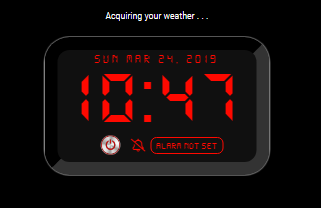
RE: MMM-DigitalAlarmClock Upcoming alarm Format
This is fixed now.
Apologies for taking so long
Please do agit pull && npm i
Thank You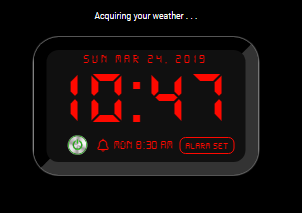
-
RE: MMM-AI
You might be interested in the following links:
https://avatarsdk.com/?_ga=2.125796682.1526809898.1553040863-987282811.1553040863
-
RE: MMM-AI
I would be interested in Max Headroom, with his tourette-style glitches included!!!
-
RE: MMM-AI
Would it be possible for the user to change the avatar to their personal likeness?
For example, be able to use a family member’s face, or an actor/actress, a cartoon character, etc. ?
Or like the HAL2000, maybe the Alexa bar or circle animations?
-
RE: Is there a way to temporarily disable a module?
@teitlebot add
disabled: true,to the modules in your config.js filefor example:
{
	disabled: true,
	module: "MMM-KitchenTimer",
	position: "top_center",
	config: {
		volume: 1
	}
},
change it to false to re-enable the module…
-
RE: Acer Aspire z3101 Screen [Requesting Info]
@Seann I once had MM set up on an HP all-in-one pc and it worked just fine
-
RE: MMM-Astro [formly MMM-Astrology]
Yes Sir! :slightly_smiling_face:
I sure wish I could do the things he does! :upside-down_face:
-
RE: Considering taking donations to support the MagicMirror project. Interested in your thoughts!
@agp42
That’s assuming all the registered members are all still active members.
but, I like your thinming on this!:winking_face: -
RE: MMM-Astro [formly MMM-Astrology]
Great Improvement!!!
But, of course, you seem to always strive for excellence! :winking_face:
-
RE: Best way to display recipe
you might look at MMM-Recipe by @cowboysdude
I am currently using for my Kitchen MM display (not mirrored)
-
RE: MMM-ToDoLive
I have been looking for something exactly like this for my kitchen info mirror.
Messages and things to do and grocery list!!! :grinning_face_with_smiling_eyes:
Love It!!!
-
RE: My Family Info Board
What module is that one at the top right? The “things to do”?
-
RE: access to config language setting
I just did added this to the calendar config and it changed it automatically:
{ module: "calendar", position: "top_left", // This can be any of the regions. Best results in left or right regions. config: { language: "fr", timezone: "France/Paris" } }, -
RE: access to config language setting
you will also need to add this to your start section:
/ /Set locale. moment.updateLocale(config.language, this.getLocaleSpecification(config.timeZone)); -
RE: access to config language setting
@sdetweil after you add all that I posted, in your config file the use can add the timezone and language they want to use.
{ module: "calendar", position: "top_left", config: { language: "en", timezone: "Norway/Oslo" } }, -
RE: access to config language setting
for timezone:
Add this to your defaults in the modules js:timezone: "America/Chicago"Then add this in the code:
 getScripts: function() {
	return [
            "moment.js", "moment-timezone.js"
        ];
},
and this:
var now = moment(); if (this.config.timezone) { now.tz(this.config.timezone); } -
RE: access to config language setting
All I can find is to put this in your js file:
getTranslations: function() {
	return {
		en: "translations/en.json",
		de: "translations/de.json"
	}
}