Yeah, I’m just really stubborn im this old age I getting to… Still bound and determined to get it to run on Windows somehow!!!
I may be 75 or 90 by the time I figure it out, But, I ain’t giving up!!! :smiling_face_with_horns:
 J
Offline
J
Offline
Yeah, I’m just really stubborn im this old age I getting to… Still bound and determined to get it to run on Windows somehow!!!
I may be 75 or 90 by the time I figure it out, But, I ain’t giving up!!! :smiling_face_with_horns:
You will have better luck with the Windows Developer than Windows 10.
But, you may have problems with the Atom CPU.
Which is from my experiences…
I have not tried it on Ubuntu or any other OS besides Windows. I did try Widows Developer, But the computer I was using just wasn’t strong enough to run it.
I have tried Windows 7 and windows 10 on several different types of laptops and desktops. And it really does make a difference making sure you always have the latest updates, and you will need a beefy CPU and more than 4gb RAM. I have an older SFF Lenovo desktop and it’s maxed out on the CPU and RAN it can have, and the more I work on it, the more I have to reboot to clear memory as it locks up. But, if I have MM running, and absolutely nothing else, it runs pretty smooth. Same experiences with a couple laptops, with So-So cpu’s and 4 gb max RAM. I also attempted to run MM on a Surface RT, it doesn’t allow any applications other than what it came with, so, as expected, wouldn’t work. I do know of a person running MM on a Surface Pro 15.6" Tablet PC, don’t know the specs, but he says he doesn’t have any problems with it. I also know of a person trying it on an Ubuntu Laptop, but he is having problems getting it to run at all. I would help him, but he knows more about Ubuntu and the Linux-Based OS’s than I do.
I also had MM on an HP All-In-One, with maxed out CPU and 16gb RAM, and an Asus laptop with the latest Core-i7 CPU and 16gb RAM, and they run very smooth, even if I’m running other applications, surfing the web, making changes to MM and restarting it several times, I had no problems with it. I also had no issues using it on a Lenovo 14" 360 laptop with a core-i3 CPU and 8gb RAM.
I had it going on a Nexxus 10.1" tablet running Windows 10, but it was extremely slow… I had nothing on this 32gb tablet with a 32gb micro SD except a stripped down version of Win 10 and the Mirror. and it was just too slow. if I remember right, it only had 2gb RAM.
And yes, Mykle is very correct about the voice issue. I’m am still researching on what may be available for running voice and facial recognition with Windows. but as of right now, I have tried several different types of modules and applications. have yet to find anything that works, YET!!!
When you get it installed on your Atom device, I would definitely like to know your outcome!
Put something like this…
.region.top.left {
    width: 768px;
}

.region.top.center {
    width: 768px;
}

.region.top.right {
    width: 384px;
}

.region.bottom.left {
    width: 960px;
}

.region.bottom.right {
    width: 960px;
}
in your custom.css file. I would venture to think it should work, tested it out on my laptop, and it seemed to be what you might be wanting,
to get the number of pixels needed, I multiplied my screen resolution by .40 (40%) and .20 (20%). Then I divided my screen res width by 2 to get the 50% in pixels.
IE: my screen res for total width is 1920px. Thus 1920 X .40 = 768, giving me the top_left and top_center amounts.
then I multiplied 1920 X .20 to get the top_right amount. then to get the 2 bottom amounts, I divided 1920 /2 = 960.
This is a good place to start. I still had problems, but the forums are very helpful. Good Luck!!
https://github.com/MichMich/MagicMirror/blob/master/modules/README.md
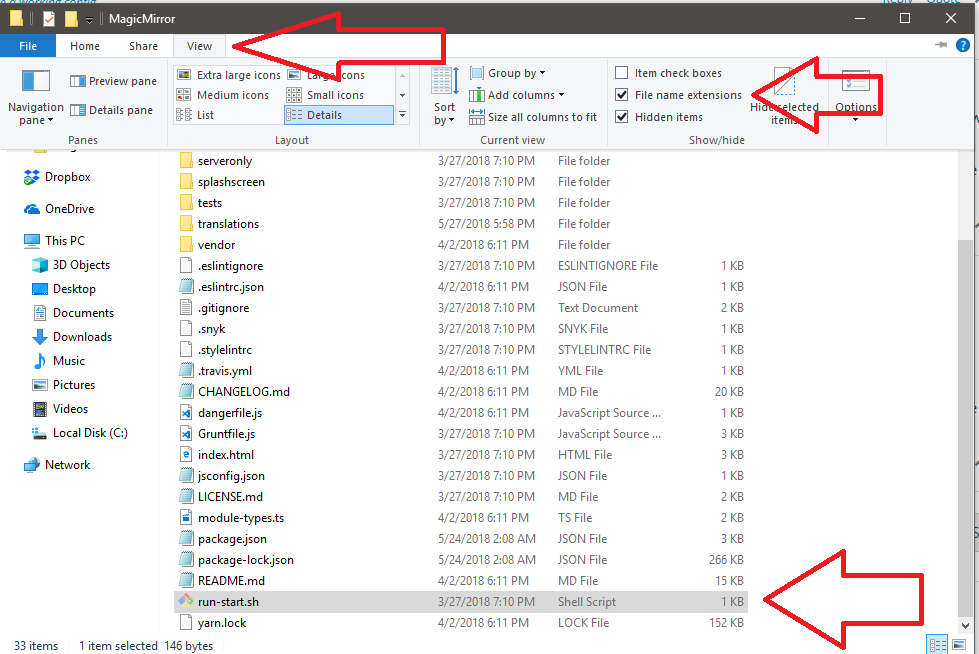
And you should have run-start.sh in the main MagicMirror folder… If not, probably need to First, unhide file extensions, if it’s still not there, the reinstall MM from new.
Here are a few links to some I have found recently…
https://www.amcharts.com/free-animated-svg-weather-icons/
https://codepen.io/joshbader/pen/EjXgqr
https://365webresources.com/weather-icon-sets-shouldnt-miss/
http://blogsizzle.com/free-icons/animated-weather-icons-free-download/
https://codemyui.com/pure-css-animated-weather-icons/
https://codemyui.com/animated-weather-icons-in-css/
https://codepen.io/joshbader/full/EjXgqr
https://codepen.io/motorlatitude/pen/CyqDf
http://cssdeck.com/labs/2izqhmuv
hope it helps!!!
you can use zoom in your custom .css file…
to zoom out, and make the modules smaller, use a number below 100%. IE: 75%
My mirror (unfinished) at 100%…
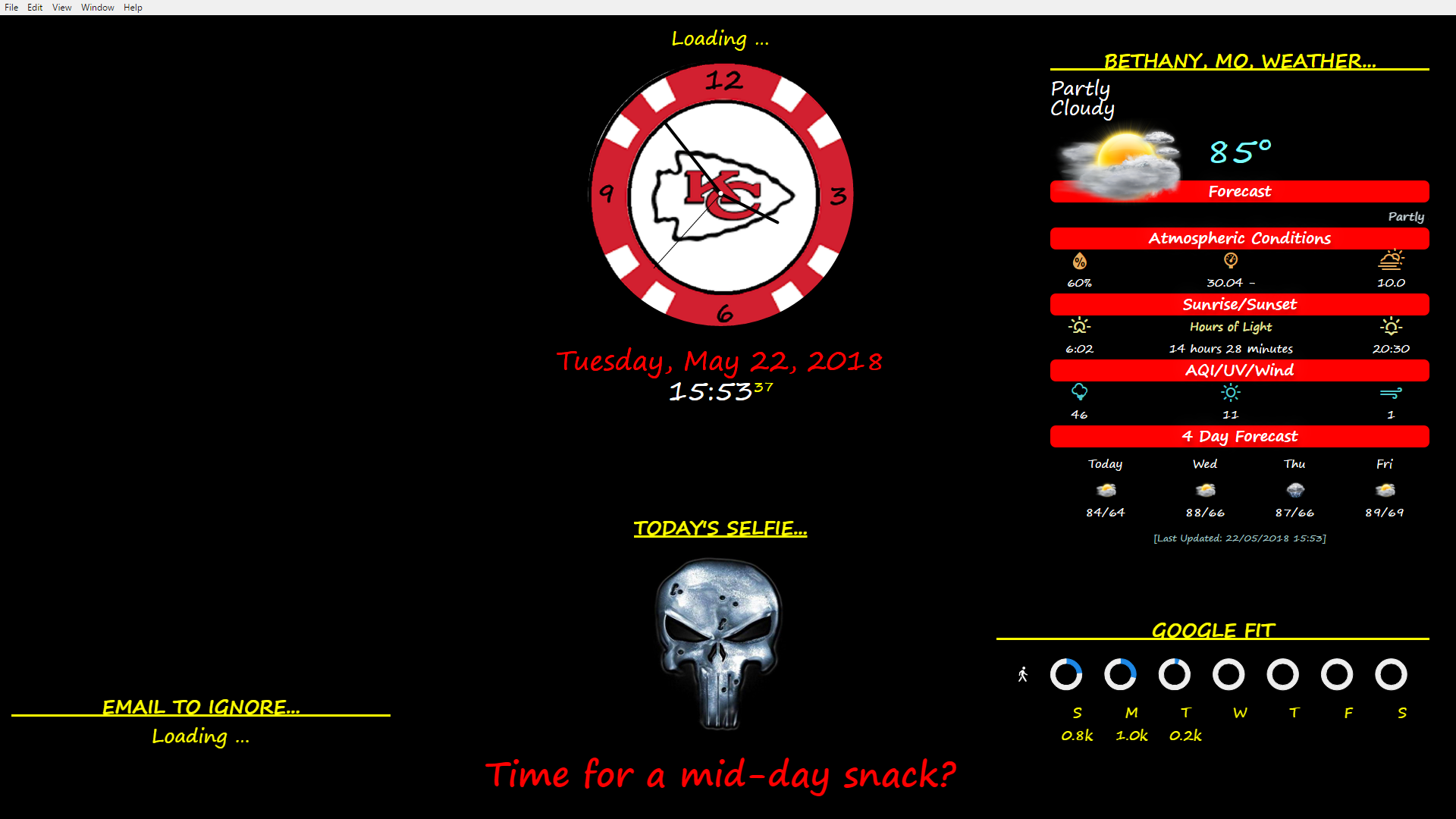
with the following code in custom.css…
/*****************************************************
 * Magic Mirror                                      *
 * Custom CSS                                        *
 *                                                   *
 * By Michael Teeuw http://michaelteeuw.nl           *
 * MIT Licensed.                                     *
 *                                                   *
 * Add any custom CSS below.                         *
 * Changes to this files will be ignored by GIT. *
 *****************************************************/

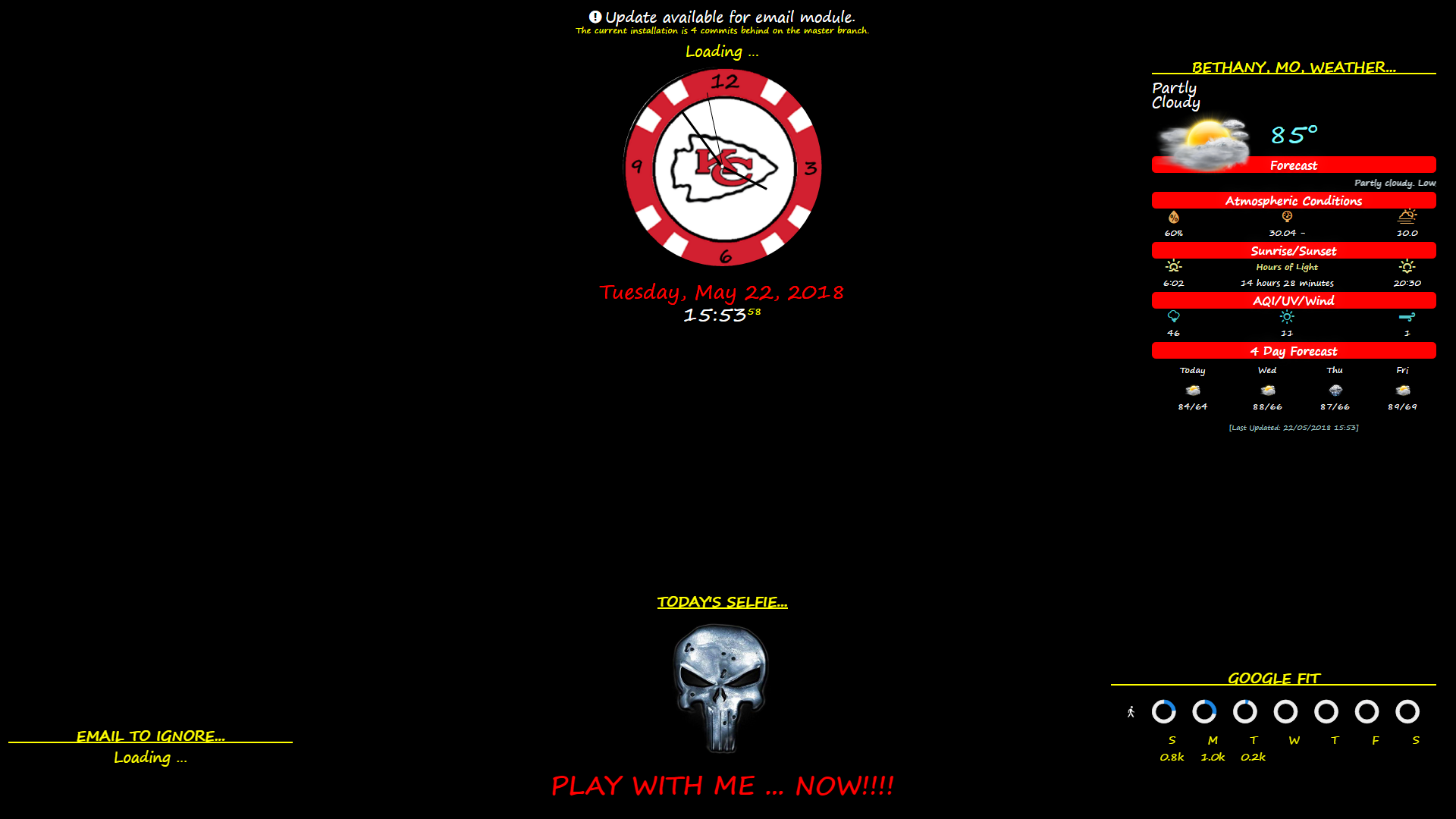
 body {
   zoom: 75%;
 }
it looks like this…
to zoom in (make them bigger, use a percentage over 100%, IE: 125%…
my Mirror at 125%…
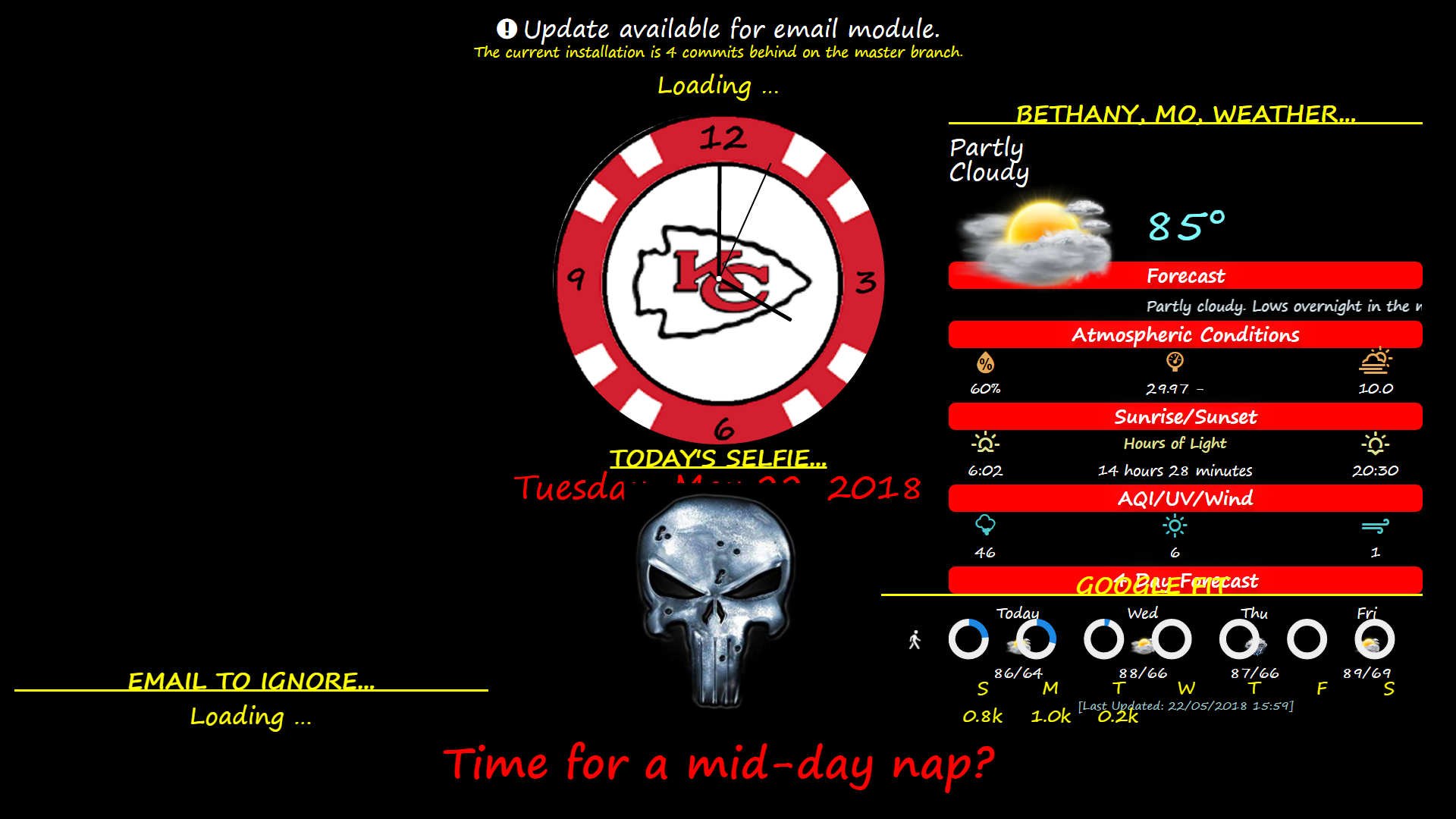
using the following code in the custom.css…
/*****************************************************
 * Magic Mirror                                      *
 * Custom CSS                                        *
 *                                                   *
 * By Michael Teeuw http://michaelteeuw.nl           *
 * MIT Licensed.                                     *
 *                                                   *
 * Add any custom CSS below.                         *
 * Changes to this files will be ignored by GIT. *
 *****************************************************/

 body {
   zoom: 125%;
 }
Yes, Love the clock!
I copied the code from there and will see how to incorporate it into a module for the Mirror.
I am currently learning how to do this with a couple modules I am working on myself, so this will give me some more practice!
@justjim1220 LOVE the clock!!! Way Kewl!!! :smiling_face_with_sunglasses:
check the port settings in your config.js file, I think it’s usually set to 8080
I really don’t know, was just a suggestion…
not quite understanding why its telling you permission denied…
what command did you use?
git clone https://github.com/MichMich/MagicMirror.git
then… npm install ?
Things to try…
reboot the computer.
make sure you are signed into github, & into the computer.
make sure you are connected to the internet.
delete and reinstall MagicMirror
use git bash, and install npm install
might help to copy and paste your error log on here also…
The folder in the clock module directory is called faces. it uses .svg images.
You can create svg images with your own images using Vectr, found here…
https://vectr.com/.
This is what my clock looks like…
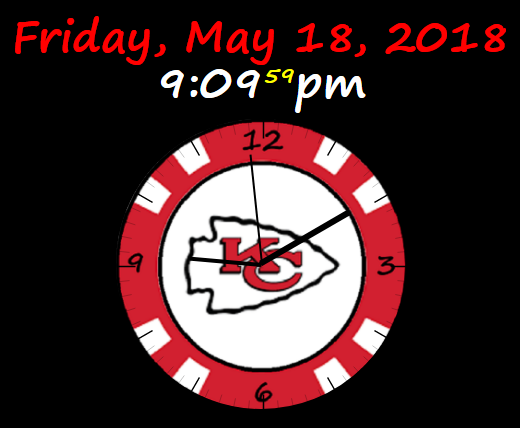
You can create the svg files online at the site, or you can download the program. The download runs much faster than the online version. And it’s really easy to use! :smiling_face_with_sunglasses:
@strawberry-3-141
Thanks for answering…
My calendar link is there, but my password is not. It does say private, but it actually is public, so anyone can see it, nothing too personal ever gets put on there anyway. :smirking_face:
I can get a YT player to work on the MM, I’m just trying to figure out how to shuffle the list so it doesn’t start from the first song every time i gets loaded. And, if it’s just the video it has problems with, it gives a different error and will go to the next video. So, I know its not that either.
I think you might be able to rebuild MM…
cd MagicMirror
npm rebuild
it takes a few minutes, but that is one thing that has helped me in the past fix several different errors.
Also, you can re-install the MM and your modules, especially the last one you added prior to getting this error…
Start with the last module… cd modules/[last-module-name] >>> npm install
Then run the npm install with MM. Or, the npm rebuild
then restart MM
Also, try rebooting the Pi by shutting it off, then turn it back on.
(works better to help fix errors than using restart)
OK, so if anyone out ther feels like it, here is my .js code…
Module.register("MMM-RandomYouTubePlayer", {
	defaults: {
		playlistId: "PLl_KM23gznEAZW-INW8ty4QNaHH8JCnNW",
		listType: "playlist",
        height: 480,
        width: 720,
        autoplay: true,
        disablekb: true,
        enablejsapi: true,
        color: "red",
        fs: false,
        volume: 100,
        cc_load_policy: true,
        controls: false,
        showinfo: false,
        rel: false,
        modestbranding: true,
        loop: true,
	},

    getDom: function() {
		var wrapper = document.createElement("div");

		var scriptContainer = document.createElement('script');

		// var playlistId = (this.config.playlist_ID);

    	function onYouTubeIframeAPIReady() {
			player = new YT.Player('player', {
		    height: '480',
		    width: '720',
		    events: {
			'onReady': onPlayerReady,
			'onStateChange': onPlayerStateChange,
	    	}
			});
    	}

		var playlistArray;
		var playListArrayLength;
		var maxNumber;
		var oldNumber = 0;
		var NewNumber = 0;

    	function newRandomNumber() {
			oldNumber = NewNumber;
			NewNumber = Math.floor(Math.random() * maxNumber);
			if (NewNumber == oldNumber) {
			    newRandomNumber();
			} else {
			    return NewNumber;
			}
   		}

    	function onPlayerReady(event) {
			player.loadPlaylist({
			    listType: "playlist",
			    list: this.config.playlistId,
			});
    	}

		var firstLoad = true;

    	function onPlayerStateChange(event) {
    		console.log(event.data);
			if (event.data == YT.PlayerState.ENDED) {
			    player.playVideoAt(newRandomNumber());
			} else {
			if (firstLoad && event.data == YT.PlayerState.PLAYING) {
			    firstLoad = false;

				playlistArray = player.getPlaylist();
				playListArrayLength = playlistArray.length;
				maxNumber = playListArrayLength;
				NewNumber = newRandomNumber();
				player.playVideoAt(newRandomNumber());
			}
			}
		}

		wrapper.appendChild(scriptContainer);

		var TempDiv = document.createElement('div');
		wrapper.appendChild(TempDiv);
		TempDiv.setAttribute("id", "player");

		var tag = document.createElement('script');
		wrapper.appendChild(tag);
		tag.src = "https://www.youtube.com/iframe_api";

		var firstScriptTag = document.getElementsByTagName('script')[0];
        wrapper.appendChild(firstScriptTag);
		firstScriptTag.parentNode.insertBefore(tag, firstScriptTag);

		var player;
        var done = false;

		wrapper.innerHTML = "<iframe width=\"" + this.config.width +"\" height=\"" + this.config.height + "\" src=\"https://www.youtube.com/embed/?" + this.config.listType + "&" + this.config.playlistId + "frameborder=\"0\"></iframe>";

		return wrapper;
	}
});
Any and all hints, pointers, or input are very welcome and encouraged!!!
BWAAHHAAAAHAHAHAHAHA!!!
If only I was able to drink… LMAO!
Having so many health problems and being on a buttload of meds, I’m almost afraid to drink!!!
Although, with this Meniere’s Disease, I’m pretty sure everyone thinks I am a drunk. I have to balance and in a state of extreme vertigo 24/7… :face_with_stuck-out_tongue_winking_eye: :dizzy_face: :confused_face: :upside-down_face:
@Mykle1
@strawberry-3-141
First of all, I am pretty much a newbie to this module creation… This is my first attempt.
I am using Visual Studio Code, and I was under the impression I could run a debug on the module itself. Sorry, My bad.
What I’m getting from your replies, I should be inputting the whole MM project into the VS code environment, then run debug???
Furthermore, I was having major issues trying to get the module to run on MM, then realized I needed to create it into a repository and do the git clone and install with the repository. I didn’t do that, I was just trying to create it and add it to my modules directory using the MM template (first item listed in the 3rd party modules).
So, now, after figuring out that part, I have created a repository, went through the channels to add it to my MM, and now I’m getting it to show up on the mirror, it just isn’t playing.
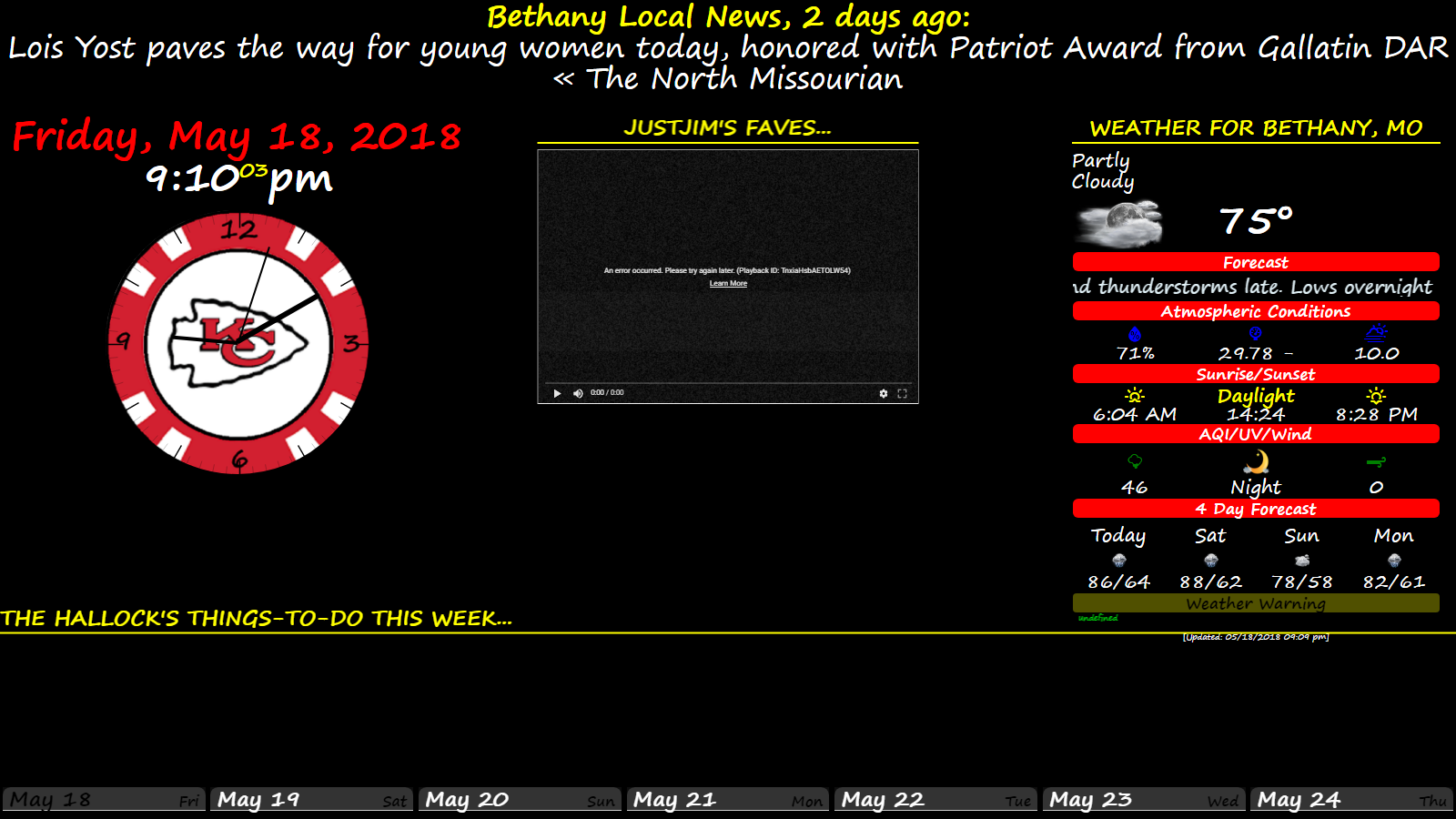
This is what it looks like now…
And this is the npm results while MM is running…
Starting MagicMirror: v2.3.0-dev
Loading config ...
Loading module helpers ...
No helper found for module: alert.
Initializing new module helper ...
Module helper loaded: updatenotification
Initializing new module helper ...
Module helper loaded: newsfeed
No helper found for module: clock.
Initializing new module helper ...
Module helper loaded: MMM-RandomYouTubePlayer
Initializing new module helper ...
Module helper loaded: MMM-NOAA
Initializing new module helper ...
Module helper loaded: MMM-CalendarExt
All module helpers loaded.
Starting server on port 8080 ...
Server started ...
Connecting socket for: updatenotification
Connecting socket for: newsfeed
Starting module: newsfeed
Connecting socket for: MMM-RandomYouTubePlayer
Starting module helper: MMM-RandomYouTubePlayer
Connecting socket for: MMM-NOAA
Starting module: MMM-NOAA
Connecting socket for: MMM-CalendarExt
Sockets connected & modules started ...
Launching application.
Create new news fetcher for url: https://news.google.com/news/rss/local/section/geo/Bethany,%20MO,%20United%20States/Bethany,%20Missouri?ned=us&hl=en&gl=US - Interval: 300000
I really do appreciate everyone’s input and getting me back into the coding realm! :grinning_face_with_smiling_eyes: