L
Offline
A New Chapter for MagicMirror: The Community Takes the Lead
Read the statement by Michael Teeuw here.
Read the statement by Michael Teeuw here.
Posts
-
RE: End MM from Terminal
like u start the npm use CTRL+c or CTRL+X like dbahn25 mentioned.
-
RE: Dual display
Hi jeff,
the raspi has only a hdmi output and a output 4 a gpio display.
It is not possible to really work with 2 display’s.
U have a link to your VGA Module?
If this module is really capable to run those 2 displays than u maybe can run a MM as web server build and one as MM2.
If it’s possible to run two different MM2 instances i don’t really know that.
Maybe it’s possible to run a second MM2 at another port!
-
RE: MMM-Button doesn't work
you’re welcome.
Have fun with your Mirror.
Does the button work now with MMM-podcast?
-
RE: MMM-Button doesn't work
at first u must check witch version u have.
Error was in my electron:
Error: Module version mismatch. Expected 50, got 51.Stat your shell an type following command in your MagicMirror folder: npm list | grep electron
At result you must see something like this…
pi@raspberrypi:~/MagicMirror $ npm list | grep electron
├─┬ electron-prebuilt@1.4.6
│ ├─┬ electron-download@3.0.1
npm ERR! extraneous: stylelint@7.5.0 /home/pi/MagicMirror/node_modules/stylelintWhat must be done here?
at first change in your Button folder:cd ~/MagicMirror/modules/MMM-Button
and then type in following command, you must change the version number with your own:
npm rebuild --runtime=electron --target=1.4.6 --disturl=https://atom.io/download/atom-shell --abi=50
That’s all.
-
RE: End MM from Terminal
Controlling you MagicMirror via PM2
Restarting your MagicMirror
pm2 restart mmStopping your MagicMirror
pm2 stop mmShow the MagicMirror logs
pm2 logs mmShow the MagicMirror process information
pm2 show mmhttps://github.com/MichMich/MagicMirror/wiki/Jessie-Lite-Installation-Guide
-
RE: windows remote desktop doesn't show same screen as on hdmi
Hi,
you don’t need to login with VNC or RemoteDesktop.
Just type in your desktop browser the adress of your MM2 with the right port number, for example like this http://192.123.123.12:8080/ (8080 is the standard port) and the you see your MM2.
It works without problems in the same network.
If you want to use it from a external network, u must install port forwarding at your router.Good luck
-
RE: [ORDER CLOSED] Two way mirror order in Germany
@yawns said in Two way mirror order in Germany:
I broke down the list to make it more compact
# username sizes (m) area (m²) location additional comments pickup/delivery 01 yawns ~ 0.8 * 0.8 ~ 0.64 Germany, Cologne polished edges delivery 02 gustav1976 0.6 * 1.8 1.08 Germany, Koblenz polished edges ? 03 gustav1976 1.0 * 1.2 1.20 Germany, Koblenz polished edges ? 04 gustav1976 1.4 * 0.8 1.12 Germany, Koblenz polished edges ? 05 lolobyte 0.8*0.6 0,48 Germany, Heilbronn polished edges pickup 06 07 08 09 10 -
RE: (2.1.0) New default module: update notification.
Oh, great. Thanks a lot ramirez.
I’m affraid about loosing my config and other things in mm2.
Must i be affraid?
-
RE: (2.1.0) New default module: update notification.
hi, an where can i find this module?
I recently install mm2 an there is no notification in the default modules.
-
RE: [ORDER CLOSED] Two way mirror order in Germany
I’m interested too.
I said, maybe i take , 3 or more. ;-)
Actually i didn’t know the size.
-
RE: Newsfeed only loads once, then stops udating...
@Medo
I tried to inplement multiplr Feeds but my confic will display only the last one.What is wrong in my config?
{ module: 'newsfeed', position: 'bottom_bar', config: { feeds: [ { title: "Süddeutsche Zeitung", url: "http://rss.sueddeutsche.de/rss/Topthemen", title: "Tagesschau", url: "http://www.tagesschau.de/xml/rss2", "http://www.stimme.de/storage/rss/rss/regioticker/regioticker.xml" } ], showSourceTitle: true, showPublishDate: true } },{ -
RE: [ORDER CLOSED] Two way mirror order in Germany
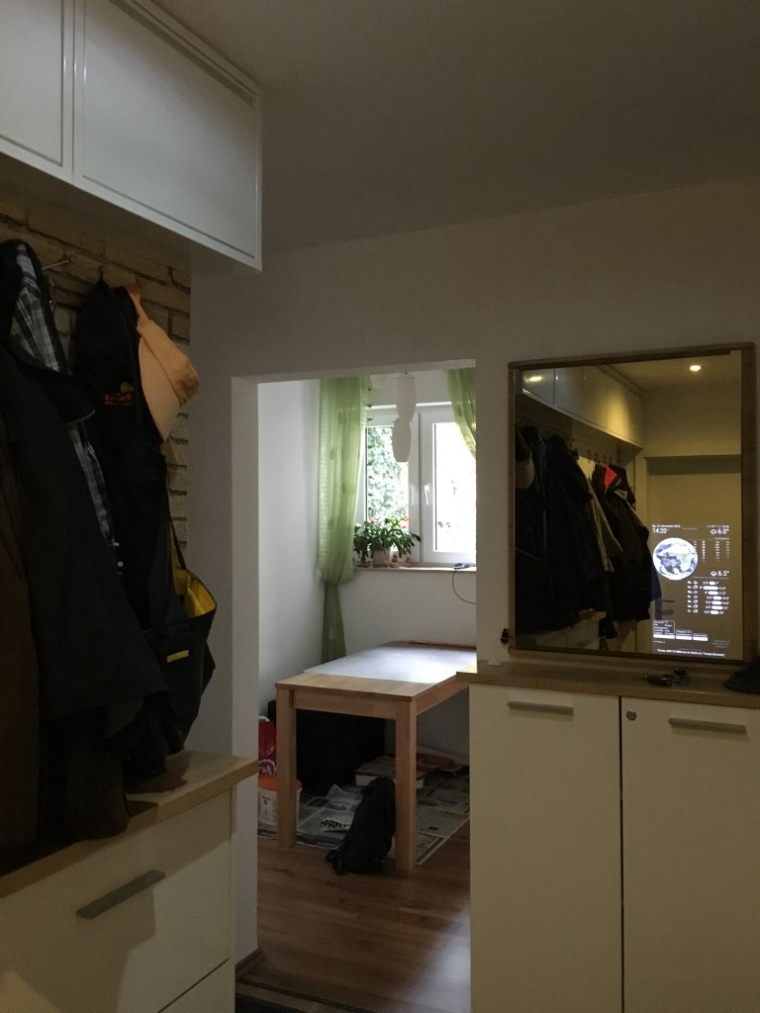
And now u can see my MM.
A bit smaler the screen.
At the next projekt, i’ll take a bigger monitor.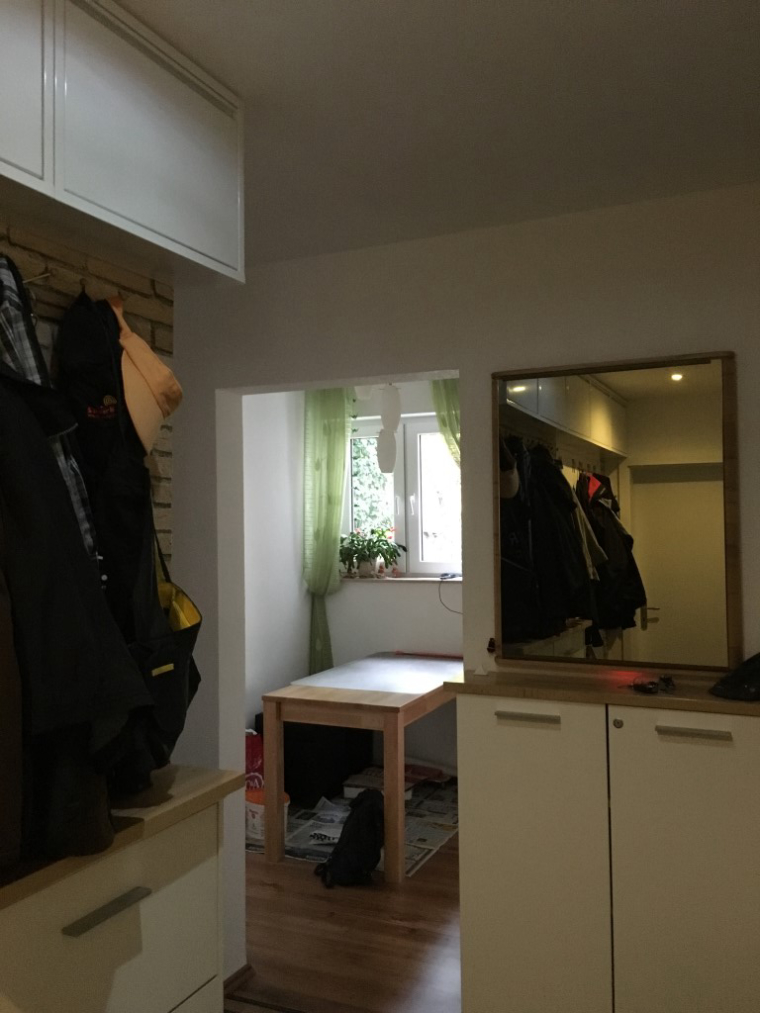
-
MMM-Podcast: omxplayer still running. kill forced
Hello,
This is my problem.0|mm | button pressed
0|mm | undefined
0|mm | omxplayer still running. kill forcedThe video is present as video.mp4 in the MMM-Podcast folder.
omxplayer is installed.
I run this command and the Video is shown in the middle of the screen ;-))pi@raspberrypi:~/MagicMirror/modules/MMM-Podcast $ omxplayer -p -o hdmi video.mp4
but… no sound. ok, that’s another issue.
By presssing the Button bo video is starting.
Can somebody help with this?
-
RE: Error found: Error: Module version mismatch. Expected 50, got 46.
@titusece
Good morning (for me) my friend.it is resolved, but… no video.
omx is running with a testfile.
I think i must change my troubleshooting topic. ;-)Thank you
0|mm | ,"query_zone": "999", 0|mm | "alerts": [ 0|mm | ] 0|mm | } 0|mm | button pressed 0|mm | undefined 0|mm | omxplayer still running. kill forced 0|mm | button pressed 0|mm | undefined 0|mm | omxplayer still running. kill forced 0|mm | button pressed 0|mm | undefined 0|mm | omxplayer still running. kill forced -
RE: Error found: Error: Module version mismatch. Expected 50, got 46.
@yawns
My Problem is:
Error: Module version mismatch. Expected 50, got 51.
NOT: Expected 50, got 46Hello, i have another version of electron:
pi@raspberrypi:~/MagicMirror $ npm list | grep electron
├─┬ electron-prebuilt@1.4.6
│ ├─┬ electron-download@3.0.1
npm ERR! extraneous: stylelint@7.5.0 /home/pi/MagicMirror/node_modules/stylelint
What must be done here?
npm rebuild --runtime=electron --target=1.4.6 --disturl=https://atom.io/download/atom-shell --abi=50Is that ok???