Following the comments in your link, Samsung has made it possible by a firmware update.
Maybe @Jalibu can double-check the behavior.
Following the comments in your link, Samsung has made it possible by a firmware update.
Maybe @Jalibu can double-check the behavior.
My idea was to run MM via HDMI and a Raspberry when I am in the room.
If no one is in front of the frame, it should switch to “frame mode” and display a picture.
But do not know if it works that way. Or if I just take a normal monitor and have a frame built.
Hi,
did anyone use Samsungs The Frame together with MM?
From what I had read the TV sounds like a good solution for my dashboard screen idea. My MM will be 80% of the time show all my pictures and 20% of the time weather, news and calendar.
It will not have a mirror and sit in the living room.
Happy to get any feedback from you.
Christian
That’s so cool. I need more space on my screen for all the nice things out there.
Is there an option to sort the shown rooms. I would like to change the order of the rooms.
@sdetweil I am sure i did that. But I am not able to check it again, because now it is working fine.
@Jalibu
Hi, I just updated to MM 2.18 and the MM will not come up, if the MMM-BoschSmartHome module is active.
If I disable/comment out the module, everything is working fine.
Have you checked your module with MM 2.18?
Update: I did a
npm install rxjs
in the MMM-BoschSmartHome folder, that seams to do the fix.
@sdetweil Thank you for the test. I ordered one today after I read your post!
@jalibu Super funktioniert. Da kann man dann auch mal ein Bier springen lassen!
@mmrize is there a how2 for MM to get this?
@majorc määähhhh…
Nee, ich hatte vergessen was zu commiten…
Yes yes yes, nun passt es. Vielen Dank!
@jalibu Ich glaube ich mache was nicht richtig. Das Update zieht er, aber der Text bleibt mittig/links. Vielleicht ist es auch eine andere App die dein CSS kaputt macht?
@jalibu so richtig leider nicht.
Ich habe das Update gezogen, aber sobald ein anderes Module vor MMM-NINA angezeigt wird, springt NINA etwas nach link.
Also NINA alleine in top_right funktioniert. NINA zusammen mit z.B. MMM-OpenmapWeather in top_right funktioniert nicht.
.MMM-NINA .nina-wrapper .nina-alert.severity-Fine{
text-align: right;
}
leider verändert sich da nichts
Gibt es eine Möglichkeit, wie ich den Hinweis “Momentan keine Warnungen” rechtsbündig bekomme? Ich habe das Module auf der rechten Seite meinen MM und der Hinweis steht jetzt viel zu weit in der Mitte.
Genau so wie in diesem Bild: 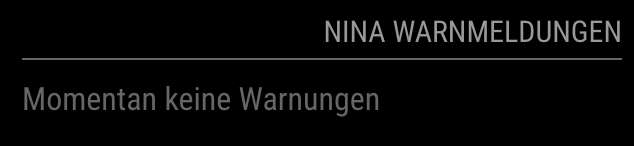
@sdetweil I see. Well, I opened an issue on GitHub, maybe something happend.
Hi @sdetweil
on the MM the widget says, that the forecast is being replaced by a new one. I think the url need to be changed.
Can you have a look on that?
https://developer.yr.no/doc/guides/deprecating-old-widgets/
Thanks
Christian
The issue now is fixed in the last version.
@zoltan outstanding work and documentation, thank you Sir.