@sarote
Hi! No it it’s not possible…
But I will plan to implement it upon your request.
I will let you now. If you wish to track the progress please create a ticket ”issue” in GitHub with the request.
//Pierre
 P
Offline
P
Offline
@sarote
Hi! No it it’s not possible…
But I will plan to implement it upon your request.
I will let you now. If you wish to track the progress please create a ticket ”issue” in GitHub with the request.
//Pierre
@tjat I recomment you to take a look at my https://github.com/PierreGode/MMM-Chores ( it supports touch )
@JohnGalt
Hi, you can now disable AI in config.js
useAI: false, // hide AI features when false
@redbeardedninja
Hi! You can now use in config.js
textMirrorSize: “small”, // small, medium or large
@JohnGalt
I will add an option in config.js to disable AI from being configurable and hide the AI button
No need to set your device on fire.
The data is only stored in the module folder /MMM-Chores/ in data.json and will NOT be shared with anything unless you add the openapi token.
No openai api token = no data leaving your device.
If you want to use ai with api token
ONLY content of modules/MMM-Chores/data.json is shared.
data.json is my file were I store the content of admin page, for security I convert users to ID’s
NOTHING gets sent unless YOU press the AI genrste button.
@redbeardedninja
I will add that a little bit later so sizes an be modified from config.js
@redbeardedninja Hi this has now being added to latest update!
you can now check the checkboxes directly on the mirror it self. (touch screen also works)
( the web admin portal will not update directly unless you refresh the page)
What i found hard is that the mouse is invisible on magic mirror but if you manage to find the checkboxes they will be clickable. ( meaby a setting that can be tampered with)
@JohnGalt
All tasks and peope are stored in data.json even if you delete them (softdelete) . this is so both analytics page can view history and also so the AI generate can use your completed task as information. when you press AI generate it will read the data.json and look for all completed task deleted or not, and use that to create tasks for coming week.
@redbeardedninja Hi! good point! I am lookin at it and started a update for it to work.
@JohnGalt
if you want to remove things from the mirror you can delete them after being marked as completed. ( everything is still stored in data.json file and AI can use that as information.
@redbeardedninja the plan is to do everything in the admin portal. the mirror is for you to have an overview of what is done and what is left to do.
Hi! dateFormatting: “” is now working with todays patch.
Has been a lot of updates last 2 days. Try to go to the folder and do a git pull and restart the mm
/Pierre
@smfd_guy
Hi I made a new update. ( git pull in the folder)
If you leave dateFormatting With only ”” it will not show a date
{
module: “MMM-Chores”,
position: “bottom_right”,
header: “Chores”,
config: {
hideYear: true,
updateInterval: 60 * 1000,
adminPort: 5003,
showDays: 1, // show tasks from today and th>
showPast: true, // also show unfinished tasks f>
dateFormatting: “” // example: month-day, can b>
}
},
@dmykins
Hi! I have made updates. Do a git pull in the folder and it should work fine.
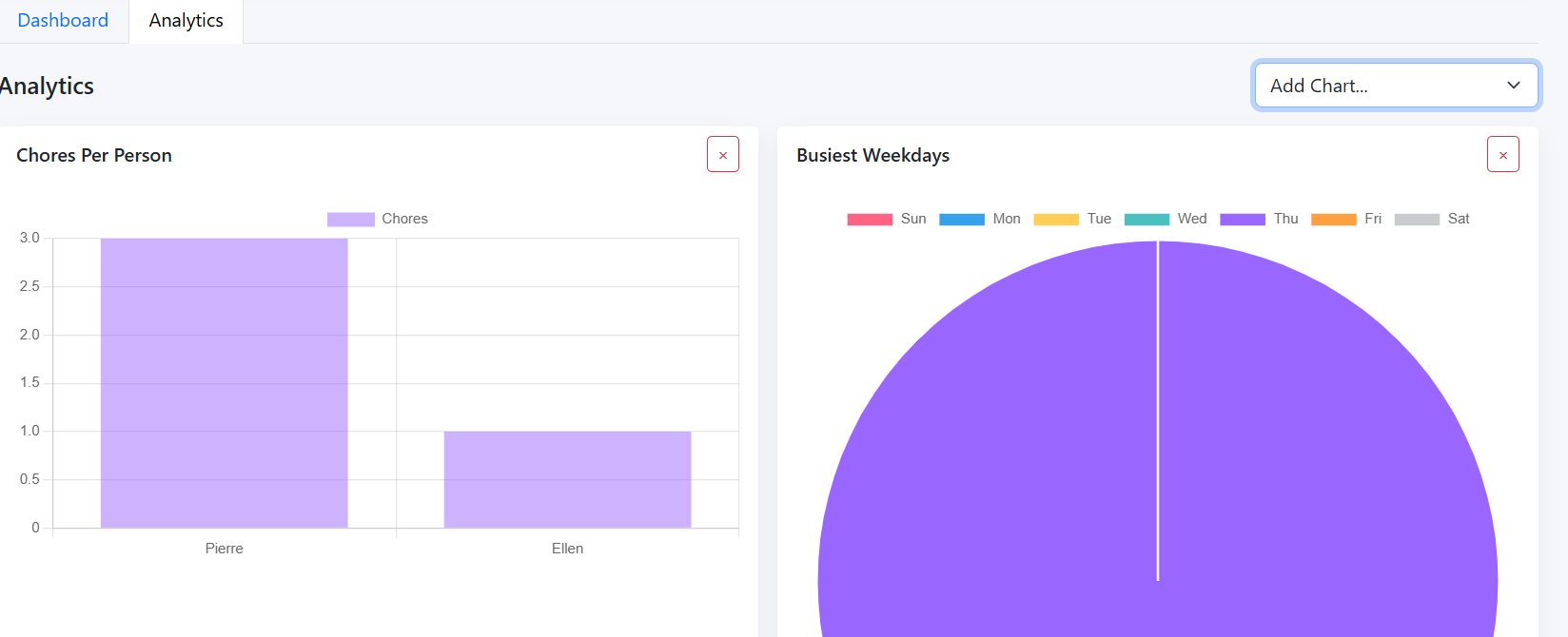
MMM-Chores is a module for MagicMirror² that allows you to manage your household chores.
It provides an admin interface where you can add, edit, and delete tasks. You can also set due dates and assign tasks to different persons. The module displays the tasks on your MagicMirror, allowing you to keep track of your household chores at a glance.
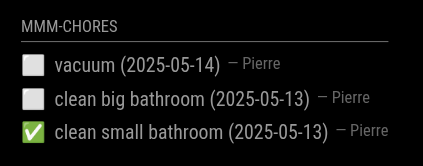
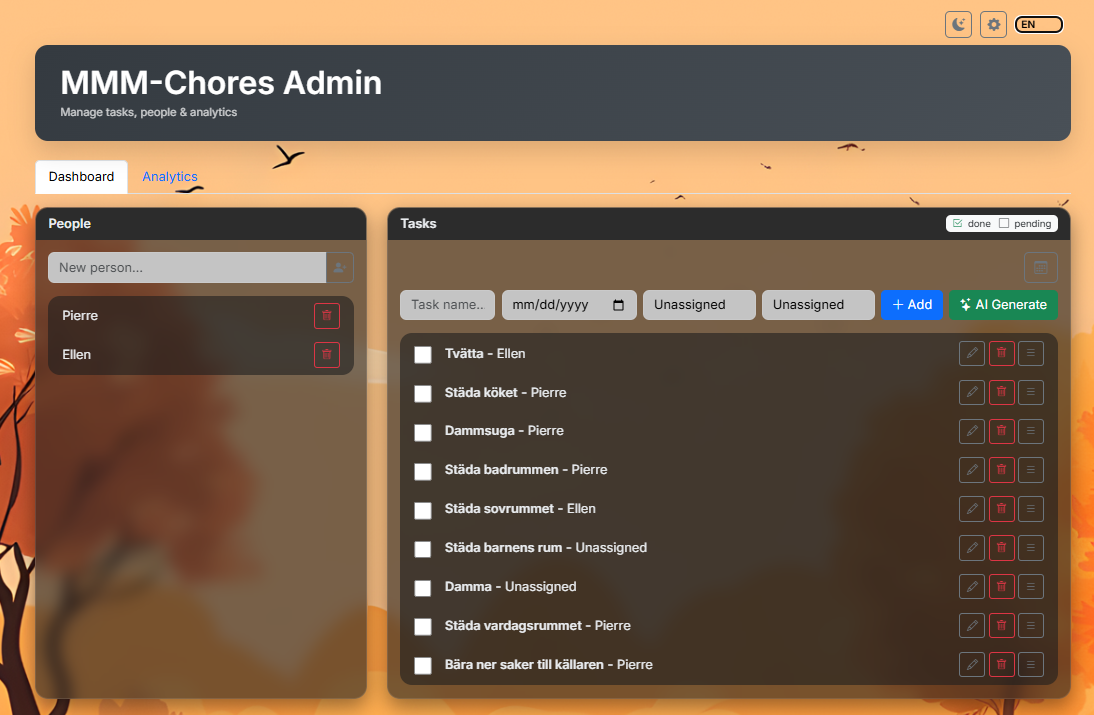
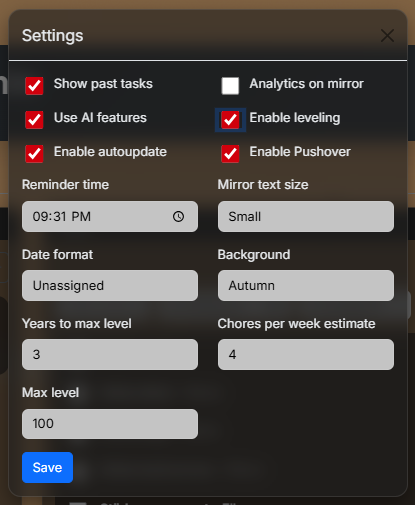
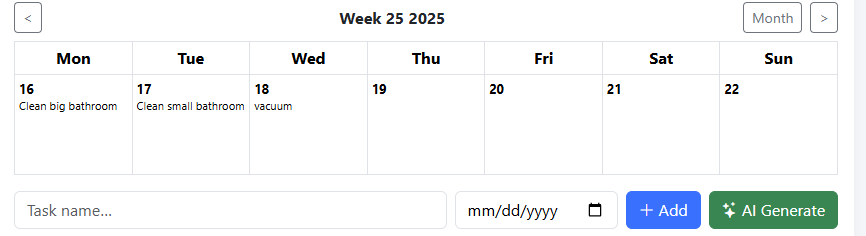
---- AI option is availible and uses only data from data.json if openai api key is provided ↑
cd ~/MagicMirror/modules
git clone https://github.com/PierreGode/MMM-Chores
cd ~/MagicMirror/modules/MMM-Chores
npm install
{
  module: "MMM-Chores",
  position: "bottom_right",
  header: "Chores",
  config: {
    updateInterval: 60 * 1000,
    adminPort: 5003,
    openaiApiKey: "your-openApi-key here",
    pushoverApiKey: "your-pushover-api-key",
    pushoverUser: "your-pushover-user-key",
    login: false,
    users: [
      { username: "admin", password: "secret", permission: "write" },
      { username: "viewer", password: "viewer", permission: "read" }
    ],
    settings: "unlocked", //  set a 6 digit pin like "000000" to lock settings popup with a personal pin, change 000000 to any 6 digit password you want, or comment this out to lock settings completly
// other options can be set in the admin portal
    levelTitles: [
    // titles for every 10 levels
      "Junior",
      "Apprentice",
      "Journeyman",
      "Experienced",
      "Expert",
      "Veteran",
      "Master",
      "Grandmaster",
      "Legend",
      "Mythic"
    ]
  }
},
@cjkowatsch sorry for late response. yes plese try a gain there has been a lot of updates.
@Dentrass-0
Hi! I an from Sweden too.
I have developed several modules like MMM-next-episode
I can take a look do they have API exposed?
/Pierre
@PierreGode
You can add custom icons that will appear matching keywords in your caledar.
so if you create a calendar entry with the word soccer the mirror will show you a ball with your event.
here is a list i created with icons that work. you can change this how you wish and add it to your canlendar section in config.js