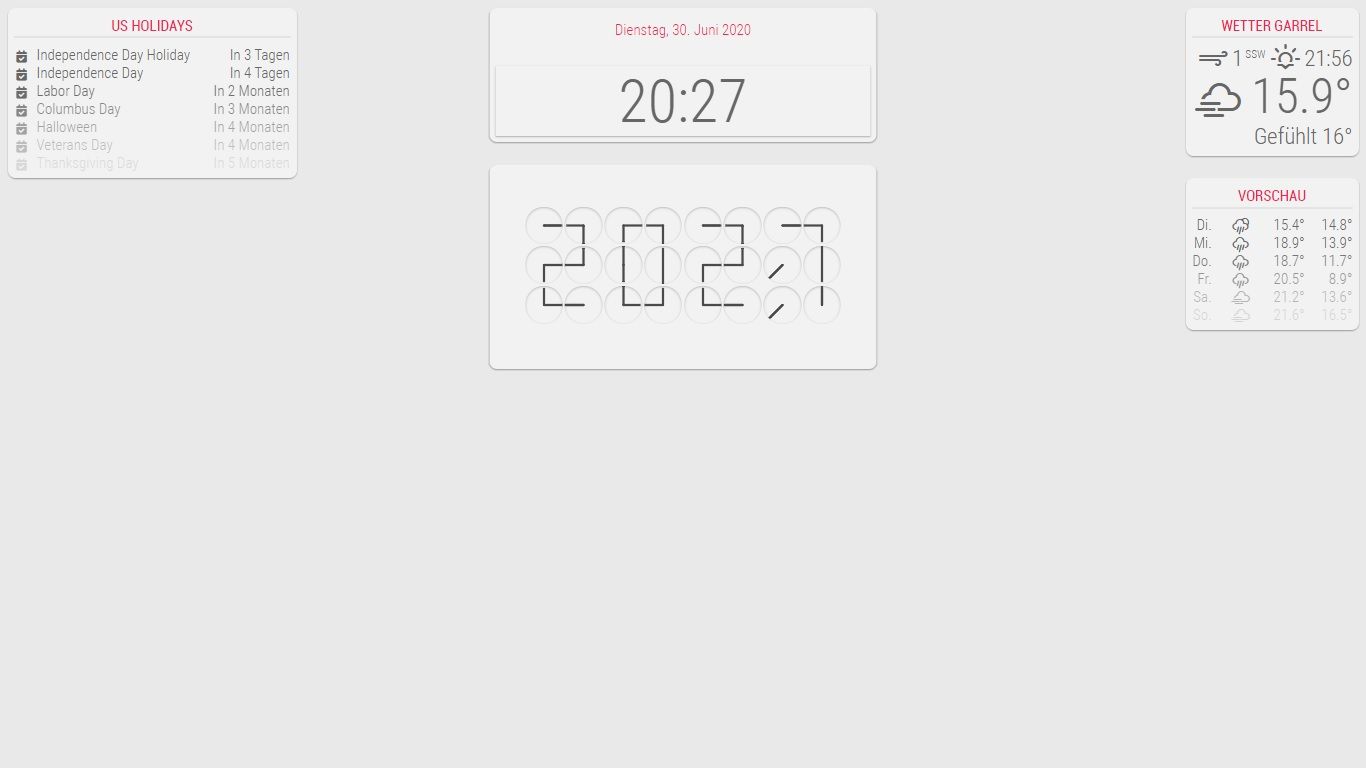
I hope this help.
 P
Offline
P
Offline
A New Chapter for MagicMirror: The Community Takes the Lead
Read the statement by Michael Teeuw here.
Read the statement by Michael Teeuw here.
Posts
-
RE: Clock module
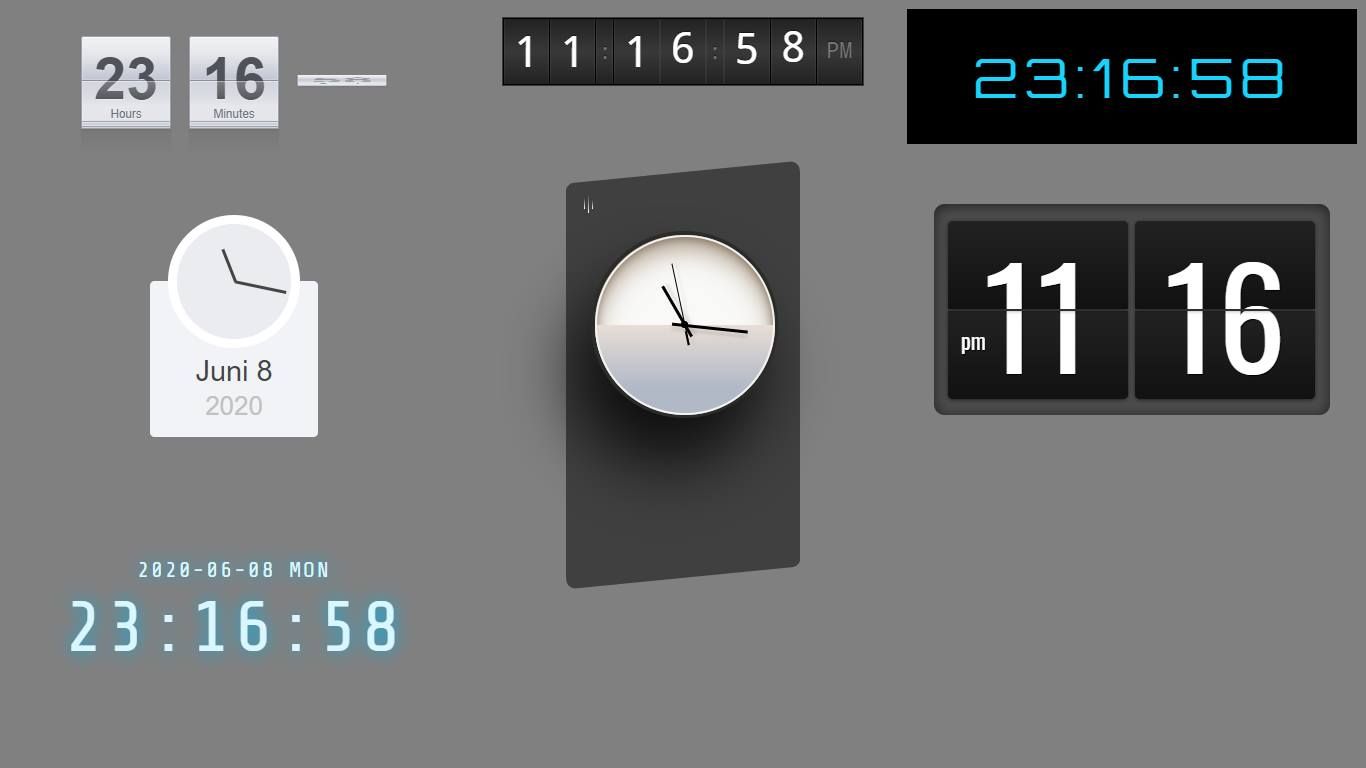
Some time ago I built a module that included the flip clock. MMM-Watchstore
-
RE: Deutsche Anleitung MagicMirror auf RaspberryPi 3
@radioman Versuche mal dein Modul zu verschieben und nicht die ganze Region.
.module.calendar { background : black; margin-left: 10px; margin-top: 130px; } -
RE: Bright UI
@potts-mike
I got it with the calendar, you just have to adjust the CSS.Here is an example with which entries you can customize it.
} .CX2 .agenda .eventSub { display:none; } .CX2 .daily .fullday .eventTime { display:none; font-size: 18px; } .CX2 .slot .event{ background: inherit; font-size: 18px; } .CX2 .slot .slotHeader{ background-color:Transparent; text-transform: uppercase; font-size: 20px; font-weight: 400; border-bottom: 1px solid #1ed760; line-height: 15px; padding-bottom: 5px; margin-bottom: 10px; color: #999; } .CX2 .today .slotHeader * { text-transform: uppercase; color: #999; font-size: 20px; } .CX2 .event.fullday { color: inherit; } .CX2 .slot .slotFooter { display: none; } .CX2 .event[data-calendar-name="Die Fischers"] { border-left: 2px #ce4138 solid; border-bottom: 1px solid #424242; } .CX2 .event[data-calendar-name="Karate"] { border-left: 2px #3288ff solid; border-bottom: 1px solid #424242; } .CX2 .event[data-calendar-name="Abfall"] { border-left: 2px #6bff32 solid; border-bottom: 1px solid #424242; } .CX2 .slot > .slotContent{ position:relative; width:100%; background-image:inherit; } .CX2 .event.fullday { border-radius:0px; } -
RE: Bright UI
At first glance, I think that these are the entries attached below.
.sonos ul .art img {
  height: 400px;
}

.MMM-PaprikaMenu .menu .today .meal {
  color: #8a8a8a;
  font-size: 24px;
}
But it may also be that something is written about the .js or .njk, so have a look
-
RE: Bright UI
Please post me all three CSS, from the paprika menu, from Sonos and your custom.css, and I’ll get you ready
-
RE: CSS for small fullscreen display
What you mean is called responsive web design. for example, you could use the tablet in portrait or landscape format and thus adjust the position of the modules.You have to change the index.html for this with the meta name viewport, but with an update the index.html will probably be overwritten.
-
RE: Mirror not starting after updating to MagicMirror² v2.12.0
@sdetweil
As often as I have to put on my MM right now, your skips are part of life like eating. :cat_face_with_tears_of_joy: :cat_face_with_tears_of_joy: :cat_face_with_tears_of_joy: -
Change the regions positions
Here is an example .css to change the regions positions. You can move and position the regions freely.
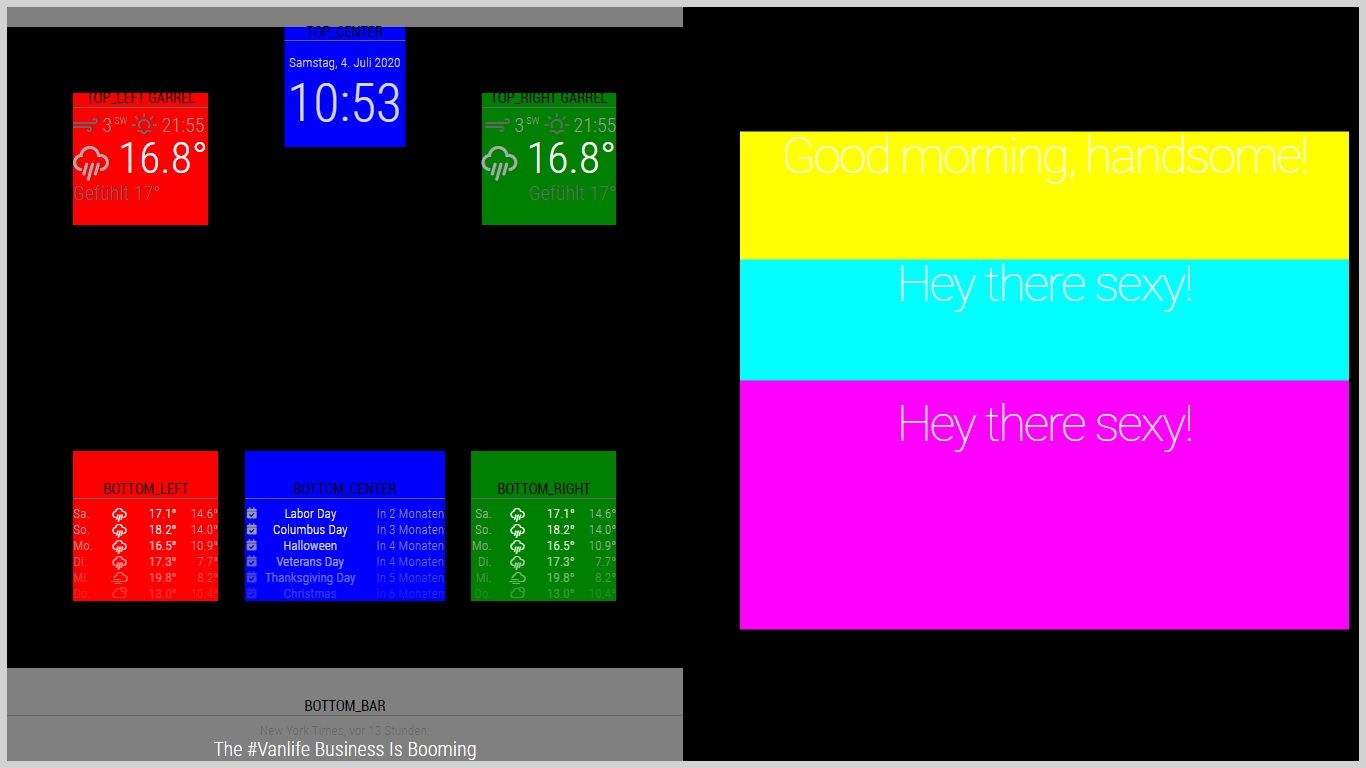
/** * Region Definitions. */ .region.bottom.bar { background : gray; position: absolute; width: 50%; } .region.top.bar { background : gray; position: absolute; width: 50%; } .region.top.right { background : green; margin-right: 100px; margin-top: 100px; } .region.top.left{ background : red; margin-left: 100px; margin-top: 100px; } .region.top.center { background : blue; *margin-left: 100px; *margin-top: 100px; } .region.bottom.right { background : green; margin-right: 100px; margin-bottom: 100px; } .region.bottom.center { background : blue; margin-bottom: 100px; } .region.bottom.left { background : red; margin-left: 100px; margin-bottom: 100px; } .region.third { background : cyan; } .region.middle.center { background : cyan; margin-bottom: 100px; text-align: center; position: absolute; width: 45%; height: 33%; left: 1100px; } .region.upper.third { background : yellow; margin-bottom: 100px; text-align: center; position: absolute; width: 45%; height: 33%; left: 1100px; } .region.lower.third { background : magenta; text-align: center; position: absolute; width: 45%; height: 33%; left: 1100px; } -
RE: BG Animation with CSS
@Piranha1605 said in BG Animation with CSS:
Small work accident. The result is a BG animation with CSS only. :face_with_tears_of_joy: :face_with_tears_of_joy: :face_with_tears_of_joy: :face_with_tears_of_joy:
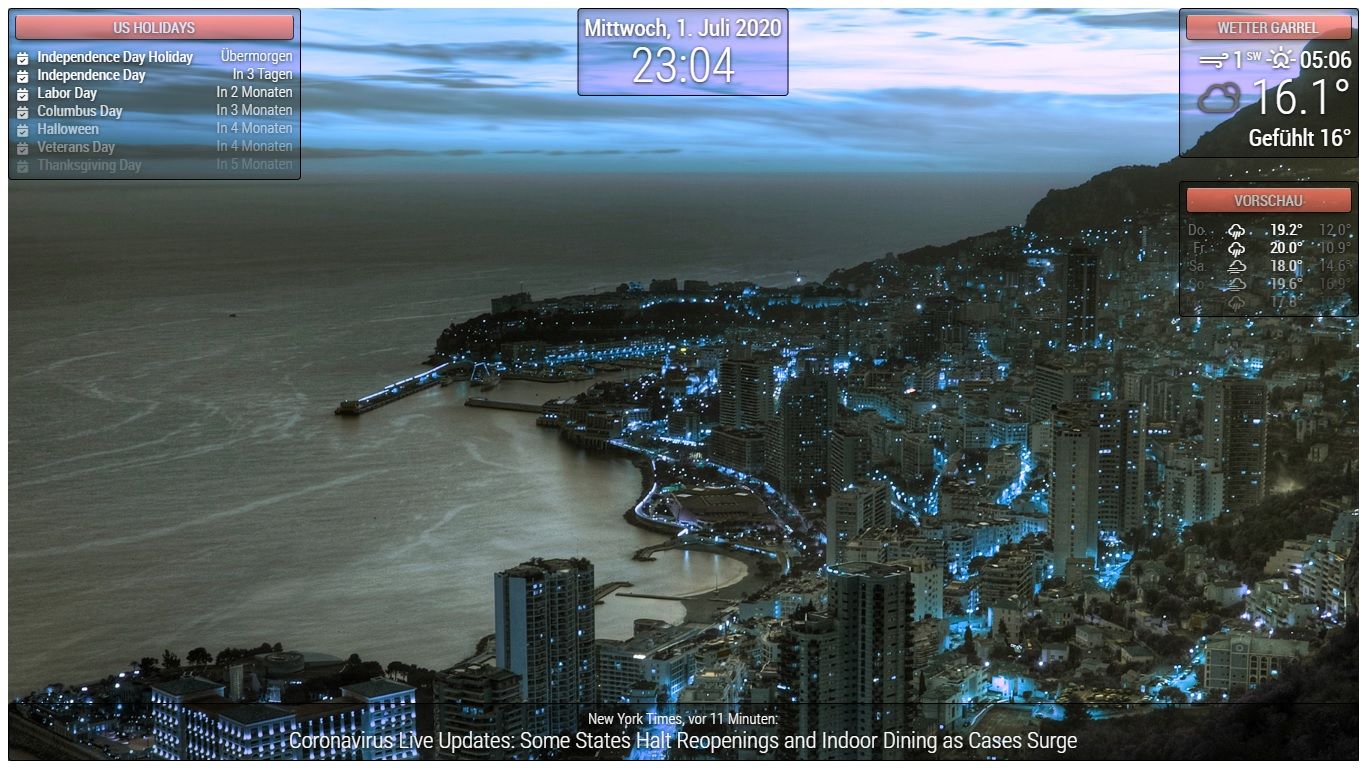
html { cursor : default; overflow : hidden; } body { margin : 10px; position : absolute; width : calc(100% - 20px); height : calc(100% - 20px); margin-bottom : -10px; font-size : 20px; font-weight : 500; line-height : 1.5; color : #FFF; background : url("bg/bg11.jpg"); width : 100%; height : 100vh; background-size : cover; background-blend-mode : hard-light; animation : hue-rotate 10s linear infinite; } header { text-align : center; font-size : 20px; padding : 8px; border-radius : 5px; outline : none; border : none; color : #FFF; text-transform : uppercase; text-shadow : 0 1px 5px #000; border : #000 solid 1px; opacity : 0.7; box-shadow : 0 8px 6px -6px rgb(0, 0, 0, 0.7); border-top : 1px solid rgb(255, 255, 255, 0.8) !important ; } .dimmed { color : #FFF; } .normal { color : #FFF; } .bright { color : #FFF; } .module { font-size : 20px; padding : 8px; font-weight : 400; border-radius : 5px; box-shadow : 4px 6px 10px -4px rgb(0, 0, 0, 0.3) inset, 0 1px 1px -1px rgb(255, 255, 255, 0.3); background : rgb(0, 0, 0, 0.2); outline : none; border : none; border : black solid 1px; color : #6E6E6E; text-shadow : 0 1px 5px #000; } @keyframes hue-rotate { from { filter : hue-rotate(0); } to { filter : hue-rotate(360deg); } } -
RE: BG Animation with CSS
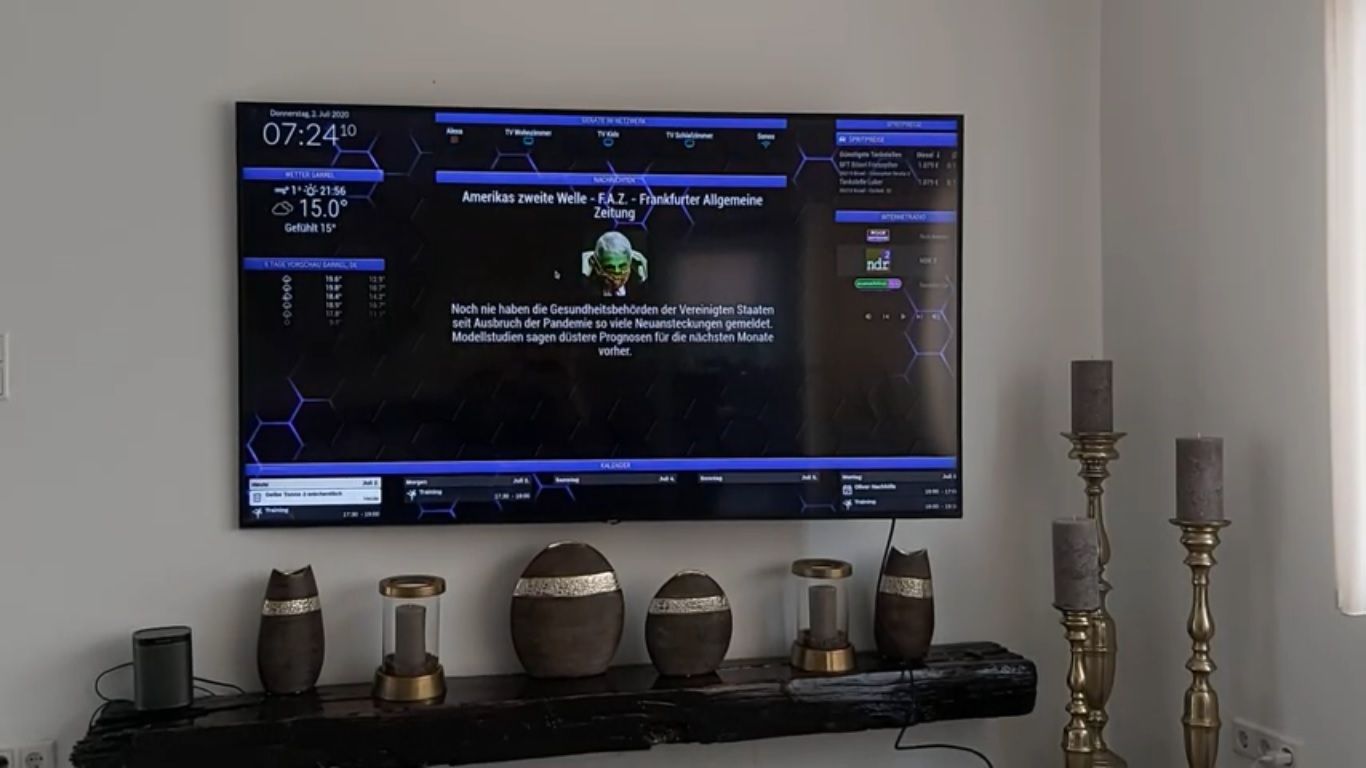
I just tested it in the living room. It runs smoothly if you set the time to 5s. The problem is now the discussion with my wife why I now work on the large TV in the living room every evening. :)
-
RE: BG Animation with CSS
@lavolp3
I will adapt it further and then add it to the module. The arrangement of the modules will be resolved via the config. What I will do is install the day and night switches that change the designs. -
RE: BG Animation with CSS
@sdetweil Tomorrow I will test all the monitors in the house with it. It runs smoothly on the Pi and on the laptop. I have not yet tried it on the TV.
-
BG Animation with CSS
Small work accident. The result is a BG animation with CSS only. :face_with_tears_of_joy: :face_with_tears_of_joy: :face_with_tears_of_joy: :face_with_tears_of_joy:
body { margin: 10px; position: absolute; width: calc(100% - 20px); height: calc(100% - 20px); margin-bottom: -10px; font-size: 20px; font-weight: 500; line-height: 1.5; color: #606060; background: url("bg/bg7.jpg"); background-blend-mode: hard-light; -webkit-animation: hue-rotate 10s linear infinite; animation: hue-rotate 10s linear infinite; } html { cursor: default; overflow: hidden; background: linear-gradient(233deg, #e56420, #c22525, #3d9c31, #37bbde); } header { text-align: center; font-size: 20px; padding:8px; border-radius: 5px; outline: none; border: none; background-image: linear-gradient(#28D2DE 0%, #1A878F 100%); color: #FFF; text-transform: uppercase; text-shadow: #000 0px 1px 5px; border: 1px solid #000; opacity: 0.7; box-shadow: 0 8px 6px -6px rgba(0, 0, 0, 0.7); border-top: 1px solid rgba(255, 255, 255, 0.8) !important; } .dimmed { color: #FFF; } .normal { color: #FFF; } .bright { color: #FFF; } .module { font-size: 20px; padding:8px; font-weight: 400; border-radius: 5px; box-shadow: inset 4px 6px 10px -4px rgba(0, 0, 0, 0.3), 0 1px 1px -1px rgba(255, 255, 255, 0.3); background: rgba(0, 0, 0, 0.2); outline: none; border: none; border: 1px solid black; color: #6E6E6E; text-shadow: #000 0px 1px 5px; } @keyframes hue-rotate { from { -webkit-filter: hue-rotate(0); -moz-filter: hue-rotate(0); -ms-filter: hue-rotate(0); filter: hue-rotate(0); } to { -webkit-filter: hue-rotate(360deg); -moz-filter: hue-rotate(360deg); -ms-filter: hue-rotate(360deg); filter: hue-rotate(360deg); } } @-webkit-keyframes hue-rotate { from { -webkit-filter: hue-rotate(0); -moz-filter: hue-rotate(0); -ms-filter: hue-rotate(0); filter: hue-rotate(0); } to { -webkit-filter: hue-rotate(360deg); -moz-filter: hue-rotate(360deg); -ms-filter: hue-rotate(360deg); filter: hue-rotate(360deg); } } -
RE: Clock Clock 24
Download the zip file from codepen and load everything with MMM-iFrame or with my MMM-Watchstore.
-
RE: CSS experiments for newbies
All of this is now also available as modules.
-
MMM-Watchstore
A small module with various clocks.
  {
  	module: "MMM-Watchstore",
  	position: "top_center",
  		config: {
  			url: "modules/MMM-Watchstore/clocks/clock1/index.html",
  			width: "500px",
  			height: "120px",
  	}
  },
To change the clock, change the entry clock1 / clock2 …