@justjim1220 It looks like you are trying to do multiple request, as mykles description sounds like one request with a comma seperated list.
 S
Offline
S
Offline
A New Chapter for MagicMirror: The Community Takes the Lead
Read the statement by Michael Teeuw here.
Read the statement by Michael Teeuw here.
Posts
-
RE: Help choosing more than one item from an array
-
RE: Magic mirror serving multiple clients
@cowboysdude take a look at https://github.com/fewieden/MMM-syslog-slave thats the only thing were I connected multiple instances
-
RE: MMM-NFL Issues
@danielloftus you didn’t close the modules array, you missed commas and you placed quotes.
{ module: 'MMM-NFL', position: 'bottom_right', config: { colored: true, helmets: true, reloadInterval: 3000 } }, ] -
RE: Some Calendar Icons Missing
@lazyboy0284 you’re lucky someone integrated the fontawsome v5 with backwards compatibility and it was merged today into the develop branch https://github.com/MichMich/MagicMirror/pull/1427
-
RE: MagicMirror Ideas for Retail Application
@solelo I guess it depends on the type of store, you can also check out this list https://github.com/MichMich/MagicMirror/wiki/3rd-party-modules
-
RE: MMM-NFL Only shows "loading"
@mrpicasso @Mykle1 @BKeyport with the help of https://github.com/alacercogitatus the problem is now fixed. Make sure you get the newest version of the master branch and run npm install https://github.com/fewieden/MMM-NFL
-
RE: change current weather colors - time and wind
@karde this is for the default module
currentweatherand not as I thoughtMMM-WunderGround/* wind speed selector */ .currentweather > .module-content > div > div.normal.medium > *:nth-child(2), /* wind direction selector */ .currentweather > .module-content > div > div.normal.medium > *:nth-child(3), /* sunset/sunrise time selector */ .currentweather > .module-content > div > div.normal.medium > *:nth-child(6){ color: orange; } -
RE: Issue displaying images in alerts
@tagriel the url would be https://github.com/fewieden/MMM-soccer
but the only thing you need is a module let’s call it
imageserver, which is only responsible as an image host.directory structure:
MagicMirror
- modules
  - imageserver
    - public
      - kids.png
    - imageserver.js
    - node_helper.js
imageserver.js
Module.register("imageserver", {});node_helper.js
const NodeHelper = require('node_helper');
module.exports = NodeHelper.create({});
config.js
{
	module: "imageserver"
},
command
MM.getModules()[0].notificationReceived("SHOW_ALERT", {title: 'My Title', message: 'Some Text', imageUrl: '/imageserver/kids.png'}, {name: 'test'});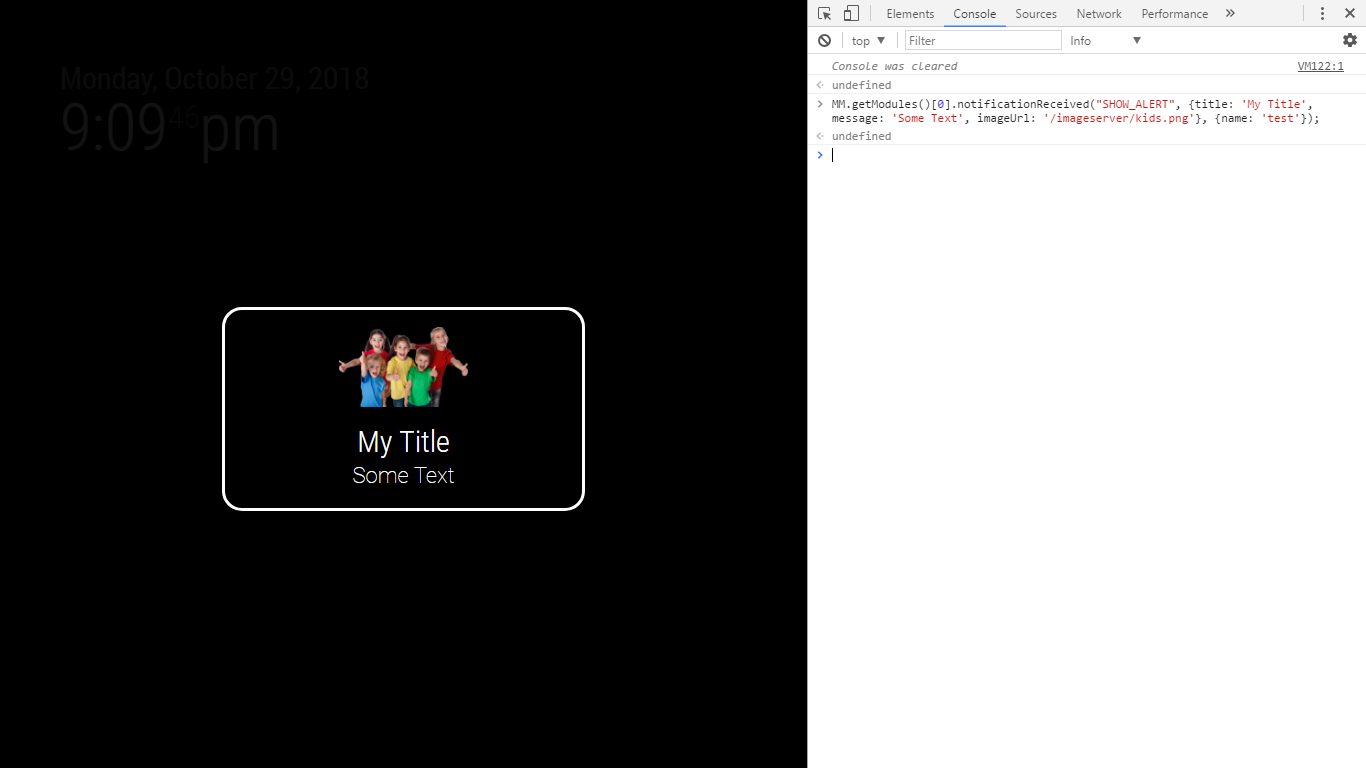
-
RE: Default Newsfeed: Fullscreen News Article in MMM-Modal instead of iFrame
@RaspiManu I’m quite busy to help you out much here. But maybe it helps you to check out https://github.com/fewieden/MMM-Modal/issues/6 where @skuethe implemented MMM-Modal with MMM-Touch and MMM-WiFiPassword
-
RE: position from config.js conversion to main.css
@Dimonic every region has the class
region, the position gets splitted by underscore. then you have the classtopandcenterthe selector will match any tag which has the class
regionandtopandcentere.g.
anytag class="region top center"EDIT: it wont let me write real html code < nor <
-
RE: MMM-NHL displays 'Loading'
@Cliff365 I released a new version, please update the module again.
-
RE: custom CSS clock module
@PointPubMedia the hour and the minute are in the same div which makes it not possible to do it just in css, but
there is a config option which adds a wrapper around the minutes, which is perfect for this task.the selector would be probably something like this:
.clock div.time.bright.large.light span.bold {
  //set the font size here
}
therefore you also have to add
clockBold: trueto the configif you dont like the bold effect you can overwrite it as well where you change the font size
-
RE: CSS basics
@broberg the secondsWrapper is the only sup tag so it can be accessed by
.clock sup.dimmed -
RE: How to change the clock css to be 90% full screen ?
@nagaculun did you consider using the config option
analogSizefor the clock module?analogSize: Specific to the analog clock. Defines how large the analog display is. Possible values: A positive number of pixels Default value:'200px'Furthermore the value can have even more units than just pixels, as it uses the standard width and height property for it.
Check out the property values section here https://www.w3schools.com/cssref/pr_dim_width.asp -
RE: Box/Frame around module
@Da-ne-ezy custom.css
.MODULENAME { border: 2px solid white; } -
RE: Change background image based on time of day
This should not work, as the getStyles function of the module gets just executed once when the mirror boots. I would suggest to create some classes like morning, afternoon, evening, … and in the module you load the css file with those classes, then create an interval which checks the current time of the day. based on that you query for the body like
var body = document.querySelector('body');and set the specific classbody.className = 'morning';