A New Chapter for MagicMirror: The Community Takes the Lead
Read the statement by Michael Teeuw here.
  • MMM-GoogleAssistant dummy tutorial

    Unsolved
    3
    0 Votes
    3 Posts
    2k Views
    sweupS
    @thestigh thx, yeah, i tried it but I got black screen using it with MMM-Hotword, hours trying to get it to work, with no luck, drove me to try something else :)
  • MMM-SystemStats locking up.

    Unsolved
    3
    0 Votes
    3 Posts
    1k Views
    D
    @mykle1 said in MMM-SystemStats locking up.: something Yep thought that was the case, thanks for the reply
  • Alert of Notification sounds - how to disable?

    Unsolved
    3
    0 Votes
    3 Posts
    1k Views
    K
    @bhepler Thanks - I did not. The mirror was working fine, and no notifications were visible on the screen. I’ll investigate further whether these sounds could be generated by Raspbian OS.
  • 0 Votes
    7 Posts
    2k Views
    bheplerB
    Glad to hear it!
  • This topic is deleted!

    Unsolved
    1
    0 Votes
    1 Posts
    1 Views
  • MMM-Calendar in * amount of days incorrect

    Unsolved
    1
    1
    0 Votes
    1 Posts
    645 Views
    G
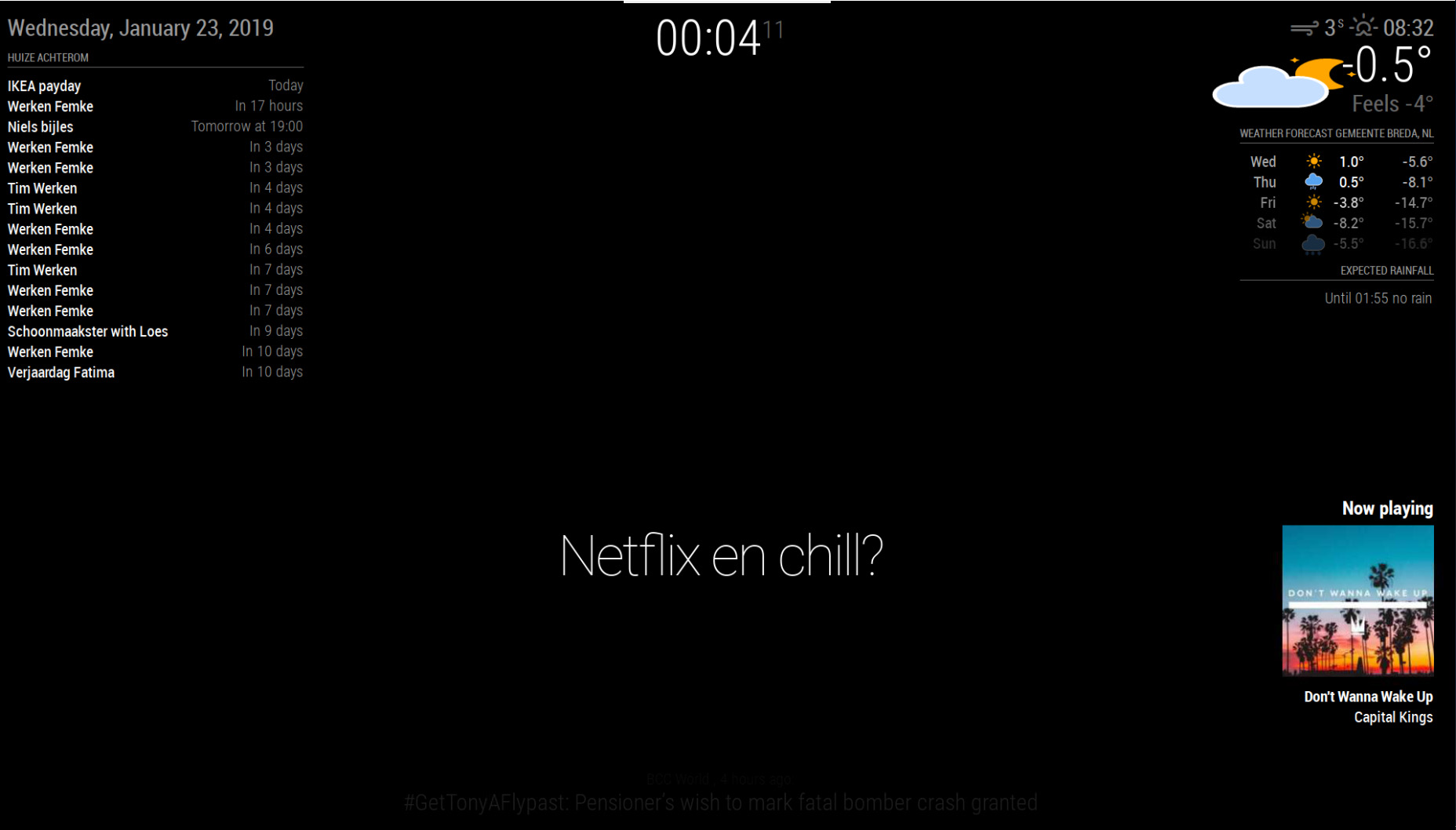
    I have some trouble with the MMM-Calendar issue. [image: 1548198680521-mmm-calendar.jpg] As you can see “Werken Femke” is twice in 7 days. But these two events are on two different days. I believe this only happens when its after midnight but i’m not sure. How can i fix this issue and make the in * amount of days logic again. Thank you in advance for reading and helping me.
  • i need help getting the dailybibleverse module set up.

    Unsolved
    4
    0 Votes
    4 Posts
    2k Views
    bheplerB
    @steed said in i need help getting the dailybibleverse module set up.: i pasted the MMM-DailyBibleVerse folder here ‘/home/pi/MagicMirror/modules/default/MMM-DailyBibleVerse’ This path is incorrect. Modules go in the /home/pi/MagicMirror/modules folder. That path is assumed when you add the module name to the config.js entry. So when you type module: 'MMM-DailyBibleVerse', it’s going to look in that path for a folder with that name.
  • MMM-Simple-Swipe: Did anyone got it to run? (simple yes will do if you did)

    Unsolved
    1
    0 Votes
    1 Posts
    600 Views
    M
    Did anybody got this MMM-Simple_Swipe module to run “right out of the box”? I’ve installed it but it’s not working. My guess (offcourse) would be that I’ve done something wrong! I’m excluding things by asking around. So If anybody (beside the 2 creators :smiling_face_with_open_mouth_smiling_eyes: :smiling_face_with_open_mouth_smiling_eyes: ) got it working this would help me to determine if the problem is with my setup. (I did have contact with one of the module makers but I don’t want to push them and offcourse… they have a life to so I don’t want to harass them :smiling_face_with_open_mouth_cold_sweat: :smiling_face_with_open_mouth_cold_sweat: )
  • tabulator

    1
    0 Votes
    1 Posts
    541 Views
    M
    Hi, I have been looking for a web interactive table that works like tabulator for many many months, and I am so happy to have found it. I am a self-taught html user and do not know programming. As I am not a developer, I have problem integrating tabulator into cpanel and my website. I do not understand the installation steps on tabulator.info, as I do not know how to install bower, npm or magic mirror. Can someone extend a helping hand to me? Thanks, Michelle
  • MMM-google-route error "over query limit"

    Unsolved
    2
    0 Votes
    2 Posts
    1k Views
    bheplerB
    Have you tried adjust the refresh frequency to make it not query the API so often?
  • Calender Module: Time Not visible

    Solved
    4
    0 Votes
    4 Posts
    1k Views
    P
    Ahh… so simpel -.- works. Thank you
  • sendNotification help

    Moved
    6
    0 Votes
    6 Posts
    2k Views
    S
    @jasondreher said in sendNotification help: this.time = payload probably this.config.time = payload
  • This topic is deleted!

    3
    0 Votes
    3 Posts
    54 Views
  • Error on starting MM2: module not present

    Unsolved
    22
    1
    0 Votes
    22 Posts
    9k Views
    M
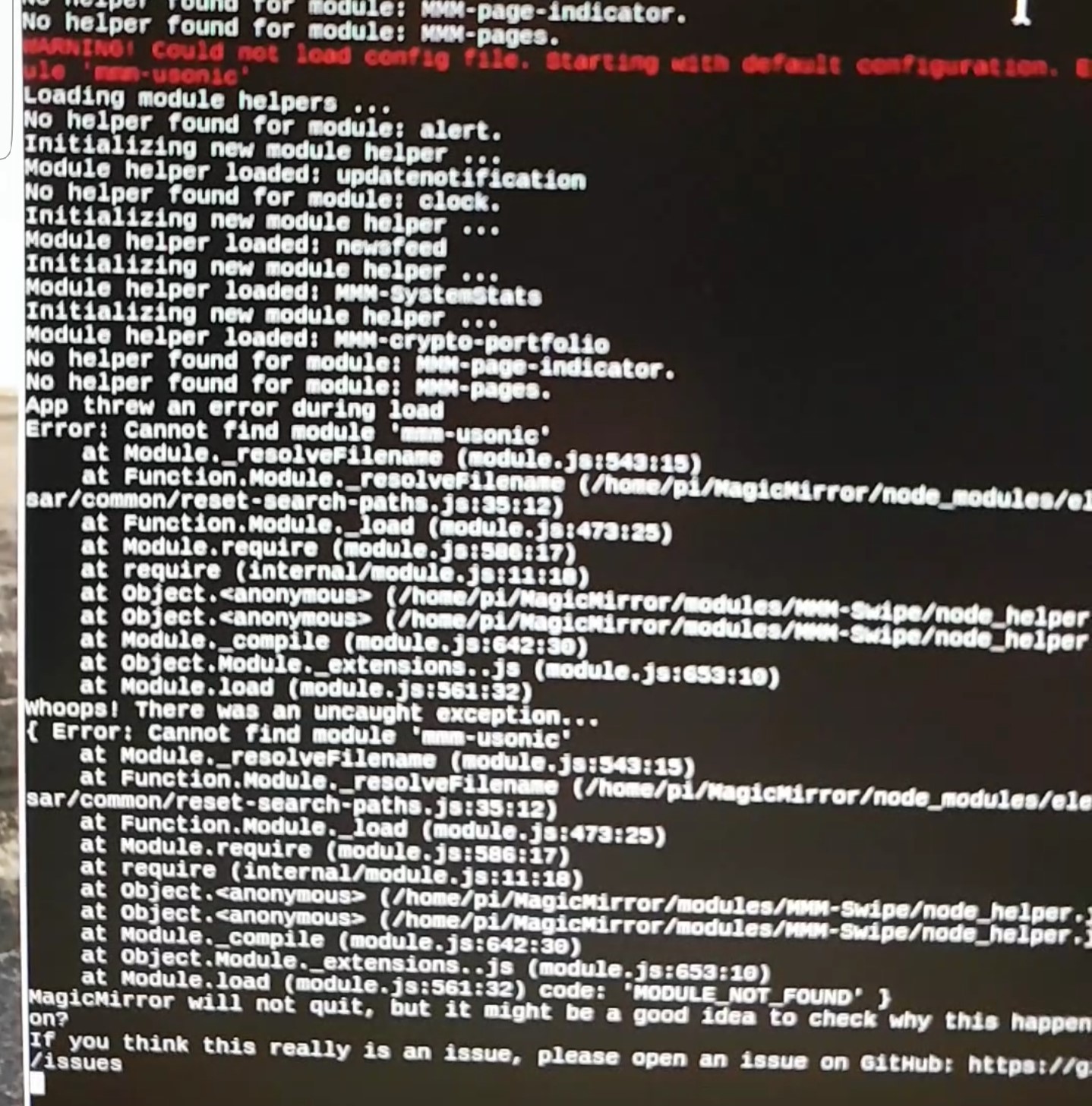
    @sdetweil I think I’ll just start over again with a reimage of the sd card.:persevering_face: I’ve checked the package.json file in the electron folder and it showed version 2.0.16 So I entered that number at the bottom of the package.json file in the MMM-Swipe folder and run npm install again in the Swipe folder. Yet it gave me: pi@Mirror:~/MagicMirror/modules/MMM-Swipe $ npm install npm ERR! code ETARGET npm ERR! notarget No matching version found for electron-rebuild@^2.0.16 npm ERR! notarget In most cases you or one of your dependencies are requesting npm ERR! notarget a package version that doesn't exist. npm ERR! notarget npm ERR! notarget It was specified as a dependency of 'MMM-Swipe' npm ERR! notarget npm ERR! A complete log of this run can be found in: npm ERR! /home/pi/.npm/_logs/2019-01-15T22_09_44_953Z-debug.log pi@Mirror:~/MagicMirror/modules/MMM-Swipe $ Thanks for helping me out so far. How do you know al this stuff? How long are you already doing this? Hope I’ll get that smart one day. :grinning_face:
  • MMM-NetworkScanner Icons

    7
    0 Votes
    7 Posts
    4k Views
    zdenekZ
    @ianperrin said in MMM-NetworkScanner Icons: font awesome 4 great, thannks and also thx to @Mykle1
  • The Google Assistant built-in MagicMirror

    Moved
    3
    0 Votes
    3 Posts
    2k Views
    younTaekY
    @sean Thanks. Thanks to that, I solved it quickly
  • 2nd Calendar won't display

    Solved
    6
    0 Votes
    6 Posts
    3k Views
    S
    @bibi 1 added a calendar entry for later the same day as I was configing the dual calendars… long as public, all ok… yes, you need different IDs for the calendar definitions
  • MagicMirror is hanging over night

    7
    0 Votes
    7 Posts
    2k Views
    D
    @skorpionbird after about 12hours memory says it’s only got 2/3 percent left so I suspect it to be a memory leak issue with module as when MM first starts it says I have 32-38 percent ram free
  • MMM-CalenderExt2: view week does not display german dateFormat

    Solved
    4
    1
    0 Votes
    4 Posts
    2k Views
    ?
    @sworrs Nevermind. I don’t read manual also. :D
  • MMM-Pollen and MMM-Quote of the day

    Unsolved
    3
    0 Votes
    3 Posts
    1k Views
    Mykle1M
    @twwilkerson1 You’re missing a comma at the end of the “MMM-quote-of-the-day” entry and there is a comma out of place in the sensor entry. Everything else looks good. Try these please. { module: "MMM-Pollen", position: "top_left", header: "Pollen Forecast", config: { updateInterval: 3 * 60 * 60 * 1000, // every 3 hours zip_code: "90210" } }, { module: "MMM-quote-of-the-day", position: "lower_third", config: { language: "en", updateInterval: "1d" } }, { module: 'MMM-PIR-Sensor', config: { sensorPin: 17, powerSaving: true // See 'Configuration options' for more information. } },