A New Chapter for MagicMirror: The Community Takes the Lead
Read the statement by Michael Teeuw here.
  • problems with starting

    2
    0 Votes
    2 Posts
    383 Views
    lavolp3L
    @karalica-kir A bit more explanation around all this would be helpful. You have an issue with the mentioned module MMM-GoogleMapsTraffic. It wants to read a json input that it cannot understand. MOst probably from the Google maps API. SO I would assume somethings wrong with your api key for the google maps api. But I can only guess.
  • MMM-xiaomi Best gateway?

    1
    0 Votes
    1 Posts
    274 Views
    M
    Hi Will a Xiaomi Gateway 3 (Global version) work with this module? What would you recommend?
  • Alignmend of modules

    11
    1
    0 Votes
    11 Posts
    4k Views
    M
    @carstend I added the question to the DWD-Pollen thread, but no respond so far. https://forum.magicmirror.builders/topic/12247/mmm-dwd-pollen/19?_=1616656403635 text-align: right will move the text, so it is not centered anymore. But the goal is, to get rid of the space on the right side. Update: I now use: .MMM-DWD-Pollen table { margin-left: auto; margin-right: -40px; } Not sure if this is a good way, but it works for me at the moment.
  • Newsfeed Wrap with CSS

    13
    0 Votes
    13 Posts
    4k Views
    S
    @sdetweil said in Newsfeed Wrap with CSS: also, notice the leading dot (.) on the class name, this is required excellent!!! it works fine now :) Thank you! Nice supporter :)
  • Message: no signal

    6
    0 Votes
    6 Posts
    1k Views
    S
    @george i just replied to someone else on discord there are different commands to turn on/off display devices… and they work in different places tvservice is a pi only command https://www.raspberrypi.org/documentation/raspbian/applications/tvservice.md vcgencmd is one to control the hdmi port (turn off, and display MAY show ‘no input’) https://www.raspberrypi.org/documentation/raspbian/applications/vcgencmd.md and cec-utils (cec-client) can control the tv on the end of the hdmi cable (for cec compliant devices) https://pimylifeup.com/raspberrypi-hdmi-cec/ tv service works on pi4 to turn off hdmi port, but not back on. vcgencmd worked on pi 4, but montior displayed no input, cec-utils worked turned off/on monitor [11:45 AM] the PIR module has to use the right commands… I thought NEWPir supported cec-client… but haven’t tried it… sam — Today at 11:58 AM New-PIR does support the CEC commands, and vcgencmd and tvservice… using mode in the module config screen section screen: { } I think 5 modes are available: mode: 1 - use vgencmd (RPI only) mode: 2 - use dpms (version RPI) mode: 3 - use tvservice (RPI only) mode: 4 - use HDMI CEC mode: 5 - use dpms (linux version for debian, ubuntu, …) my advice to the other user was to logon to the pi via ssh and try the commands as documented in the links to figure out which on works and then use the mode in the NEW-Pir module config

  • Date in the calendar module is in the wrong format. MM/DD/YY instead of DD/MM/YY

    Unsolved
    2
    1
    0 Votes
    2 Posts
    814 Views
    S
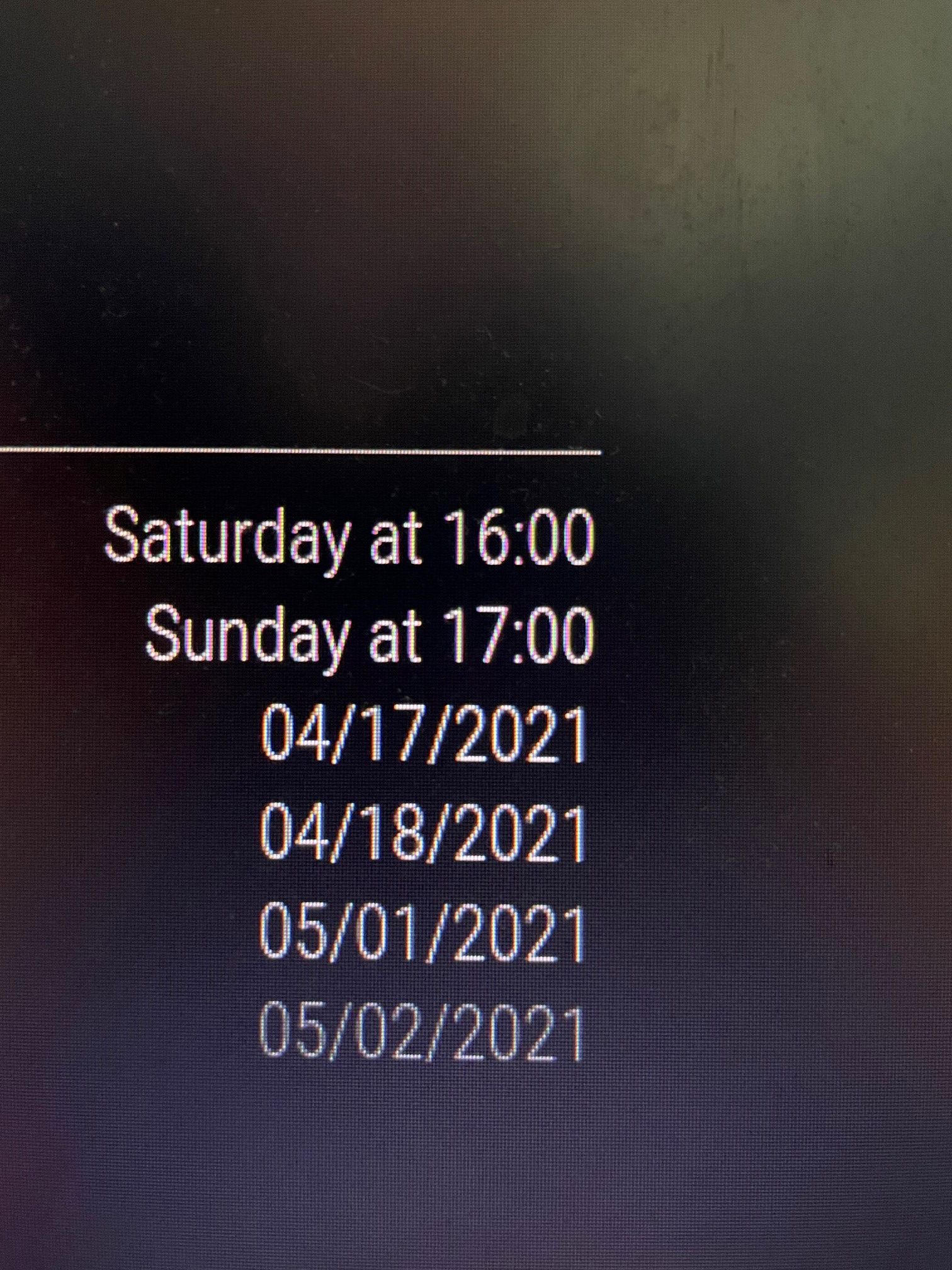
    @sander023 I put your post back, cause I want to reply for others… in this case, u also need timeFormat:‘absolute’, dateFormat: "DD/MM/YY", timeFormat:'absolute', fullDayEventDateFormat:"DD/MM/YY",
  • Can't install MMM-Navigate

    13
    0 Votes
    13 Posts
    3k Views
    S
    @matze86 do this from the MMM-Navigate folder npm rebuild epoll --update-binary worked for me note that this compiled version won’t work if you use electron now…
  • Calendar events 1 day late

    2
    0 Votes
    2 Posts
    390 Views
    S
    @castletonroad what version of MM are u running on ? this was a problem in 2.13, but fixed in 2.14(the current version) I just tested and get the event showing on Thursday April 1 as expected
  • Unsplash not loading pictures

    4
    0 Votes
    4 Posts
    1k Views
    D
    @cowboysdude Thanks. Even though, the solution came from some one else. ;-) I just thought its good to post it here as well in case someone looks exactly for this issue. Anyway. I don’t know what you mean by add it to the repository but if someone does, feel free to add this. Cheers everyone.
  • Weatherbit Unit

    16
    0 Votes
    16 Posts
    5k Views
    M
    @scumbelly Sorry forgot to remove it.
  • MagicMirror Calendar iCal

    4
    0 Votes
    4 Posts
    328 Views
    S
    @gryfer so the dns server for the pi cannot locate the mail server. are you using pihole to filter advertisements? someone else had to reboot their router
  • MMM-iHaveBeenThere : how to adjust zoom

    Solved
    3
    0 Votes
    3 Posts
    1k Views
    F
    Hi i have the same problem like @MrCoffee. I want do display the whole Map, but i can not figure out how it works: zoomLevel: “0.8”, zoomLongitude: “50”, zoomLatitude: “50”, are the best seetings i figure out. In the MMMihavebeenthere.js under: wrapper.style.width = “3840px”; wrapper.style.height = “2160px”; i set the resoultion of the TV to 4k so the Map fit*s the screen But it fit’s not 100% right. I play around more the 1 hour withe the settings in the config.js and can not finde better seetings. Have anyone a idea to fix this and become a 100% view? Greetings Foxy [image: 1615488141941-untitled-resized.jpg]
  • Got error when run MM 2.14.0

    11
    0 Votes
    11 Posts
    4k Views
    slametpsS
    @sdetweil said in Got error when run MM 2.14.0: @slametps fun… do cd ~ sudo rm -rf .npm rm -rf MagicMirror note the dot in front of npm then run the install script again. It works like a charm. Thx a lot @sdetweil .
  • 0 Votes
    2 Posts
    411 Views
    Mykle1M
    @desert-rat Until I get around to making a permanent solution, you can edit this line in the Hello-Lucy.js file to reflect what you want to see Line 204 (or there abouts) this.mode = this.translate("NO_MODE")+ "'Hello Lucy'"; A word of caution! Be careful not to change the quotes as they already exist. Simply change Hello Lucy to your preference.
  • MMM-Traffic

    7
    0 Votes
    7 Posts
    2k Views
    S
    @sdetweil Good to know, I’ll point people this way if I see it again.
  • bluetooth speaker works with raspberry pi 4b, but not magic mirror

    6
    0 Votes
    6 Posts
    1k Views
    Mykle1M
    @xanek Go to your original post and click the 3 vertical dots at the bottom right of that post
  • Wrong weather icons showing on Weather Forecast module

    8
    2
    0 Votes
    8 Posts
    1k Views
    F
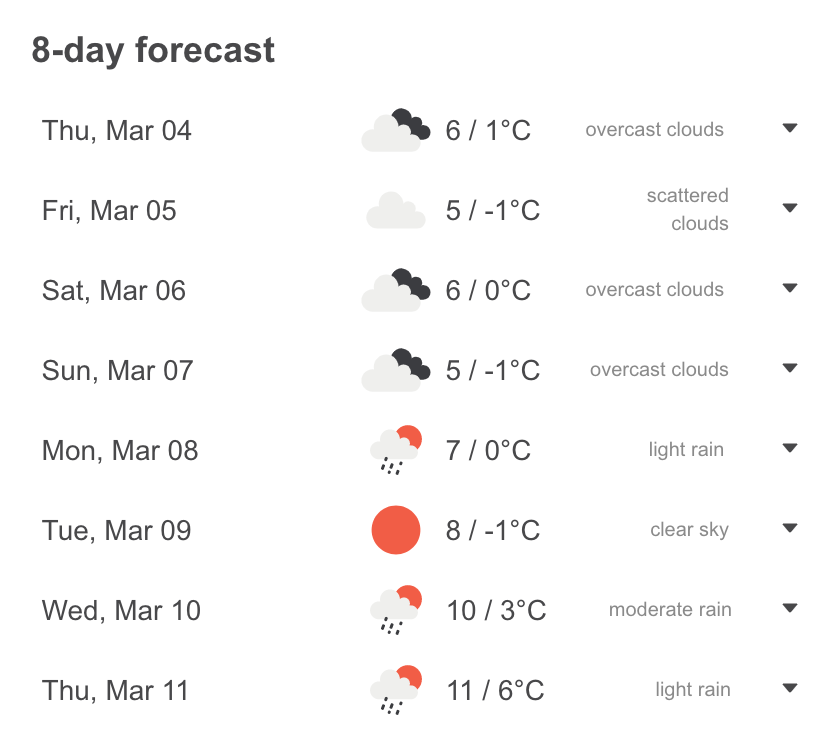
    @jerryp Okay but I still have the wrong icons It is still displaying sunny weather on monday where it should display light rain. [image: 1614878846322-schermafbeelding-2021-03-04-om-18.26.48.png] [image: 1614878855162-schermafbeelding-2021-03-04-om-18.27.15.png]
  • Default Calendar doesn't show annually events

    12
    0 Votes
    12 Posts
    3k Views
    T
    @sdetweil said in Default Calendar doesn't show annually events: npm start > somefile Done. Sent the ics and also a debug entry for a problematic recurring annual entry. It’s from a hotmail address, its probably in junk.
  • MMM-SytemStat does not work :(

    Unsolved
    3
    0 Votes
    3 Posts
    594 Views
    J
    after re-installing it works like it should (-:
  • MMM-News-QR: No QR code displayed

    3
    0 Votes
    3 Posts
    787 Views
    M
    @sdetweil I didn’t realize the position line came right after the module. This solved my issue. Thanks so much!