A New Chapter for MagicMirror: The Community Takes the Lead
Read the statement by Michael Teeuw here.
  • mess calendar module (solved for me)

    4
    0 Votes
    4 Posts
    852 Views
    AlvingerA
    @hango said in mess calendar module (solved for me): with absolute time format you can play for relative dates on urgency, but for all time relative at line 366 in calendar.js instead timeWrapper.innerHTML = this.capFirst(moment(event.startDate, "x").calendar()); must be timeWrapper.innerHTML = this.capFirst(moment(event.startDate, "x").fromNow()); see the diference between first and third picture Agreed, I spotted the same when I looked at your pictures. Changing calendar() to fromNow() will solve your issue. I will create a PR for this fix but will also try to improve other things that this discussion has brought on.
  • MMM-GoogleAssistant and LED Lights

    14
    0 Votes
    14 Posts
    4k Views
    S
    @Sihtodstel i dont know. as i said u will have to construct some of this.
  • MMM-GoogleAssistant sound configuration

    1
    0 Votes
    1 Posts
    389 Views
    G
    Hi, This is the error i am getting when trying to configure the sound in MMM-GoogleAssistant Using default output speaker for playing play WARN alsa: can’t encode 0-bit Unknown or not applicable utils.sh: line 296: 13313 Floating point exceptionplay $audiofile Output device error ! (default speaker not set) Did you hear yourself? [Y/n] utils.sh: line 171: 13314 Floating point exceptionplay beep_check.wav 2> /dev/null I someone able to advise please - many thanks
  • MMM-GoogleAssistant YouTube screen size

    2
    0 Votes
    2 Posts
    365 Views
    E
    No idea?!
  • Weather module - creating new Provider

    7
    0 Votes
    7 Posts
    2k Views
    crazylegsC
    @karsten13 Thanks for highlighting this! I did a quick-and-dirty test in my code using this proxy and I’m now able to pull back the data from the EnvCanada provider! I will likely need to override the default fetchData function since it expects to JSON.parse the Provider data. This is not quite what I need since EnvCanada just provides an XML document to parse (JSON.parse fails…). But now I can at least start playing around some more.
  • MMM-NOAA

    68
    0 Votes
    68 Posts
    53k Views
    H
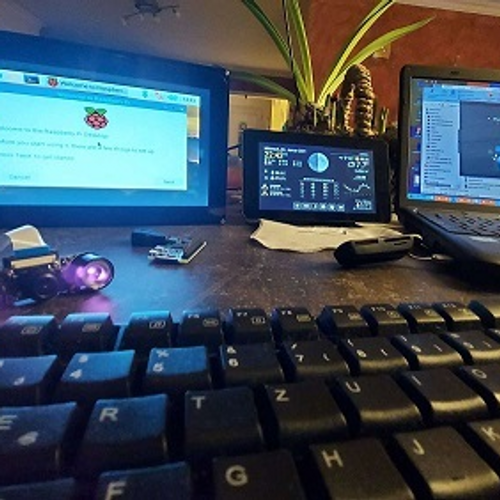
    My question is a little different. After trying so many weather modules and looking for one that works accurately he in West Aus, NOAA was the firrst to actually work with some accuracy. Most of the others the API’s are now defunct. I use my MagicMirror on a 7inch Raspberry screen manly as an information screen of the weather and some server stats. At the moment I am trying to get this moduel to fit on the screen as the screen resolution is fixed. My question is which file holds the code for the section headings. I figure if I take them out and just have the date and icons, the module will fit perfectly on the small screen, then I can desing the other modules to fit in the space left. [image: 1611491873922-untitled.jpeg] Thanks in Advance
  • black screen after after updating MMM-GoogleAssistant

    3
    0 Votes
    3 Posts
    668 Views
    T
    Hi, Sorry but I wont be able to help. However, I can tell that I dont have a black screen on my side. Just that voice recognition does not work properly. Key word “Jarvis” is detected properly but the question after key word is not detected and then no action is triggered. I dont know if this is an issue with my setup or if bugsounet scuttled his modules. Can anyone share a successful update ? Thanks in advance, totofar
  • Not all Modules are displaying on the tv

    34
    0 Votes
    34 Posts
    12k Views
    kusselinK
    Ok, thank you for answer
  • Is there a way to sync led strip lights with alexa's voice?

    4
    0 Votes
    4 Posts
    963 Views
    J
    @sdetweil thanks for the info! I’ll do it now
  • Shairport-Sync Metadata help needed

    1
    0 Votes
    1 Posts
    650 Views
    M
    Re: Shairport-sync help needed Hello, So I’ve managed to get shairport-sync running and am able to airplay music, however the artwork/now playing is not working via the metadata module. I know some people have ran into this issue in the past, but can’t seem to find if they fixed it or not since the thread went dead. Would greatly appreciate any help. @sdetweil thanks for your help initially, much appreciated. I’m using this as the guide https://github.com/surekap/MMM-ShairportMetadata Here’s how I have it written on the shairport-sync config metadata = { enabled = "yes"; // set this to yes to get Shairport Sync to solicit metadata from the source and to pa$ include_cover_art = "yes"; // set to "yes" to get Shairport Sync to solicit cover art from the source a$ cover_art_cache_directory = "/tmp/shairport-sync/.cache/coverart"; // artwork will be stored in this d$ pipe_name = "/tmp/shairport-sync-metadata"; pipe_timeout = 5000; // wait for this number of milliseconds for a blocked pipe to unblock before givin$ // socket_address = "226.0.0.1"; // if set to a host name or IP address, UDP packets containing metadata w$ // socket_port = 5555; // if socket_address is set, the port to send UDP packets to // socket_msglength = 65000; // the maximum packet size for any UDP metadata. This will be clipped to be b$ }; and this is how it is on my MM config.js { module: 'MMM-ShairportMetadata', position: 'bottom_left', header: 'Now playing', config: { metadataPipe: "/tmp/shairport-sync-metadata", // location of pipe with shairport-sync metadata alignment: "left", // Possible values [left|right|center]. Default: center }, },
  • MMM-assistant2display spotify error

    1
    0 Votes
    1 Posts
    335 Views
    M
    Hi everybody and @bugsounet I just updated MMM-google assistant and MMM-assistant2display an now i have an error with spotify. I can’t see on the bottom of my screen the listening music. In console i have these errors: spotify.js:1 Uncaught TypeError: Cannot read property 'src' of null at Spotify.updateSongInfo (spotify.js:1) at Spotify.updateCurrentSpotify (spotify.js:1) at Class.socketNotificationReceived (MMM-Assistant2Display.js:1) at module.js:250 at Socket.<anonymous> (socketclient.js:39) at Socket../node_modules/component-emitter/index.js.Emitter.emit (index.js:145) at Socket.emitEvent (socket.js:253) at Socket.onevent (socket.js:240) at Socket.MMSocket.self.socket.onevent (socketclient.js:33) at Socket.onpacket (socket.js:204) updateSongInfo @ spotify.js:1 updateCurrentSpotify @ spotify.js:1 socketNotificationReceived @ MMM-Assistant2Display.js:1 (anonymous) @ module.js:250 (anonymous) @ socketclient.js:39 ./node_modules/component-emitter/index.js.Emitter.emit @ index.js:145 emitEvent @ socket.js:253 onevent @ socket.js:240 MMSocket.self.socket.onevent @ socketclient.js:33 onpacket @ socket.js:204 (anonymous) @ index.js:21 ./node_modules/component-emitter/index.js.Emitter.emit @ index.js:145 ondecoded @ manager.js:207 (anonymous) @ index.js:21 ./node_modules/component-emitter/index.js.Emitter.emit @ index.js:145 add @ index.js:117 ondata @ manager.js:199 (anonymous) @ index.js:21 ./node_modules/component-emitter/index.js.Emitter.emit @ index.js:145 onPacket @ socket.js:387 (anonymous) @ socket.js:196 ./node_modules/component-emitter/index.js.Emitter.emit @ index.js:145 onPacket @ transport.js:103 onData @ transport.js:96 ws.onmessage @ websocket.js:108 My config.js is the same before and after the update. and token on spotify is ok Do you have a solution ? thx
  • Covid-19 sparkline

    6
    0 Votes
    6 Posts
    1k Views
    JerryPJ
    @ashishtank [21.01.2021 19:10.37.452] [WARN] (electron) The default value of app.allowRendererProcessReuse is deprecated, it is currently "false". It will change to be "true" in Electron 9. For more information please check https://github.com/electron/electron/issues/18397 [21.01.2021 19:10.39.835] [ERROR] (node:3443) [DEP0066] DeprecationWarning: OutgoingMessage.prototype._headers is deprecated Is this the same what I can ignore???
  • How to get a nicer output for MMM-ioBroker

    1
    0 Votes
    1 Posts
    338 Views
    C
    To get the data from my weather station “directly” on my MagicMirror, i found a module for ioBroker that gives me the data. https://github.com/SBorg2014/WLAN-Wetterstation That works properly but it isn’t looking very nice. How get I the description left align and the values right align? Can anybody give me the solution? [image: mmmiobrok.jpg]
  • MMM-EMBEDYOUTUBE or other module for YouTube - No Sound please

    2
    1
    0 Votes
    2 Posts
    509 Views
    KamiSchamiK
    Nobody knows anything? I’m looking for a possibility or another module where I can play YouTube videos without sound…
  • Google maps API key

    Unsolved
    14
    0 Votes
    14 Posts
    8k Views
    lavolp3L
    @CharlesRobbins I have used the Google APi extensively in the last months while developing my own version of MMM-Commute and have to say i didn’t need to pay anything at any time. That said, I don’t understand why they are making it so complicated (with this odd $200 voucher per month) and uncomprehensive.
  • How do I install dependencies using npm when MagicMirror is in a Docker?

    18
    0 Votes
    18 Posts
    22k Views
    S
    @karsten13 Excellent - I think that’s what I was expecting to happen. Thank you so much for all your help & advice. I hope this thread proves useful to other MagicMirror ‘newbies’ like me.
  • Calendar doesn't Wrap

    3
    1
    0 Votes
    3 Posts
    680 Views
    C
    Oh sure. Sorry
  • someone to take over the development of the MMM-MarineWeather module ?

    1
    0 Votes
    1 Posts
    292 Views
    R
    Hello, At my request grenagit modified the MM-Marine Weather module (https://github.com/grenagit/MMM-MarineWeather) by adding high and low tides. But there is a timing problem on the tides with a lag of 1 to 2 hours. Unfortunately grenagit no longer has time to develop this module. Not being a programmer and adoring this module, is it possible for someone to take over the development of this module and thus make the modification and also add the tidal coefficients? I proposed the following presentation with icons found on google: https://www.zupimages.net/up/20/45/o72w.jpg MMM-MarineMétéo use StormGlass API key. Thank you for your feedback and help.
  • 0 Votes
    4 Posts
    509 Views
    S
    @glorianneef dont copy exactly from my posts i wouldnt start the spawn unstil start time
  • MMM-Google Assistant

    6
    0 Votes
    6 Posts
    1k Views
    E
    I solved by regenerating the credentials always using the same project. I don’t understand why the credentials expire after about 10 days. Can someone more experienced can tell me if there is a way to not have to regenerate the credentials every 10 days? Many thanks.