MagicMirror Forum
    • Recent
    • Tags
    • Unsolved
    • Solved
    • MagicMirror² Repository
    • Documentation
    • 3rd-Party-Modules
    • Donate
    • Discord
    • Register
    • Login
    A New Chapter for MagicMirror: The Community Takes the Lead
    Read the statement by Michael Teeuw here.

    Changing icons of the modules Current Weather and Weather Forecast

    Scheduled Pinned Locked Moved Development
    301 Posts 30 Posters 1.6m Views 33 Watching
    Loading More Posts
    • Oldest to Newest
    • Newest to Oldest
    • Most Votes
    Reply
    • Reply as topic
    Log in to reply
    This topic has been deleted. Only users with topic management privileges can see it.
    • M Offline
      Manu85 @sdetweil
      last edited by

      @sdetweil Hello, I didn’t succeed in feeling like, but it doesn’t matter, I’ll leave it like that…
      if I understood correctly I need to keep my MM up to date, do I need to run your script every 3 months or is there a solution to do it automatically and is it also possible for the mirror modules?

      1 Reply Last reply Reply Quote 0
      • M Offline
        Manu85 @sdetweil
        last edited by

        @sdetweil I got a weather module update alert, I tried to update, but I got this error message, did I do something wrong?

        pi@MagicMirror:~/MagicMirror/modules/MMM-OneCallWeather $ git pull
        Depuis https://github.com/KristjanESPERANTO/MMM-OneCallWeather
           f7f964d..0069540  main       -> origin/main
        Mise ▒ jour f7f964d..0069540
        error: Vos modifications locales aux fichiers suivants seraient ▒cras▒es par la fusion▒:
                MMM-OneCallWeather.js
                package-lock.json
        Veuillez valider ou remiser vos modifications avant la fusion.
        Abandon
        pi@MagicMirror:~/MagicMirror/modules/MMM-OneCallWeather $
        
        S 1 Reply Last reply Reply Quote 0
        • S Do not disturb
          sdetweil @Manu85
          last edited by

          @Manu85 said in Changing icons of the modules Current Weather and Weather Forecast:

              MMM-OneCallWeather.js
          

          because you changed it.

          git checkout MMM-OneCallWeather.js
          

          remember, never change module code, all config goes in config.js

          tempUnits: "metric"
          

          NOT “C”

          package-lock.json, erase it then git pull

          Sam

          How to add modules

          learning how to use browser developers window for css changes

          M 2 Replies Last reply Reply Quote 0
          • M Offline
            Manu85 @sdetweil
            last edited by

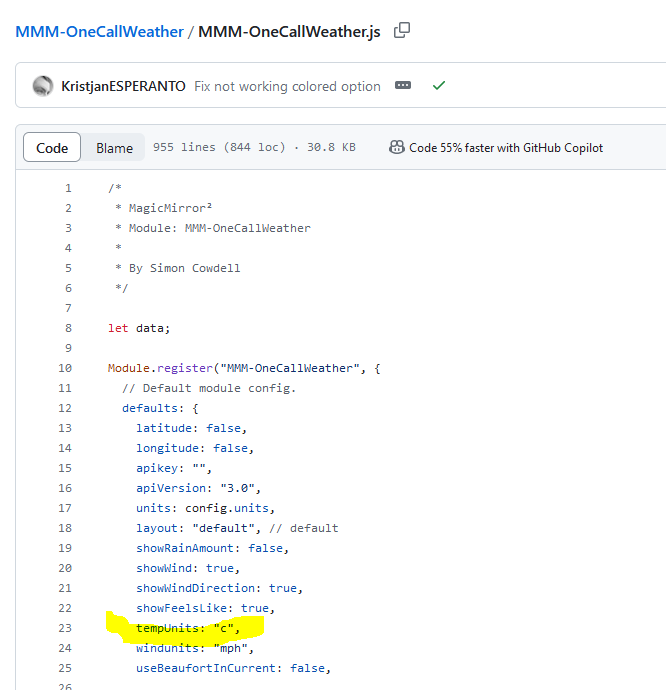
            @sdetweil If I understood correctly it is that I changed something in ```
            MMM-OneCallWeather.js

            I understand that you are saying that I changed the value from ```
            tempUnits: "metric"
            ``` to ```
            tempUnits: "c" 
            ```? I didn't touch it, it's like that in the file (I gave you a screenshot from github) and I promise you that I understand that nothing should be changed in these folders.
            so now I have to pass the line: ```
            git checkout MMM-OneCallWeather.js 
            ```?
            and then I delete: package-lock.json and then I do git pull, should I put: ```
            tempUnits: "metric"
            ``` so different from what is in the ```
            MMM-OneCallWeather.js
            ```?
            1 Reply Last reply Reply Quote 0
            • M Offline
              Manu85 @sdetweil
              last edited by

              @sdetweil
              724ce607-3dbe-4fed-b4e0-58e3fc812b3e-image.png

              S 1 Reply Last reply Reply Quote 0
              • S Do not disturb
                sdetweil @Manu85
                last edited by

                @Manu85 ok, got confused with default weather module using same property

                “C” is correct

                Sam

                How to add modules

                learning how to use browser developers window for css changes

                M 2 Replies Last reply Reply Quote 0
                • M Offline
                  Manu85 @sdetweil
                  last edited by

                  @sdetweil it’s ok, I did as you told me and everything is in order, when you have a moment can you answer my previous question about updates if you can like it?

                  S 1 Reply Last reply Reply Quote 0
                  • M Offline
                    Manu85 @sdetweil
                    last edited by

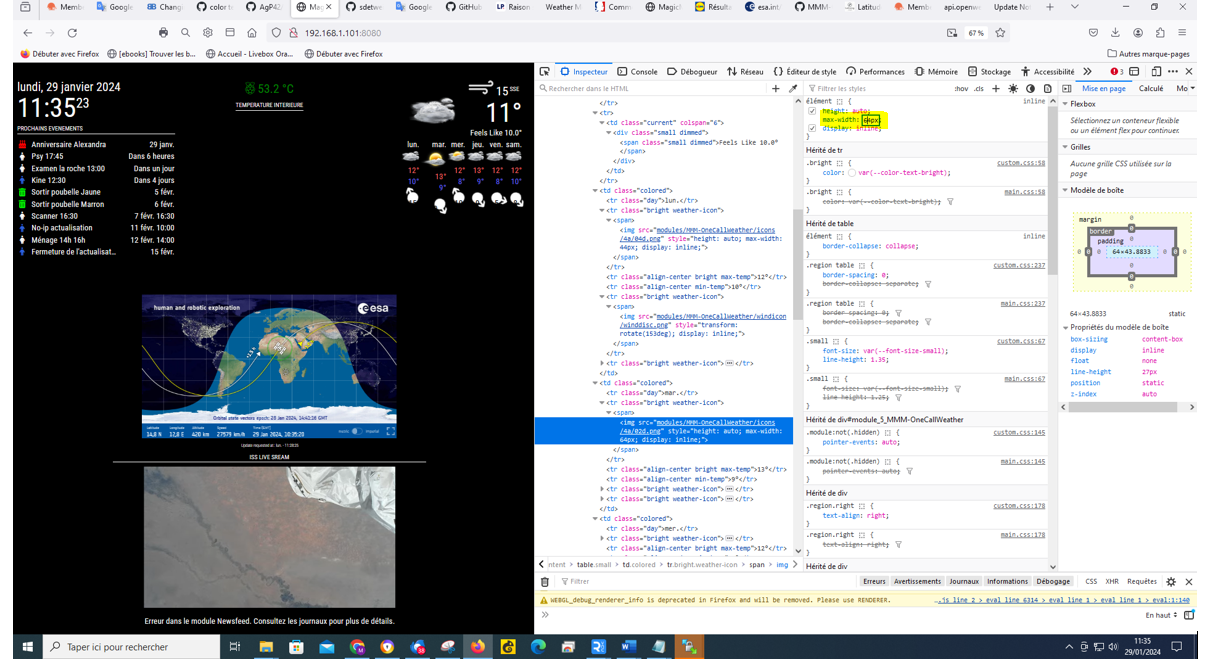
                    @sdetweil I have AGAIN one question I would like to change the size of the weather forecat icons, by opening the console (crtl+shift+i) I see that if I change the number (highlighted in yellow) it changes the size of the icon, for example against I don’t know how to put this in the custom css
                    07e91502-39cc-4a04-9636-4d580638a42b-image.png

                    S 1 Reply Last reply Reply Quote 0
                    • S Do not disturb
                      sdetweil @Manu85
                      last edited by

                      @Manu85 yes, I think you correct.on updated. I see he fixed the colored property and you updated the module.

                      Sam

                      How to add modules

                      learning how to use browser developers window for css changes

                      1 Reply Last reply Reply Quote 0
                      • S Do not disturb
                        sdetweil @Manu85
                        last edited by

                        @Manu85 icon size swipe to mark that stuff in the upper right box, ctrl-c to copy

                        in your editor open on

                        custom.css at the bottom

                        paste it in

                        and put the proper selector around it

                        maybe

                        .weather .icon { 
                        }
                        

                        what was the stuff on the line you selected. hard to see here on my phone (img?)

                        Sam

                        How to add modules

                        learning how to use browser developers window for css changes

                        M 1 Reply Last reply Reply Quote 0
                        • M Offline
                          Manu85 @sdetweil
                          last edited by

                          @sdetweil the selected content is as follows, if I put for example 64 instead of 44 the icon is enlarged

                          a523f746-221f-4700-a08a-67b05bb71544-image.png

                          S 1 Reply Last reply Reply Quote 0
                          • S Do not disturb
                            sdetweil @Manu85
                            last edited by

                            @Manu85 i meant the html view item

                            we need to make a selector clause in the custom.css to select JUST the icon images, right

                            .weather img ???? {
                            the stuff from the tip right box, pasted in here
                            }
                            

                            you don’t want EVERY img in weather…

                            Sam

                            How to add modules

                            learning how to use browser developers window for css changes

                            M 1 Reply Last reply Reply Quote 0
                            • M Offline
                              Manu85 @sdetweil
                              last edited by

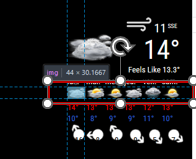
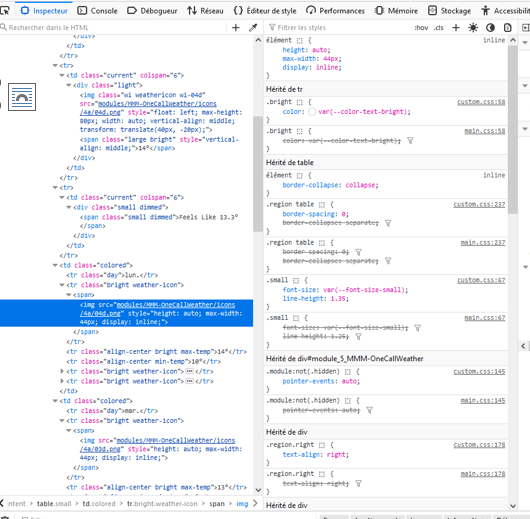
                              @sdetweil I just want to enlarge these images, tell me what elements you need because I cannot select the entire line of icons I can only select one in the console with ctrl shift i
                              4d09f8b3-7ee1-4107-b102-97da97e13b72-image.png

                              eccf1f82-12aa-4411-ae1c-611152e9678a-image.png

                              S 2 Replies Last reply Reply Quote 0
                              • S Do not disturb
                                sdetweil @Manu85
                                last edited by

                                @Manu85 it has a class weather-icon

                                Screenshot_20240129_090630_Chrome.jpg

                                so you want the img under weather-icon under the weather module (I think)

                                .weather .weather-icon img {
                                your stuff
                                }
                                

                                Sam

                                How to add modules

                                learning how to use browser developers window for css changes

                                1 Reply Last reply Reply Quote 0
                                • S Do not disturb
                                  sdetweil @Manu85
                                  last edited by sdetweil

                                  @Manu85 so you put that into custom.css and hit refresh(f5) on the dev window to see the results

                                  Sam

                                  How to add modules

                                  learning how to use browser developers window for css changes

                                  M 1 Reply Last reply Reply Quote 0
                                  • M Offline
                                    Manu85 @sdetweil
                                    last edited by

                                    @sdetweil I hope I expressed myself well, I want to enlarge the weather icons for each day of the week

                                    S 1 Reply Last reply Reply Quote 0
                                    • S Do not disturb
                                      sdetweil @Manu85
                                      last edited by sdetweil

                                      @Manu85 yes each icon uses the same weather-icon class. not just one

                                      try it

                                      Sam

                                      How to add modules

                                      learning how to use browser developers window for css changes

                                      M 1 Reply Last reply Reply Quote 0
                                      • M Offline
                                        Manu85 @sdetweil
                                        last edited by

                                        @sdetweil I put this in custom.css?

                                        .weather .weather-icon img {
                                        
                                          }
                                        
                                        S 1 Reply Last reply Reply Quote 0
                                        • S Do not disturb
                                          sdetweil @Manu85
                                          last edited by

                                          @Manu85 AND the sizing stuff u created n the developer console upper right window inside the braces, copy/paste

                                          swipe them with the mouse, copy

                                          Sam

                                          How to add modules

                                          learning how to use browser developers window for css changes

                                          M 1 Reply Last reply Reply Quote 0
                                          • M Offline
                                            Manu85 @sdetweil
                                            last edited by

                                            @sdetweil I copied this line because it’s the one that enlarges the icon in the console, I put that in css.custom and it’s still the same

                                            .weather .weather-icon img {
                                               max-width: 64px;
                                              }
                                            

                                            default is 44px
                                            when I refresh the console page and I select the icon I don’t have any additional css.custom lines, I don’t know if my explanation is clear
                                            S 1 Reply Last reply Reply Quote 0

                                            Hello! It looks like you're interested in this conversation, but you don't have an account yet.

                                            Getting fed up of having to scroll through the same posts each visit? When you register for an account, you'll always come back to exactly where you were before, and choose to be notified of new replies (either via email, or push notification). You'll also be able to save bookmarks and upvote posts to show your appreciation to other community members.

                                            With your input, this post could be even better 💗

                                            Register Login

                                            • 1
                                            • 2
                                            • 12
                                            • 13
                                            • 14
                                            • 15
                                            • 16
                                            • 14 / 16
                                            • First post
                                              Last post
                                            Enjoying MagicMirror? Please consider a donation!
                                            MagicMirror created by Michael Teeuw.
                                            Forum managed by Sam, technical setup by Karsten.
                                            This forum is using NodeBB as its core | Contributors
                                            Contact | Privacy Policy