Read the statement by Michael Teeuw here.
Camera module
-
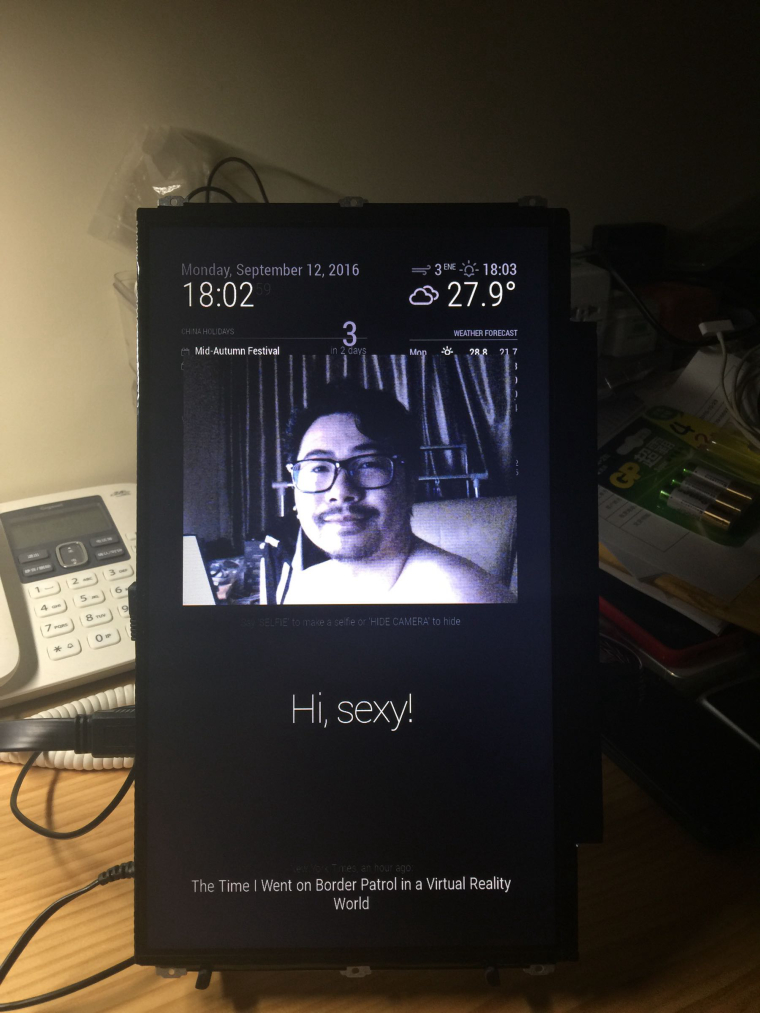
I’ve just published the camera module. Besides displaying a video feed on your mirror, it could also take photos and email them.
[card:alexyak/camera]
-
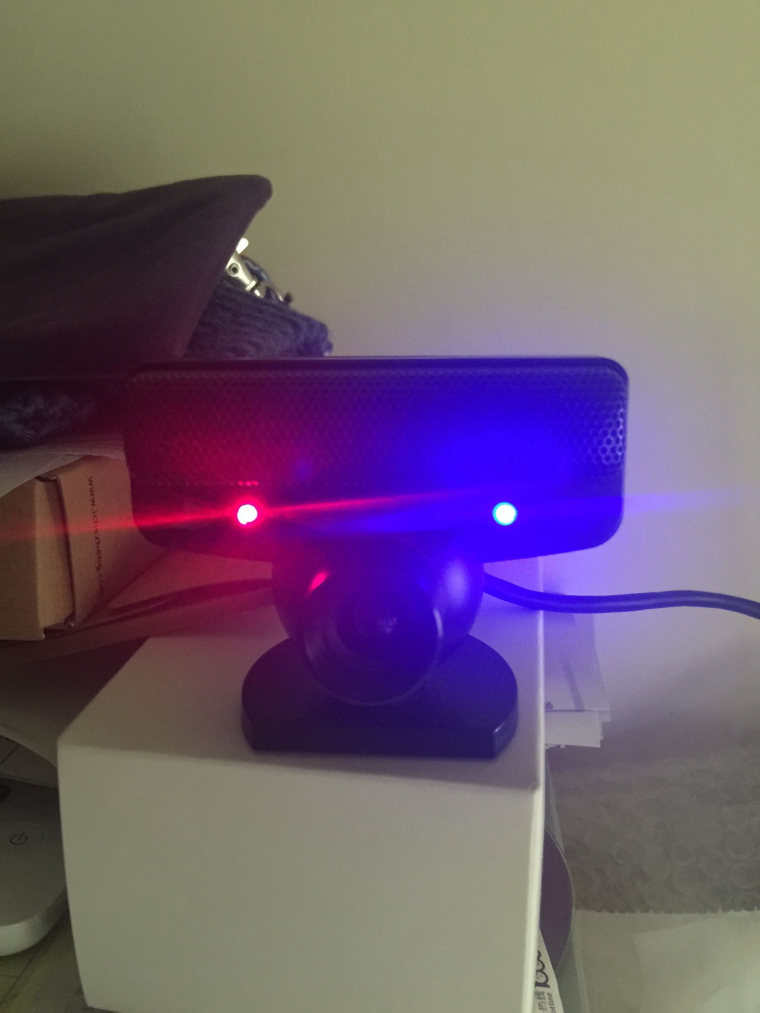
Great, I will try with PS3 EYE later.
Thanks, -
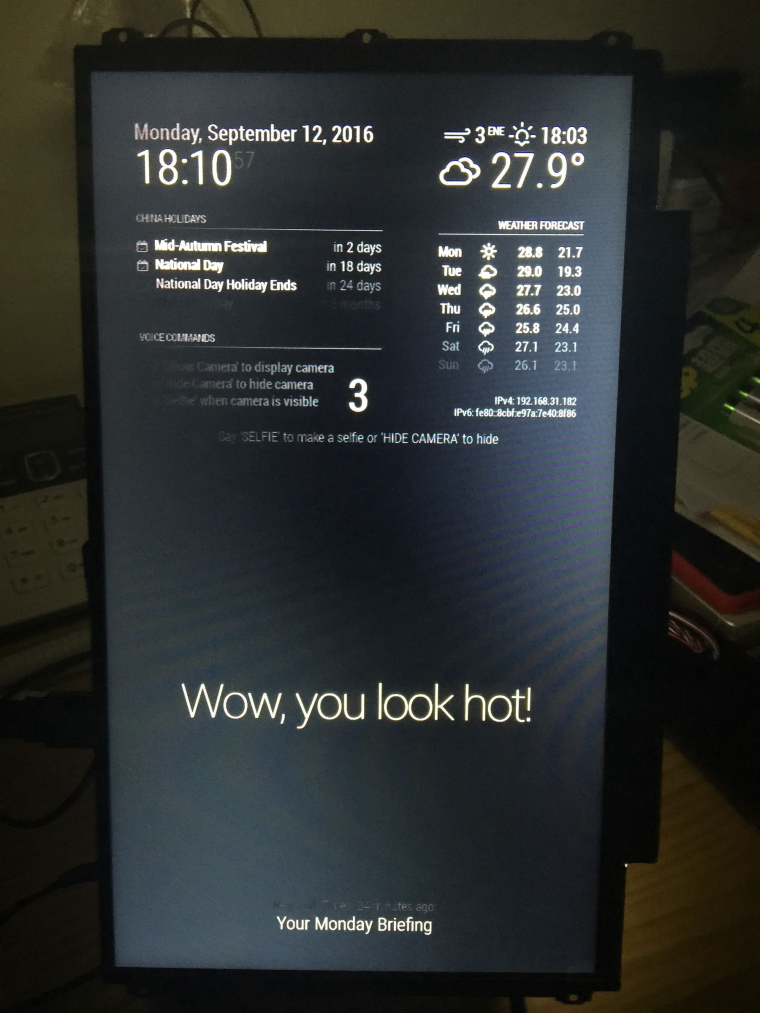
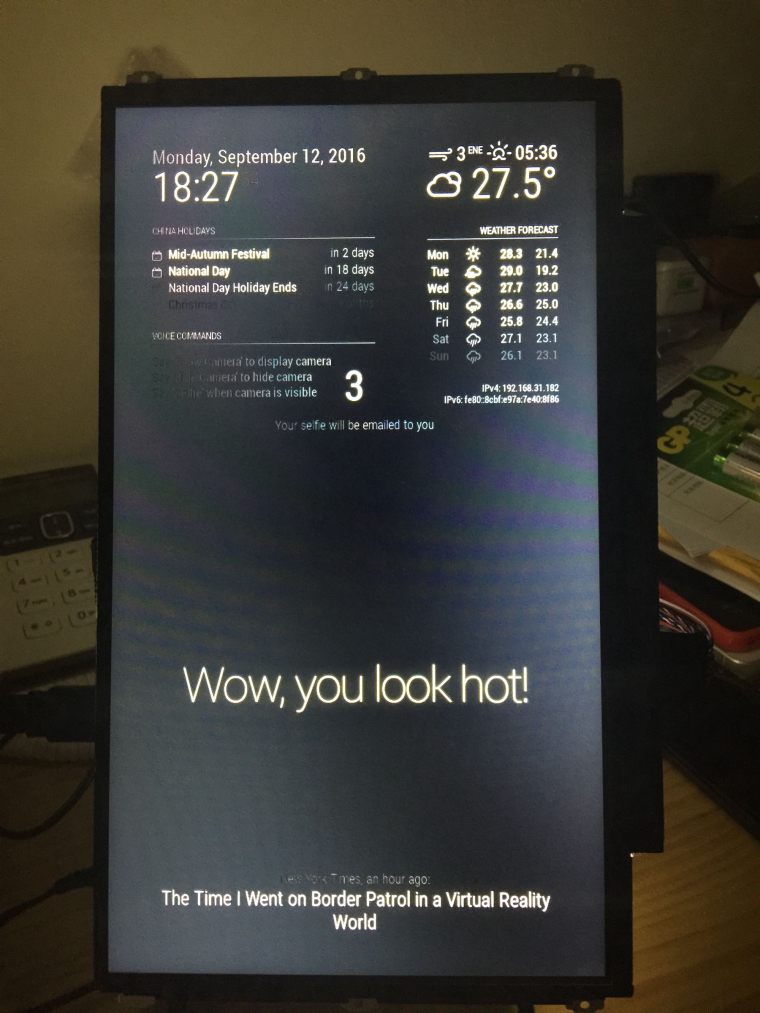
@alexyak I installed the both modules and here’s some issue need to be solved.
- In your readme.md of camera, the sample config code need to add the missing “{}” after config:
{ module: 'camera', position: 'upper_third', config: { selfieInterval: 3, // Time interval in seconds before the photo will be taken. emailConfig: { service: 'Hotmail', // Email provider to use to send email with a photo. auth: { user: '<name@email.com>', // Your email account pass: '<password>' // Your password for email account } } } },- The voicecontrol module run well, it shows tips in the screen and could recognize my voice.
- The three voice command works, I didn’t receive any email and I need to say “hide camera” to let the countdown disappear.
- Another issue is if I don’t enter some email info, the module seems to be stacked on the screen.
- Is there a place I could find the selfie pics in Pi?
Thanks for you and your great modules.
-
-
@alexyak @paviro when I wanna to post the errors in mm-error-0.log, shows “Post content was flagged as spam by Akismet.com”.
-
Upload as a file or inline?
-
@paviro no permission for me to upload a file, I will try inline
-
ALSA lib confmisc.c:1286:(snd_func_refer) Unable to find definition 'cards.bcm2835.pcm.front.0:CARD=0' ALSA lib conf.c:4259:(_snd_config_evaluate) function snd_func_refer returned error: No such file or directory ALSA lib conf.c:4738:(snd_config_expand) Evaluate error: No such file or directory ALSA lib pcm.c:2239:(snd_pcm_open_noupdate) Unknown PCM front ALSA lib pcm.c:2239:(snd_pcm_open_noupdate) Unknown PCM cards.pcm.rear ALSA lib pcm.c:2239:(snd_pcm_open_noupdate) Unknown PCM cards.pcm.center_lfe ALSA lib pcm.c:2239:(snd_pcm_open_noupdate) Unknown PCM cards.pcm.side ALSA lib confmisc.c:1286:(snd_func_refer) Unable to find definition 'cards.bcm2835.pcm.surround51.0:CARD=0' ALSA lib conf.c:4259:(_snd_config_evaluate) function snd_func_refer returned error: No such file or directory ALSA lib conf.c:4738:(snd_config_expand) Evaluate error: No such file or directory ALSA lib pcm.c:2239:(snd_pcm_open_noupdate) Unknown PCM surround21 -
ALSA lib confmisc.c:1286:(snd_func_refer) Unable to find definition 'cards.bcm2835.pcm.iec958.0:CARD=0,AES0=4,AES1=130,AES2=0,AES3=2' ALSA lib conf.c:4259:(_snd_config_evaluate) function snd_func_refer returned error: No such file or directory ALSA lib conf.c:4738:(snd_config_expand) Evaluate error: No such file or directory ALSA lib pcm.c:2239:(snd_pcm_open_noupdate) Unknown PCM iec958 ALSA lib confmisc.c:1286:(snd_func_refer) Unable to find definition 'cards.bcm2835.pcm.iec958.0:CARD=0,AES0=4,AES1=130,AES2=0,AES3=2' ALSA lib conf.c:4259:(_snd_config_evaluate) function snd_func_refer returned error: No such file or directory ALSA lib conf.c:4738:(snd_config_expand) Evaluate error: No such file or directory ALSA lib pcm.c:2239:(snd_pcm_open_noupdate) Unknown PCM spdif ALSA lib confmisc.c:1286:(snd_func_refer) Unable to find definition 'cards.bcm2835.pcm.iec958.0:CARD=0,AES0=4,AES1=130,AES2=0,AES3=2' ALSA lib conf.c:4259:(_snd_config_evaluate) function snd_func_refer returned error: No such file or directory ALSA lib conf.c:4738:(snd_config_expand) Evaluate error: No such file or directory ALSA lib pcm.c:2239:(snd_pcm_open_noupdate) Unknown PCM spdif ALSA lib pcm.c:2239:(snd_pcm_open_noupdate) Unknown PCM cards.pcm.hdmi ALSA lib pcm.c:2239:(snd_pcm_open_noupdate) Unknown PCM cards.pcm.hdmi ALSA lib pcm.c:2239:(snd_pcm_open_noupdate) Unknown PCM cards.pcm.modem ALSA lib pcm.c:2239:(snd_pcm_open_noupdate) Unknown PCM cards.pcm.modem ALSA lib pcm.c:2239:(snd_pcm_open_noupdate) Unknown PCM cards.pcm.phoneline ALSA lib pcm.c:2239:(snd_pcm_open_noupdate) Unknown PCM cards.pcm.phoneline ALSA lib pulse.c:243:(pulse_connect) PulseAudio: Unable to connect: Connection refused ALSA lib pulse.c:243:(pulse_connect) PulseAudio: Unable to connect: Connection refused Cannot connect to server socket err = No such file or directory Cannot connect to server request channel jack server is not running or cannot be started -
Between the above two error codes, there are several similar code with different “PCM surroundNo.” end (21, 40, 41, 50, 51, 71) like:
ALSA lib confmisc.c:1286:(snd_func_refer) Unable to find definition 'cards.bcm2835.pcm.surround51.0:CARD=0' ALSA lib conf.c:4259:(_snd_config_evaluate) function snd_func_refer returned error: No such file or directory ALSA lib conf.c:4738:(snd_config_expand) Evaluate error: No such file or directory ALSA lib pcm.c:2239:(snd_pcm_open_noupdate) Unknown PCM surround21 -
@James thank you for reporting the bugs. I will try to fix them soon.
The code doesn’t save the photo into the file. The image data base64 encoded is passed from the camera module to the node_helper. I could add this, but am I afraid of filling up the space on the RPI.
Which provider did you configure the nodemailer with?
-
@alexyak Hotmail. And one thing I need to confirm with you is that “email & password” are filled in between “‘’” or “<>”?
-
@alexyak bug report:
- pm2 won’t restart MM after a reboot and press Alt+F4 for the first time. (This occurs randomly, I tested for several times even if not the first time to press Alt+F4 after a reboot)
- I need to run “pm2 restart mm” to get MM restart again.
- After this sometimes the modules not work. I’m not sure which one is. camera or voicecontrol? Errors ouputs as follows:
Expression 'r' failed in 'src/hostapi/alsa/pa_linux_alsa.c', line: 2097 Expression 'PaAlsaStreamComponent_FinishConfigure( &self->capture, hwParamsCapture, inParams, self->primeBuffers, realSr, inputLatency )' failed in 'src/hostapi/alsa/pa_linux_alsa.c', line: 2731 Expression 'PaAlsaStream_Configure( stream, inputParameters, outputParameters, sampleRate, framesPerBuffer, &inputLatency, &outputLatency, &hostBufferSizeMode )' failed in 'src/hostapi/alsa/pa_linux_alsa.c', line: 2843 Traceback (most recent call last): File "./modules/voicecontrol/snowboy/kws-multiple.py", line 34, in <module> detector = snowboydecoder.HotwordDetector(models, sensitivity=sensitivity) File "/home/pi/MagicMirror/modules/voicecontrol/snowboy/snowboydecoder.py", line 115, in __init__ stream_callback=audio_callback) File "/usr/lib/python2.7/dist-packages/pyaudio.py", line 747, in open stream = Stream(self, *args, **kwargs) File "/usr/lib/python2.7/dist-packages/pyaudio.py", line 442, in __init__ self._stream = pa.open(**arguments) IOError: [Errno Unanticipated host error] -9999- Finally, I received Selfie, that the email & passward need to be filled in without “<>”. You may change the sample config code in the readme.md as well :)
Thanks,
-
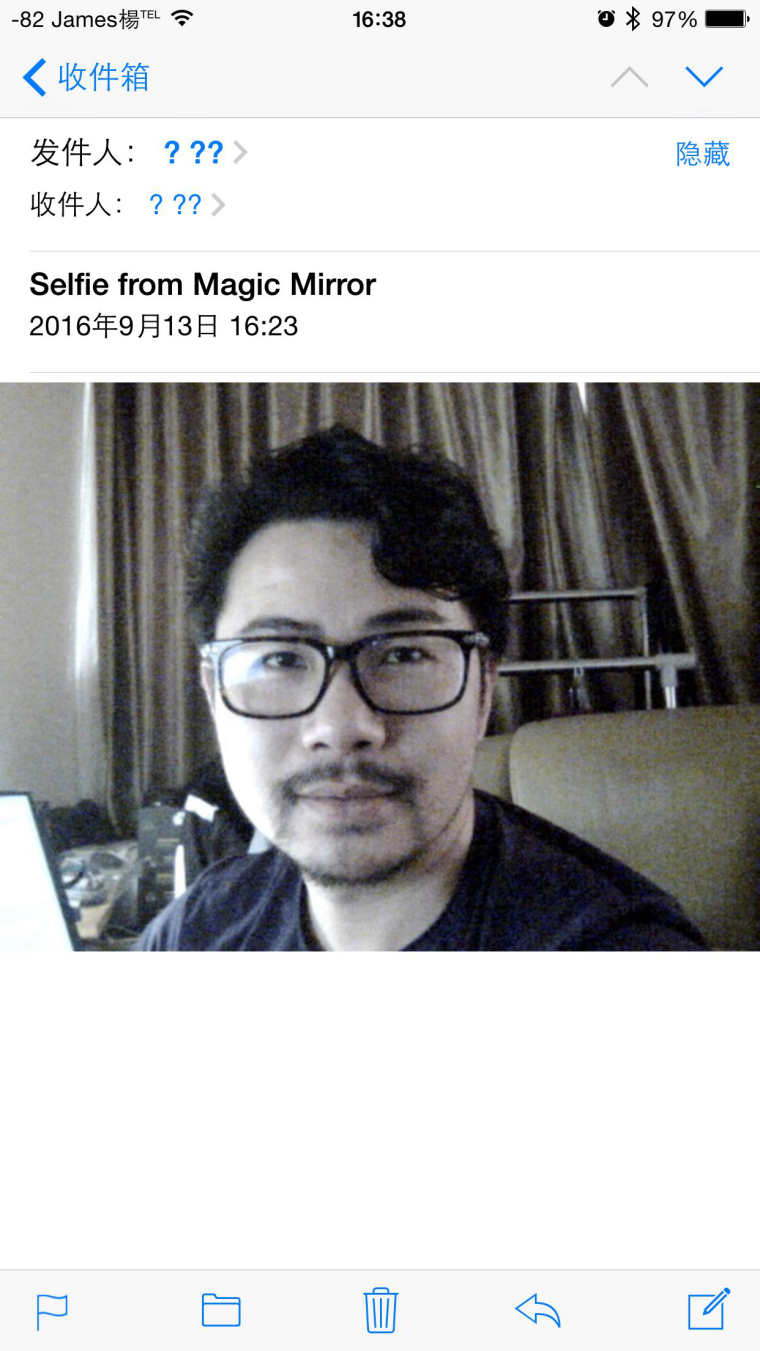
-
That’s pretty cool! Great job!
-
Tested the voice control + camera module today and got both working. Thanks @James for the tip on the missing config curly brackets. Was starting to drive me crazy as no JS Linters were picking it up.
For future reference, the voice control module now comes pre-packaged with the three camera commands by default in the voicecontrol.js file, so in your config.js file, you only need to add:
{
    module: 'voicecontrol',
    position: 'bottom_left'
},
In fact, if you do add the
config:definitions and any keywords to your config.js file, it actually overrides the three default camera commands. With that said, is it best practice to add additional keyword commands to voicecontrol.js OR to remove the defaults from voicecontrol.js and place everything in config.js?I also get the ALSA lib error messages in Terminal after quitting the mirror, as well as the countdown bug James mentions after taking a picture, but everything seems to work and I DID receive the email no problem (using Gmail, after following @alexyak’s instructions on “Allowing Less Secure Apps” and “Allowing Access To Your Gmail Account”).
All in all, awesome work, Alex! Thrilled to now have 3 of your modules running on my mirror as I’m running motion sensor too!
-
Follow up: I tried both configurations and it only works when all voice command keywords are in voicecontrol.js, so that answers my question, I suppose!
-
@jeremytripp First of all thanks to post your experience, it was very self-explanatory. So…did you get these kind of ALSA lib error messages?
*ALSA lib pcm_dmix.c:1022:(snd_pcm_dmix_open) unable to open slave*

*ALSA lib pcm.c:2239:(snd_pcm_open_noupdate) Unknown PCM cards.pcm.rear
ALSA lib pcm.c:2239:(snd_pcm_open_noupdate) Unknown PCM cards.pcm.center_lfe
ALSA lib pcm.c:2239:(snd_pcm_open_noupdate) Unknown PCM cards.pcm.side*

*ALSA lib pcm.c:2239:(snd_pcm_open_noupdate) Unknown PCM cards.pcm.hdmi*

*ALSA lib pcm.c:2239:(snd_pcm_open_noupdate) Unknown PCM cards.pcm.hdmi
ALSA lib pcm.c:2239:(snd_pcm_open_noupdate) Unknown PCM cards.pcm.modem
ALSA lib pcm.c:2239:(snd_pcm_open_noupdate) Unknown PCM cards.pcm.modem
ALSA lib pcm.c:2239:(snd_pcm_open_noupdate) Unknown PCM cards.pcm.phoneline
ALSA lib pcm.c:2239:(snd_pcm_open_noupdate) Unknown PCM cards.pcm.phoneline*

*ALSA lib pulse.c:243:(pulse_connect) PulseAudio: Unable to connect: Connection refused*

*ALSA lib pulse.c:243:(pulse_connect) PulseAudio: Unable to connect: Connection refused*

*ALSA lib pcm_dmix.c:1022:(snd_pcm_dmix_open) unable to open slave*

*Cannot connect to server socket err = No such file or directory
Cannot connect to server request channel*

*jack server is not running or cannot be started*
I’ve already seen that @James got similar errors but at least for him it worked (video display top centred and taking pictures). In my case nothing happens when I send the voice command.
Any suggestions? I love the support of this community.
-
Mmm first it would be nice to check if the microphone is recording…anyway can anyone suggest me an IDE at least to make a good code debugging? Because I’m currently working with a text editor on Rasp pi.
-
@James Hi Can you please tell how you get the ps camera working on your pi. I have been doing that but i cannot get it to work.

Hello! It looks like you're interested in this conversation, but you don't have an account yet.
Getting fed up of having to scroll through the same posts each visit? When you register for an account, you'll always come back to exactly where you were before, and choose to be notified of new replies (either via email, or push notification). You'll also be able to save bookmarks and upvote posts to show your appreciation to other community members.
With your input, this post could be even better 💗
Register Login