Read the statement by Michael Teeuw here.
MMM-HomeKit | Control your MagicMirror with Apple HomeKit
-
MMM-HomeKit
This is not a MagicMirror module but it allows you to control your mirror from the Home application with Apple HomeKit
How it works
To use HomeKit with your MagicMirror it will not be enough to install a module. For this we will have to use
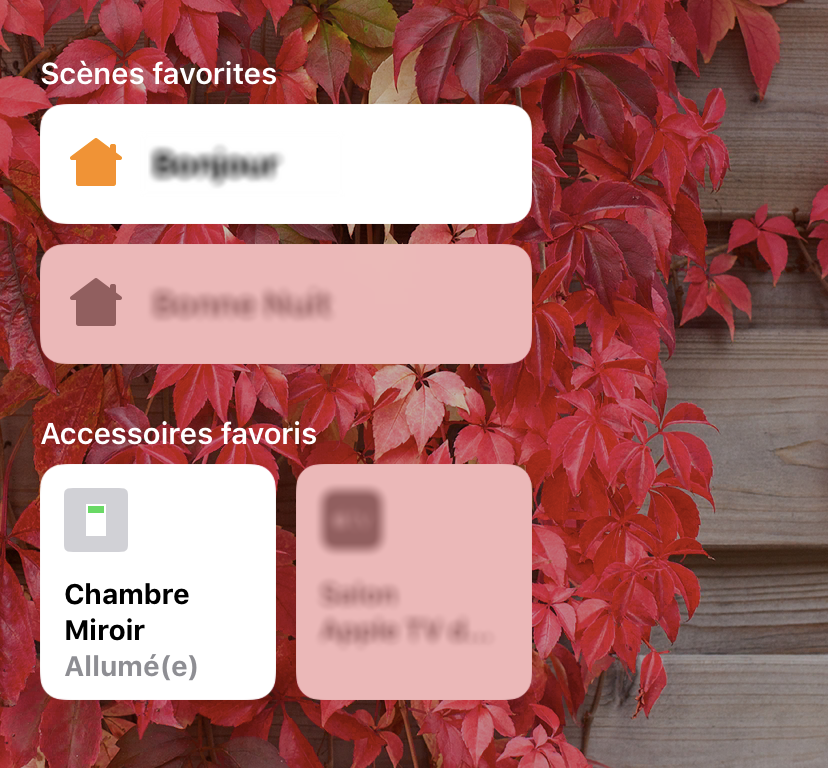
HomeBridgewhich is an emulator of the iOS HomeKit API. This will allow us to connect our Apple device to the Raspberry. Then we will have to install thehomebridge-cmdswitch2module that will allow us to perform bash commands when switching on / off from the Home application.Screenshot
Prerequisites
- MagicMirror2
- HomeBridge (I let you look here to see how to install HomeBridge. It’s very simple.)
Step 1 - Install the module
cd
sudo npm install -g homebridge-cmdswitch2
Step 2 - Edit HomeBridge config
sudo nano .homebridge/config.jsonNow Copy/paste this piece of JSON code into the “platform” section
"platforms": [{
  "platform": "cmdSwitch2",
  "name": "Raspberry Pi",
  "switches": [{
    "name" : "Mirror",
    "on_cmd": "tvservice --preferred && sudo chvt 6 && sudo chvt 7",
    "off_cmd": "tvservice -o",
    "state_cmd": "tvservice --status | grep -i 'HDMI DMT'",
    "manufacturer": "Raspberry Pi Foundation",
    "model": "Raspberry Pi 3 Model B",
  }]
}]
Save the file.
Step 3 - Start HomeBridge
cd
homebridge
Configuring
Here is the descriptive table of the module parameters (this table comes from the cmdSwitch2 Github)
Fields Description Required platform Must always be cmdSwitch2.Yes name For logging purposes. No switches Array of switch config (multiple switches supported). Yes |- name* Name of your device. Yes |- on_cmd Command to turn on your device. No |- off_cmd Command to turn off your device. No |- state_cmd Command to detect an ON state of your device. No |- polling State polling (Default false). No |- interval Polling interval in s(Default 1s).No |- timeout** Commands execution timeout in s(Default 1s).No |- manufacturer Manufacturer of your device. No |- model Model of your device. No |- serial Serial number of your device. No Use
Now you can fully use MagicMirror and HomeKit to turn the screen of your raspberry on and off ! Enjoy it well !
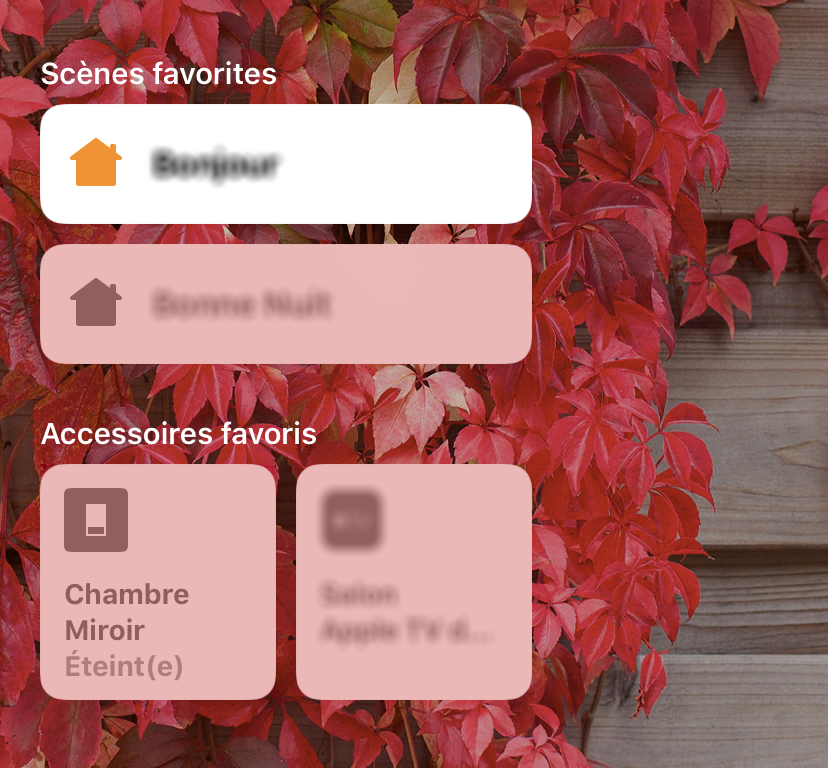
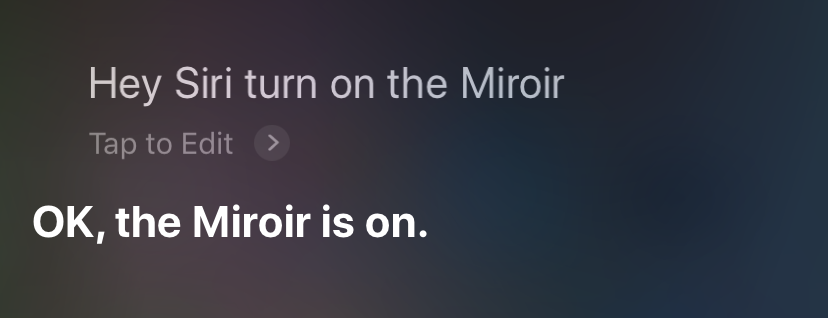
Turn off the mirror from the Home application Turn on the mirror with Siri Contributing
If you find any problems, bugs or have questions, please open a GitHub issue in this repository.
-
@XC2DN
Can we add additional cmdSwitch2 platform for other shell command? If so, module controlling could be added besides screen on/off -
@Sean said in MMM-HomeKit | Control your MagicMirror with Apple HomeKit:
Can we add additional cmdSwitch2 platform for other shell command? If so, module controlling could be added besides screen on/off
Yes! Absolutely. Just add this to the “switches” sections.
{
    "name" : "Name of the HomeKit command",
    "on_cmd": "bash command to show a module",
    "off_cmd": "bash command to hide a module",
    "state_cmd": "bash command to get the hide / show status'",
    "manufacturer": "Raspberry Pi Foundation",
    "model": "Raspberry Pi 3 Model B",
}
Your config.json should look something like this.
"platforms": [{ "platform": "cmdSwitch2", "name": "Raspberry Pi", "switches": [{ "name" : "Mirror", "on_cmd": "tvservice --preferred && sudo chvt 6 && sudo chvt 7", "off_cmd": "tvservice -o", "state_cmd": "tvservice --status | grep -i 'HDMI DMT'", "manufacturer": "Raspberry Pi Foundation", "model": "Raspberry Pi 3 Model B", }, { "name" : "Name of the HomeKit command", "on_cmd": "bash command to show a module", "off_cmd": "bash command to hide a module", "state_cmd": "bash command to get the hide / show status'", "manufacturer": "Raspberry Pi Foundation", "model": "Raspberry Pi 3 Model B", }] }] -
Excellent module!
Got everything working fairly easily. I am attempting to add my own switches, but the issues I am having is that the “on_cmd” and “off_cmd” do not use npm correctly. Any ideas? This is the error it’s throwing. Didn’t have luck Googling.
[3/10/2019, 1:42:17 PM] [Raspberry Pi] npm ERR! path /home/pi/package.json npm ERR! code ENOENT npm ERR! errno -2 npm ERR! syscall open npm ERR! enoent ENOENT: no such file or directory, open '/home/pi/package.json' npm ERR! enoent This is related to npm not being able to find a file. npm ERR! enoent -
Okay, looks like something with my npm was broken. It was working before, so I think installing this module or Homebridge did it. Attempting to fix.
-
@p4lsec said in MMM-HomeKit | Control your MagicMirror with Apple HomeKit:
Excellent module!
Hello ! Thank you for that compliment.
Unfortunately, I don’t know where your problem comes from. What is the command you are executing that gives you this error?
Keep me informed :wink: -
@XC2DN
My Homebridge is at another Pi then the Mirror. How I have to use it? -
@Niggich Making connection to the other pi through ssh to send commands? Or if your using a module which allows to give commands through a url u can use curl… In this example I use both…
 {
       "name" : "Magic Mirror",
       "on_cmd": "curl -s 'http://192.168.X.XX:8080/remote?action=MONITORON'",
       "off_cmd": "curl -s 'http://192.168.X.XX:8080/remote?action=MONITOROFF'",
       "state_cmd": "sshpass -p 'sshpassword' ssh -oStrictHostKeyChecking=no pi@192.168.X.XX vcgencmd display_power | grep -q '1' && echo '1'",
       "polling": true,
       "interval": 10,
       "manufacturer": "XXX",
       "model": "v 1.0.0"
   }
You might need to install sshpass: apt-get install sshpass, which allows you to connect through ssh with password without being prompted on the command line for the password.
-
@Caimin Thank you a lot. It is working like this. I install sshpass to send the Commands via ssh.
-
This post is deleted! -
This post is deleted! -
Hi!
I need a little help setting it up…
When turning on the mirror in the HomeKit App I get the following log:[2020-3-29 22:26:16] [Raspberry Pi] Mirror is off. [2020-3-29 22:26:17] [Raspberry Pi] Failed to turn on Mirror [2020-3-29 22:26:17] [Raspberry Pi] Als het goed is hebt u de gebruikelijke informatie ontvangen van uw systeembeheerder. Gewoonlijk komt het neer op de volgende drie punten: 1. Respecteer de privacy van anderen. 2. Denk na voordat u iets doet. 3. Veel mogelijkheden betekent veel verantwoordelijkheid. sudo: geen terminal aanwezig en geen wachtwoordvraag(askpass)-programma opgegevenTranslated
[2020-3-29 22:26:16] [Raspberry Pi] Mirror is off.
[2020-3-29 22:26:17] [Raspberry Pi] Failed to turn on Mirror
[2020-3-29 22:26:17] [Raspberry Pi]
"Als het goed is hebt u de gebruikelijke informatie ontvangen van uw
systeembeheerder. Gewoonlijk komt het neer op de volgende drie punten:

    1. Respecteer de privacy van anderen.
    2. Denk na voordat u iets doet.
    3. Veel mogelijkheden betekent veel verantwoordelijkheid." This is a little talk about privacy but then:
sudo: no terminal available and no  passwordask(askpass) programs gave up.
If anyone knows a solution, would be appreciated!
-
@Baassievalk
After much googling, the answer is here:and in particular this comment
username ALL = NOPASSWD: /fullpath/to/command, /fullpath/to/othercommand
In my setup I created a file called /etc/sudoers.d/010_cmdswitch2
And the file containshomebrid ALL = NOPASSWD: /bin/chvt
chvt is the command I need to run, and homebrid is the account I use to run my homebridge with
-
This post is deleted! -
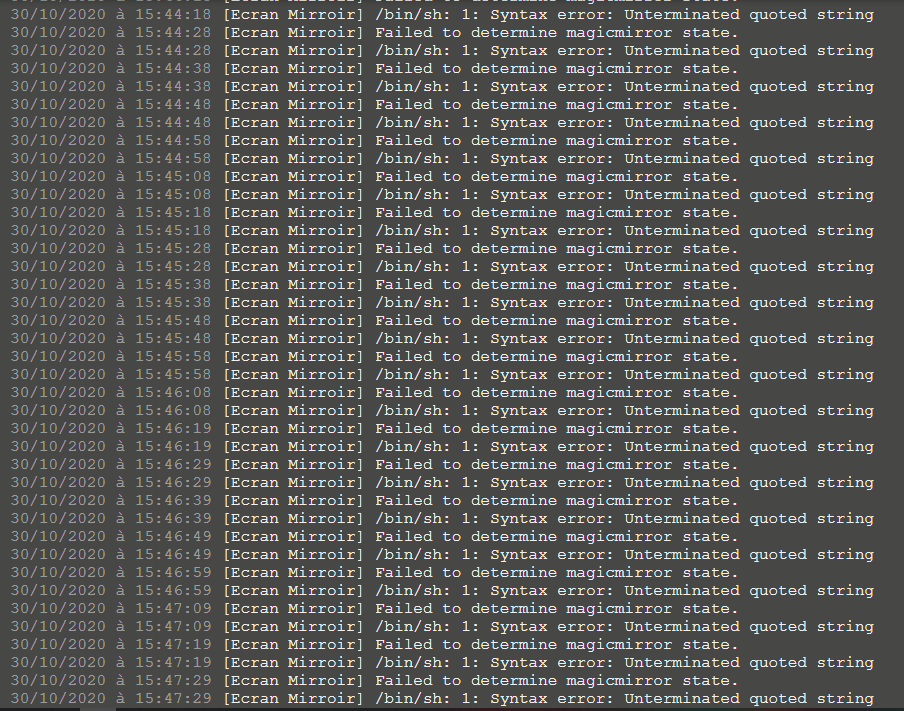
@Caimin Bonjour a toi
Would it be possible for you to give me a hand,
I have homebridge on one raspberry and magic mirror on another.
i am using hdmi on the magic mirror.
I can’t understand why I have this error on the image
Yours
j’ai cette configuration
{
    "platform": "cmdSwitch2",
    "name": "Ecran Mirroir",
    "switches": [
        {
            "name": "magicmirror",
            "on_cmd": "curl -s 'http://192.168.1.2:8080/remote?action=MONITORON'",
            "off_cmd": "curl -s 'http://192.168.1.2:8080/remote?action=MONITOROFF'",
            "state_cmd": "sshpass -p 'Armagedon13' ssh -oStrictHostKeyChecking=no pi@192.168.1.2 vcgencmd display_power | grep -q 'HDMI DMT && echo '1'",
            "polling": true,
            "interval": 10,
            "manufacturer": "Raspberry Pi Foundation",
            "model": "Raspberry Pi 3 Model B"
        }
    ]
}
-
@amaralia said in MMM-HomeKit | Control your MagicMirror with Apple HomeKit:
grep -q 'HDMI DMT && echo ‘1’
seems u are missing a single quote (before the && )
-
Just installed homekit and its great… i can now have the mirror switch off when i say goodnight using shortcuts, i also have it set to turn off when im not there and switch on when i get home!
next step is to get it to switch on my playstation on voice! :)
-
Hello,
I am trying to setup a Mirror and make it work with homekit. I’m very unexperienced with coding and basically everything here :)
I followed the instructions and get the following error.
I would appreciate your help a lot!
Thank you in advance:[11.12.2020, 17:48:04] Loading 2 platforms…
[11.12.2020, 17:48:04] [Config] Initializing config platform…
[11.12.2020, 17:48:04] [Config] Running in Service Mode
[11.12.2020, 17:48:04] [Raspberry Pi] Initializing cmdSwitch2 platform…
[11.12.2020, 17:48:04] Error: Cannot add a bridged Accessory with the same UUID as another bridged Accessory: 74adc578-9ce9-42de-bbbb-5e3d84a287a1
at Bridge.Accessory._this.addBridgedAccessory (/usr/lib/node_modules/homebridge/node_modules/hap-nodejs/src/lib/Accessory.ts:416:15)
at /usr/lib/node_modules/homebridge/src/server.ts:310:19
at Array.filter ()
at Server.restoreCachedPlatformAccessories (/usr/lib/node_modules/homebridge/src/server.ts:270:69)
at Server.start (/usr/lib/node_modules/homebridge/src/server.ts:158:10)
at cli (/usr/lib/node_modules/homebridge/src/cli.ts:80:10)
at Object. (/usr/lib/node_modules/homebridge/bin/homebridge:17:22)
at Module._compile (internal/modules/cjs/loader.js:1063:30)
at Object.Module._extensions…js (internal/modules/cjs/loader.js:1092:10)
at Module.load (internal/modules/cjs/loader.js:928:32) -
@fragler said in MMM-HomeKit | Control your MagicMirror with Apple HomeKit:
: Cannot add a bridged Accessory with the same UUID as another bridged Accessory
-
@fragler
FYI, this non-module is a piece of abandonware.Looks like you’ve got two devices using the same ID.
Do you have homebridge on your network already?
https://homebridge.io/ is the underlying software, and has moved past what this module had supported. I personally went to a smart plug instead. There’s too many problems with this module to set it up. Took me a solid 3 weeks of debugging to get this to work part of the time.


Hello! It looks like you're interested in this conversation, but you don't have an account yet.
Getting fed up of having to scroll through the same posts each visit? When you register for an account, you'll always come back to exactly where you were before, and choose to be notified of new replies (either via email, or push notification). You'll also be able to save bookmarks and upvote posts to show your appreciation to other community members.
With your input, this post could be even better 💗
Register Login