Read the statement by Michael Teeuw here.
MMM-Globe
-
Hey guys,
here is a module for displaying live pictures of our planet on your mirror.
The pictures are taken from the Himawari-8 satellite.
It’s also possible to use custom pictures.[card:LukeSkywalker92/MMM-Globe]
Preview:
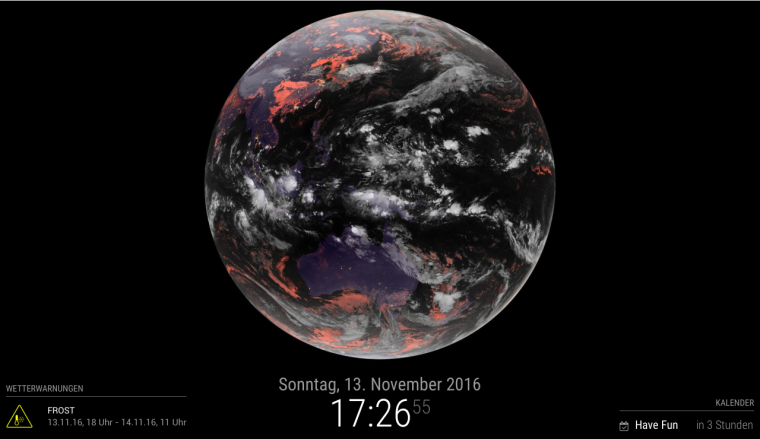
Hope you’ll enjoy it =)
-
Cool and interesting! Im gonna try it out and see how it works. :)
-
Implemented, thank you!
-
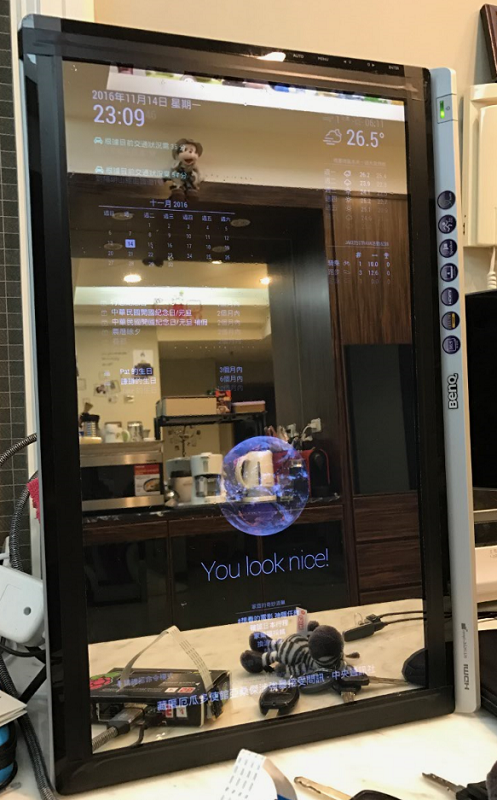
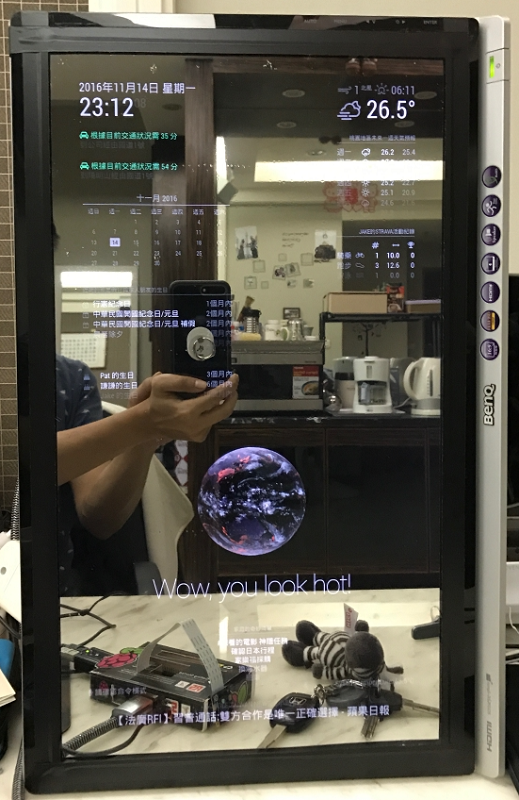
@iMAGiC & @gshimself: thanks for your feedback. would it be possible, that one of you could post a picture of the module on a mirror. I just started building mine (don’t have the glass yet) and would like to know how it looks on a mirror. right now I can only look at it on my monitor.
-
@LukeCodewalker my mirror will be built in my new living room on Jan, 2017.
this is my test screen(22") with glass+film, I think you also want to see.
-
@iMAGiC wow that looks great =)
-
Ni hao, fei chang hao :-)
-
@LukeCodewalker great work! Thanks for this module, i already tested it. I will upload a picture tomorrow.
But i have one question. Is it possible to fade the image ? Like its getting darker and brighter after time in repeat? -
@GinSeng
Thank you. I don’t really understand what you mean with fade. Do you want to have a fade between to images in the moment when a new picture was loaded? Or do you want to fade it over a longer time? Then you should try ‘natColor’ as the style property in your config for this module. -
@LukeCodewalker
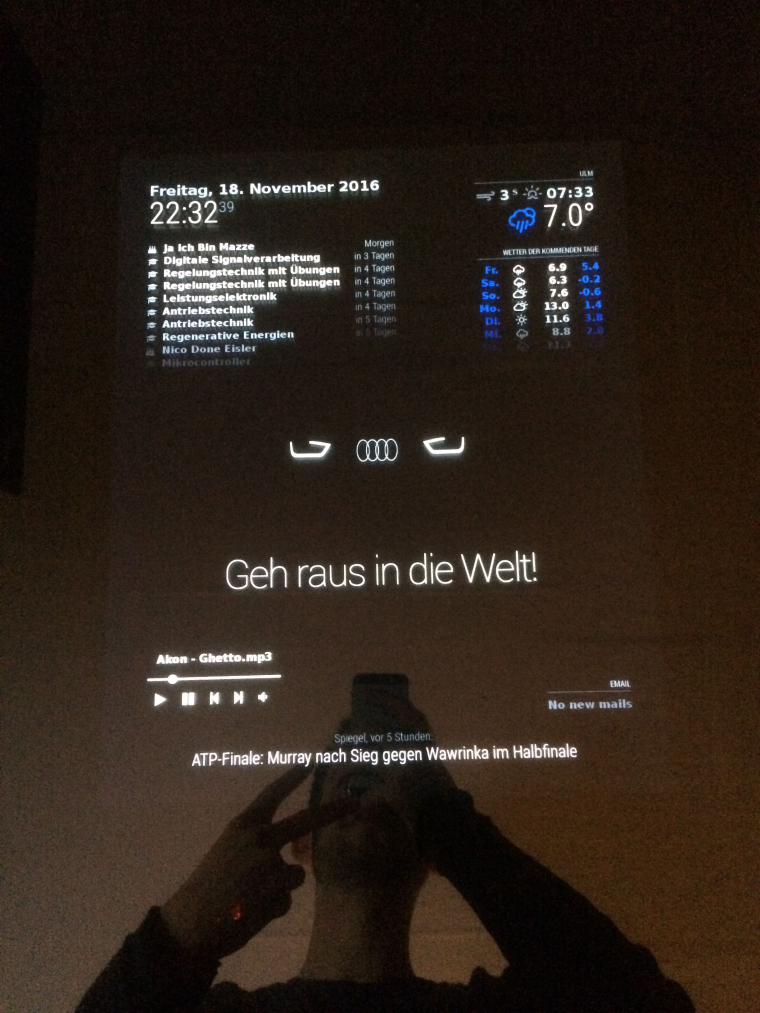
Yes i want to fade one picture over a longer time. Like an LED Fading on/off over a periodic time. But i managed to do it with a gif, i created.Btw.: Here is a picture which i promised :) i used a custom picture. (It’s in the dark because the mirror isn’t complete by now and the monitor i use atm isn’t really the best :/
-
Hi,
Have an issue with the module. Nothing display, only some lines…

I had a look at the code. The generated URL is correct, when I copy it into a browser I can see the picture:
http://rammb.cira.colostate.edu/ramsdis/online/images/latest/himawari-8/full_disk_ahi_true_color.jpg?1479826211800Then had a look at wrapper and image objects (in getDom) and display their attributes, everything seems ok.
All other modules works fine on my raspberry. Any help would be welcome, thanks in advance.
By the way, my config:
{
    module: 'MMM-Globe',
    position: 'center',
    config: {
        style: 'geoColor',
        imageSize: 600,
        ownImagePath:'',
        updateInterval: 10*60*1000
    }
},
Thank a lot.
Matt
Note from admin: Please use Markdown on code snippets for easier reading!
-
Hi Matt, try at position : ‘middle_center’ not only center.
-
@GinSeng
Hi Ginseng, thanks for your help. Already tried different positions but no success:{ module: 'MMM-Globe', position: 'middle_center', config: { style: 'geoColor', imageSize: 600, ownImagePath:'', updateInterval: 10*60*1000 }Also tried the module locally on my macbook, but still the same problem… very weird!
(note that the ‘updateinterval’ is modified when posting the message)
Note from admin: Please use Markdown on code snippets for easier reading!
-
@matt25 Puh. I don’t get what’s going wrong here. Could it be possible that there’s another module is having influence? Maybe you could show us your whole config file.
-
@LukeCodewalker
That’s what I thought… I even removed all the modules but no success!
Here’s my last config file…*/* Magic Mirror Config Sample * * By Michael Teeuw http://michaelteeuw.nl * MIT Licensed. */ var config = { port: 8080, language: 'en', timeFormat: 24, units: 'metric', modules: [ { module: 'alert', }, { module: 'clock', position: 'top_left' }, { module: 'newsfeed', position: 'bottom_bar', config: { feeds: [ { title: "New York Times", url: "http://www.nytimes.com/services/xml/rss/nyt/HomePage.xml" } ], showSourceTitle: true, showPublishDate: true } }, { module: 'MMM-Globe', position: 'middle_center', config: { style: 'geoColor', imageSize: 200, ownImagePath:'', updateInterval: 10*60*1000 } }, ] }; /*************** DO NOT EDIT THE LINE BELOW ***************/ if (typeof module !== 'undefined') {module.exports = config;}*
Note from admin: Please use Markdown on code snippets for easier reading!
-
@LukeCodewalker said in MMM-Globe:
Hey guys,
here is a module for displaying live pictures of our planet on your mirror.
The pictures are taken from the Himawari-8 satellite.
It’s also possible to use custom pictures.Thanks! Looks huge on my MagicMirror!
Did you come across a live pic feed of a different satellite? I’m thinking of one, which has Europe and not Asian Pacific in the center! ;) Would be great to have a switch, so it would show the live shadows of my Position.greets,
Thomas. -
Hi,
i replacded the original links in the MMM-Globe.js for the image with this:start: function () { self = this; this.url = ''; this.imageUrls = { 'natColor': 'http://oiswww.eumetsat.org/IPPS/html/latestImages/EUMETSAT_MSG_RGBNatColour_LowResolution.jpg', 'geoColor': 'http://oiswww.eumetsat.org/IPPS/html/latestImages/EUMETSAT_MSG_IR108Color_LowResolution.jpg', 'airMass': 'http://oiswww.eumetsat.org/IPPS/html/latestImages/EUMETSAT_MSG_RGBAirmass_LowResolution.jpg', 'fullBand': 'http://oiswww.eumetsat.org/IPPS/html/latestImages/EUMETSAT_MSG_MPE_LowResolution.png' } this.hiResImageUrls = { 'natColor': 'http://oiswww.eumetsat.org/IPPS/html/latestImages/EUMETSAT_MSG_RGBNatColour_LowResolution.jpg', 'geoColor': 'http://oiswww.eumetsat.org/IPPS/html/latestImages/EUMETSAT_MSG_IR108Color_LowResolution.jpg', 'airMass': 'http://oiswww.eumetsat.org/IPPS/html/latestImages/EUMETSAT_MSG_RGBAirmass_LowResolution.jpg', 'fullBand': 'http://oiswww.eumetsat.org/IPPS/html/latestImages/EUMETSAT_MSG_MPE_LowResolution.png' }good luck
-
EUMETSAT_MSG_MPE_LowResolution.png’
That’s great! I did this:
start: function () {
	self = this;
	this.url = '';
	this.imageUrls = {
		'natColor': 'http://rammb.cira.colostate.edu/ramsdis/online/images/latest/himawari-8/full_disk_ahi_natural_color.jpg',
		'geoColor': 'http://rammb.cira.colostate.edu/ramsdis/online/images/latest/himawari-8/full_disk_ahi_true_color.jpg',
		'airMass': 'http://rammb.cira.colostate.edu/ramsdis/online/images/latest/himawari-8/full_disk_ahi_rgb_airmass.jpg',
		'fullBand': 'http://rammb.cira.colostate.edu/ramsdis/online/images/latest/himawari-8/himawari-8_band_03_sector_02.gif',
		'europeDiscNat': 'http://oiswww.eumetsat.org/IPPS/html/latestImages/EUMETSAT_MSG_RGBNatColour_LowResolution.jpg',
		'europeDiscSnow': 'http://oiswww.eumetsat.org/IPPS/html/latestImages/EUMETSAT_MSG_RGBSolarDay_CentralEurope.jpg'
	}
	this.hiResImageUrls = {
		'natColor': 'http://rammb.cira.colostate.edu/ramsdis/online/images/latest_hi_res/himawari-8/full_disk_ahi_natural_color.jpg',
		'geoColor': 'http://rammb.cira.colostate.edu/ramsdis/online/images/latest_hi_res/himawari-8/full_disk_ahi_true_color.jpg',
		'airMass': 'http://rammb.cira.colostate.edu/ramsdis/online/images/latest_hi_res/himawari-8/full_disk_ahi_rgb_airmass.jpg',
		'fullBand': 'http://rammb.cira.colostate.edu/ramsdis/online/images/latest/himawari-8/himawari-8_band_03_sector_02.gif',
		'europeDiscNat': 'http://oiswww.eumetsat.org/IPPS/html/latestImages/EUMETSAT_MSG_RGBNatColour_LowResolution.jpg',
		'europePartSnow': 'http://oiswww.eumetsat.org/IPPS/html/latestImages/EUMETSAT_MSG_RGBSolarDay_CentralEurope.jpg'
	}
	console.log(this.imageUrls[this.config.style]);
So, you can choose from more Images.
- europeDiscNat: natural Color Europe Picture
- europeDiscSnow: snow!!! ;)
config.js
	{
		module: 'MMM-Globe',
		position: 'center',
		config: {
			style: 'europeDiscNat',
			imageSize: 600,
			ownImagePath:'',
			updateInterval: 10*60*1000
		}
	},
If I have a bit more time, I’d like to add the standard ones and make a pull request to choose from. There’s a list of (near) real-time images from EUMETSAT: http://oiswww.eumetsat.org/IPPS/html/latestImages.html
-
EUMETSAT_MSG_RGBNatColour_LowResolution.jpg
only Problem with these images are the white bottomline, on my MM it looks like this:
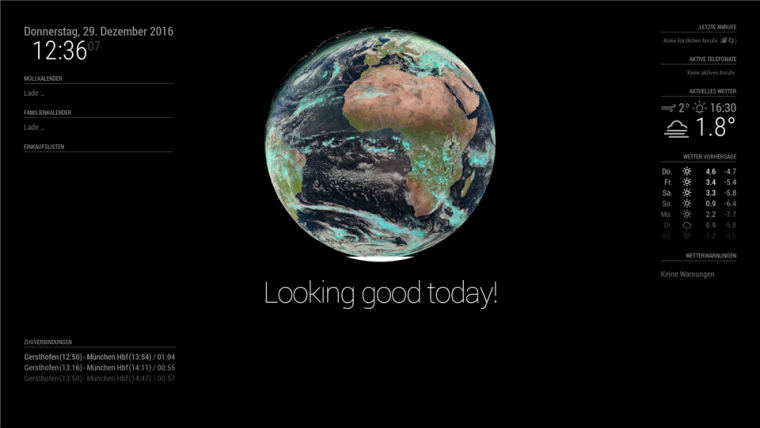
sadly, there’s some white capping down there, but I guess we have to live with that - real time cropping of images won’t make the PIs any faster! ;)
-
yes, i know. That’s the south pole. ;-))
Pull request, good idea.
The Images are better then nothing.
I searched for a better view for Europe with full disk, but nothing found.Maybe other sources from other user here?


Hello! It looks like you're interested in this conversation, but you don't have an account yet.
Getting fed up of having to scroll through the same posts each visit? When you register for an account, you'll always come back to exactly where you were before, and choose to be notified of new replies (either via email, or push notification). You'll also be able to save bookmarks and upvote posts to show your appreciation to other community members.
With your input, this post could be even better 💗
Register Login